Description
- add caption under Image in Lightbox (Gallery Section)
- equal space between caption – image
- view demo – password: abc
- buy me a coffee
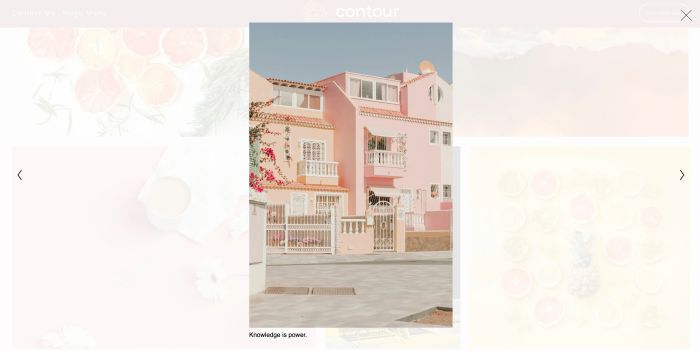
#1. Install Code
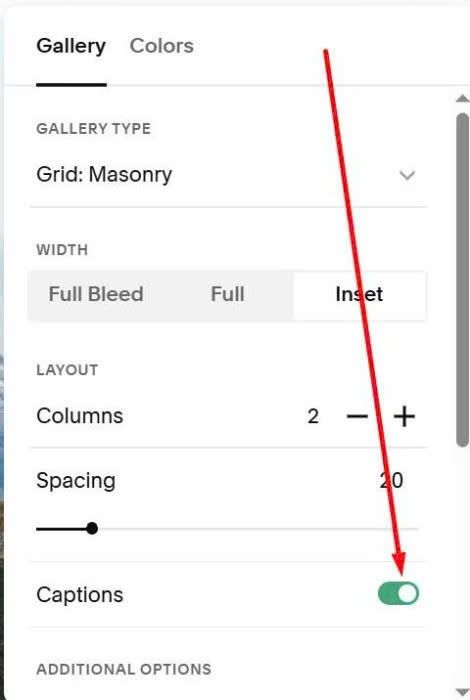
#1.1. First, you need to enable Caption
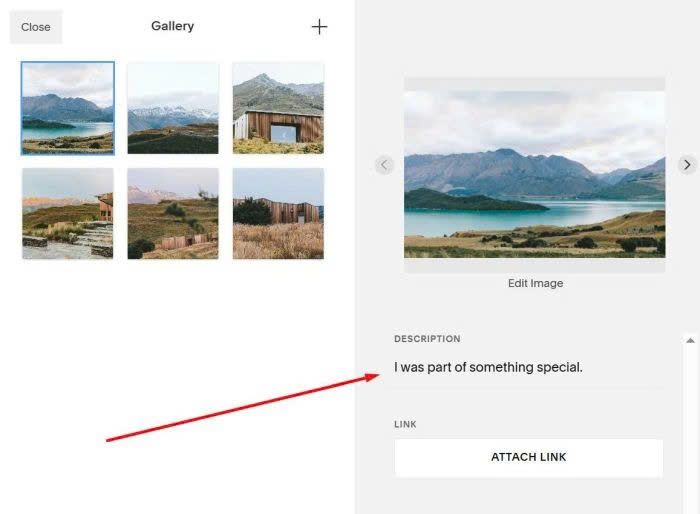
and add some text to Description field
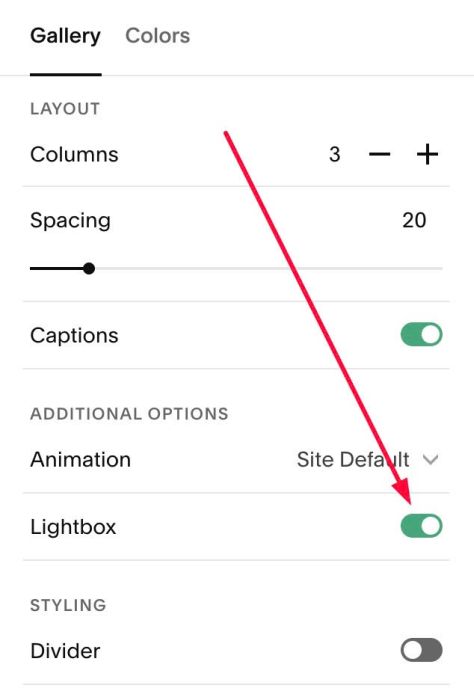
#1.2. Next, you need to enable Lightbox
#1.3. Hover on Page where you use Gallery > Click Gear icon
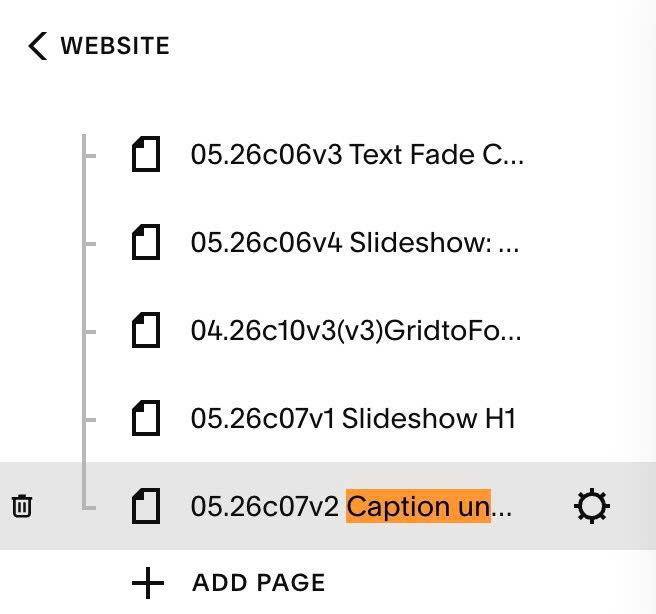
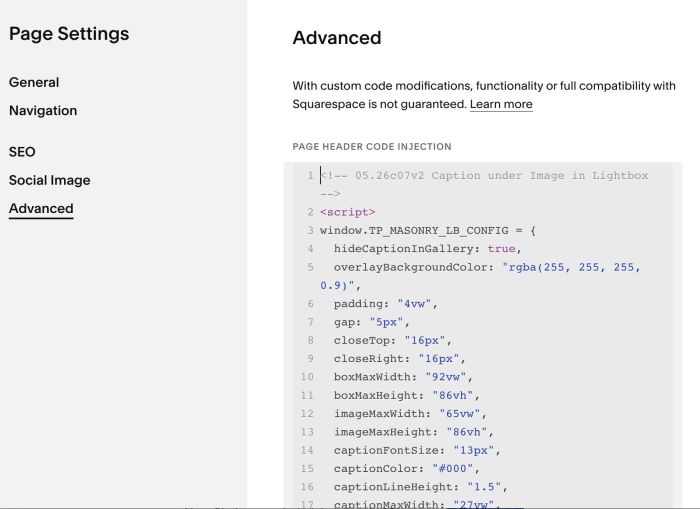
Click Advanced > Paste this code
If you use Personal/Basic Plan and your plan doesn’t support Injection, see code in step #2.1.
<!-- 05.26c07v2 Caption under Image in Lightbox -->
<script>
window.TP_MASONRY_LB_CONFIG = {
  hideCaptionInGallery: true,
  overlayBackgroundColor: "rgba(255, 255, 255, 0.9)",
  padding: "4vw",
  gap: "5px",
  closeTop: "16px",
  closeRight: "16px",
  boxMaxWidth: "92vw",
  boxMaxHeight: "86vh",
  imageMaxWidth: "65vw",
  imageMaxHeight: "86vh",
  captionFontSize: "13px",
  captionColor: "#000",
  captionLineHeight: "1.5",
  captionMaxWidth: "27vw",
  arrowLeft: "20px",
  arrowRight: "20px",
  arrowSvgWidth: "24px",
  arrowSvgHeight: "24px",
  mobileImageMaxWidth: "88vw",
  mobileImageMaxHeight: "60vh",
  mobileCaptionMaxWidth: "88vw",
  mobileArrowLeft: "10px",
  mobileArrowRight: "10px"
};
</script>
<script src="https://code.beaverhero.com/gallerys/0526c07v2captionunderlightboximg.js"></script>
#2. Customize
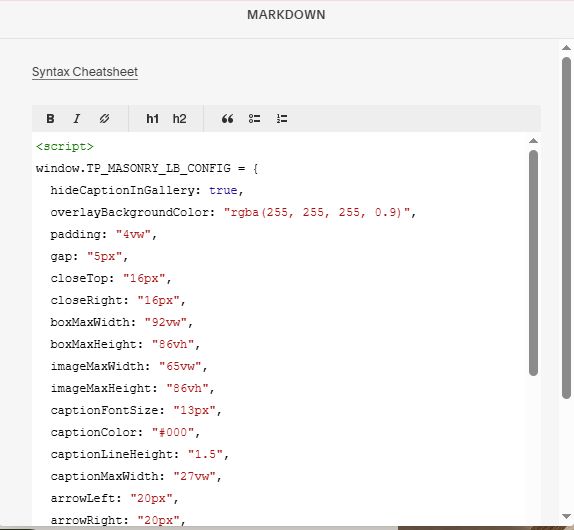
#2.1. If you use Personal/Basic Plan and your plan doesn’t support Injection, you can edit Current Page (page where you use Gallery) > Add a Block > Choose Markdown.

Then paste this code into Markdown.
<script>
window.TP_MASONRY_LB_CONFIG = {
  hideCaptionInGallery: true,
  overlayBackgroundColor: "rgba(255, 255, 255, 0.9)",
  padding: "4vw",
  gap: "5px",
  closeTop: "16px",
  closeRight: "16px",
  boxMaxWidth: "92vw",
  boxMaxHeight: "86vh",
  imageMaxWidth: "65vw",
  imageMaxHeight: "86vh",
  captionFontSize: "13px",
  captionColor: "#000",
  captionLineHeight: "1.5",
  captionMaxWidth: "27vw",
  arrowLeft: "20px",
  arrowRight: "20px",
  arrowSvgWidth: "24px",
  arrowSvgHeight: "24px",
  mobileImageMaxWidth: "88vw",
  mobileImageMaxHeight: "60vh",
  mobileCaptionMaxWidth: "88vw",
  mobileArrowLeft: "10px",
  mobileArrowRight: "10px"
};
</script>
<script src="https://code.beaverhero.com/gallerys/0526c07v2captionunderlightboximg.js"></script>
#2.2. All style options in top of code
window.TP_MASONRY_LB_CONFIG = {
  hideCaptionInGallery: true,
  overlayBackgroundColor: "rgba(255, 255, 255, 0.9)",
  padding: "4vw",
  gap: "5px",
  closeTop: "16px",
  closeRight: "16px",
  boxMaxWidth: "92vw",
  boxMaxHeight: "86vh",
  imageMaxWidth: "65vw",
  imageMaxHeight: "86vh",
  captionFontSize: "13px",
  captionColor: "#000",
  captionLineHeight: "1.5",
  captionMaxWidth: "27vw",
  arrowLeft: "20px",
  arrowRight: "20px",
  arrowSvgWidth: "24px",
  arrowSvgHeight: "24px",
  mobileImageMaxWidth: "88vw",
  mobileImageMaxHeight: "60vh",
  mobileCaptionMaxWidth: "88vw",
  mobileArrowLeft: "10px",
  mobileArrowRight: "10px"
};
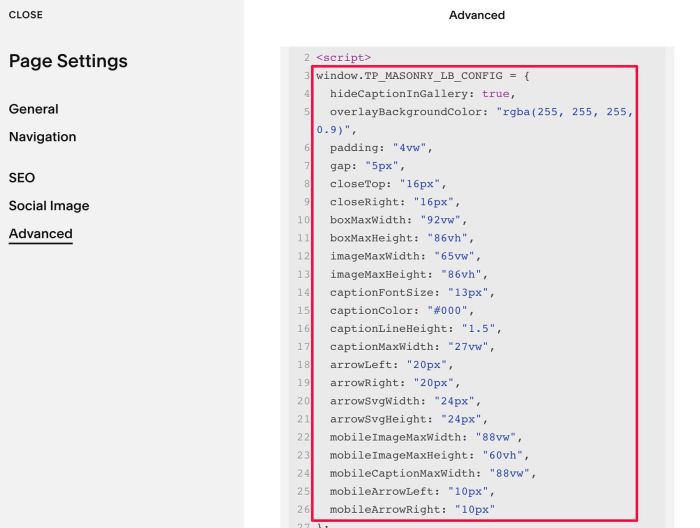
#2.3. If you want to make Caption under Image in Gallery View, change this option to false
hideCaptionInGallery: true,