Description
- click header button > add product to cart > open checkout page
- message me, I will install code for you
- buy me a coffee if it is useful for you
#1. Install code
#1.1. First you need to enable Express Checkout
#1.2. Next, find Product Item URL

Scroll down to Marketing > Click Edit

You will see Product item url

#1.3. Use this code to Code Injection > Footer
<!-- @tuanphan -->
<script>
window.AUTO_ATC_CONFIG = {
  productUrl: '/product-test/p/standard-package-re4ga-gpn7e-lsg8r',
  openInNewTab: true
};
</script>
<script src="https://code.beaverhero.com/header/checkoutbuttonclick.js">
</script>
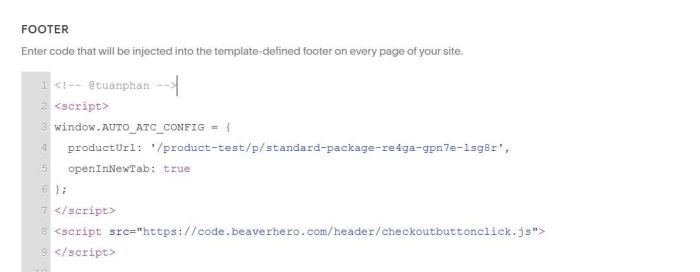
Remember to change Product item url

#2. Customize
If you need any help, you can email or message me.