- Support: [email protected]
- Free Install (1 site)
- View Demo – Password: abc
To add a Slideshow Block next to Text, like this.
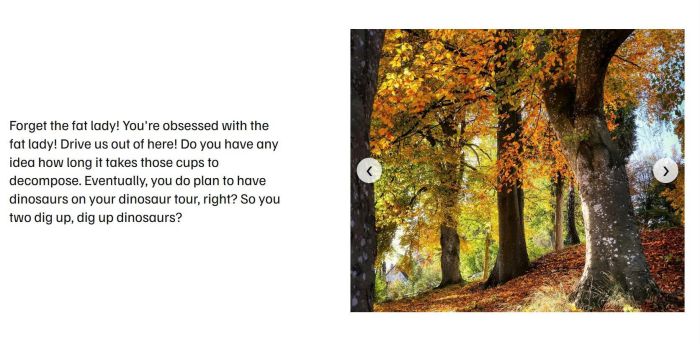
You can do these steps.
#1. Install code
#1.1. Business Plan/higher
First, click on Gear icon on page where you want to place Slideshow
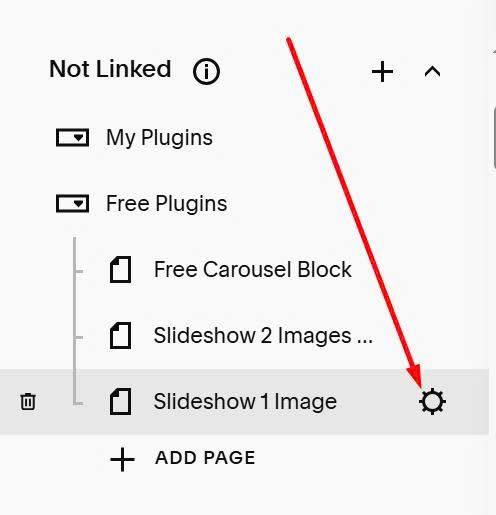
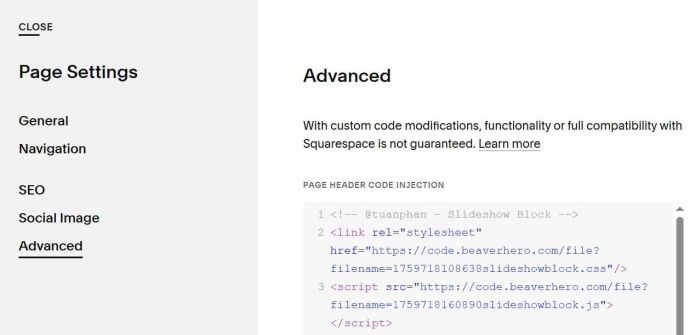
Click Advanced > Paste code to right box
<!-- @tuanphan - Slideshow Block -->
<link rel="stylesheet" href="https://code.beaverhero.com/file?filename=1759718108638slideshowblock.css"/>
<script src="https://code.beaverhero.com/file?filename=1759718160890slideshowblock.js"></script>
#1.2. Personal Plan
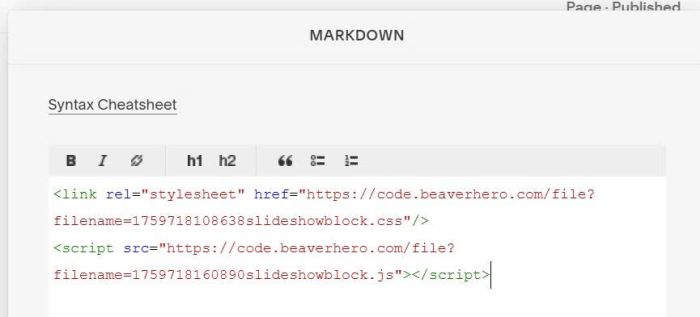
You can edit page where you will want to use Slideshow > Add a Markdown Block
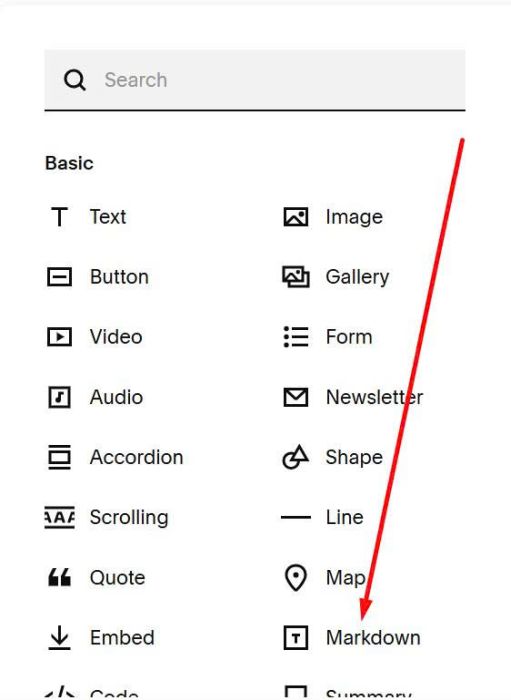
Paste this code into Markdown
<link rel="stylesheet" href="https://code.beaverhero.com/file?filename=1759718108638slideshowblock.css"/>
<script src="https://code.beaverhero.com/file?filename=1759718160890slideshowblock.js"></script>
#2. Usage
#2.1. Business Plan/higher
Edit page where you want to place Slideshow > Add a Markdown Block
Paste all Image URLs. You can follow this guide to get URL.
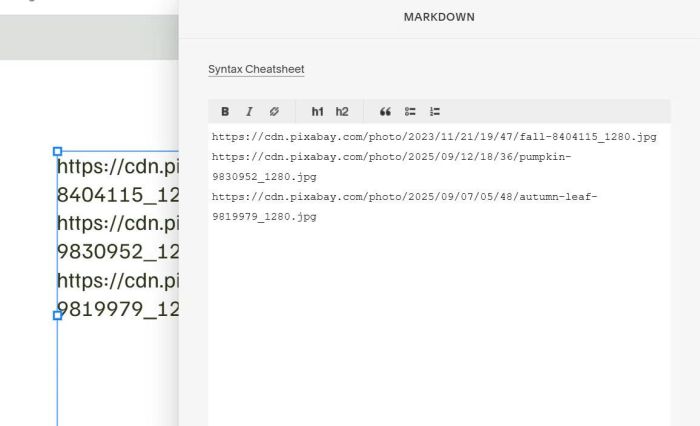
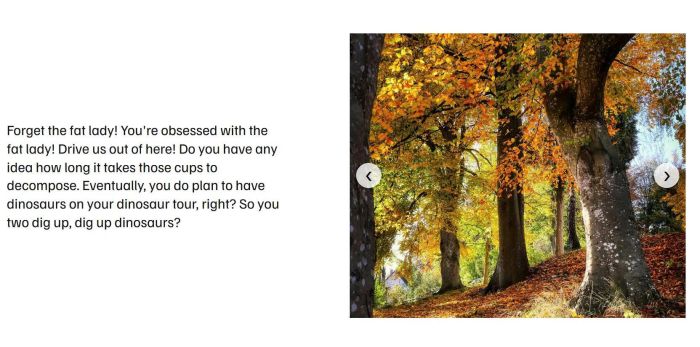
Save and reload the page.
#2.2. Personal Plan/Basic Plan
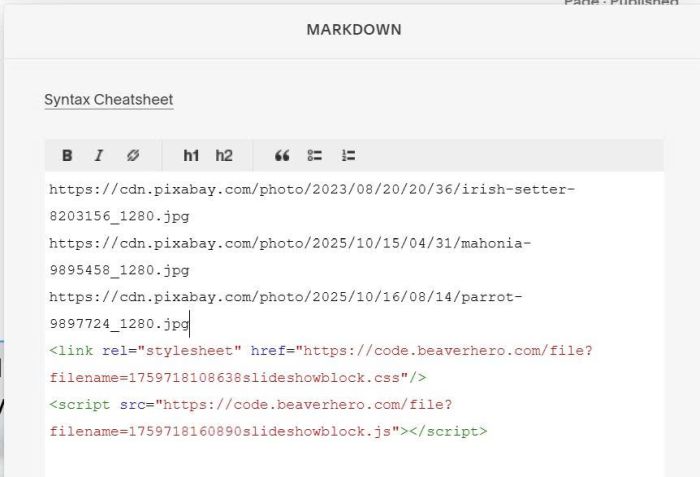
Paste all Image URLs into Markdown Block. You can follow this guide to get URL.
Something like this
#3. Customize
#3.1.
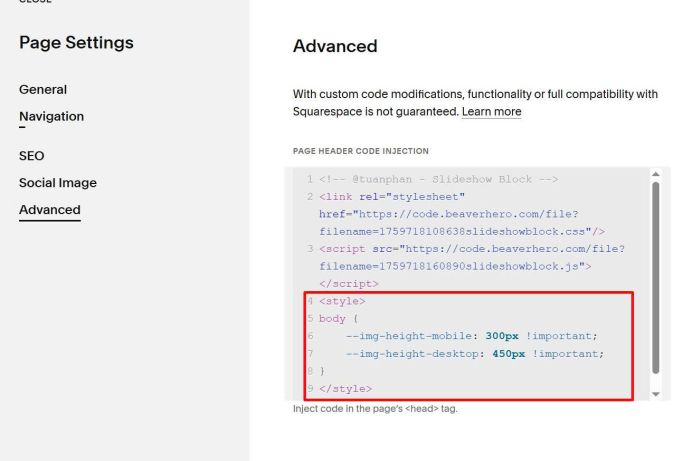
To adjust height of Images on Desktop – Mobile, you can add this code under Plugin code
<style>
body {
    --img-height-mobile: 300px !important;
    --img-height-desktop: 450px !important;
}
</style>
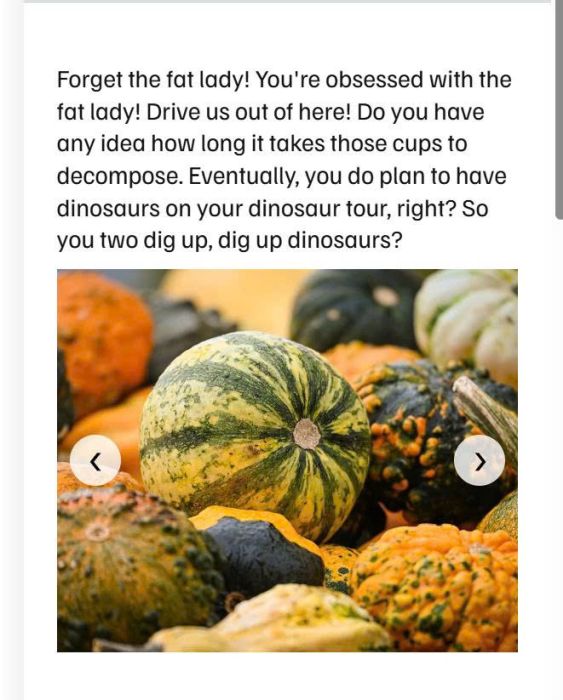
Result something like this.
#3.2. To make slideshow autoscroll with fade transition, use this code under #1 code.
<script>
(function(){let autoplayIntervals=new Map;let isTransitioning=false;function startAutoplay(carouselData){const markdownBlock=carouselData.track.closest('.markdown-block');if(autoplayIntervals.has(markdownBlock)){clearInterval(autoplayIntervals.get(markdownBlock))}const interval=setInterval(()=>{if(!isTransitioning){performCrossfade(carouselData,'right')}},3000);autoplayIntervals.set(markdownBlock,interval)}function performCrossfade(carouselData,direction){if(isTransitioning)return;isTransitioning=true;const track=carouselData.track;const viewport=track.parentElement;const itemsPerSlide=window.MarkdownCarousel.getItemsPerSlide();const gap=parseInt(getComputedStyle(document.documentElement).getPropertyValue('--img-gap'))||10;const containerWidth=viewport.offsetWidth;const itemWidth=(containerWidth-gap*(itemsPerSlide-1))/itemsPerSlide;const slideDistance=itemWidth+gap;let currentIndex=carouselData.currentIndex();let newIndex=currentIndex;const maxIndex=Math.max(0,carouselData.images.length-itemsPerSlide);if(direction==='left'){newIndex--;if(newIndex<0)newIndex=maxIndex}else{newIndex++;if(newIndex>maxIndex)newIndex=0}const trackClone=track.cloneNode(true);trackClone.classList.add('tp-track-clone');trackClone.style.position='absolute';trackClone.style.top='0';trackClone.style.left='0';trackClone.style.width='100%';trackClone.style.opacity='1';trackClone.style.transform=track.style.transform;viewport.appendChild(trackClone);track.style.transition='none';track.style.opacity='0';track.style.transform=`translateX(-${newIndex*slideDistance}px)`;carouselData.setCurrentIndex(newIndex);track.offsetHeight;requestAnimationFrame(()=>{track.style.transition='opacity 1.2s ease';trackClone.style.transition='opacity 1.2s ease';track.style.opacity='1';trackClone.style.opacity='0';setTimeout(()=>{trackClone.remove();track.style.transition='';isTransitioning=false},1200)})}const style=document.createElement('style');style.textContent=`.tp-markdown-carousel-viewport{position:relative}.tp-markdown-carousel-track{position:relative}.tp-track-clone{pointer-events:none;z-index:1}.tp-markdown-carousel-track img{transition:none!important}`;document.head.appendChild(style);window.MarkdownCarousel.addHook('afterCarouselCreate',function(e){startAutoplay(e.carouselData)});document.addEventListener('click',function(e){if(e.target.closest('.tp-markdown-nav')){e.preventDefault();e.stopPropagation();const nav=e.target.closest('.tp-markdown-nav');const container=nav.closest('.tp-markdown-carousel-container');const track=container.querySelector('.tp-markdown-carousel-track');const images=track.querySelectorAll('img');let currentIndex=0;const transform=track.style.transform;if(transform){const match=transform.match(/translateX\((-?\d+(?:\.\d+)?)px\)/);if(match){const itemsPerSlide=window.MarkdownCarousel.getItemsPerSlide();const gap=parseInt(getComputedStyle(document.documentElement).getPropertyValue('--img-gap'))||10;const containerWidth=track.parentElement.offsetWidth;const itemWidth=(containerWidth-gap*(itemsPerSlide-1))/itemsPerSlide;const slideDistance=itemWidth+gap;currentIndex=Math.round(Math.abs(parseFloat(match[1]))/slideDistance)}}const carouselData={track:track,images:images,currentIndex:()=>currentIndex,setCurrentIndex:val=>{currentIndex=val}};const direction=nav.classList.contains('tp-left')?'left':'right';performCrossfade(carouselData,direction)}},true);document.addEventListener('mouseover',function(e){const carousel=e.target.closest('.tp-markdown-carousel-container');if(carousel){const markdownBlock=carousel.closest('.markdown-block');if(autoplayIntervals.has(markdownBlock)){clearInterval(autoplayIntervals.get(markdownBlock))}}});document.addEventListener('mouseout',function(e){const carousel=e.target.closest('.tp-markdown-carousel-container');if(carousel){const markdownBlock=carousel.closest('.markdown-block');const track=carousel.querySelector('.tp-markdown-carousel-track');const images=track.querySelectorAll('img');if(track){const transform=track.style.transform;let currentIndex=0;if(transform){const match=transform.match(/translateX\((-?\d+(?:\.\d+)?)px\)/);if(match){const itemsPerSlide=window.MarkdownCarousel.getItemsPerSlide();const gap=parseInt(getComputedStyle(document.documentElement).getPropertyValue('--img-gap'))||10;const containerWidth=track.parentElement.offsetWidth;const itemWidth=(containerWidth-gap*(itemsPerSlide-1))/itemsPerSlide;const slideDistance=itemWidth+gap;currentIndex=Math.round(Math.abs(parseFloat(match[1]))/slideDistance)}}startAutoplay({track:track,images:images,currentIndex:()=>currentIndex,setCurrentIndex:()=>{}})}})})();
</script>