- Support: [email protected]
Description: Preview external website on your page.
See Demo – Password: abc
#1. Install
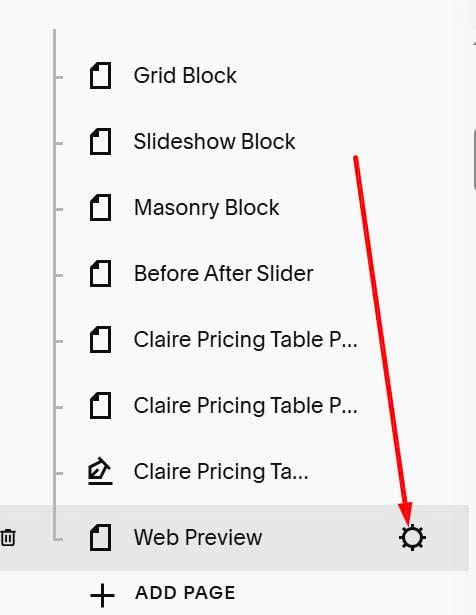
#1. Click Gear icon on Page where you want to add this feature
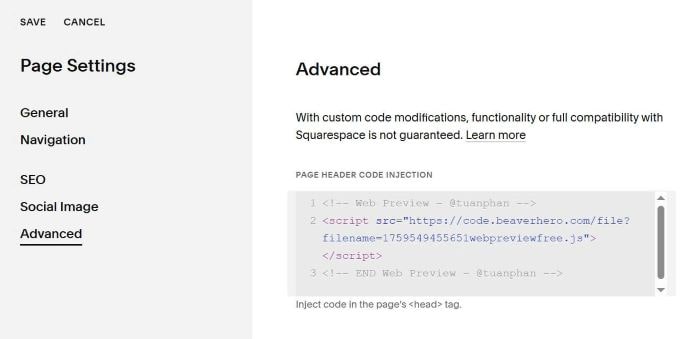
#1.2. Click Advanced > Paste this code
<!-- Web Preview - @tuanphan -->
<script src="https://code.beaverhero.com/file?filename=1759549455651webpreviewfree.js"></script>
<!-- END Web Preview - @tuanphan -->
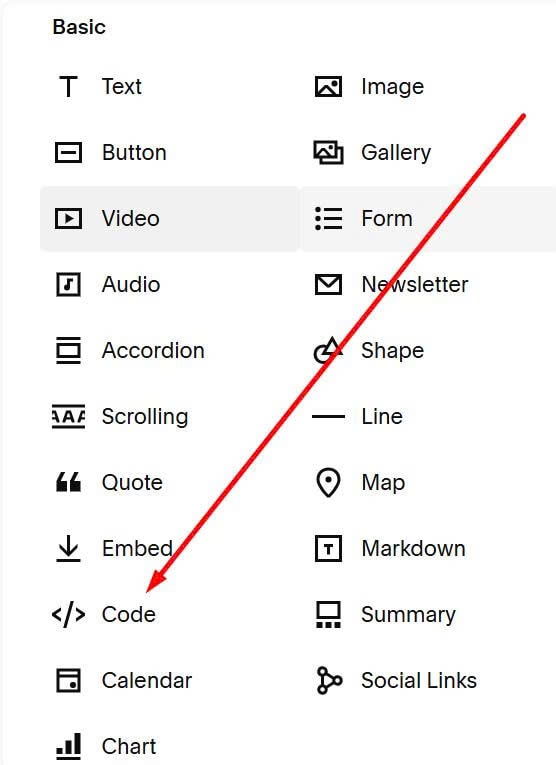
#1.3. Next, add a Code Block
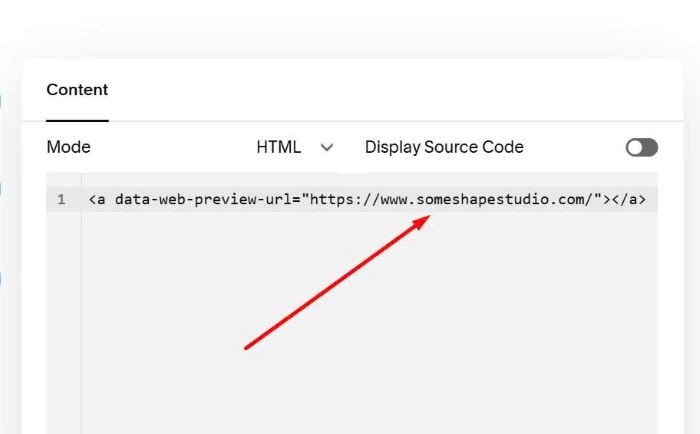
#1.4. Paste syntax like this into Code Block
<a data-web-preview-url="https://www.someshapestudio.com/"></a>
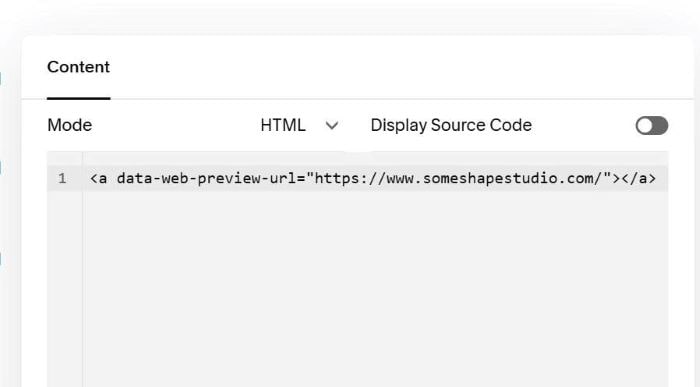
Remember to update URL
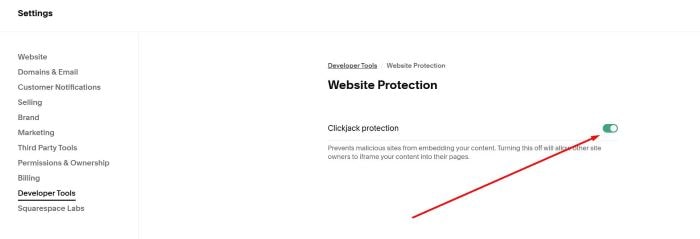
#1.5. If you see error “…refuse to connect”, make sure you disabled this option in external site.
#2. Customize
#2.1. To add Desktop – Tablet – Mobile option, like this.

You can add this extra code under plugin code.
<!-- Desktop tablet mobile preview -->
<script>
document.addEventListener('DOMContentLoaded',function(){const codeBlocks=document.querySelectorAll('.code-block.sqs-block-code');codeBlocks.forEach(block=>{const iframeWrapper=block.querySelector('div[style*="border: 1px solid"]');const iframe=block.querySelector('iframe.embedded-from-url');if(iframeWrapper&&iframe&&!block.querySelector('.device-switcher-bar')){const deviceBar=document.createElement('div');deviceBar.className='device-switcher-bar';deviceBar.style.cssText='display: flex; gap: 10px; padding: 10px; background: #f5f5f5; border-radius: 8px 8px 0 0; border: 1px solid #ddd; border-bottom: none;';const devices=[{name:'Desktop',width:'100%'},{name:'Tablet',width:'768px'},{name:'Mobile',width:'375px'}];devices.forEach((device,index)=>{const btn=document.createElement('button');btn.textContent=device.name;btn.style.cssText=`padding: 8px 20px; border: none; border-radius: 5px; cursor: pointer; font-size: 14px; font-weight: 500; transition: all 0.3s; ${index===0?'background: #2c3e50; color: white;':'background: white; color: #2c3e50;'}`;btn.addEventListener('mouseenter',()=>{if(btn.style.background!=='rgb(44, 62, 80)'){btn.style.background='#e0e0e0'}});btn.addEventListener('mouseleave',()=>{if(btn.style.background!=='rgb(44, 62, 80)'){btn.style.background='white'}});btn.addEventListener('click',()=>{devices.forEach((_,i)=>{const otherBtn=deviceBar.children[i];otherBtn.style.background='white';otherBtn.style.color='#2c3e50'});btn.style.background='#2c3e50';btn.style.color='white';iframeWrapper.style.width=device.width;iframeWrapper.style.margin=device.width==='100%'?'0':'0 auto';iframeWrapper.style.transition='width 0.3s ease'});deviceBar.appendChild(btn)});iframeWrapper.style.borderRadius='0 0 8px 8px';iframeWrapper.insertAdjacentElement('beforebegin',deviceBar)}})})
</script>