- Support: [email protected]
- View Demo – Password: abc
Description
- add caption text under Image Block, use ALT

#1. Install Code
#1.1. Personal Plan/Basic Plan
Note: You can also use this code for Business Plan/higher.
Edit Page where you use Image Blocks > Add a Markdown Block
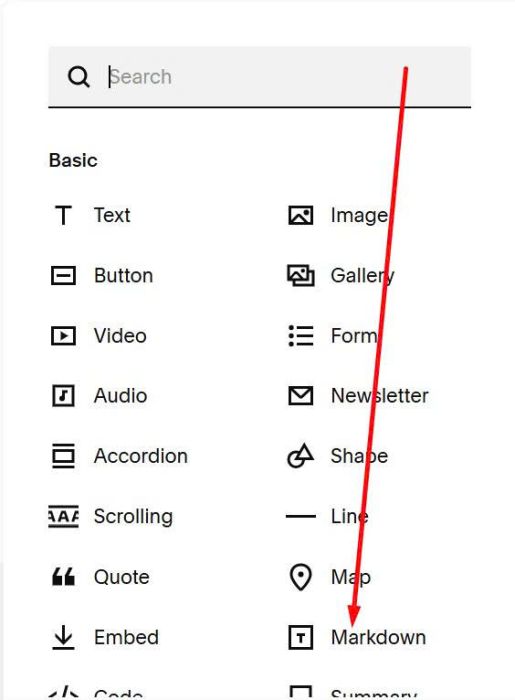
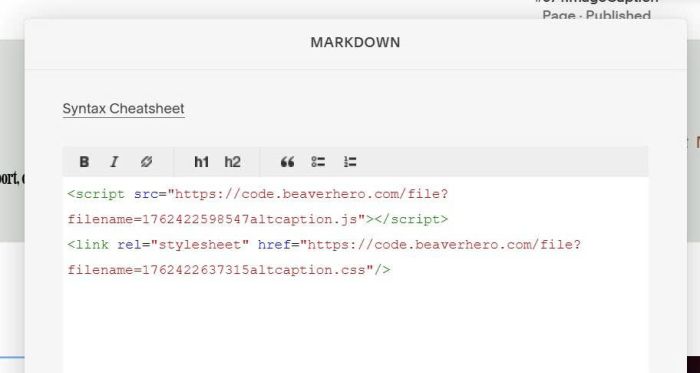
Paste this code
<script src="https://code.beaverhero.com/file?filename=1762422598547altcaption.js"></script>
<link rel="stylesheet" href="https://code.beaverhero.com/file?filename=1762422637315altcaption.css"/>
#1.2. Business Plan/higher
Hover on page where you use Image Blocks > Click Gear icon
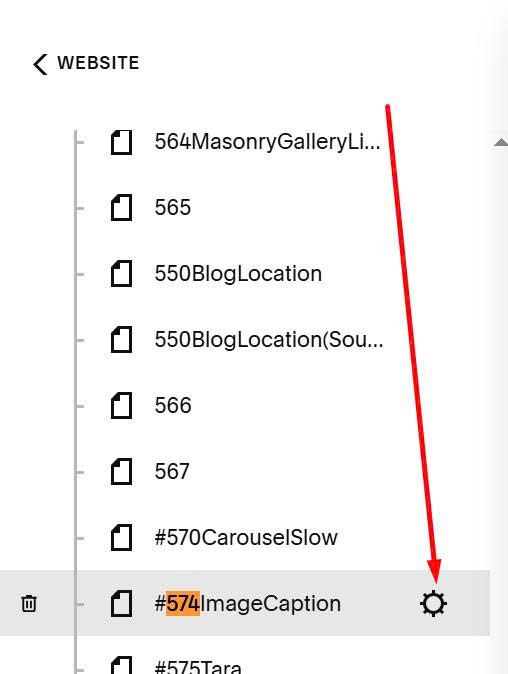
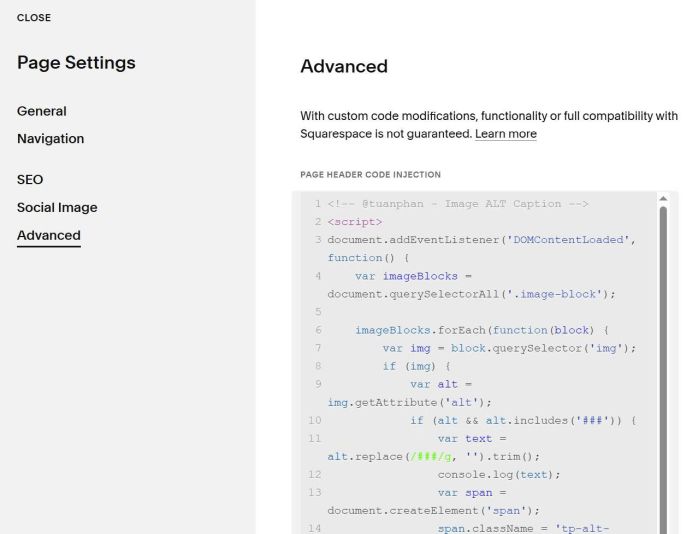
Click Advanced > Paste this code
<!-- @tuanphan - Image ALT Caption -->
<script>
document.addEventListener('DOMContentLoaded', function() {
    var imageBlocks = document.querySelectorAll('.image-block');

    imageBlocks.forEach(function(block) {
        var img = block.querySelector('img');
        if (img) {
            var alt = img.getAttribute('alt');
            if (alt && alt.includes('###')) {
                var text = alt.replace(/###/g, '').trim();
                console.log(text);
                var span = document.createElement('span');
                span.className = 'tp-alt-caption';
                span.textContent = text;
                var imageContent = block.querySelector('.sqs-image-content');
                if (imageContent) {
                    imageContent.parentNode.insertBefore(span, imageContent.nextSibling);
                }
            }
        }
    });
});
</script>
<style>
.sqs-image:has(.tp-alt-caption) {
    flex-direction: column;
}
.tp-alt-caption {
    font-size: 15px;
    line-height: 20px;
    display: block;
    color: #000;
}
</style>
#2. Usage
Make sure you entered ALT
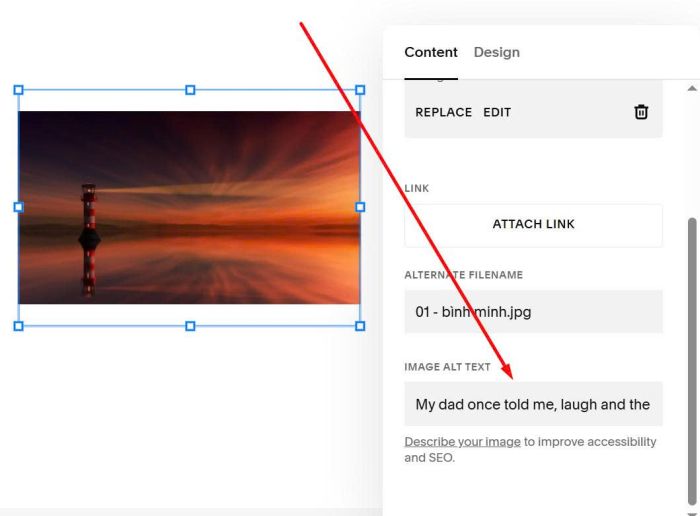
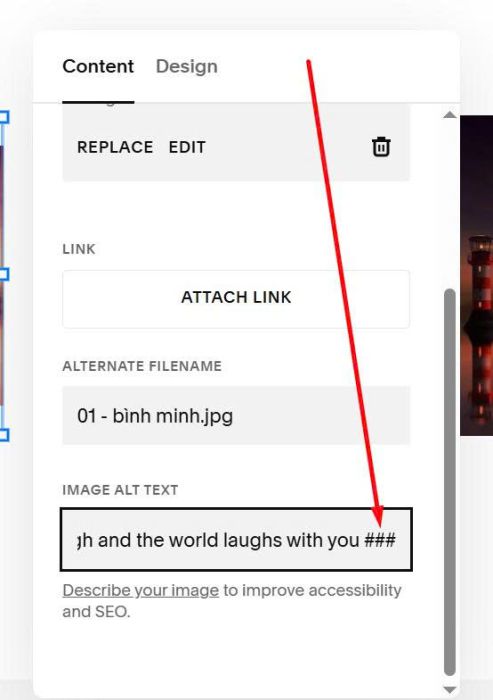
Add ### to last of ALT
###
#3. Customize
#3.1. To align caption left, you can use this to Custom CSS
div.sqs-image:has(.tp-alt-caption) {
    align-items: flex-start !important;
}

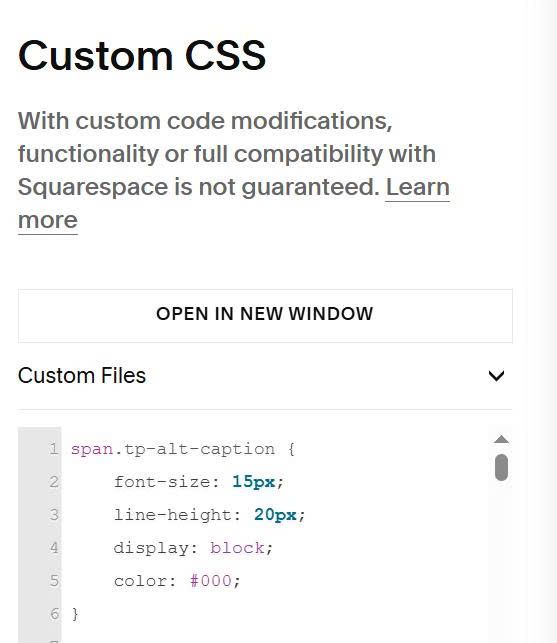
#3.2. To change caption style, use this to Custom CSS
span.tp-alt-caption {
    font-size: 15px;
    line-height: 20px;
    display: block;
    color: #000;
}