Description
- List Simple Section, use Collection to List Section Sync Plugin
- Add Category above Product Name

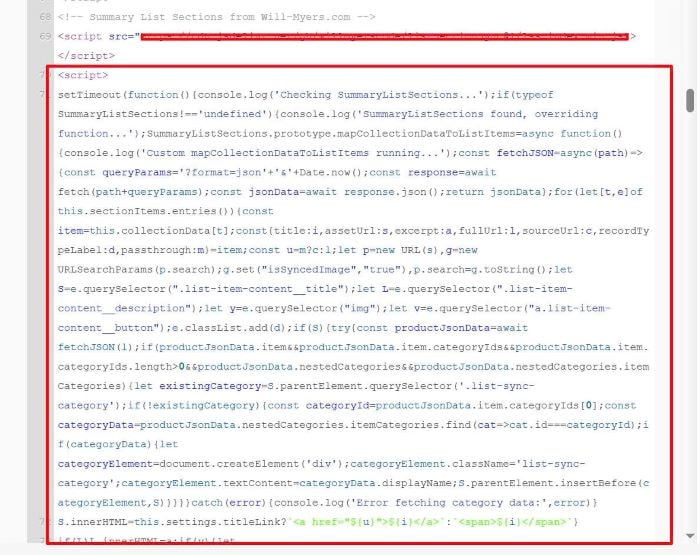
Use this code under Plugin code in Code Injection > Footer
<script>
setTimeout(function(){console.log('Checking SummaryListSections...');if(typeof SummaryListSections!=='undefined'){console.log('SummaryListSections found, overriding function...');SummaryListSections.prototype.mapCollectionDataToListItems=async function(){console.log('Custom mapCollectionDataToListItems running...');const fetchJSON=async(path)=>{const queryParams='?format=json'+'&'+Date.now();const response=await fetch(path+queryParams);const jsonData=await response.json();return jsonData};for(let[t,e]of this.sectionItems.entries()){const item=this.collectionData[t];const{title:i,assetUrl:s,excerpt:a,fullUrl:l,sourceUrl:c,recordTypeLabel:d,passthrough:m}=item;const u=m?c:l;let p=new URL(s),g=new URLSearchParams(p.search);g.set("isSyncedImage","true"),p.search=g.toString();let S=e.querySelector(".list-item-content__title");let L=e.querySelector(".list-item-content__description");let y=e.querySelector("img");let v=e.querySelector("a.list-item-content__button");e.classList.add(d);if(S){try{const productJsonData=await fetchJSON(l);if(productJsonData.item&&productJsonData.item.categoryIds&&productJsonData.item.categoryIds.length>0&&productJsonData.nestedCategories&&productJsonData.nestedCategories.itemCategories){let existingCategory=S.parentElement.querySelector('.list-sync-category');if(!existingCategory){const categoryId=productJsonData.item.categoryIds[0];const categoryData=productJsonData.nestedCategories.itemCategories.find(cat=>cat.id===categoryId);if(categoryData){let categoryElement=document.createElement('div');categoryElement.className='list-sync-category';categoryElement.textContent=categoryData.displayName;S.parentElement.insertBefore(categoryElement,S)}}}}catch(error){console.log('Error fetching category data:',error)}
S.innerHTML=this.settings.titleLink?`<a href="${u}">${i}</a>`:`<span>${i}</span>`}
if(L)L.innerHTML=a;if(y){let newImg=y.cloneNode(!0);newImg.src=p;newImg.dataset.src=p;newImg.dataset.image=p;newImg.srcset="";y.parentElement.append(newImg);if(this.settings.imageLink&&!y.querySelector(".image-link")){const linkEl=document.createElement("a");linkEl.href=u;linkEl.classList.add("image-link");y.parentElement.append(linkEl)}
y.style.display="none"}
if(v){v.setAttribute("href",u);const originalText=this.sectionItems[0].querySelector("a.list-item-content__button").innerHTML;v.innerHTML=originalText}}
window.dispatchEvent(new Event("resize"))}}},2000)
</script>
Next, use this code to Custom CSS
div.list-sync-category {
    color: gray;
    font-size: 16px;
}

If you want to make Category clickable to category page url, use this new code
<script>setTimeout(function(){console.log('Checking SummaryListSections...');if(typeof SummaryListSections!=='undefined'){console.log('SummaryListSections found, overriding function...');SummaryListSections.prototype.mapCollectionDataToListItems=async function(){console.log('Custom mapCollectionDataToListItems running...');const fetchJSON=async(path)=>{const queryParams='?format=json'+'&'+Date.now();const response=await fetch(path+queryParams);const jsonData=await response.json();return jsonData};for(let[t,e]of this.sectionItems.entries()){const item=this.collectionData[t];const{title:i,assetUrl:s,excerpt:a,fullUrl:l,sourceUrl:c,recordTypeLabel:d,passthrough:m}=item;const u=m?c:l;let p=new URL(s),g=new URLSearchParams(p.search);g.set("isSyncedImage","true"),p.search=g.toString();let S=e.querySelector(".list-item-content__title");let L=e.querySelector(".list-item-content__description");let y=e.querySelector("img");let v=e.querySelector("a.list-item-content__button");e.classList.add(d);if(S){try{const productJsonData=await fetchJSON(l);if(productJsonData.item&&productJsonData.item.categoryIds&&productJsonData.item.categoryIds.length>0&&productJsonData.nestedCategories&&productJsonData.nestedCategories.itemCategories){let existingCategory=S.parentElement.querySelector('.list-sync-category');if(!existingCategory){const categoryId=productJsonData.item.categoryIds[0];const categoryData=productJsonData.nestedCategories.itemCategories.find(cat=>cat.id===categoryId);if(categoryData){let categoryElement=document.createElement('a');categoryElement.className='list-sync-category';categoryElement.href=categoryData.fullUrl;categoryElement.textContent=categoryData.displayName;S.parentElement.insertBefore(categoryElement,S)}}}}catch(error){console.log('Error fetching category data:',error)}
S.innerHTML=this.settings.titleLink?`<a href="${u}">${i}</a>`:`<span>${i}</span>`}
if(L)L.innerHTML=a;if(y){let newImg=y.cloneNode(!0);newImg.src=p;newImg.dataset.src=p;newImg.dataset.image=p;newImg.srcset="";y.parentElement.append(newImg);if(this.settings.imageLink&&!y.querySelector(".image-link")){const linkEl=document.createElement("a");linkEl.href=u;linkEl.classList.add("image-link");y.parentElement.append(linkEl)}
y.style.display="none"}
if(v){v.setAttribute("href",u);const originalText=this.sectionItems[0].querySelector("a.list-item-content__button").innerHTML;v.innerHTML=originalText}}
window.dispatchEvent(new Event("resize"))}}},2000)</script>