- Support: [email protected]
- Buy me a coffee
- View Demo – Password: abc
#1. Install code
#1.1. Business Plan/higher
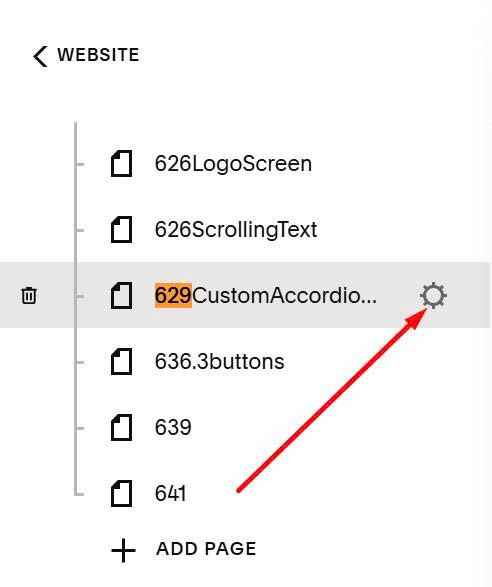
Hover on page where you want to apply effect > Click Gear icon
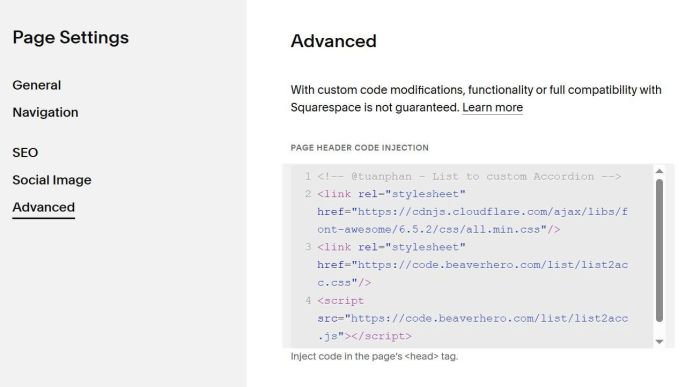
Click Advanced > Paste this code
<!-- @tuanphan - List to custom Accordion -->
<link rel="stylesheet" href="https://cdnjs.cloudflare.com/ajax/libs/font-awesome/6.5.2/css/all.min.css"/>
<link rel="stylesheet" href="https://code.beaverhero.com/list/list2acc.css"/>
<script src="https://code.beaverhero.com/list/list2acc.js"></script>
#1.2. Personal/Basic Plan
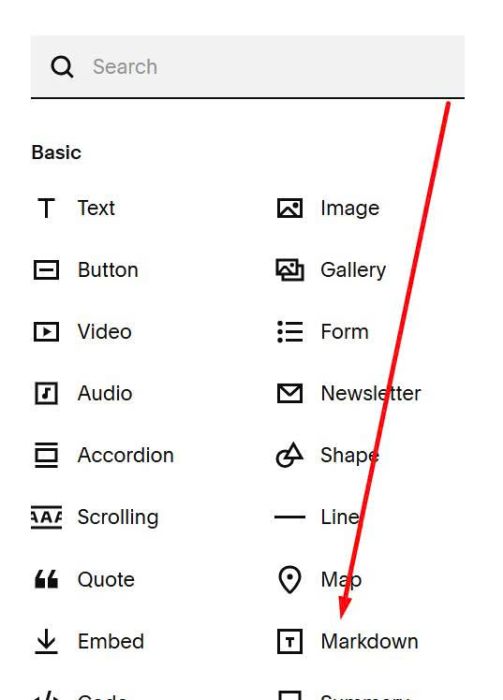
Edit page where you want to run affect > Add a Markdown Block
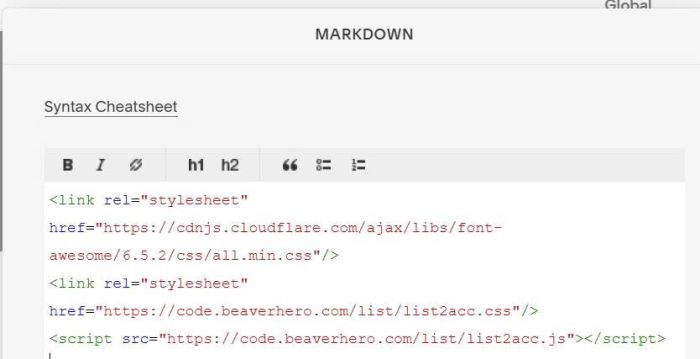
Paste this code into Markdown
<link rel="stylesheet" href="https://cdnjs.cloudflare.com/ajax/libs/font-awesome/6.5.2/css/all.min.css"/>
<link rel="stylesheet" href="https://code.beaverhero.com/list/list2acc.css"/>
<script src="https://code.beaverhero.com/list/list2acc.js"></script>
#2. Usage
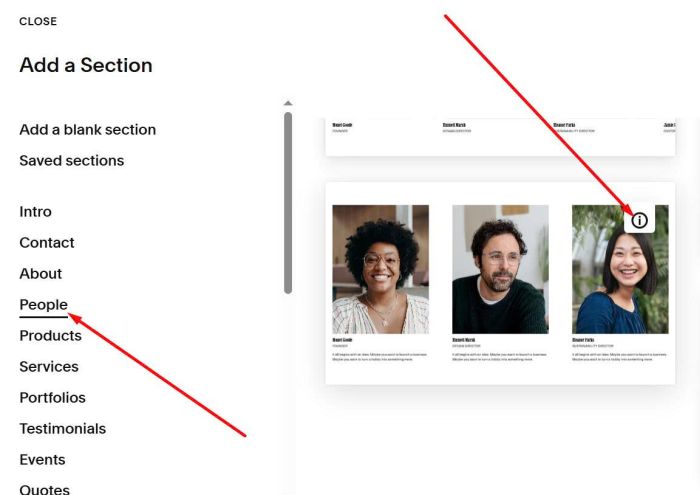
First, add a People List Section > Choose section with (i) icon
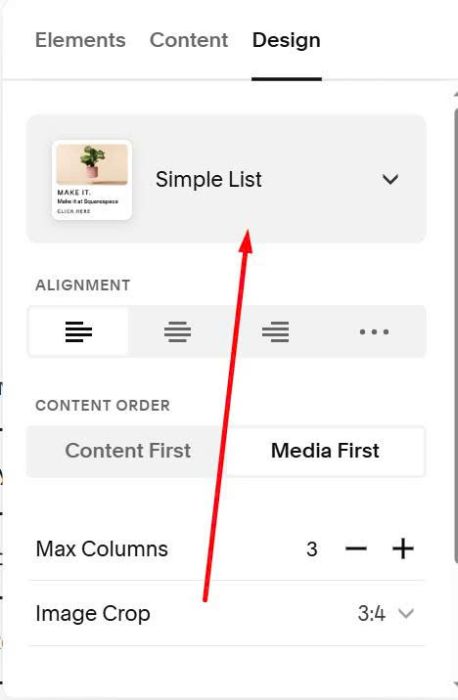
Choose Simple List
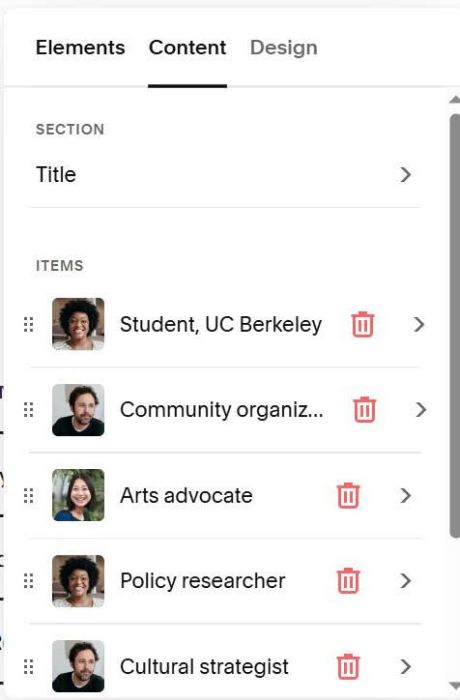
At Content, add your desired content
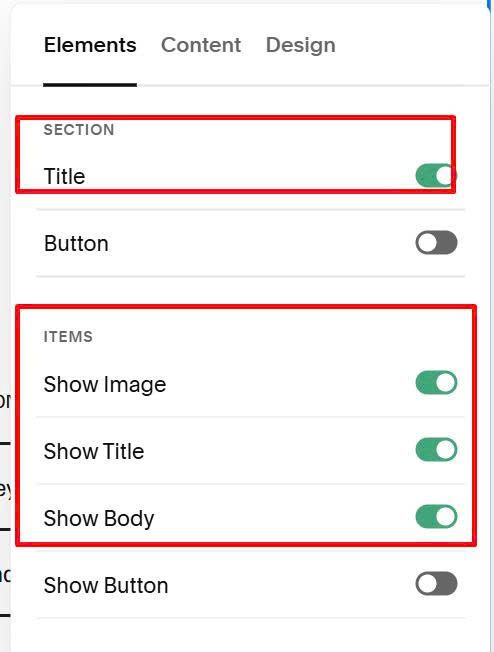
At Elements > Enable these
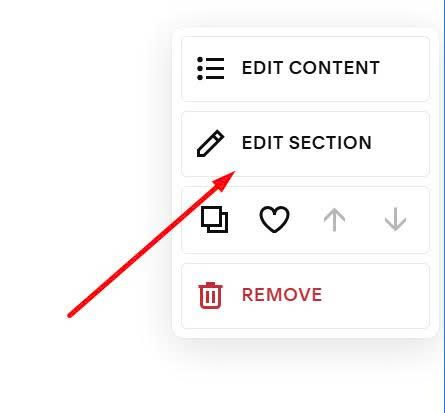
Next, hover on top right > Click Edit Section
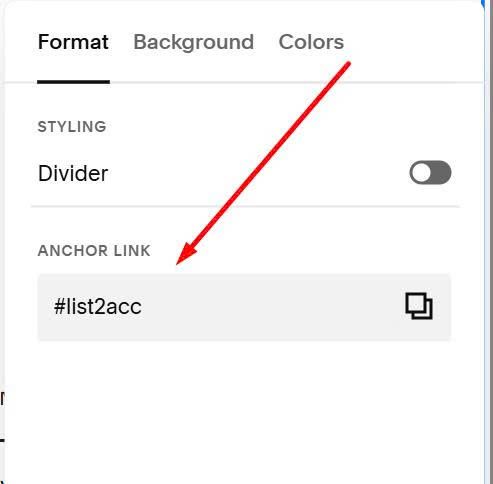
At Anchor Link > Enter word: list2acc
list2acc
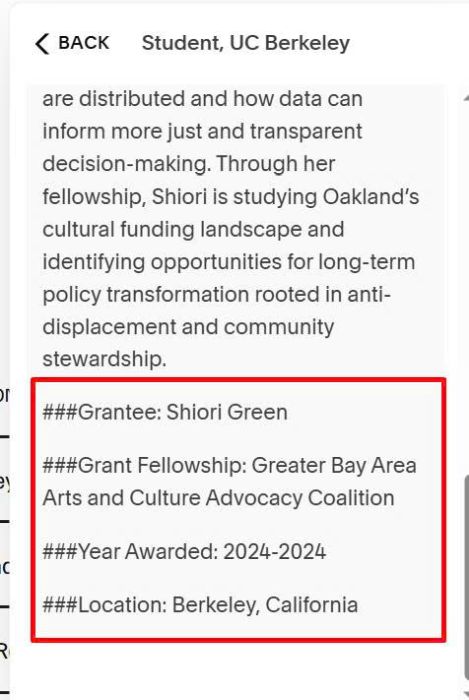
Edit each item > Use Format like this (with ### symbol)
Shiori Green is a student fellow for Just Cities and the Deeply Rooted Collaborative, currently pursuing a Master’s in City Planning at UC Berkeley. With a background in architecture and community-centered design, she approaches policy work with a strong equity-focused lens. Her research explores how cities can better support cultural infrastructure, especially in historically marginalized neighborhoods. She focuses on understanding how public resources are distributed and how data can inform more just and transparent decision-making. Through her fellowship, Shiori is studying Oakland’s cultural funding landscape and identifying opportunities for long-term policy transformation rooted in anti-displacement and community stewardship.

###Grantee: Shiori Green

###Grant Fellowship: Greater Bay Area Arts and Culture Advocacy Coalition

###Year Awarded: 2024-2024

###Location: Berkeley, California
#3. Customize
#3.1. To change space around accordion, use this to Custom CSS
div.tp-program {
    padding-top: 10px;
    padding-left: 10px;
    padding-right: 10px;
    padding-bottom: 0px;
}
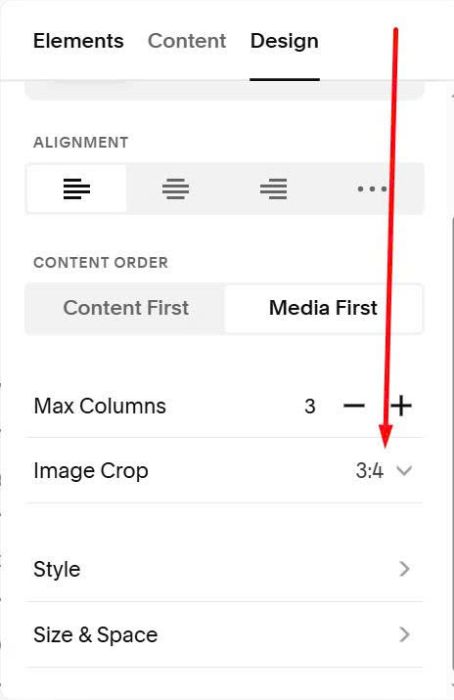
#3.2. To change ratio of image, change this option
#3.3. To change image size, use this to Custom CSS
/* image size */
.tp-details-inner {
    --tp-details-grid-col-width: 300px !important;
}
.tp-item.is-open .tp-row-details {
    max-height: initial !important;
}