- Support: [email protected]
- Free install (1 site)
- View Demo – Password: abc
Description:
- adding custom badge label over Product Block image
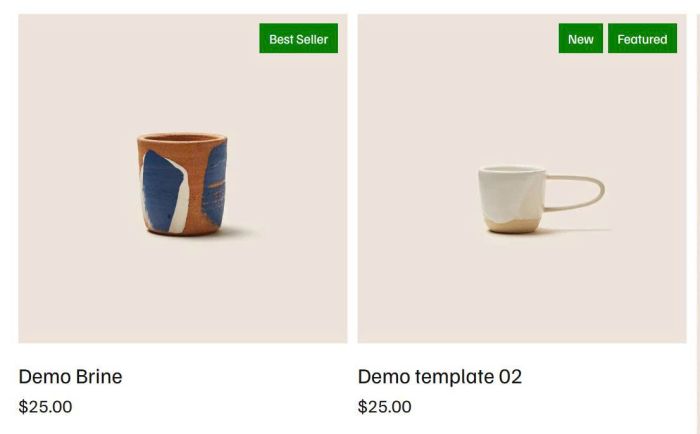
#1. Install Code
Hover on Page where you added Product Blocks > Click Gear icon
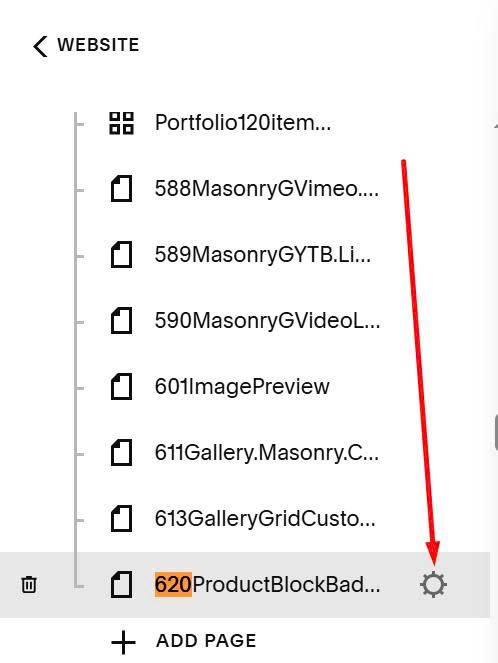
Click Advanced > Paste this code
<!-- @tuanphan - Product Block Badge -->
<style>
div.product-tags-container {
    position: absolute;
    top: 10px;
    right: 10px;
    z-index: 99999;
    display: flex;
    gap: 5px;
    pointer-events: none;
}
div.product-tags-container span {
    background-color: green;
    color: #fff;
    font-size: 14px;
    padding: 0px 10px;
    font-family: var(--product-block-price-font-font-family);
}
</style>
<script src="https://code.beaverhero.com/productblock/productblockbadge.js"></script>
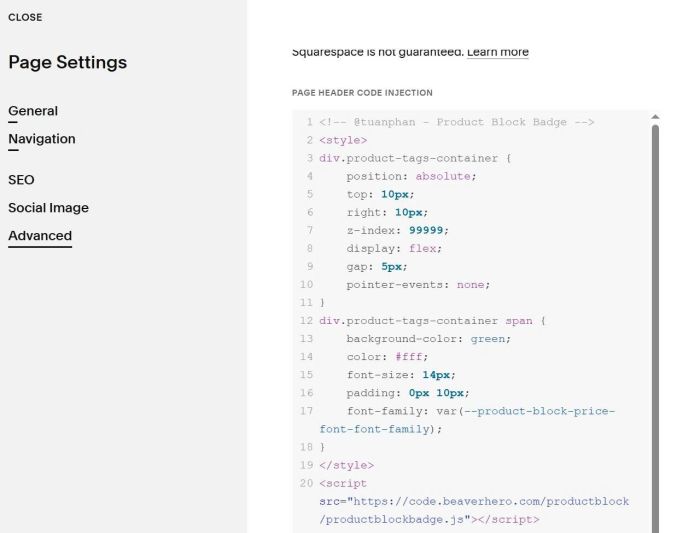
#2. Usage
You can assign tag to products. Code will turn tag into badge
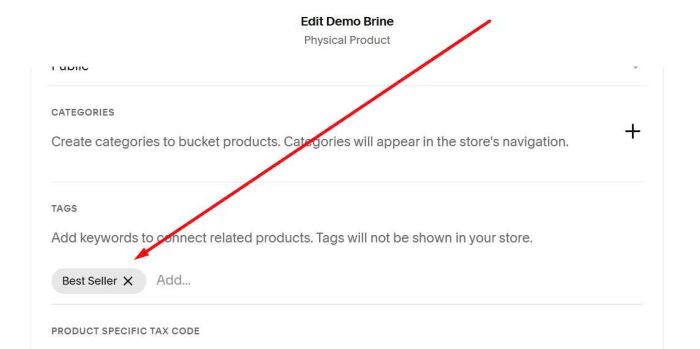
#3. Customize
#3.1. To change position of Badge, you can adjust Line 05, Line 06
top: 10px;
   right: 10px;
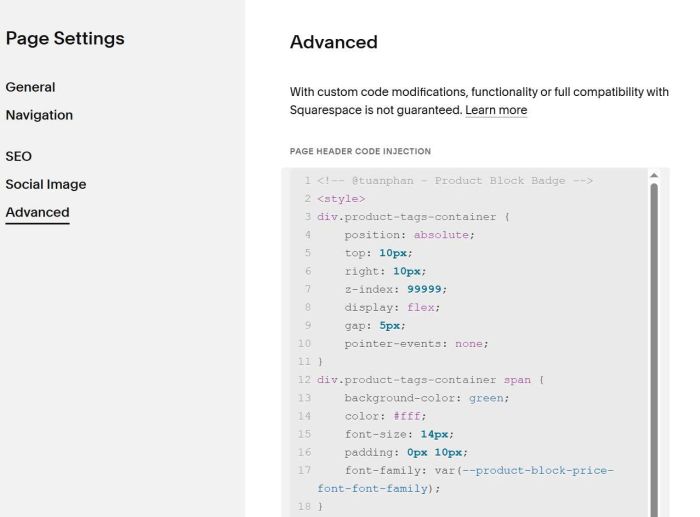
#3.2. To change badge color, adjust line 13, 14
background-color: green;
color: #fff;
#3.3. To change badge text size, adjust line 15
font-size: 14px;
#3.4. To change badge size, adjust line 16
padding: 0px 10px;