I released new version, you can check it here.
- it has more better option
- it fixed problem with update from Squarespace
Features
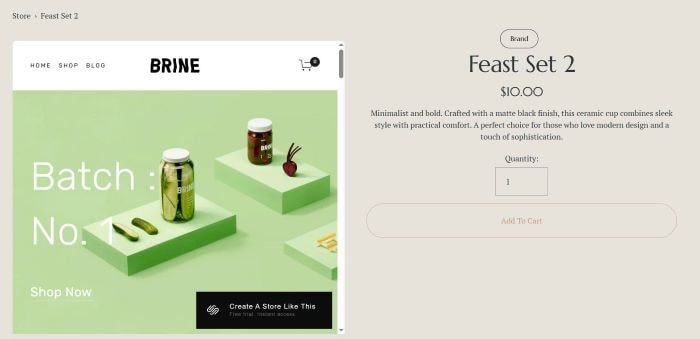
- Replace Product Gallery with Template Preview
- See Demo – Password: abc
- Support: [email protected] (I offer free install, 1 site/1 license)
To adding Template Preview to Product Page, like this.
#1. How to Install
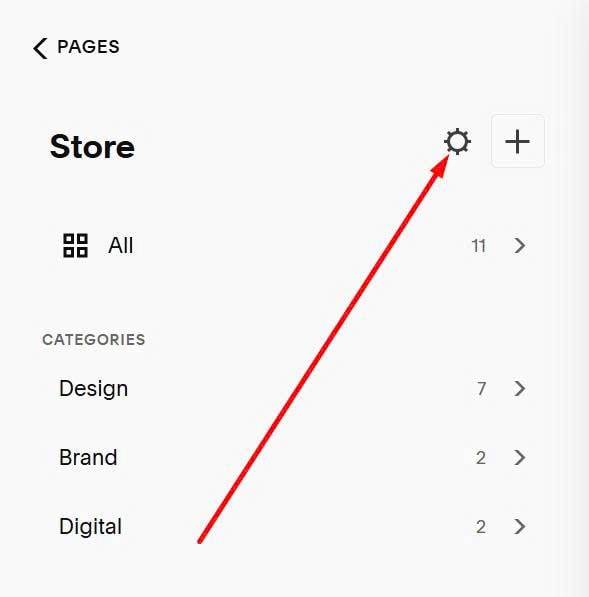
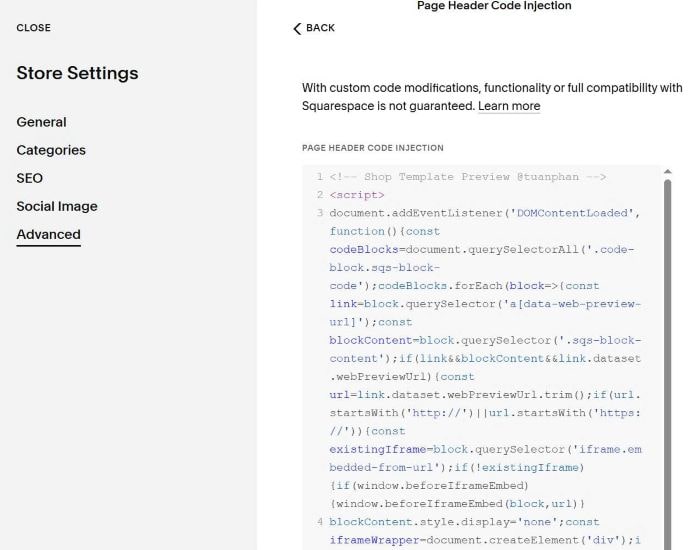
First, click on Gear icon on Shop Page
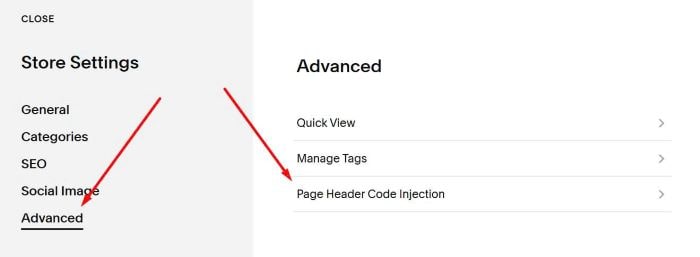
Next, click Advanced > Page Header Code Injection
Paste this code
<!-- Shop Template Preview @tuanphan -->
<script>
document.addEventListener('DOMContentLoaded',function(){const codeBlocks=document.querySelectorAll('.code-block.sqs-block-code');codeBlocks.forEach(block=>{const link=block.querySelector('a[data-web-preview-url]');const blockContent=block.querySelector('.sqs-block-content');if(link&&blockContent&&link.dataset.webPreviewUrl){const url=link.dataset.webPreviewUrl.trim();if(url.startsWith('http://')||url.startsWith('https://')){const existingIframe=block.querySelector('iframe.embedded-from-url');if(!existingIframe){if(window.beforeIframeEmbed){window.beforeIframeEmbed(block,url)}
blockContent.style.display='none';const iframeWrapper=document.createElement('div');iframeWrapper.style.cssText='width: 100%; border: 1px solid #ddd; border-radius: 8px; overflow: hidden;';const iframe=document.createElement('iframe');iframe.className='embedded-from-url';iframe.src=url;iframe.style.cssText='width: 100%; height: 600px; border: none;';iframe.setAttribute('loading','lazy');iframe.setAttribute('title','Embedded content from '+url);iframeWrapper.appendChild(iframe);blockContent.insertAdjacentElement('afterend',iframeWrapper);if(window.afterIframeEmbed){window.afterIframeEmbed(block,iframe,url)}}}}});const productCodeBlocks=document.querySelectorAll('section.ProductItem-additional .code-block:has(.embedded-from-url)');const productGallery=document.querySelector('.product-gallery');if(productGallery){productCodeBlocks.forEach(function(block){productGallery.appendChild(block)})}})
</script>
<style>div.product-gallery .code-block{width:100%}div.product-gallery:has(.code-block)>div:not(.code-block){display:none}</style>
<!-- END Shop Template Preview @tuanphan -->
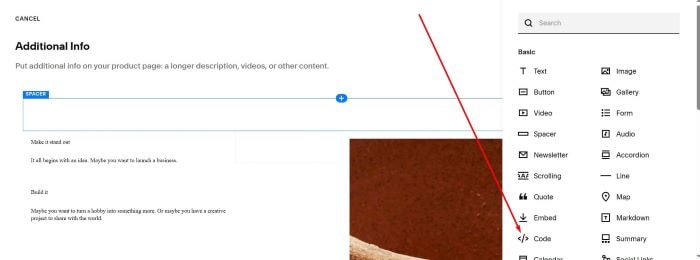
Next, edit Additional Info > Add a Code Block
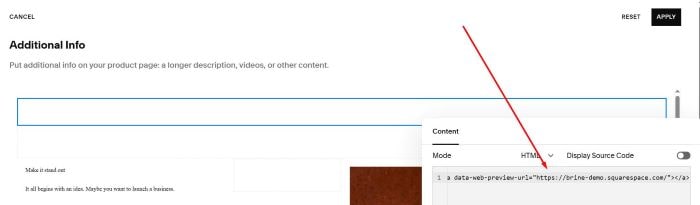
Paste syntax like this to Code Block
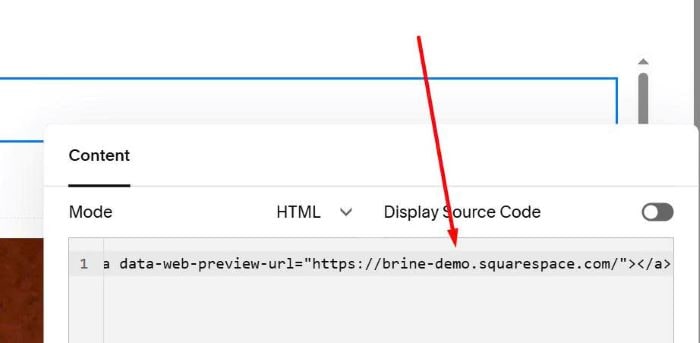
<a data-web-preview-url="https://brine-demo.squarespace.com/"></a>
Remember to update URL
#2. Customize
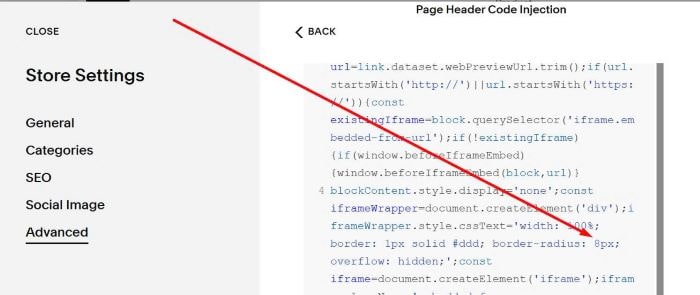
#2.1. To remove round corners, you can change 8px to 0px.
#2.2. To add Mobile Preview mode, like this.
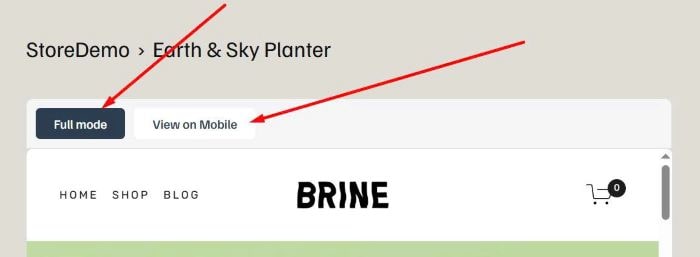
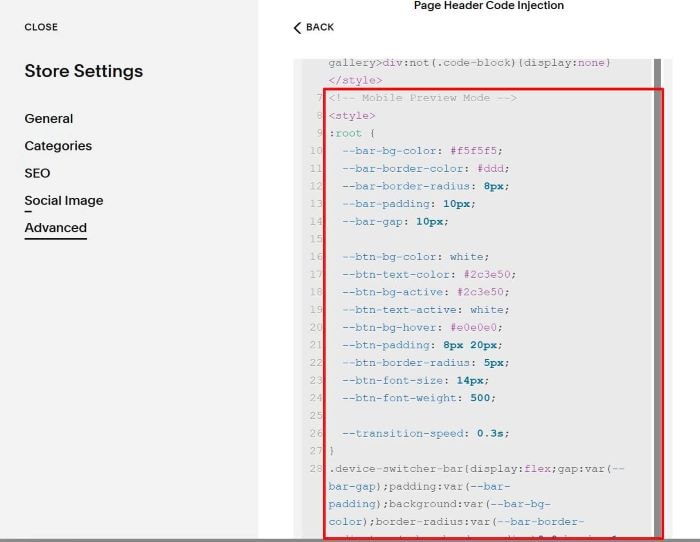
Add this extra under plugin code.
<!-- Mobile Preview Mode -->
<style>
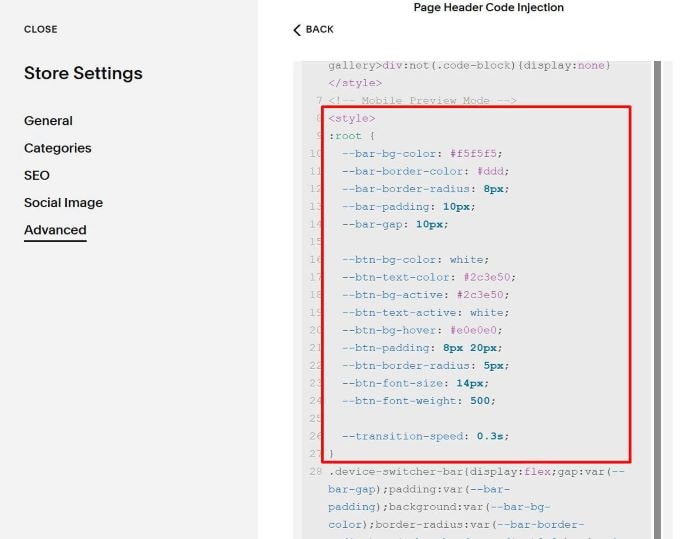
:root {
  --bar-bg-color: #f5f5f5;
  --bar-border-color: #ddd;
  --bar-border-radius: 8px;
  --bar-padding: 10px;
  --bar-gap: 10px;

  --btn-bg-color: white;
  --btn-text-color: #2c3e50;
  --btn-bg-active: #2c3e50;
  --btn-text-active: white;
  --btn-bg-hover: #e0e0e0;
  --btn-padding: 8px 20px;
  --btn-border-radius: 5px;
  --btn-font-size: 14px;
  --btn-font-weight: 500;

  --transition-speed: 0.3s;
}
.device-switcher-bar{display:flex;gap:var(--bar-gap);padding:var(--bar-padding);background:var(--bar-bg-color);border-radius:var(--bar-border-radius)var(--bar-border-radius)0 0;border:1px solid var(--bar-border-color);border-bottom:none}.device-btn{padding:var(--btn-padding);border:none;border-radius:var(--btn-border-radius);cursor:pointer;font-size:var(--btn-font-size);font-weight:var(--btn-font-weight);transition:all var(--transition-speed);background:var(--btn-bg-color);color:var(--btn-text-color)}.device-btn.active{background:var(--btn-bg-active);color:var(--btn-text-active)}.device-btn:not(.active):hover{background:var(--btn-bg-hover)}.iframe-wrapper-styled{transition:width var(--transition-speed)ease;border-radius:0 0 var(--bar-border-radius)var(--bar-border-radius)}
@media screen and (max-width:767px) {button.device-btn:last-child {display: none;}}
</style>
<script>document.addEventListener('DOMContentLoaded',function(){const codeBlocks=document.querySelectorAll('.code-block.sqs-block-code');codeBlocks.forEach(block=>{const iframeWrapper=block.querySelector('div[style*="border: 1px solid"]');const iframe=block.querySelector('iframe.embedded-from-url');if(iframeWrapper&&iframe&&!block.querySelector('.device-switcher-bar')){const deviceBar=document.createElement('div');deviceBar.className='device-switcher-bar';const devices=[{name:'Full mode',width:'100%'},{name:'View on Mobile',width:'375px'}];devices.forEach((device,index)=>{const btn=document.createElement('button');btn.textContent=device.name;btn.className='device-btn'+(index===0?' active':'');btn.addEventListener('click',()=>{deviceBar.querySelectorAll('.device-btn').forEach(b=>b.classList.remove('active'));btn.classList.add('active');iframeWrapper.style.width=device.width;iframeWrapper.style.margin=device.width==='100%'?'0':'0 auto'});deviceBar.appendChild(btn)});iframeWrapper.classList.add('iframe-wrapper-styled');iframeWrapper.insertAdjacentElement('beforebegin',deviceBar)}})});</script>
To change style of 2 buttons, adjust these.
#3. FAQ
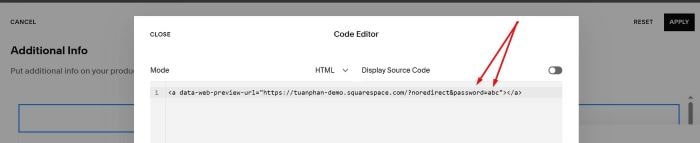
#3.1. If your template url has a password protected, use format like this into Code Block (url with prefill password)
<a data-web-preview-url="https://tuanphan-demo.squarespace.com/?noredirect&password=abc"></a>
#3.2. If you has this error message “…refused to connect”
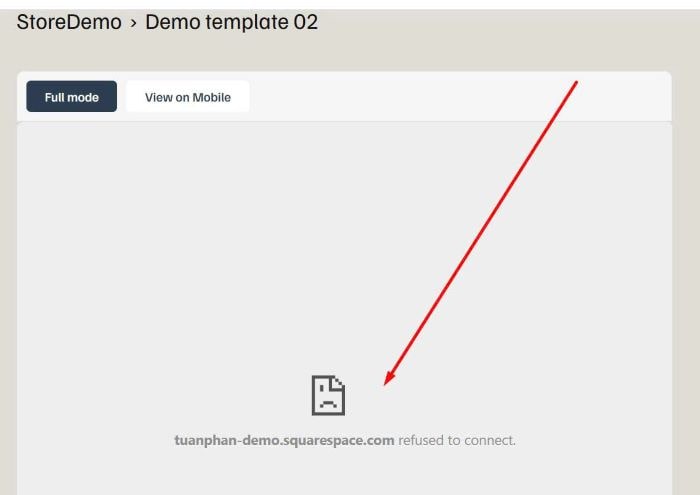
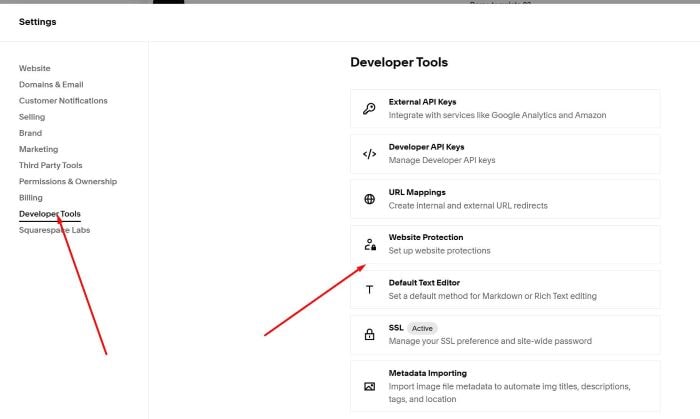
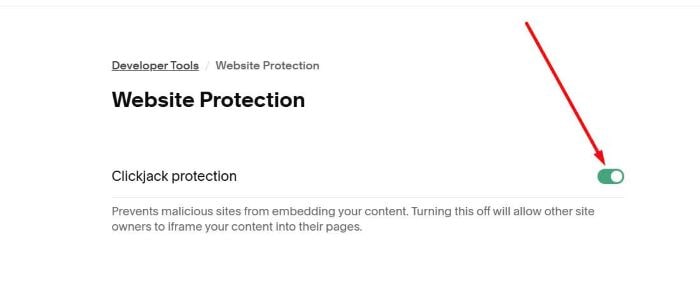
You can access Developer Tools > Website Protection
and disable this option.
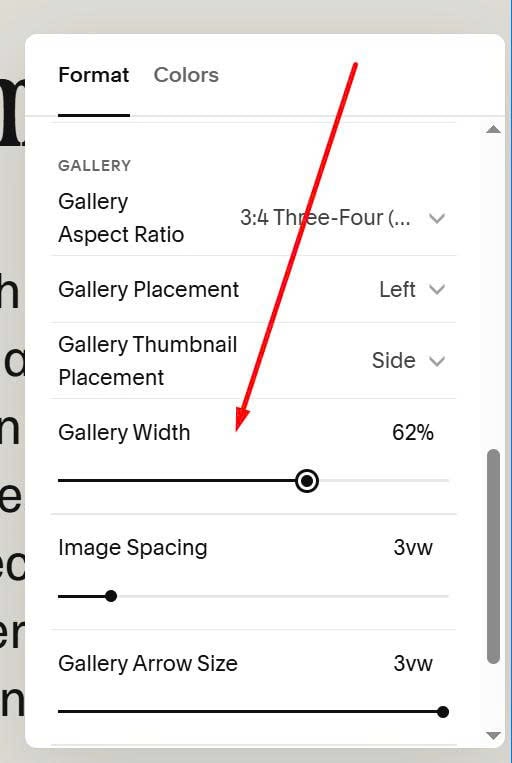
#3.3. If you get Mobile layout on Desktop
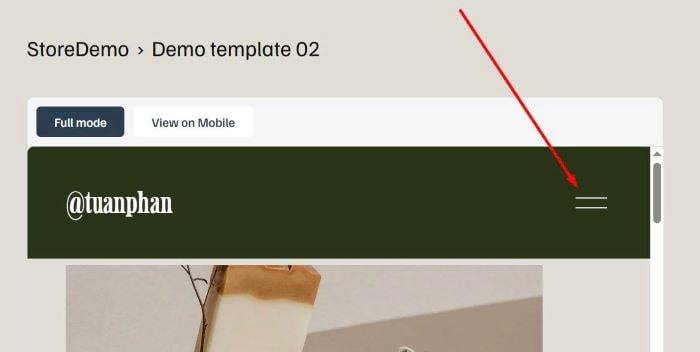
By default in version 7.1, mobile burger will appear on both Mobile + Tablet. The width of Product Gallery is only enough to appear on Tablet/Mobile but not enough width for Desktop.
You can consider increase Product Gallery width.