Description:
- showing description under video title in Gallery Block
- view demo – password: abc
- buy me a coffee if is useful for you, thank you!

#1. Install Code
Make sure you added Title, Description to Video

Make you you enabled Title
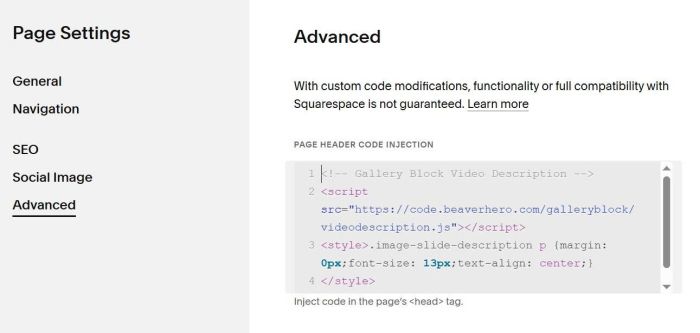
Next, hover on Page where you use Gallery Block > Click Gear icon

Next, click Advanced > Paste this code
<!-- Gallery Block Video Description -->
<script src="https://code.beaverhero.com/galleryblock/videodescription.js"></script>
<style>.image-slide-description p {margin: 0px;font-size: 13px;text-align: center;}
</style>
#2. Customize
#2.1. To make video title/description over video on hover, like this.

You can use this code to Custom CSS
div.image-slide-title-des {
    position: absolute;
    top: 0;
    left: 0;
    width: 100%;
    height: 100%;
    background-color: rgba(0,0,0,0.65);
    display: flex;
    align-items: center;
    justify-content: center;
    flex-direction: column;
    pointer-events: none;
    opacity: 0;
    transition: all 0.3s ease;
}
div.image-slide-title-des * {
    color: #fff;
}
div.slide:hover div.image-slide-title-des {
    opacity: 1 !important;
    transition: all 0.3s ease;
}

#2.2. To change video description style, use this to Custom CSS
div.image-slide-description * {
    color: #f1f;
    font-size: 14px;
    font-family: proxima-nova;
}