Description
- a mix of image/video horizontal gallery (Youtube, Vimeo, Uploaded Video)
- view demo – password: abc
- buy me a coffee
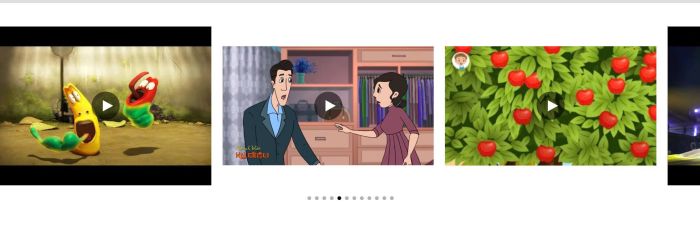
#1. Install Code
#1.1. First you need to add a Gallery Grid Section (Section with (i) icon)
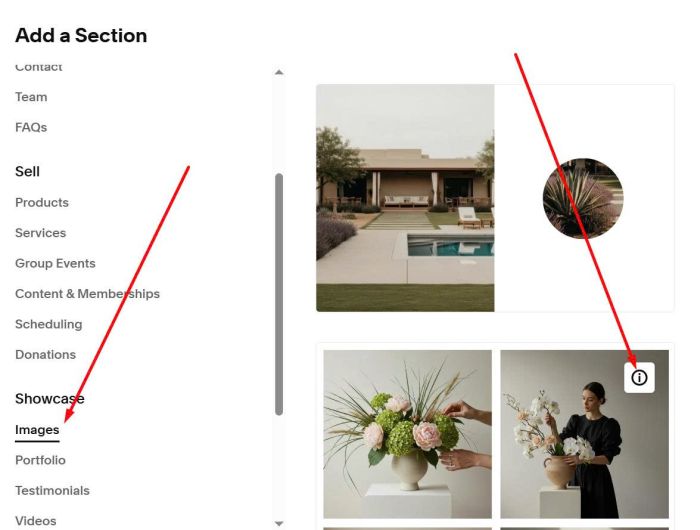
Make sure it is Grid Simple
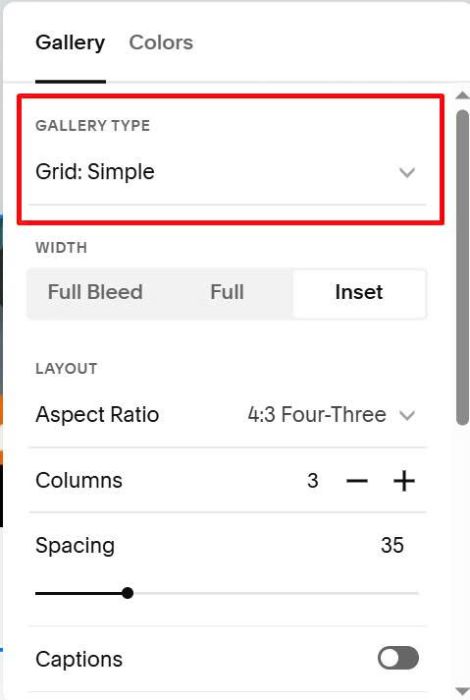
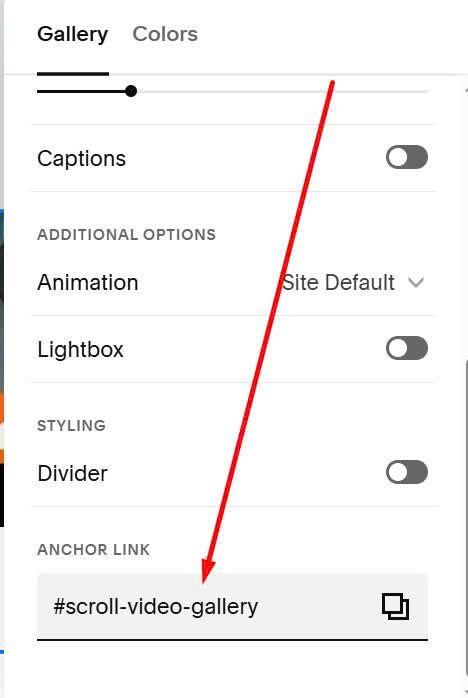
#1.2. at Anchor Link, enter word: scroll-video-gallery
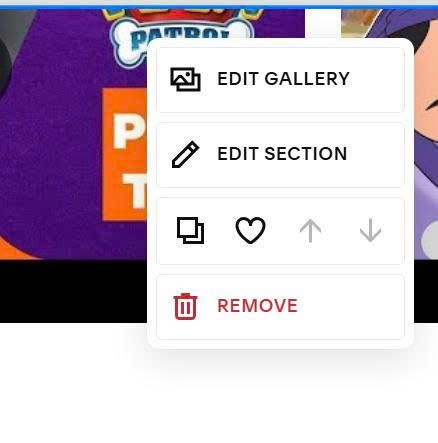
#1.3. Hover on top right of Gallery > Click Edit Gallery to add images/videos
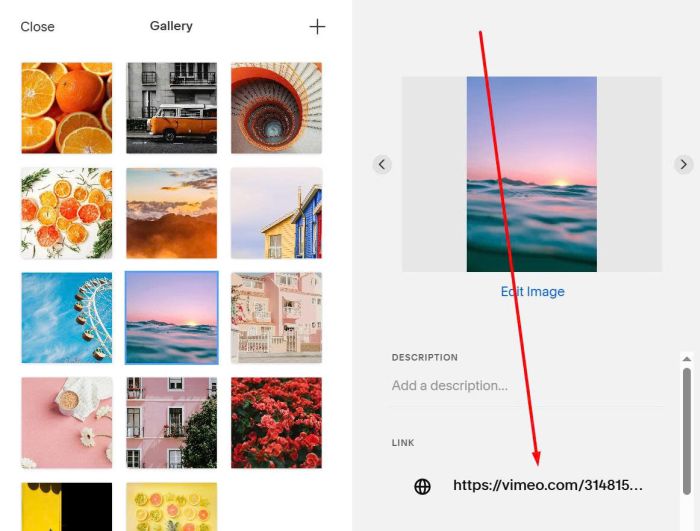
Paste Video URL to URL field, something like this
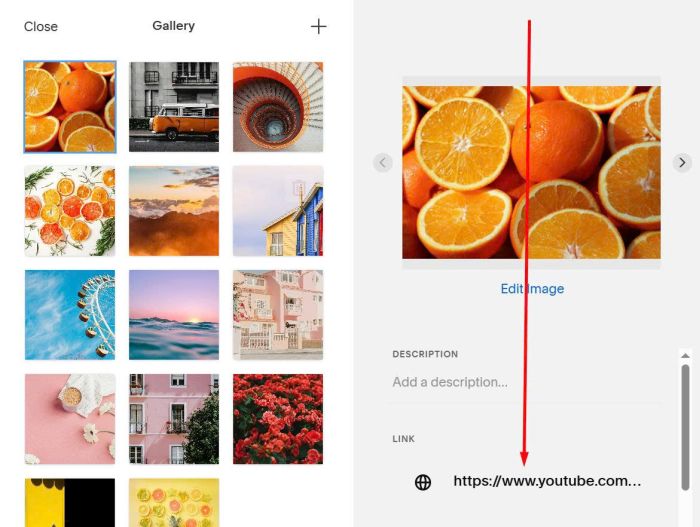
or this
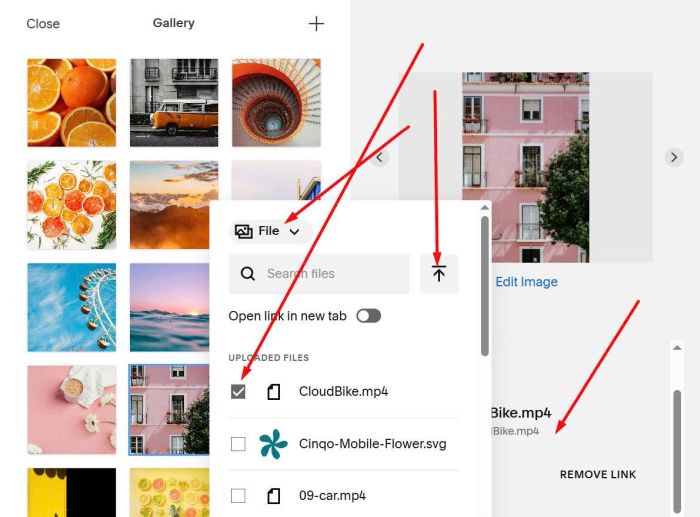
You can also upload video here (use mp4 format)
#1.4. Hover on page where you use Gallery Grid > Click Gear icon
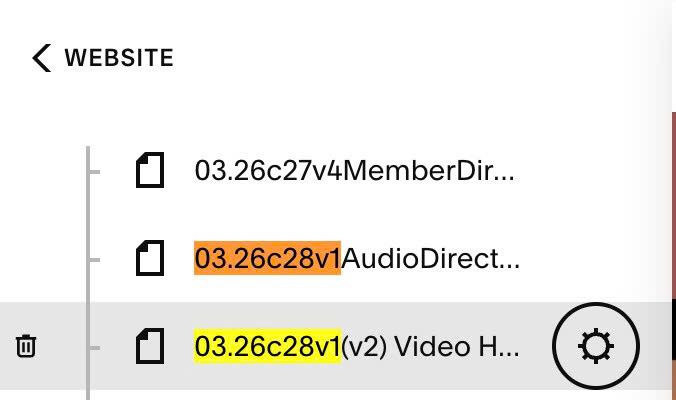
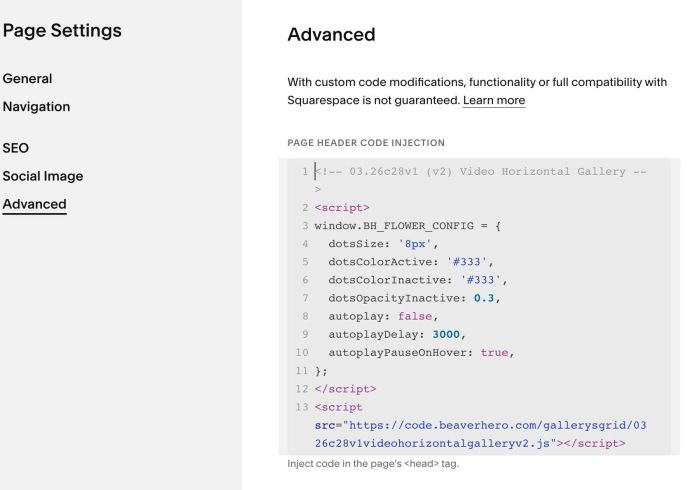
Click Advanced > Paste this code
- If you use Personal/Basic Plan and your plan doesn’t support Injection, you can see #3.1
<!-- 03.26c28v1 (v2) Video Horizontal Gallery -->
<script>
window.BH_FLOWER_CONFIG = {
  dotsSize: '8px',
  dotsColorActive: '#333',
  dotsColorInactive: '#333',
  dotsOpacityInactive: 0.3,
  autoplay: false,
  autoplayDelay: 3000,
  autoplayPauseOnHover: true,
};
</script>
<script src="https://code.beaverhero.com/gallerysgrid/0326c28v1videohorizontalgalleryv2.js"></script>
#2. Customize
#2.1. To change dots style

You can change these lines (Line 04, Line 05, Line 06, Line 07)
dotsSize: '8px',
dotsColorActive: '#333',
dotsColorInactive: '#333',
dotsOpacityInactive: 0.3,
#2.2. To enable autoscroll, change Line 08, Line 09, Line 10
autoplay: false,
autoplayDelay: 3000,
autoplayPauseOnHover: true,
#3. Other
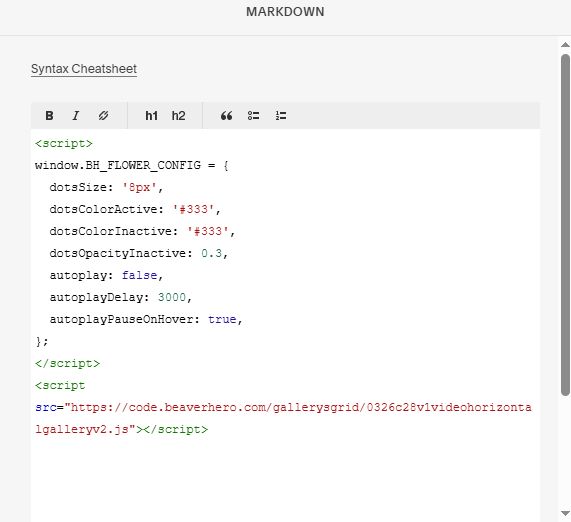
#3.1. If you use Personal/Basic Plan and your plan doesn’t support Injection, you can edit current page > Add a Block.

Choose Markdown

Paste this code
<script>
window.BH_FLOWER_CONFIG = {
  dotsSize: '8px',
  dotsColorActive: '#333',
  dotsColorInactive: '#333',
  dotsOpacityInactive: 0.3,
  autoplay: false,
  autoplayDelay: 3000,
  autoplayPauseOnHover: true,
};
</script>
<script src="https://code.beaverhero.com/gallerysgrid/0326c28v1videohorizontalgalleryv2.js"></script>
#3.2. To tweak code, you can message me or use Claude AI or Robo-Will (referral link, but I recommend this chatbot)