Description
- turn Gallery Grid (Section) to Carousel format
- view demo – password: abc
- my friend code this, you can send her a coffee
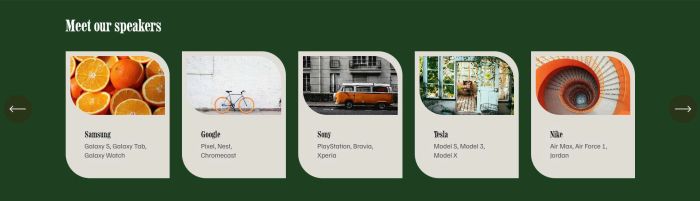
#1. Install Code
If you use Personal/Basic Plan and it doesn’t support Injection, you can see #2.3
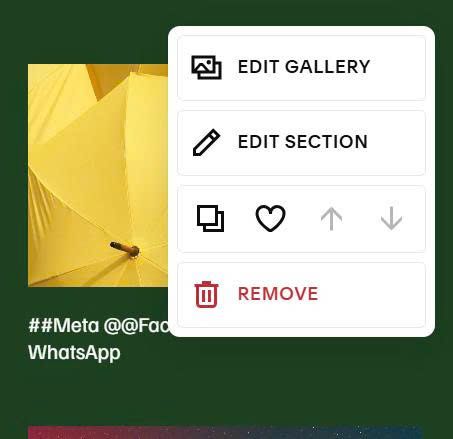
#1.1. First, you can hover on top right of Gallery Grid > Click Edit Section
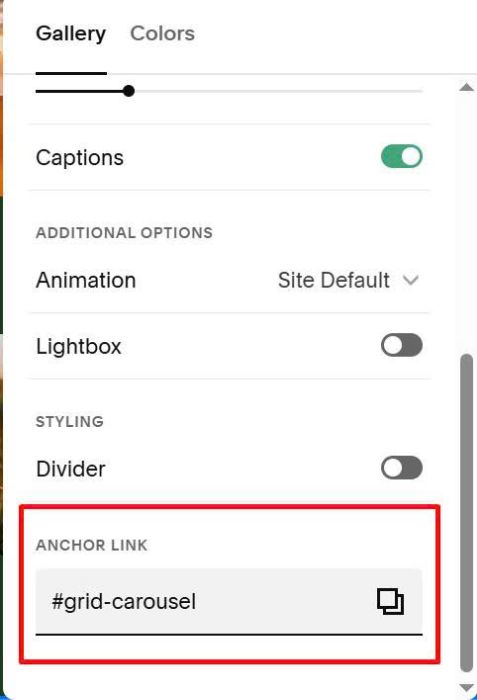
at Anchor Link, enter word: grid-carousel
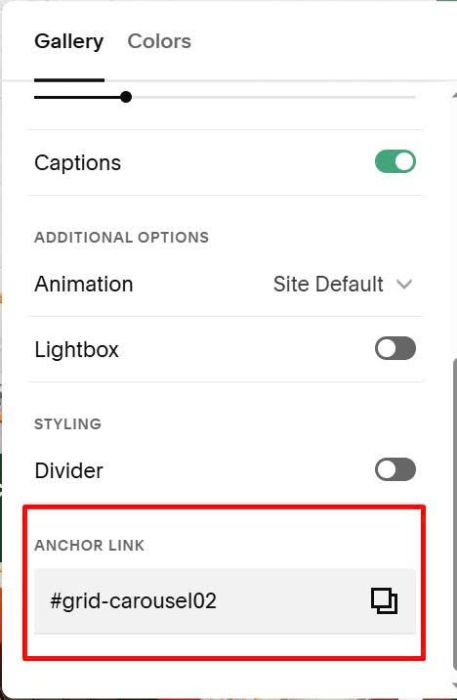
If you want to apply to multiple gallery grids, just add number after, something like this: grid-carousel02, grid-carousel03
#1.2. Enable Captions
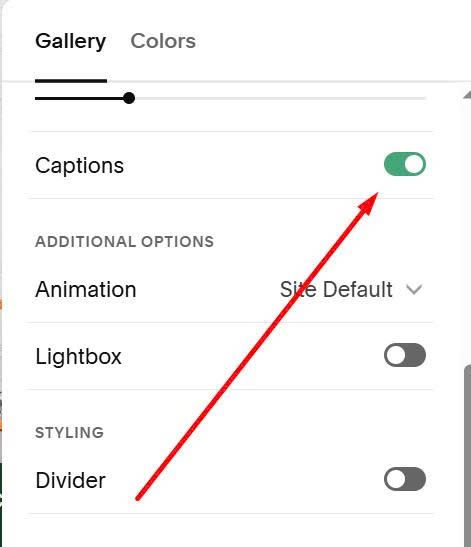
#1.3. Enter text with format like this to Gallery Images
##Samsung
@@Galaxy S, Galaxy Tab, Galaxy Watch
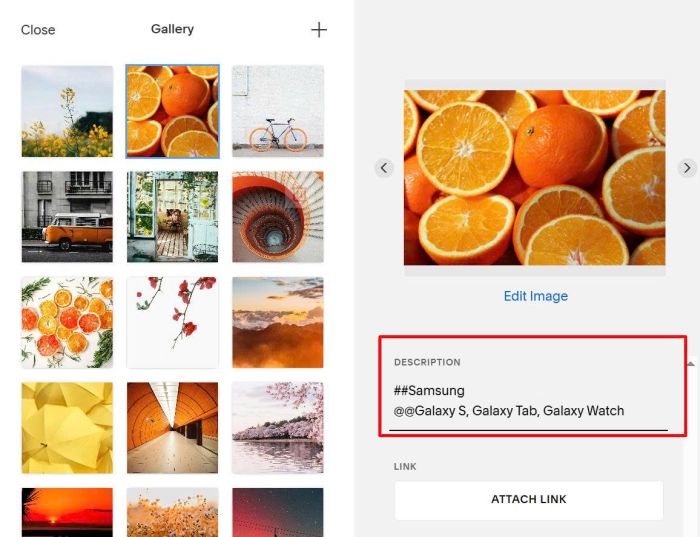
- code will make ## as heading text, and make @@ as paragraph text
#1.4. Hover on page where you use Gallery Grid > Click Gear icon
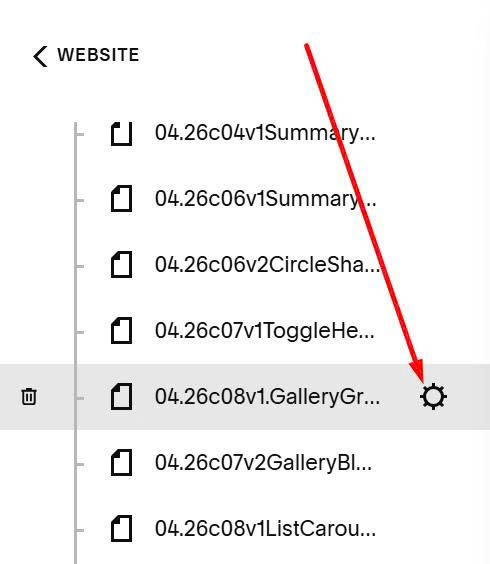
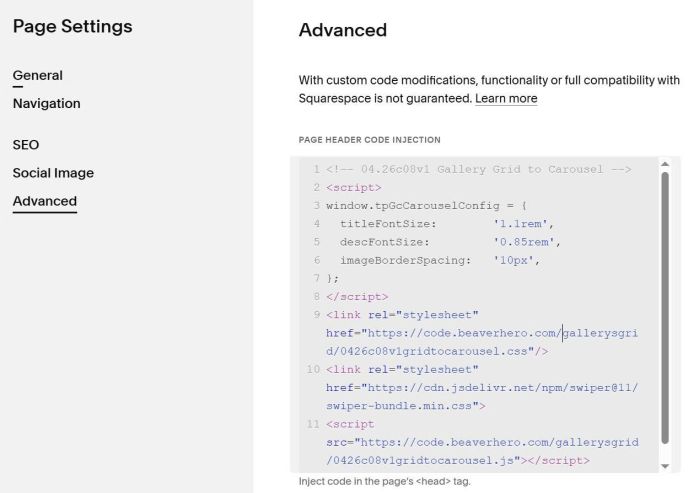
Click Advanced > Paste this code
<!-- 04.26c08v1 Gallery Grid to Carousel -->
<script>
window.tpGcCarouselConfig = {
  titleFontSize:        '1.1rem',
  descFontSize:         '0.85rem',
  imageBorderSpacing:   '10px',
};
</script>
<link rel="stylesheet" href="https://code.beaverhero.com/gallerysgrid/0426c08v1gridtocarousel.css"/>
<link rel="stylesheet" href="https://cdn.jsdelivr.net/npm/swiper@11/swiper-bundle.min.css">
<script src="https://code.beaverhero.com/gallerysgrid/0426c08v1gridtocarousel.js"></script>
#2. Customize
If you need to customize more, you can message me or use this AI tool, it was designed for the Squarespace site.
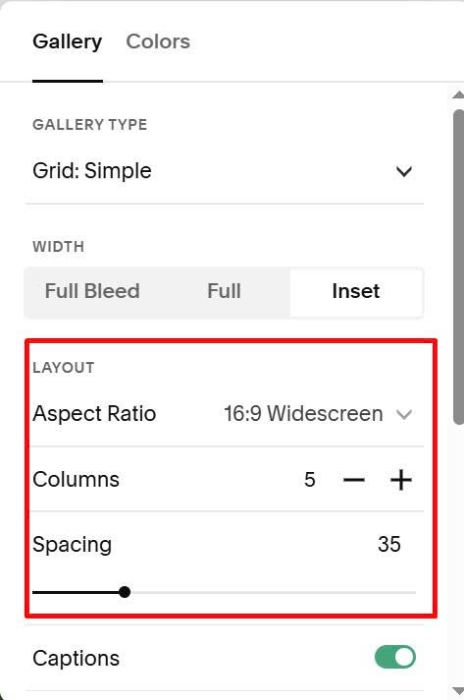
#2.1. To change column of items/image ratio/space between images, we can adjust these options.
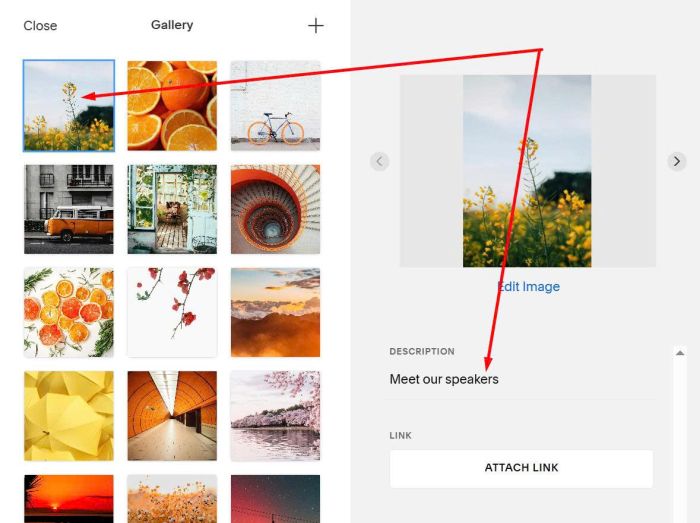
#2.2. To add Heading text above Carousel, like this.

You can add standard text to FIRST IMAGE in Gallery, something like this.
#2.3. If your plan is Personal/Basic and it doesn’t support Code Injection, you can do these.
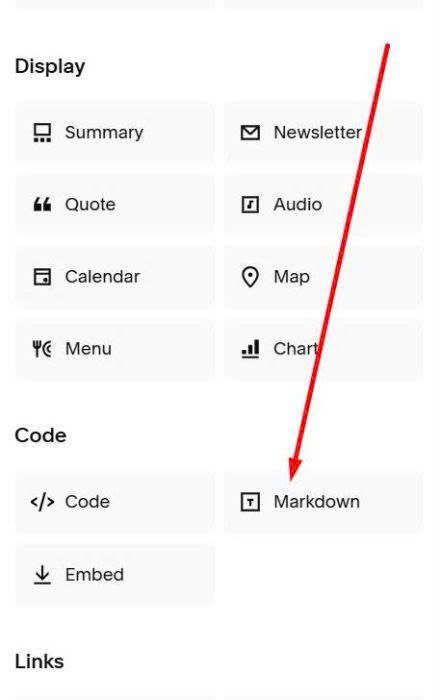
First, add a Markdown Block to Current page (Page where you use Gallery Grid)
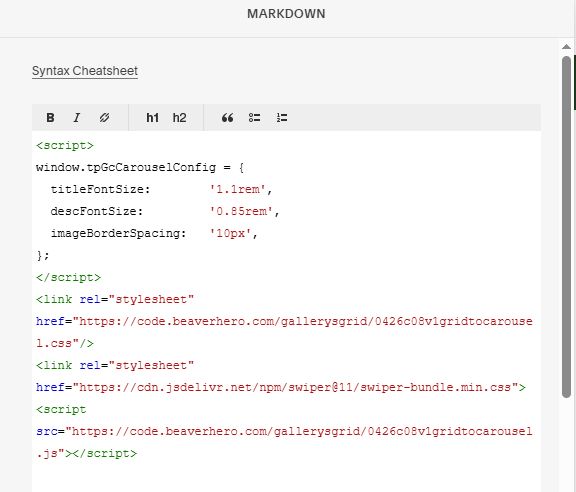
Next, add this code into Markdown Block
<script>
window.tpGcCarouselConfig = {
  titleFontSize:        '1.1rem',
  descFontSize:         '0.85rem',
  imageBorderSpacing:   '10px',
};
</script>
<link rel="stylesheet" href="https://code.beaverhero.com/gallerysgrid/0426c08v1gridtocarousel.css"/>
<link rel="stylesheet" href="https://cdn.jsdelivr.net/npm/swiper@11/swiper-bundle.min.css">
<script src="https://code.beaverhero.com/gallerysgrid/0426c08v1gridtocarousel.js"></script>
#2.4. If you need to remove background behind Arrows, use this to Custom CSS.
.tp-gc-nav-next button, .tp-gc-nav-prev button {
    background-color: transparent !important;
}