Description
- change event calendar title color – each category will have a different color
- view demo – password: abc
- buy me a coffee

#1. Install Code
If you use Personal/Basic Plan and your plan doesn’t support Injection, see #2.2
#1.1. First, hover on Page where you use Calendar > Click Gear icon

#1.2. Click Advanced > Paste this code
<!-- 04.26c29v1 Event Calendar Title Color -->
<script>
window.CALENDAR_CATEGORY_CONFIG = {
  rules: [
    { category: 'Workshop', color: 'blue' },
    { category: 'Trekking Mountain', color: 'green' },
    { category: 'Digital-Marketing', color: 'green' }
  ],
  onMatch: function(href, categories, rule) {
    document.querySelectorAll(
      '.itemlist a.item-link[href="' + href + '"], .flyoutitemlist a.flyoutitem-link[href="' + href + '"]'
    ).forEach(function(el) {
      el.style.setProperty('color', rule.color, 'important');
    });
  }
};
</script>
<script src="https://code.beaverhero.com/event/0426c29v1calendartitlecolor.js"></script>

#2. Customize
#2.1. You can update Category – Text Color here
rules: [
  { category: 'Workshop', color: 'blue' },
  { category: 'Trekking Mountain', color: 'green' },
  { category: 'Digital-Marketing', color: 'green' }
],

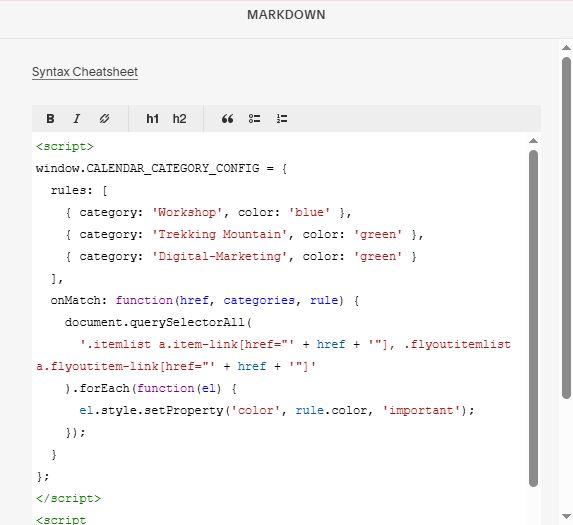
#2.2. If you use Personal/Basic Plan and your plan doesn’t support Injection, you can add a Markdown Block under Event Calendar.

Then use this code into Markdown Block.
<script>
window.CALENDAR_CATEGORY_CONFIG = {
  rules: [
    { category: 'Workshop', color: 'blue' },
    { category: 'Trekking Mountain', color: 'green' },
    { category: 'Digital-Marketing', color: 'green' }
  ],
  onMatch: function(href, categories, rule) {
    document.querySelectorAll(
      '.itemlist a.item-link[href="' + href + '"], .flyoutitemlist a.flyoutitem-link[href="' + href + '"]'
    ).forEach(function(el) {
      el.style.setProperty('color', rule.color, 'important');
    });
  }
};
</script>
<script src="https://code.beaverhero.com/event/0426c29v1calendartitlecolor.js"></script>