Description
- recreate Well Gallery (Slideshow) style in Squarespace 7.1
- view demo – password: abc
- buy me a coffee
#1. Install Code
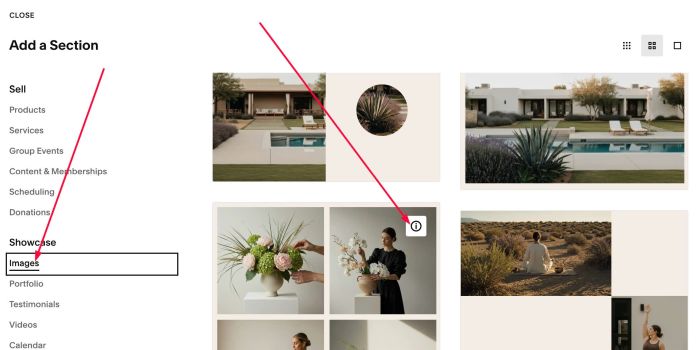
#1.1. First, click Add Section

#1.2. Click Image > Choose Section with (i) icon
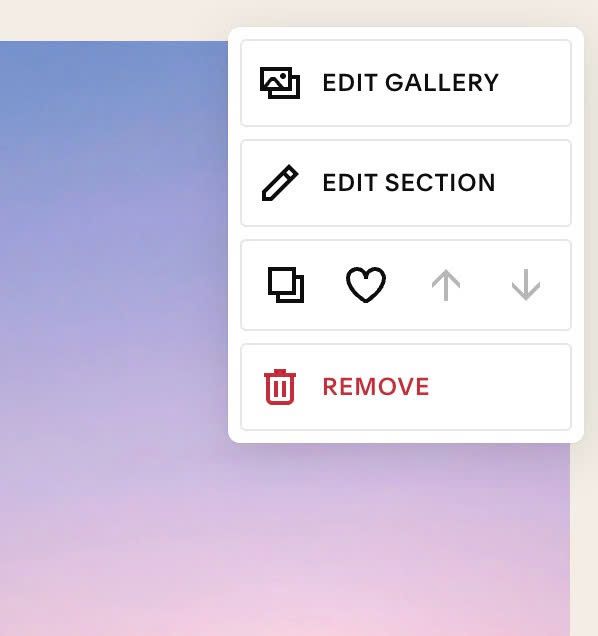
#1.3. Hover on top right of section > Click EDIT SECTION
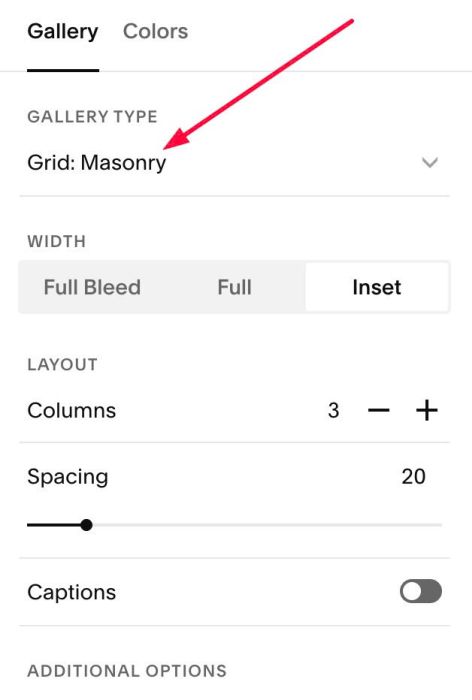
#1.4. Make sure you use Grid: Masonry
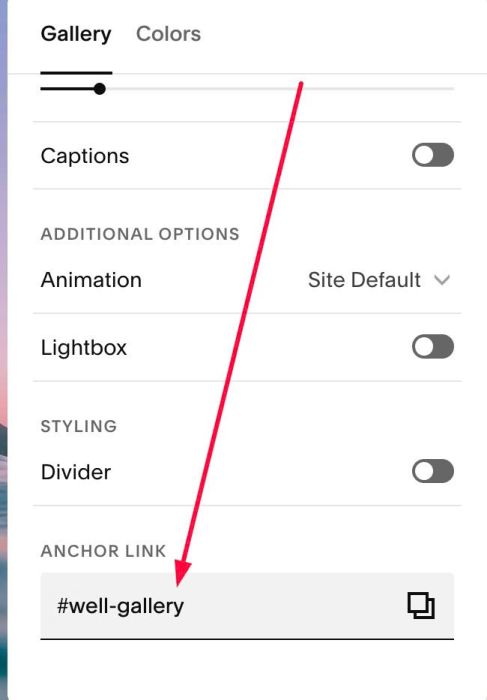
#1.5. at Anchor Links, enter word: well-gallery
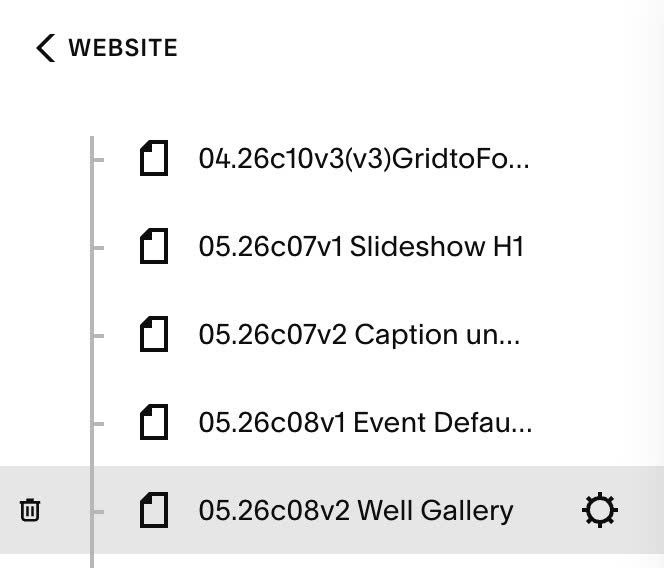
#1.6. Hover on Page where you use Grid: Masonry > Click Gear icon
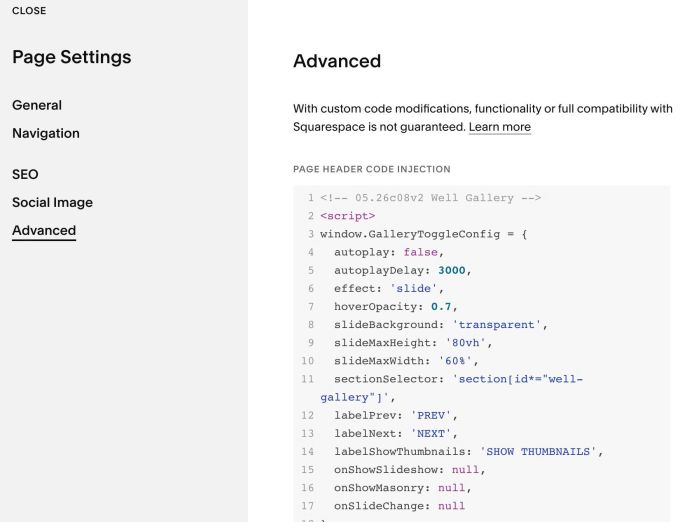
Click Advanced > Paste this code.
If you use Personal/Basic Plan and your plan doesn’t support Injection, you can see #2.1.
<!-- 05.26c08v2 Well Gallery -->
<script>
window.GalleryToggleConfig = {
  autoplay: false,
  autoplayDelay: 3000,
  effect: 'slide',
  hoverOpacity: 0.7,
  slideBackground: 'transparent',
  slideMaxHeight: '80vh',
  slideMaxWidth: '60%',
  sectionSelector: 'section[id*="well-gallery"]',
  labelPrev: 'PREV',
  labelNext: 'NEXT',
  labelShowThumbnails: 'SHOW THUMBNAILS',
  onShowSlideshow: null,
  onShowMasonry: null,
  onSlideChange: null
};
</script>
<script src="https://code.beaverhero.com/gallerysmasonry/05.26c08v2wellgallery.js"></script>
#2. Customize
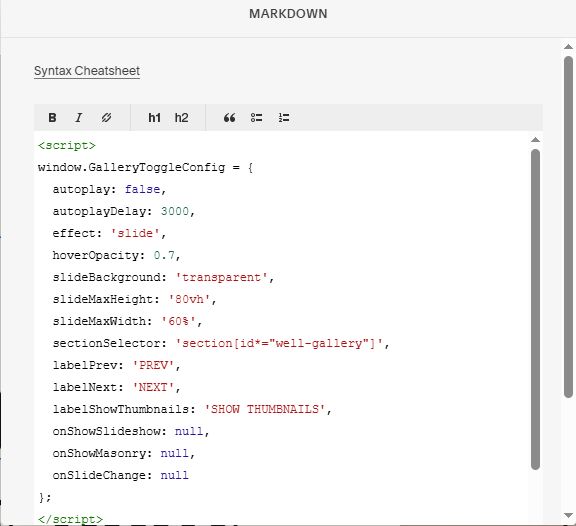
#2.1. If you use Personal/Basic Plan and your plan doesn’t support Injection, you can edit current page (page where you use Grid: Masonry) > Then add a Block > Choose Markdown.

Then add this code into Markdown.
<script>
window.GalleryToggleConfig = {
  autoplay: false,
  autoplayDelay: 3000,
  effect: 'slide',
  hoverOpacity: 0.7,
  slideBackground: 'transparent',
  slideMaxHeight: '80vh',
  slideMaxWidth: '60%',
  sectionSelector: 'section[id*="well-gallery"]',
  labelPrev: 'PREV',
  labelNext: 'NEXT',
  labelShowThumbnails: 'SHOW THUMBNAILS',
  onShowSlideshow: null,
  onShowMasonry: null,
  onSlideChange: null
};
</script>
<script src="https://code.beaverhero.com/gallerysmasonry/05.26c08v2wellgallery.js"></script>
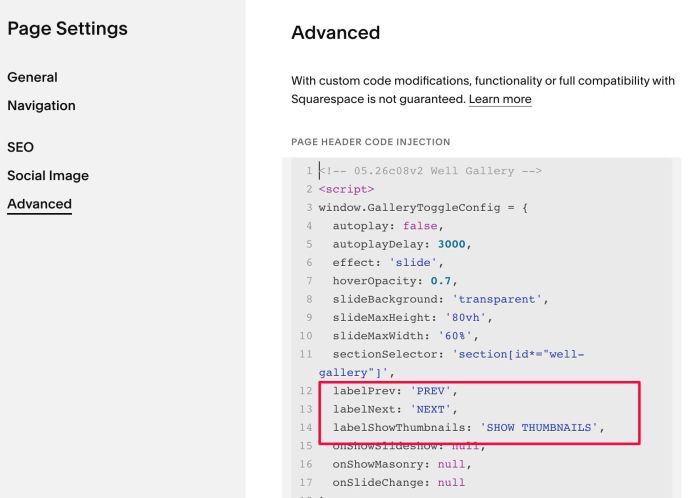
#2.2. To rename text PREV/NEXT/SHOW THUMBNAILS
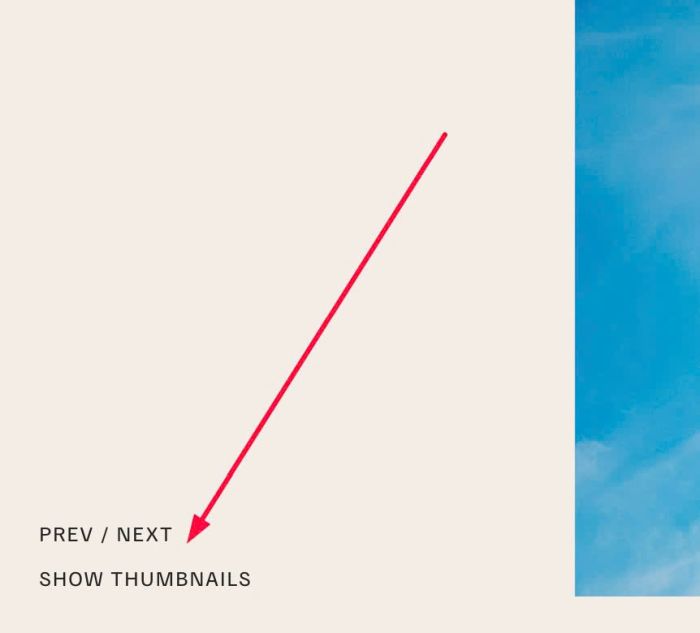
You can change these lines
labelPrev: 'PREV',
labelNext: 'NEXT',
labelShowThumbnails: 'SHOW THUMBNAILS',
#2.3. If you want to customize code more, you can use AI tool (ChatGPT, Gemini, Claude…) with these hooks (see example prompt below). You can also use this AI Robo Chat, it will work better with Squarespace.
Available hooks
onShowSlideshow(startIndex, section)
Called when the slideshow view opens. startIndex is the index (0-based) of the image that was clicked in the masonry grid. section is the section element containing the gallery.
onShowMasonry(section)
Called when returning to the masonry grid view — whether triggered by clicking the center zone of the slideshow, clicking "Show Thumbnails", or any other method. section is the section element containing the gallery.
onSlideChange(realIndex, section)
Called every time the active slide changes. realIndex is the current slide index (0-based), unaffected by Swiper's internal loop duplication. section is the section element containing the gallery.
Example
window.GalleryToggleConfig = {
  onShowSlideshow: function(startIndex, section) {
    console.log('Opened slide ' + startIndex);
  },
  onShowMasonry: function(section) {
    console.log('Returned to grid');
  },
  onSlideChange: function(realIndex, section) {
    console.log('Now viewing slide ' + realIndex);
  }
};
For example, if you need to add caption text under Slideshow Image, use prompt like this.
I use this code (paste code in step #1.6) and I want to add text under Slideshow Image (I want to get text from Masonry caption).
(do not change below, just copy and paste to give AI more context, and remove this line when you send to AI)
Plugin gives me some hooks like this
onShowSlideshow(startIndex, section)
Called when the slideshow view opens. startIndex is the index (0-based) of the image that was clicked in the masonry grid. section is the section element containing the gallery.
onShowMasonry(section)
Called when returning to the masonry grid view — whether triggered by clicking the center zone of the slideshow, clicking "Show Thumbnails", or any other method. section is the section element containing the gallery.
onSlideChange(realIndex, section)
Called every time the active slide changes. realIndex is the current slide index (0-based), unaffected by Swiper's internal loop duplication. section is the section element containing the gallery.

Plugin also give an example
window.GalleryToggleConfig = { onShowSlideshow: function(startIndex, section) { console.log('Opened slide ' + startIndex); }, onShowMasonry: function(section) { console.log('Returned to grid'); }, onSlideChange: function(realIndex, section) { console.log('Now viewing slide ' + realIndex); } };