Description
- enable link on List Slideshow: image or title or description or whole item
- view demo – password: abc
- buy me a coffee
#1. Install Code
Note: Step #1.6 will have option to enable link on image or title or description or whole item
#1.1. Make sure you use Slideshow
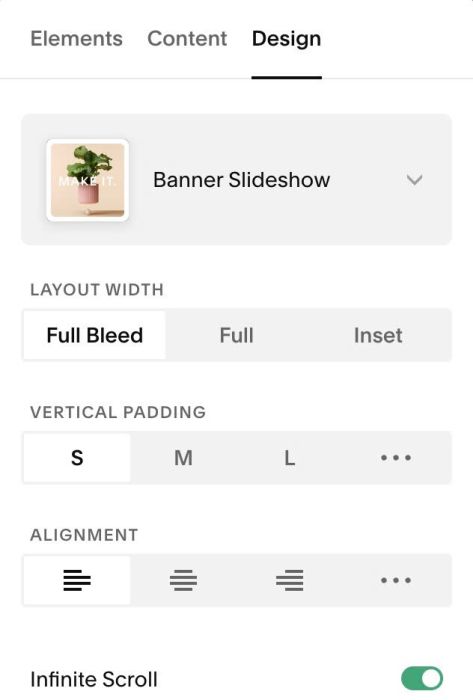
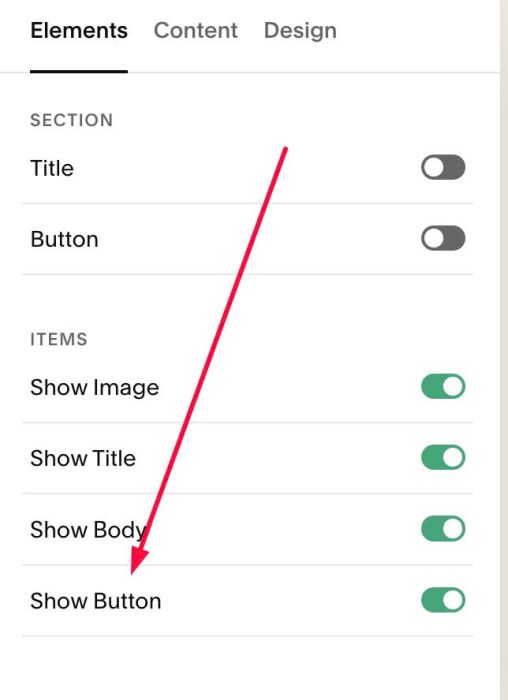
#1.2. Make sure you enabled button
(If you need to make Buttons invisible, see #1.6-5)
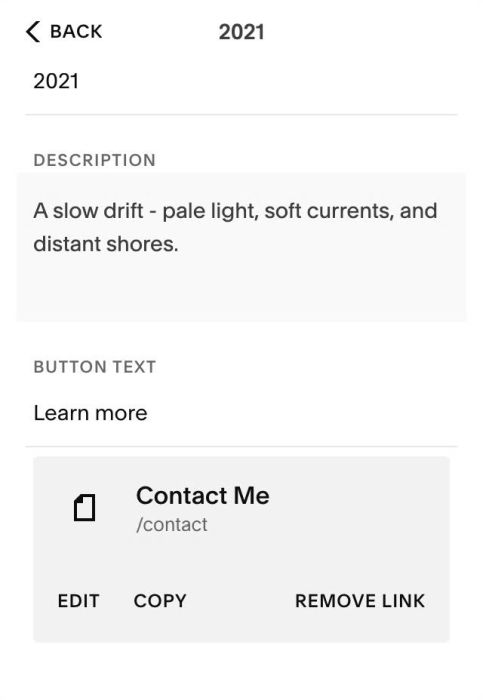
#1.3. Make sure you added URL to item button
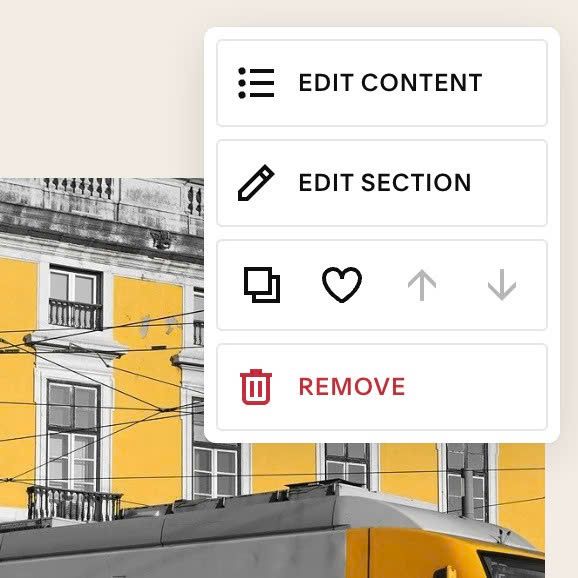
#1.4. Hover on top right of Slideshow > click EDIT SECTION
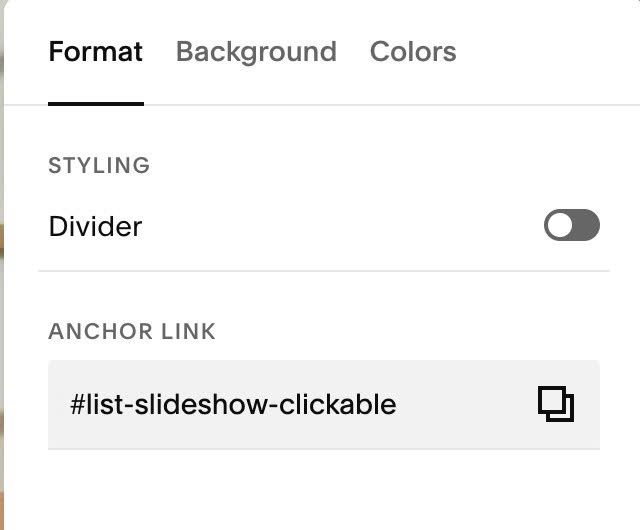
at Format > Anchor Link, enter word: list-slideshow-clickable
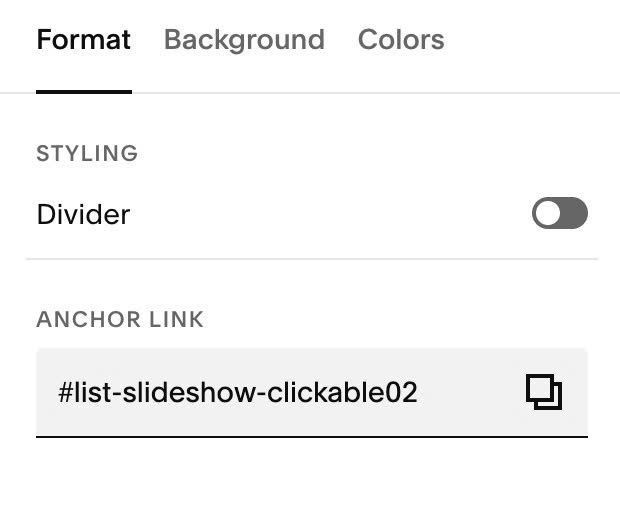
If you want to apply to multiple list slideshow sections on same page, just use: list-slideshow-clickable02, list-slideshow-clickable03…
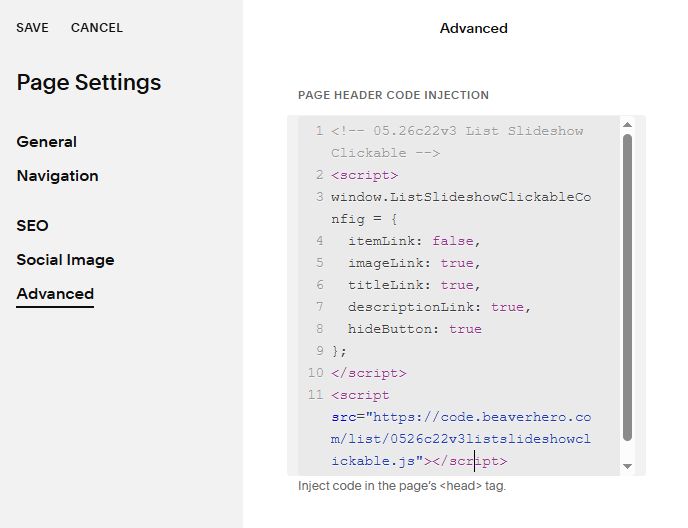
#1.5. Hover on Page where you use List Slideshow > Click Gear icon
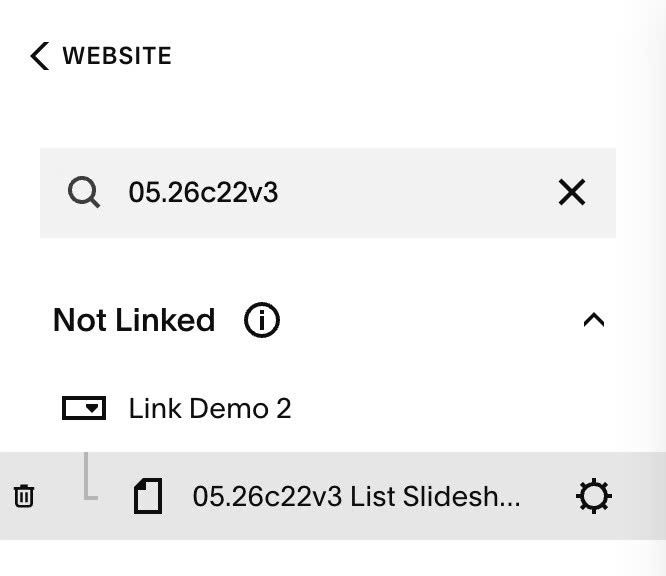
Click Advanced > Paste this code
- If you use Personal/Basic Plan and your plan doesn’t support Injection, you can see #3.1
<!-- 05.26c22v3 List Slideshow Clickable -->
<script>
window.ListSlideshowClickableConfig = {
  itemLink: false,
  imageLink: true,
  titleLink: true,
  descriptionLink: true,
  hideButton: true
};
</script>
<script src="https://code.beaverhero.com/list/0526c22v3listslideshowclickable.js"></script>
#2. Customize
#2.1. All options
- true = enable, false = disable
- itemLink = whole item clickable
- imageLink = image clickable
- titleLink = title clickable
- descriptionLink = description clickable
- hideButton = remove button
window.ListSlideshowClickableConfig = {
  itemLink: false,
  imageLink: true,
  titleLink: true,
  descriptionLink: true,
  hideButton: true
};
#3. Other
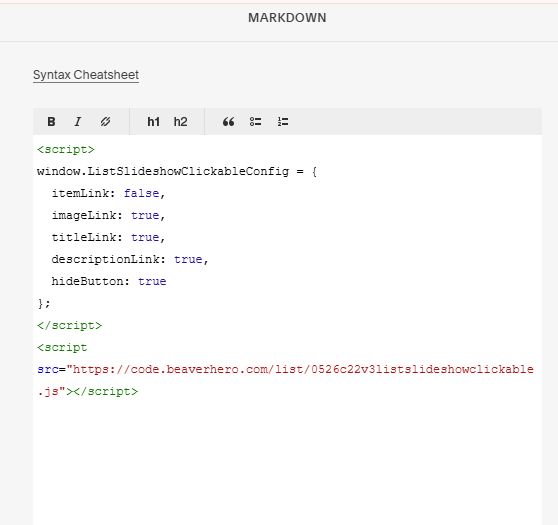
#3.1. If you use Personal/Basic Plan and your plan doesn’t support Injection, you can edit Current Page > Add a Block.
Choose Markdown

Paste this code
<script>
window.ListSlideshowClickableConfig = {
  itemLink: false,
  imageLink: true,
  titleLink: true,
  descriptionLink: true,
  hideButton: true
};
</script>
<script src="https://code.beaverhero.com/list/0526c22v3listslideshowclickable.js"></script>