Description
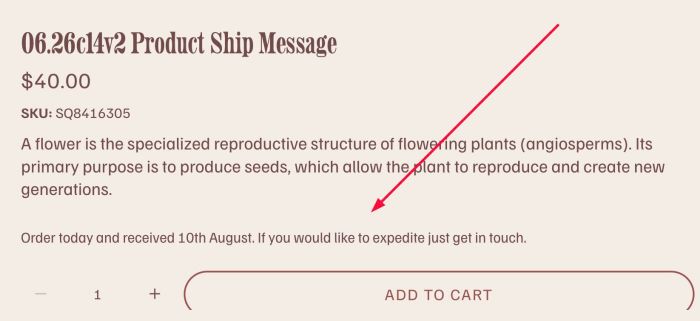
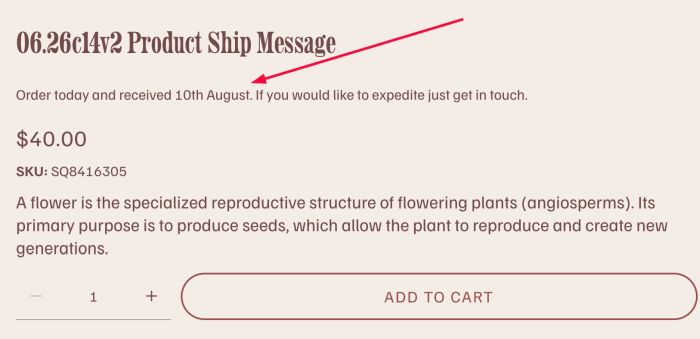
- adding custom text with dynamic date under product title
- view demo – password: abc
- buy me a coffee
#1. Install Code
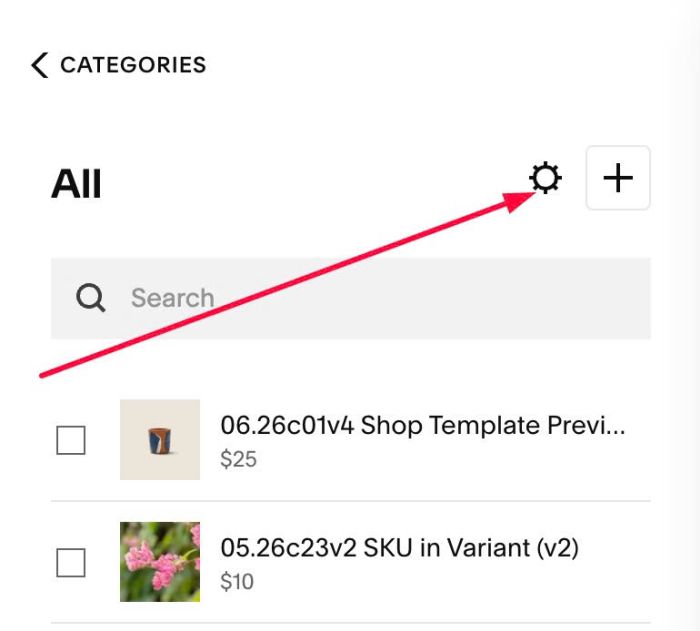
#1.1. Click Gear icon on Store Page
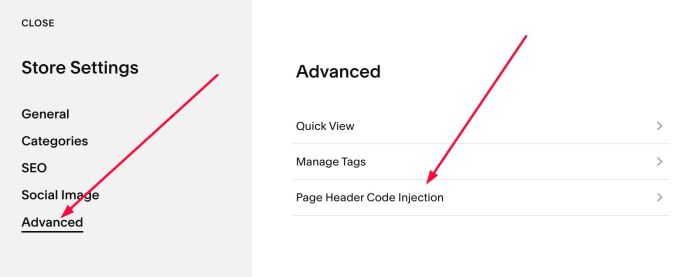
Next, click Advanced > Page Header Code Injection
#1.2. Add this code into Right box
<!-- 06.26c14v2 Product Ship Message -->
<script>
window.deliveryBannerConfig = {
  offsetDays: 56,
  text: "Order today and received {date}. If you would like to expedite just get in touch.",
  selector: "h1.product-title"
};
</script>
<script src="https://code.beaverhero.com/productdetail/0626c14v2productshipmessage.js"></script>
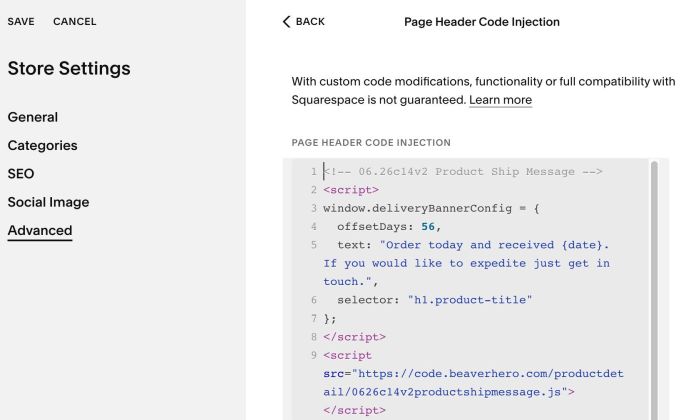
#1.3. 56 here represents the number of days from the current date (14th June) to 9th August. Each day, it will increase by one day, for example, 10th August, 11th August
#2. Customize
#2.1. To change text, you can change Line 05. Do not remove text {date}
text: "Order today and received {date}. If you would like to expedite just get in touch.",
#2.2. To change Date, change Line 04
offsetDays: 56,
56 here represents the number of days from the current date (14th June) to 9th August. Each day, it will increase by one day, for example, 10th August, 11th August
#2.3. To move text under Product Description instead, change Line 06
selector: "h1.product-title"
to
selector: ".product-description"
result