Description
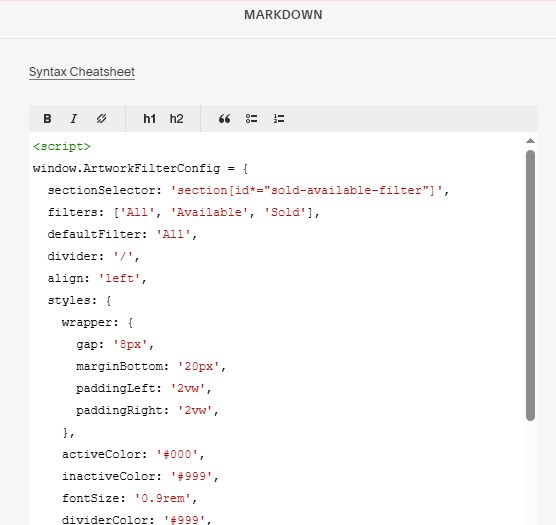
- adding Sold – Available Filter in List Simple
- view demo – password: abc
- buy me a coffee
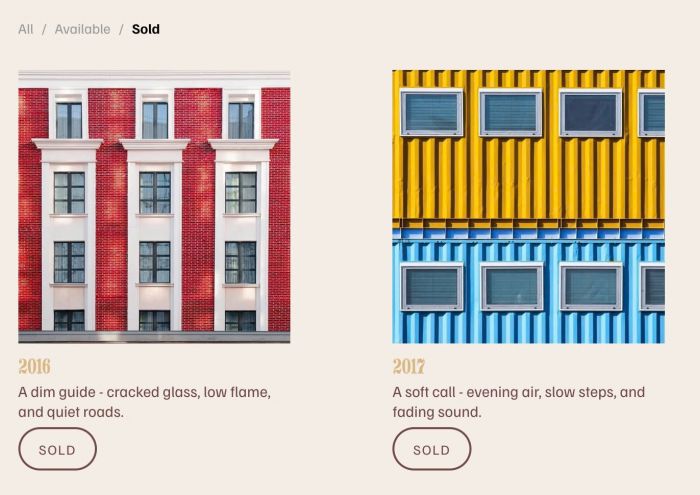
#1. Install Code
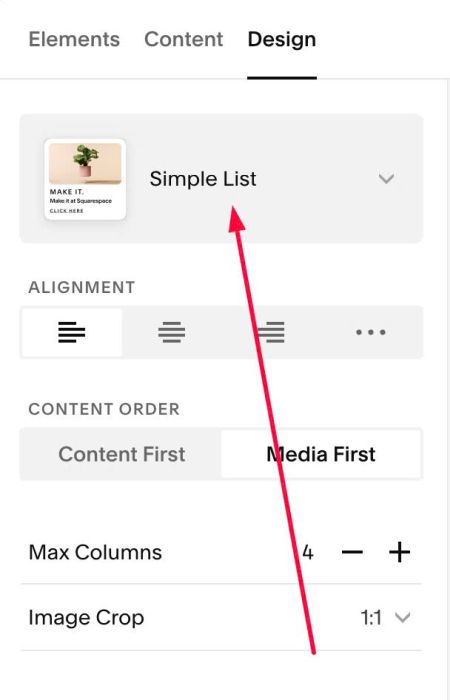
#1.1. Make sure you used List Simple
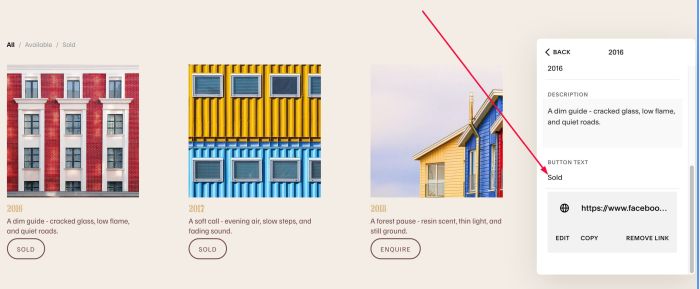
#1.2. Make sure you added text SOLD (or Sold or sold) to Button text on SOLD items
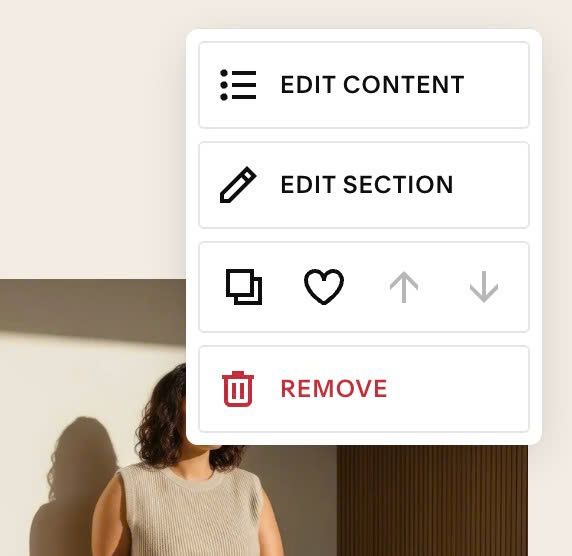
#1.3. Hover on top right of section > Click EDIT SECTION
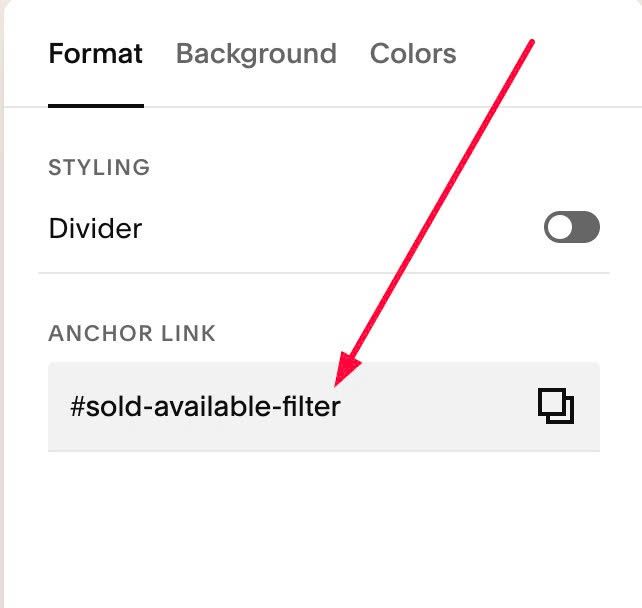
at Format > Anchor Link > enter word: sold-available-filter
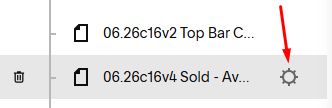
#1.4. Hover on Page where you use List Simple > Click Gear icon
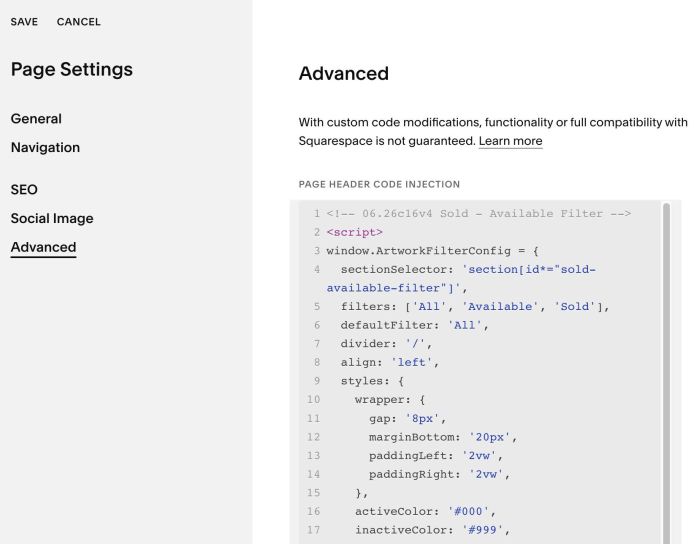
Click Advanced > Paste this code
- If you use Personal/Basic Plan and your plan doesn’t support Injection, see #3.1.
<!-- 06.26c16v4 Sold - Available Filter -->
<script>
window.ArtworkFilterConfig = {
  sectionSelector: 'section[id*="sold-available-filter"]',
  filters: ['All', 'Available', 'Sold'],
  defaultFilter: 'All',
  divider: '/',
  align: 'left',
  styles: {
    wrapper: {
      gap: '8px',
      marginBottom: '20px',
      paddingLeft: '2vw',
      paddingRight: '2vw',
    },
    activeColor: '#000',
    inactiveColor: '#999',
    fontSize: '0.9rem',
    dividerColor: '#999',
    cursor: 'pointer',
  }
};
</script>
<script src="https://code.beaverhero.com/list/0626c16v4soldavailablefilter.js"></script>
#2. Customize
#2.1. To rename text, change Line 05
filters: ['All', 'Available', 'Sold'],
#2.2. To set default filter, change Line 06
defaultFilter: 'All',
#2.3. To align Filter to left/center/right, change Line 07
align: 'left',
#2.4. To change Filter items/divider style, change Line 16 to Line 19
activeColor: '#000',
inactiveColor: '#999',
fontSize: '0.9rem',
dividerColor: '#999',
#3. Other
#3.1. If you use Personal/Basic Plan and your plan doesn’t support Injection, you can edit current page > Add a Block
Choose Markdown

Paste this code into Markdown
<script>
window.ArtworkFilterConfig = {
  sectionSelector: 'section[id*="sold-available-filter"]',
  filters: ['All', 'Available', 'Sold'],
  defaultFilter: 'All',
  divider: '/',
  align: 'left',
  styles: {
    wrapper: {
      gap: '8px',
      marginBottom: '20px',
      paddingLeft: '2vw',
      paddingRight: '2vw',
    },
    activeColor: '#000',
    inactiveColor: '#999',
    fontSize: '0.9rem',
    dividerColor: '#999',
    cursor: 'pointer',
  }
};
</script>
<script src="https://code.beaverhero.com/list/0626c16v4soldavailablefilter.js"></script>