Description
- adding Sort By/Search to List Section Simple List
- view demo – password: abc
- buy me a coffee

#1. Install Code
#1.1. Make sure you use List Simple
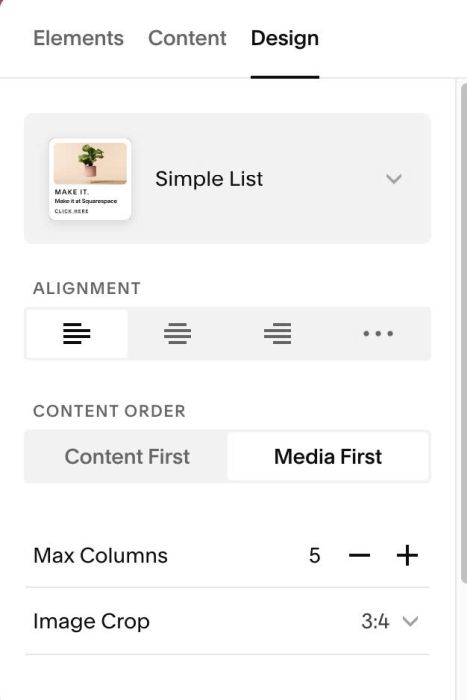
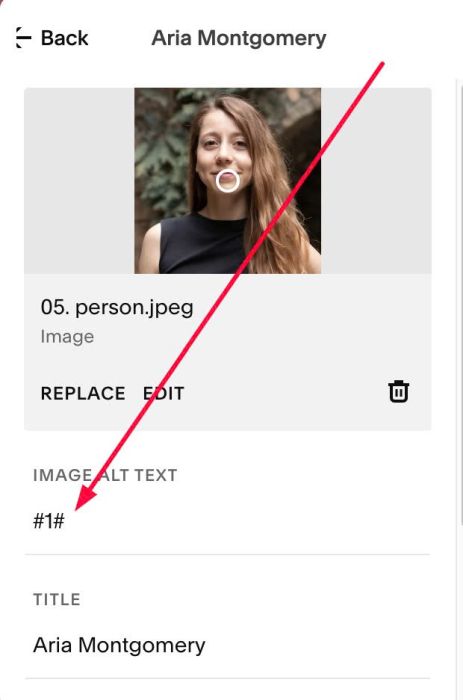
#1.2. Make sure you enter symbol like this to Item ALT
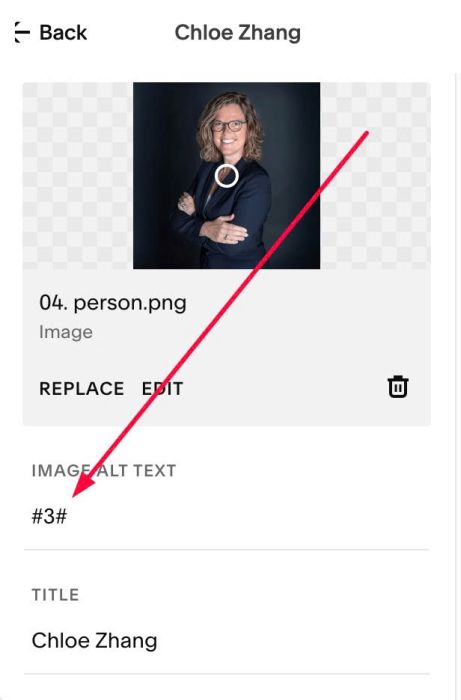
- We will then use code to sort the items according to these numbers; this is for the By Leadership Filter.
or like this
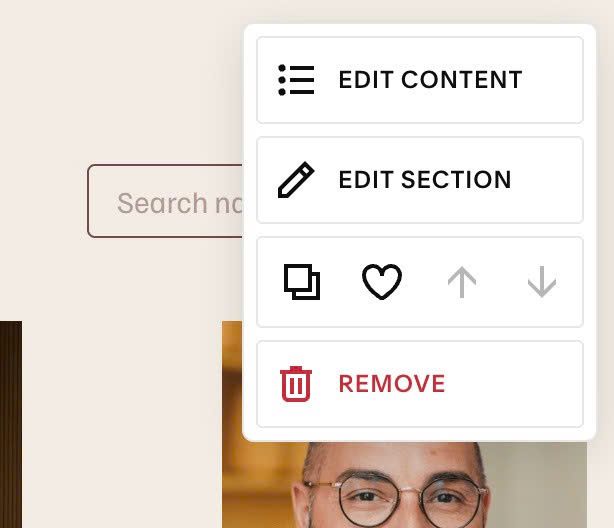
#1.3. Hover on top right of Section > Click EDIT SECTION
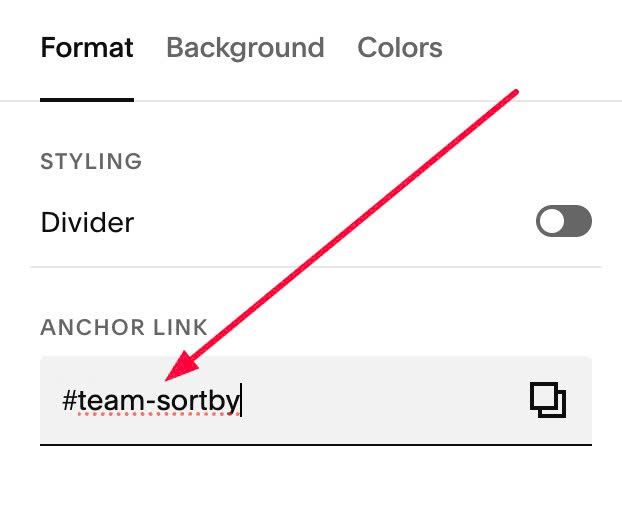
#1.4. at Format > Anchor Link > enter word: team-sortby
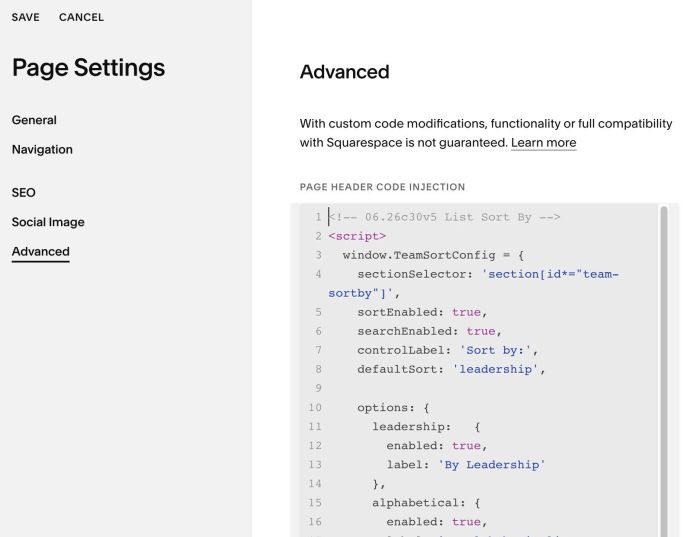
#1.5. Next, use this code to Page Header Injection
- If you use Personal/Basic Plan and your plan doesn’t support Injection, see #3.1
<!-- 06.26c30v5 List Sort By -->
<script>
  window.TeamSortConfig = {
    sectionSelector: 'section[id*="team-sortby"]',
    sortEnabled: true,
    searchEnabled: true,
    controlLabel: 'Sort by:',
    defaultSort: 'leadership',

    options: {
      leadership:   {
        enabled: true,
        label: 'By Leadership'
      },
      alphabetical: {
        enabled: true,
        label: 'By Alphabetical'
      }
    },
    noNumberPlacement: 'bottom',
    searchPlaceholder: 'Search name or role',
    noResultsText: 'No matches found',
    spinner: {
      enabled: true,
      minDisplayMs: 400,
      fadeList: true,
      size: '16px',
      thickness: '2px',
      color: 'currentColor',
      opacity: 0.7
    },
    styles: {
      align: 'space-between',
      gap: '16px',
      paddingX: '2vw',
      marginBottom: '40px',
      labelFontSize: '.85rem',
      controlFontSize: '.9rem',
      searchMinWidth: '220px',
      borderColor: 'currentColor',
      borderRadius: '4px',
      triggerPadding: '8px 14px',
      triggerMinWidth: '180px',
      caretSize: '6px',
      menuBg: '#ffffff',
      menuBorderColor: 'currentColor',
      menuShadow: '0 6px 24px rgba(0,0,0,.12)',
      menuMaxHeight: '260px',
      optionPadding: '10px 14px',
      optionHoverBg: 'rgba(0,0,0,.06)',
      optionActiveBg: 'rgba(0,0,0,.1)'
    }
  };
</script>
<script src="https://code.beaverhero.com/list/0626c30v5listsortby.js"></script>
#2. Customize
#2.1. To change text By Leadership/By Alphabetical
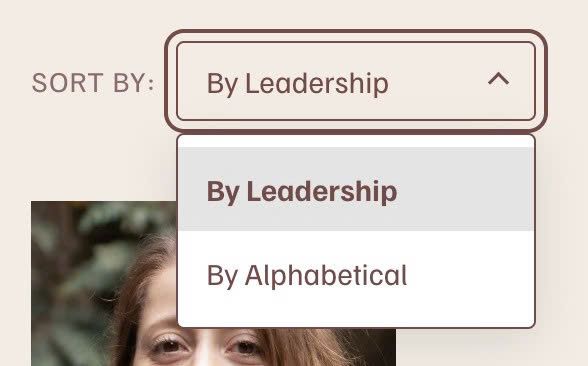
you can change Line 13 + Line 17
label: 'By Leadership'
label: 'By Alphabetical'
#2.2. To change text “SORT BY”, change Line 07
controlLabel: 'Sort by:',
#2.3. To disable Search, change Line 06
searchEnabled: true,
to this
searchEnabled: false,
#2.4. To change Search Placeholder text, change Line 21
searchPlaceholder: 'Search name or role',
#2.5. To change Sort By Dropdown Style, change Line 32 to Line 52
styles: {
  align: 'space-between',
  gap: '16px',
  paddingX: '2vw',
  marginBottom: '40px',
  labelFontSize: '.85rem',
  controlFontSize: '.9rem',
  searchMinWidth: '220px',
  borderColor: 'currentColor',
  borderRadius: '4px',
  triggerPadding: '8px 14px',
  triggerMinWidth: '180px',
  caretSize: '6px',
  menuBg: '#ffffff',
  menuBorderColor: 'currentColor',
  menuShadow: '0 6px 24px rgba(0,0,0,.12)',
  menuMaxHeight: '260px',
  optionPadding: '10px 14px',
  optionHoverBg: 'rgba(0,0,0,.06)',
  optionActiveBg: 'rgba(0,0,0,.1)'
}
#2.6. To change Search to New Row on Mobile, use this to Custom CSS box
@media screen and (max-width:767px) {
.team-sort-control {
    flex-direction: column;
    align-items: flex-start !important;
}
}
#3. Other
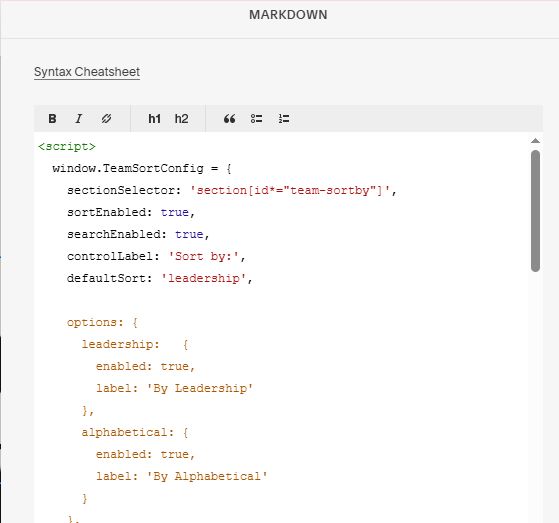
#3.1. If you use Personal/Basic Plan and your plan doesn’t support Injection, you can edit Current Page > Add a Markdown Block

Add this code into Markdown Block
<script>
  window.TeamSortConfig = {
    sectionSelector: 'section[id*="team-sortby"]',
    sortEnabled: true,
    searchEnabled: true,
    controlLabel: 'Sort by:',
    defaultSort: 'leadership',

    options: {
      leadership:   {
        enabled: true,
        label: 'By Leadership'
      },
      alphabetical: {
        enabled: true,
        label: 'By Alphabetical'
      }
    },
    noNumberPlacement: 'bottom',
    searchPlaceholder: 'Search name or role',
    noResultsText: 'No matches found',
    spinner: {
      enabled: true,
      minDisplayMs: 400,
      fadeList: true,
      size: '16px',
      thickness: '2px',
      color: 'currentColor',
      opacity: 0.7
    },
    styles: {
      align: 'space-between',
      gap: '16px',
      paddingX: '2vw',
      marginBottom: '40px',
      labelFontSize: '.85rem',
      controlFontSize: '.9rem',
      searchMinWidth: '220px',
      borderColor: 'currentColor',
      borderRadius: '4px',
      triggerPadding: '8px 14px',
      triggerMinWidth: '180px',
      caretSize: '6px',
      menuBg: '#ffffff',
      menuBorderColor: 'currentColor',
      menuShadow: '0 6px 24px rgba(0,0,0,.12)',
      menuMaxHeight: '260px',
      optionPadding: '10px 14px',
      optionHoverBg: 'rgba(0,0,0,.06)',
      optionActiveBg: 'rgba(0,0,0,.1)'
    }
  };
</script>
<script src="https://code.beaverhero.com/list/0626c30v5listsortby.js"></script>