Description
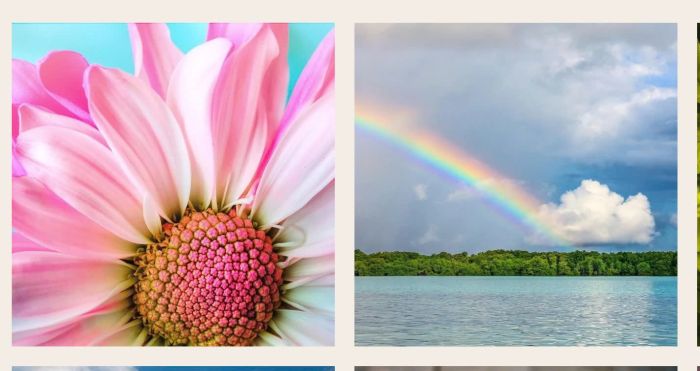
- rotate specific image in Gallery Block every 3 seconds
- view demo – password: abc
- buy me a coffee
#1. Install Code
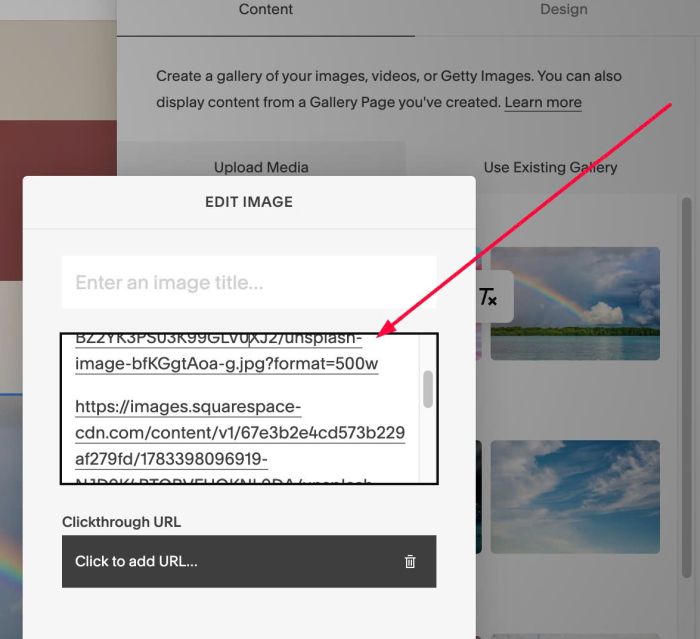
#1.1. First you can edit specific image > Enter some Image URLs to Image Description
Something like this
https://images.squarespace-cdn.com/content/v1/67e3b2e4cd573b229af279fd/1783398097117-BZ2YK3PS03K99GLV0XJ2/unsplash-image-bfKGgtAoa-g.jpg?format=500w

https://images.squarespace-cdn.com/content/v1/67e3b2e4cd573b229af279fd/1783398096919-NJD9K4BTOBVFUQKNL9DA/unsplash-image-HuqZMC7shx0.jpg?format=500w

https://images.squarespace-cdn.com/content/v1/67e3b2e4cd573b229af279fd/1783398096214-WMOG6KSRN2R1U30WKKWW/unsplash-image-AV0M5WwJGwM.jpg?format=500w
#1.2. Next hover on Page where you use Gallery Block > Click Gear icon
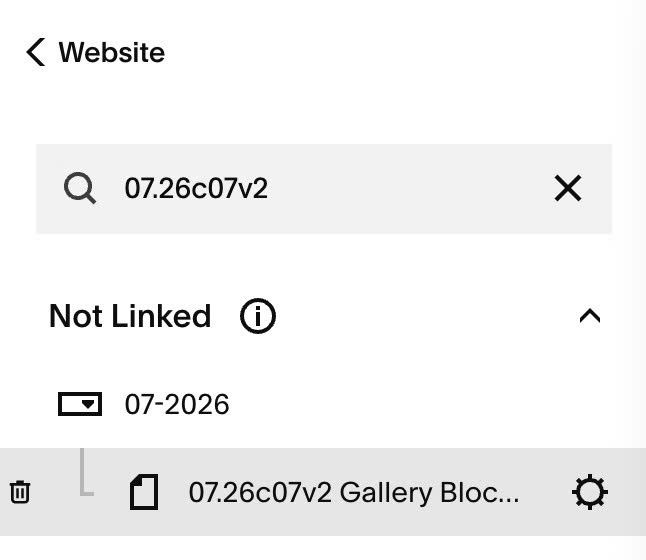
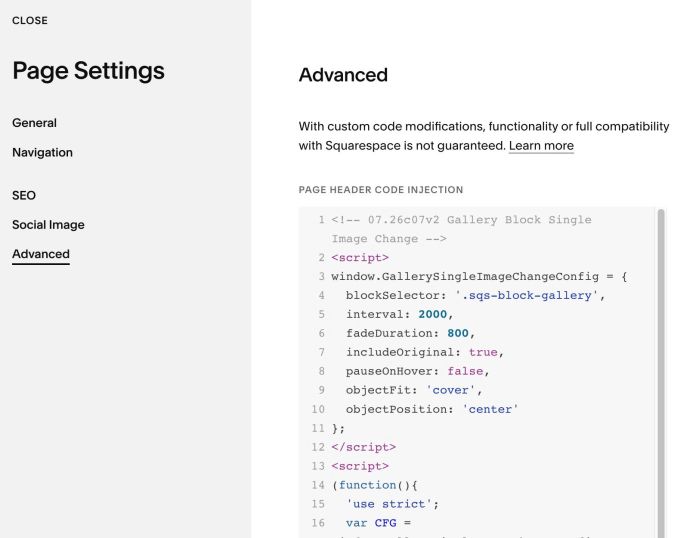
#1.3. Click Advanced > Paste this code
- If you use Personal/Basic Plan and your plan doesn’t support Injection, see #3.1
<!-- 07.26c07v2 Gallery Block Single Image Change -->
<script>
window.GallerySingleImageChangeConfig = {
  blockSelector: '.sqs-block-gallery',
  interval: 2000,
  fadeDuration: 800,
  includeOriginal: true,
  pauseOnHover: false,
  objectFit: 'cover',
  objectPosition: 'center'
};
</script>
<script>
(function(){
  'use strict';
  var CFG = window.GallerySingleImageChangeConfig;
  var registry = [];

  function valid(){
    return CFG && typeof CFG.blockSelector === 'string'
      && typeof CFG.interval === 'number'
      && typeof CFG.fadeDuration === 'number';
  }

  function extractUrls(alt){
    if(!alt) return [];
    return alt.match(/https?:\/\/[^\s"']+/g) || [];
  }

  function destroyAll(){
    for(var k=0;k<registry.length;k++){ try{ registry[k](); }catch(e){} }
    registry = [];
  }

  function makeImg(){
    var el = document.createElement('img');
    el.decoding = 'async';
    el.setAttribute('aria-hidden','true');
    el.style.cssText = 'position:absolute;top:0;left:0;width:100%;height:100%;'
      + 'object-fit:'+CFG.objectFit+';object-position:'+CFG.objectPosition+';'
      + 'opacity:0;will-change:opacity;';
    return el;
  }

  function cycle(img, urls){
    var host = img.closest('a') || img.parentElement;
    if(!host) return function(){};

    var frames = CFG.includeOriginal
      ? [img.currentSrc || img.src].concat(urls)
      : urls.slice();
    frames = frames.filter(function(u,i){ return u && frames.indexOf(u)===i; });
    if(frames.length < 2) return function(){};

    var prevPos = host.style.position;
    if(getComputedStyle(host).position === 'static') host.style.position = 'relative';

    var layer = document.createElement('div');
    layer.style.cssText = 'position:absolute;inset:0;overflow:hidden;pointer-events:none;z-index:1;';
    var a = makeImg(), b = makeImg();
    layer.appendChild(a); layer.appendChild(b);
    host.appendChild(layer);

    frames.forEach(function(u){ var p = new Image(); p.src = u; });

    var layers = [a, b], cur = 0, i = 0, timer = null;
    var fade = 'opacity ' + CFG.fadeDuration + 'ms ease';

    a.src = frames[0];
    a.style.transition = 'none';
    a.style.zIndex = '1';
    a.style.opacity = '1';
    b.style.zIndex = '0';

    function step(){
      var next = (i + 1) % frames.length;
      var incoming = layers[(cur + 1) % 2];
      var outgoing = layers[cur];
      var reveal = function(){
        incoming.onload = null; incoming.onerror = null;
        incoming.style.transition = 'none';
        incoming.style.zIndex = '1';
        incoming.style.opacity = '1';
        void incoming.offsetWidth;
        incoming.style.transition = fade;
        outgoing.style.zIndex = '2';
        void outgoing.offsetWidth;
        outgoing.style.opacity = '0';
        cur = (cur + 1) % 2;
        i = next;
      };
      incoming.src = frames[next];
      if(incoming.complete && incoming.naturalWidth){ reveal(); }
      else {
        incoming.onload = reveal;
        incoming.onerror = function(){ i = next; };
      }
    }

    function start(){ if(!timer) timer = setInterval(step, CFG.interval); }
    function stop(){ if(timer){ clearInterval(timer); timer = null; } }

    start();

    var enter = null, leave = null;
    if(CFG.pauseOnHover){
      enter = stop; leave = start;
      host.addEventListener('mouseenter', enter);
      host.addEventListener('mouseleave', leave);
    }

    return function(){
      stop();
      if(enter){ host.removeEventListener('mouseenter', enter); }
      if(leave){ host.removeEventListener('mouseleave', leave); }
      if(layer.parentNode){ layer.parentNode.removeChild(layer); }
      host.style.position = prevPos;
    };
  }

  function init(){
    if(!valid()){ console.warn('GallerySingleImageChange: invalid config'); return; }
    destroyAll();
    var blocks = document.querySelectorAll(CFG.blockSelector);
    for(var bi=0; bi<blocks.length; bi++){
      var imgs = blocks[bi].querySelectorAll('img');
      for(var ii=0; ii<imgs.length; ii++){
        var urls = extractUrls(imgs[ii].getAttribute('alt'));
        if(urls.length >= 2){ registry.push(cycle(imgs[ii], urls)); }
      }
    }
  }

  function boot(){ init(); }

  if(document.readyState === 'complete'){ boot(); }
  else { window.addEventListener('load', boot); }
  window.addEventListener('mercury:load', boot);
})();
</script>
#2. Customize
#2.1. Image will change every 2 seconds, you can change this number at Line 05
interval: 2000,
#3. Other
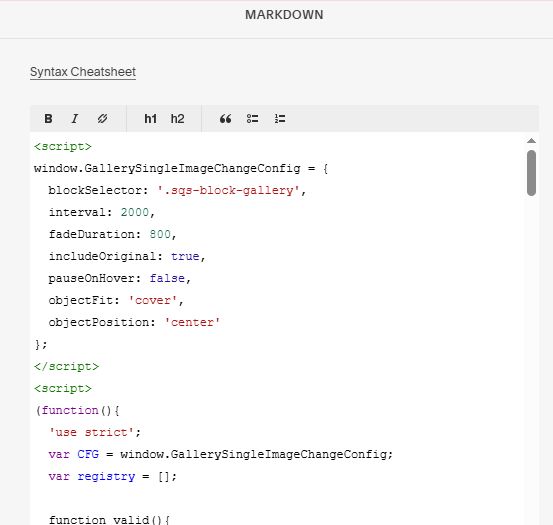
#3.1. If you use Personal/Basic Plan and your plan doesn’t support Injection, you can add a Markdown Block under Gallery Block

Add this code into Markdown
<script>
window.GallerySingleImageChangeConfig = {
  blockSelector: '.sqs-block-gallery',
  interval: 2000,
  fadeDuration: 800,
  includeOriginal: true,
  pauseOnHover: false,
  objectFit: 'cover',
  objectPosition: 'center'
};
</script>
<script>
(function(){
  'use strict';
  var CFG = window.GallerySingleImageChangeConfig;
  var registry = [];

  function valid(){
    return CFG && typeof CFG.blockSelector === 'string'
      && typeof CFG.interval === 'number'
      && typeof CFG.fadeDuration === 'number';
  }

  function extractUrls(alt){
    if(!alt) return [];
    return alt.match(/https?:\/\/[^\s"']+/g) || [];
  }

  function destroyAll(){
    for(var k=0;k<registry.length;k++){ try{ registry[k](); }catch(e){} }
    registry = [];
  }

  function makeImg(){
    var el = document.createElement('img');
    el.decoding = 'async';
    el.setAttribute('aria-hidden','true');
    el.style.cssText = 'position:absolute;top:0;left:0;width:100%;height:100%;'
      + 'object-fit:'+CFG.objectFit+';object-position:'+CFG.objectPosition+';'
      + 'opacity:0;will-change:opacity;';
    return el;
  }

  function cycle(img, urls){
    var host = img.closest('a') || img.parentElement;
    if(!host) return function(){};

    var frames = CFG.includeOriginal
      ? [img.currentSrc || img.src].concat(urls)
      : urls.slice();
    frames = frames.filter(function(u,i){ return u && frames.indexOf(u)===i; });
    if(frames.length < 2) return function(){};

    var prevPos = host.style.position;
    if(getComputedStyle(host).position === 'static') host.style.position = 'relative';

    var layer = document.createElement('div');
    layer.style.cssText = 'position:absolute;inset:0;overflow:hidden;pointer-events:none;z-index:1;';
    var a = makeImg(), b = makeImg();
    layer.appendChild(a); layer.appendChild(b);
    host.appendChild(layer);

    frames.forEach(function(u){ var p = new Image(); p.src = u; });

    var layers = [a, b], cur = 0, i = 0, timer = null;
    var fade = 'opacity ' + CFG.fadeDuration + 'ms ease';

    a.src = frames[0];
    a.style.transition = 'none';
    a.style.zIndex = '1';
    a.style.opacity = '1';
    b.style.zIndex = '0';

    function step(){
      var next = (i + 1) % frames.length;
      var incoming = layers[(cur + 1) % 2];
      var outgoing = layers[cur];
      var reveal = function(){
        incoming.onload = null; incoming.onerror = null;
        incoming.style.transition = 'none';
        incoming.style.zIndex = '1';
        incoming.style.opacity = '1';
        void incoming.offsetWidth;
        incoming.style.transition = fade;
        outgoing.style.zIndex = '2';
        void outgoing.offsetWidth;
        outgoing.style.opacity = '0';
        cur = (cur + 1) % 2;
        i = next;
      };
      incoming.src = frames[next];
      if(incoming.complete && incoming.naturalWidth){ reveal(); }
      else {
        incoming.onload = reveal;
        incoming.onerror = function(){ i = next; };
      }
    }

    function start(){ if(!timer) timer = setInterval(step, CFG.interval); }
    function stop(){ if(timer){ clearInterval(timer); timer = null; } }

    start();

    var enter = null, leave = null;
    if(CFG.pauseOnHover){
      enter = stop; leave = start;
      host.addEventListener('mouseenter', enter);
      host.addEventListener('mouseleave', leave);
    }

    return function(){
      stop();
      if(enter){ host.removeEventListener('mouseenter', enter); }
      if(leave){ host.removeEventListener('mouseleave', leave); }
      if(layer.parentNode){ layer.parentNode.removeChild(layer); }
      host.style.position = prevPos;
    };
  }

  function init(){
    if(!valid()){ console.warn('GallerySingleImageChange: invalid config'); return; }
    destroyAll();
    var blocks = document.querySelectorAll(CFG.blockSelector);
    for(var bi=0; bi<blocks.length; bi++){
      var imgs = blocks[bi].querySelectorAll('img');
      for(var ii=0; ii<imgs.length; ii++){
        var urls = extractUrls(imgs[ii].getAttribute('alt'));
        if(urls.length >= 2){ registry.push(cycle(imgs[ii], urls)); }
      }
    }
  }

  function boot(){ init(); }

  if(document.readyState === 'complete'){ boot(); }
  else { window.addEventListener('load', boot); }
  window.addEventListener('mercury:load', boot);
})();
</script>