Description
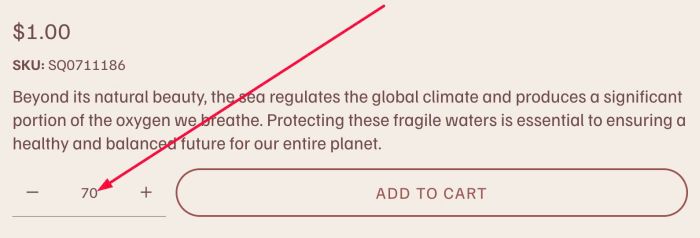
- add Calculator to Product and the results will be sent to Quantity.
- view demo – password: abc (scroll down a bit to Additional Info to see Calculator)
- buy me a coffee
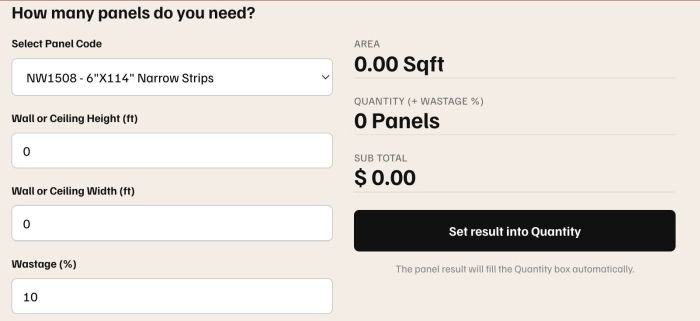
#1. Install Code
Note that each Calculator has a different code, so adjusting the Quantity value will also require a different code. You just need to send the code in your problem to the AI and ask it to make the necessary adjustments.
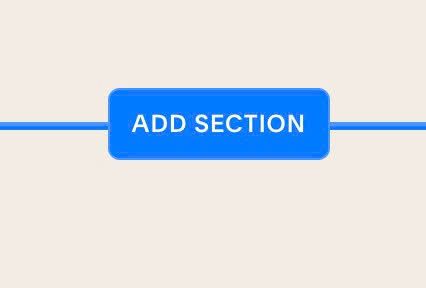
#1.1. Edit Product > Add Section > Add Blank Section
#1.2. Add a Code Block

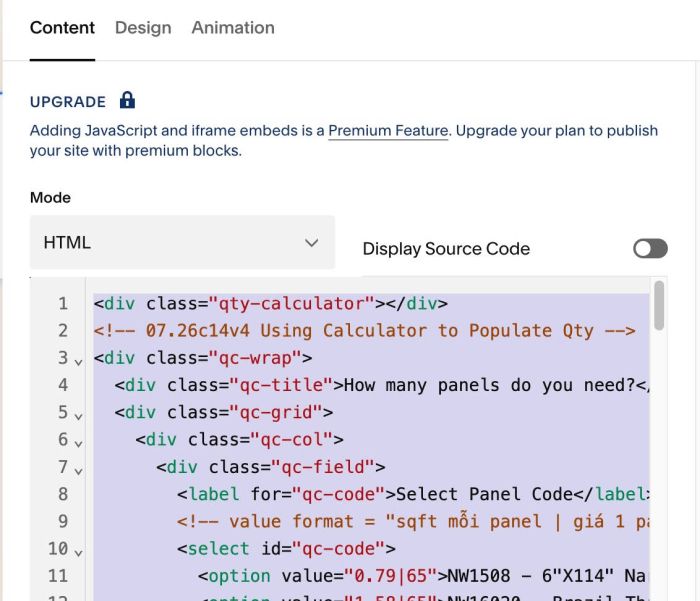
#1.3. Add this code into Code Block
<div class="qty-calculator"></div>
<!-- 07.26c14v4 Using Calculator to Populate Qty -->
<div class="qc-wrap">
  <div class="qc-title">How many panels do you need?</div>
  <div class="qc-grid">
    <div class="qc-col">
      <div class="qc-field">
        <label for="qc-code">Select Panel Code</label>
        <!-- value format = "sqft mỗi panel | giá 1 panel" -->
        <select id="qc-code">
          <option value="0.79|65">NW1508 - 6"X114" Narrow Strips</option>
          <option value="1.58|65">NW16020 - Brazil Thin</option>
          <option value="2.50|85">NW2000 - Wide Panel</option>
        </select>
      </div>
      <div class="qc-field">
        <label for="qc-h">Wall or Ceiling Height (ft)</label>
        <input id="qc-h" type="number" min="0" step="0.1" value="0" />
      </div>
      <div class="qc-field">
        <label for="qc-w">Wall or Ceiling Width (ft)</label>
        <input id="qc-w" type="number" min="0" step="0.1" value="0" />
      </div>
      <div class="qc-field">
        <label for="qc-waste">Wastage (%)</label>
        <input id="qc-waste" type="number" min="0" step="1" value="10" />
      </div>
    </div>
    <div class="qc-col">
      <div class="qc-out"><div class="qc-lbl">Area</div><div class="qc-val"><span id="qc-sqft">0</span> Sqft</div></div>
      <div class="qc-out"><div class="qc-lbl">Quantity (+ Wastage %)</div><div class="qc-val"><span id="qc-panels">0</span> Panels</div></div>
      <div class="qc-out"><div class="qc-lbl">Sub Total</div><div class="qc-val">$ <span id="qc-total">0</span></div></div>
      <button type="button" class="qc-btn" id="qc-apply">Set result into Quantity</button>
      <div class="qc-note">The panel result will fill the Quantity box automatically.</div>
    </div>
  </div>
</div>

<style>
/* 07.26c14v4 Using Calculator to Populate Qty */
.qc-wrap{max-width:760px;margin:20px 0;font-family:inherit;color:#111}
.qc-title{font-size:20px;font-weight:700;margin-bottom:14px}
.qc-grid{display:flex;flex-wrap:wrap;gap:24px}
.qc-col{flex:1;min-width:260px}
.qc-field{margin-bottom:14px}
.qc-field label{display:block;font-size:13px;font-weight:600;margin-bottom:6px}
.qc-field select,.qc-field input{width:100%;padding:10px 12px;border:1px solid #ccc;border-radius:6px;font-size:15px;box-sizing:border-box;background:#fff}
.qc-out{margin-bottom:14px}
.qc-out .qc-lbl{font-size:12px;color:#666;text-transform:uppercase;letter-spacing:.5px}
.qc-out .qc-val{font-size:26px;font-weight:700;border-bottom:1px solid #ddd;padding-bottom:6px}
.qc-btn{display:inline-block;width:100%;padding:14px;border:none;border-radius:6px;background:#111;color:#fff;font-size:15px;font-weight:600;cursor:pointer;margin-top:6px}
.qc-btn:hover{background:#333}
.qc-note{font-size:12px;color:#888;margin-top:8px;text-align:center}
</style>

<script>
/* 07.26c14v4 Using Calculator to Populate Qty */
(function(){
  function ready(fn){ if(document.readyState!='loading') fn(); else document.addEventListener('DOMContentLoaded', fn); }
  ready(function(){
    var el = function(id){ return document.getElementById(id); };

    // Ghi kết quả vào ô Quantity của Squarespace (input do React kiểm soát)
    function setQty(v){
      var qty = document.querySelector('.product-quantity-input input[name="quantity-input"]');
      if(!qty) return;
      var setter = Object.getOwnPropertyDescriptor(window.HTMLInputElement.prototype, 'value').set;
      setter.call(qty, String(v));
      qty.dispatchEvent(new Event('input',  { bubbles: true }));
      qty.dispatchEvent(new Event('change', { bubbles: true }));
    }

    function calc(){
      var parts = el('qc-code').value.split('|');
      var perPanelSqft = parseFloat(parts[0]) || 1;   // sqft mỗi panel
      var price        = parseFloat(parts[1]) || 0;   // giá 1 panel
      var h     = parseFloat(el('qc-h').value) || 0;
      var w     = parseFloat(el('qc-w').value) || 0;
      var waste = parseFloat(el('qc-waste').value) || 0;

      var sqft   = h * w;
      var panels = Math.ceil((sqft / perPanelSqft) * (1 + waste/100));
      if(!isFinite(panels) || panels < 0) panels = 0;
      var total  = panels * price;

      el('qc-sqft').textContent   = sqft.toFixed(2);
      el('qc-panels').textContent = panels;
      el('qc-total').textContent  = total.toFixed(2);
      return panels;
    }

    ['qc-code','qc-h','qc-w','qc-waste'].forEach(function(id){
      el(id).addEventListener('input',  calc);
      el(id).addEventListener('change', calc);
    });

    el('qc-apply').addEventListener('click', function(){
      var p = calc();
      if(p > 0) setQty(p);   // đổi Quantity theo kết quả calculator
    });

    calc();
  });
})();
</script>
#1.4. Result
When using Calculator
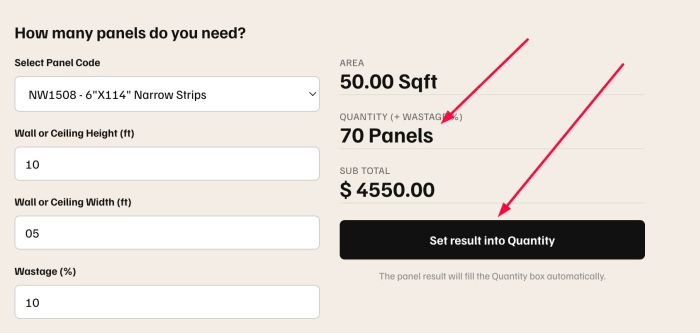
Result