Description
- click button will open 2 pages in same time
- view demo – password: abc
- buy me a coffee
#1. Install Code
#1.1. First, find Button URL. In my example, it is /contact
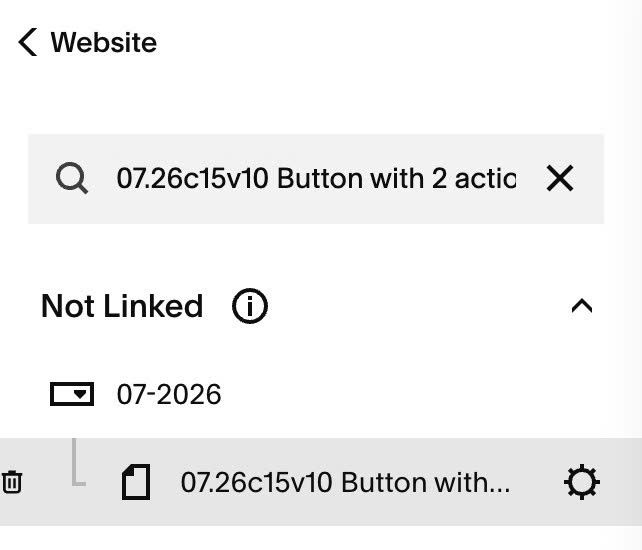
#1.2. Hover on Page where you use Button > Click Gear icon
#1.3. Click Advanced > Paste this code
- if you use Personal/Basic Plan and your plan doesn’t support Injection, see #3.1
<!-- 07.26c15v10 Button with 2 actions -->
<script>
  window.ButtonTwoActionsConfig = {
    buttons: [
      {
        selector: '.button-block a[href="/contact"]',
        extraUrl: "/about"
      },
      {
        selector: '.button-block a[href="/pricing"]',
        extraUrl: "https://google.com"
      }
    ]
  };
</script>
<script>
(function () {
  var cfg = window.ButtonTwoActionsConfig;
  if (!cfg || !Array.isArray(cfg.buttons) || !cfg.buttons.length) return;

  function matchEntry(el) {
    for (var i = 0; i < cfg.buttons.length; i++) {
      var item = cfg.buttons[i];
      if (!item || !item.selector || !item.extraUrl) continue;
      if (el.closest(item.selector)) return item;
    }
    return null;
  }

  document.addEventListener(
    "click",
    function (e) {
      if (document.body && document.body.classList.contains("sqs-edit-mode-active")) return;
      var target = e.target;
      if (!target || !target.closest) return;
      var link = target.closest("a, button");
      if (!link) return;
      var entry = matchEntry(link);
      if (!entry) return;
      window.open(entry.extraUrl, "_blank", "noopener");
    },
    true
  );
})();
</script>

#1.4. Update Button URL + New Page URL
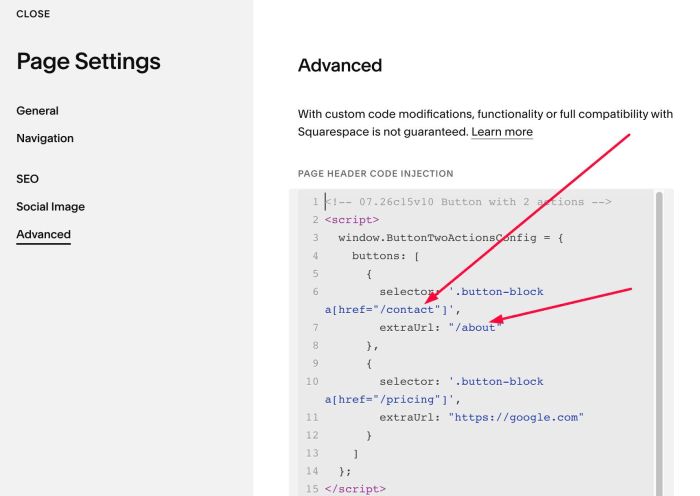
#1.5. If you want to apply code for 2 buttons, we can add second button with syntax like this
buttons: [
     {
       selector: '.button-block a[href="/contact"]',
       extraUrl: "/about"
     },
     {
       selector: '.button-block a[href="/pricing"]',
       extraUrl: "https://google.com"
     }
   ]
#2. Customize
nothing now
#3. Other
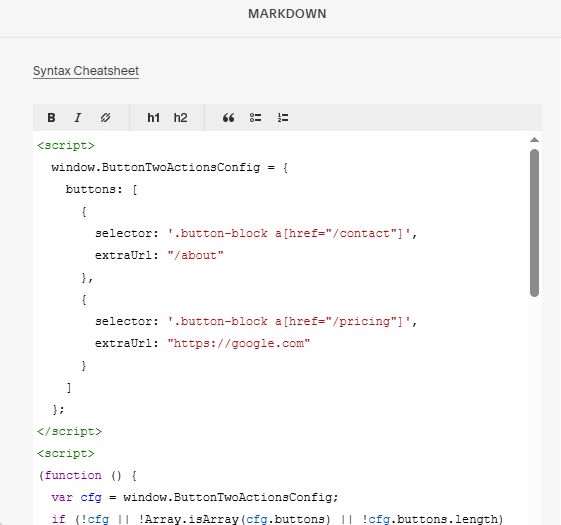
#3.1. If you use Personal/Basic Plan and your plan doesn’t support Injection, you can add a Markdown Block under Button Block

Then add this code into Markdown Block
<script>
  window.ButtonTwoActionsConfig = {
    buttons: [
      {
        selector: '.button-block a[href="/contact"]',
        extraUrl: "/about"
      },
      {
        selector: '.button-block a[href="/pricing"]',
        extraUrl: "https://google.com"
      }
    ]
  };
</script>
<script>
(function () {
  var cfg = window.ButtonTwoActionsConfig;
  if (!cfg || !Array.isArray(cfg.buttons) || !cfg.buttons.length) return;

  function matchEntry(el) {
    for (var i = 0; i < cfg.buttons.length; i++) {
      var item = cfg.buttons[i];
      if (!item || !item.selector || !item.extraUrl) continue;
      if (el.closest(item.selector)) return item;
    }
    return null;
  }

  document.addEventListener(
    "click",
    function (e) {
      if (document.body && document.body.classList.contains("sqs-edit-mode-active")) return;
      var target = e.target;
      if (!target || !target.closest) return;
      var link = target.closest("a, button");
      if (!link) return;
      var entry = matchEntry(link);
      if (!entry) return;
      window.open(entry.extraUrl, "_blank", "noopener");
    },
    true
  );
})();
</script>