Description
- Carousel with circle image, text under, quote icons
- view demo – password: abc
- buy me a coffee

#1. Install Code
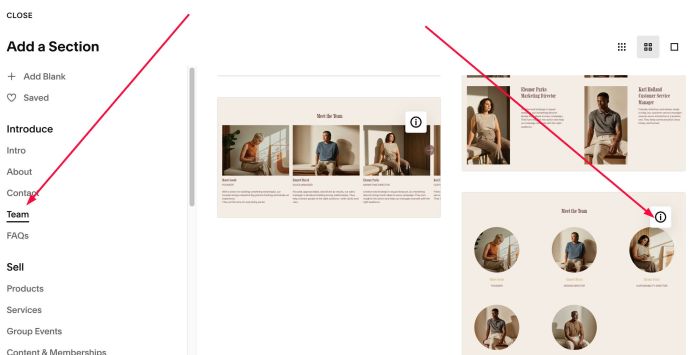
#1.1. First add Section > Choose Team > Choose Section with (i) icon
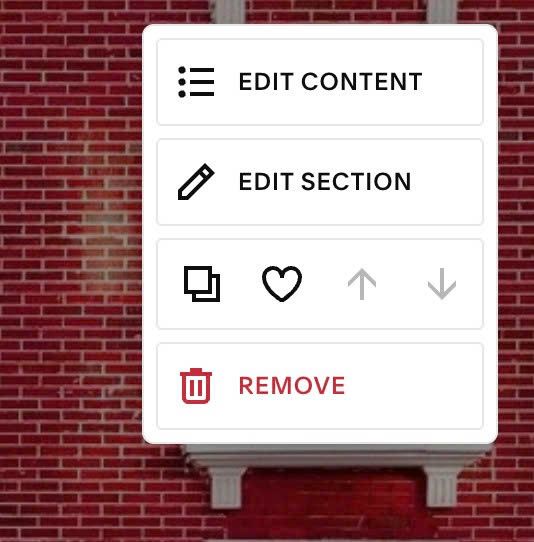
#1.2. Hover on top right of section > Click EDIT CONTENT
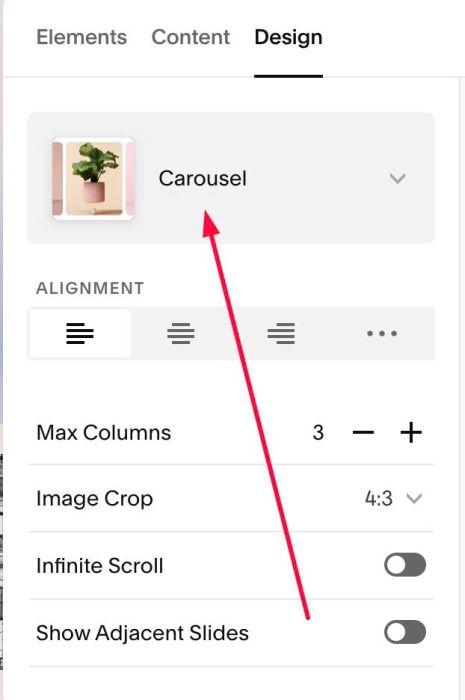
#1.3. at Design > Choose Carousel
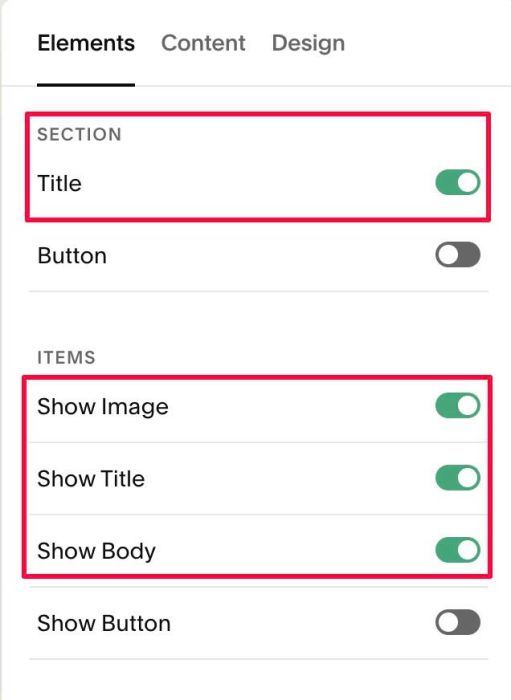
#1.4. at Elements > You can enable Image, Title, Description, Section Title
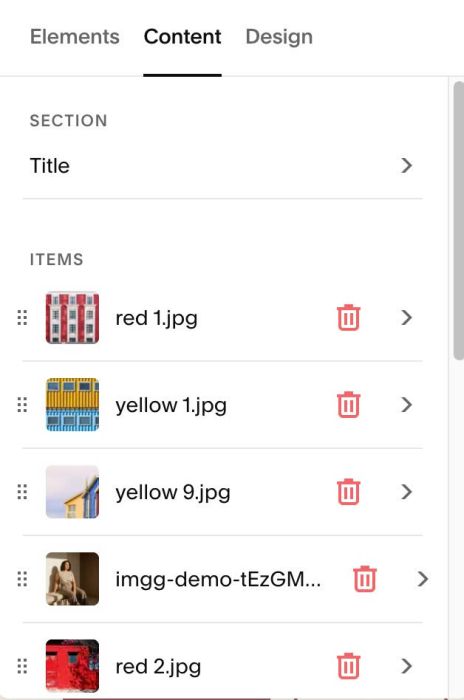
#1.5. at Content > Add your desired title, image, button url
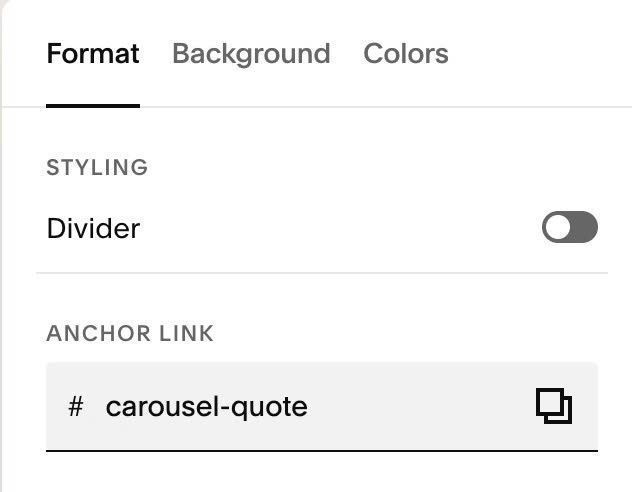
#1.6. Hover on top right of Carousel > Click EDIT SECTION > at Format, enter word: carousel-quote
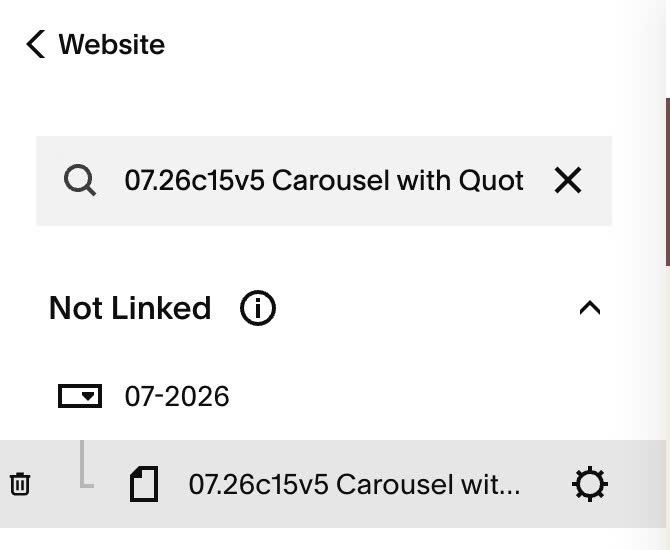
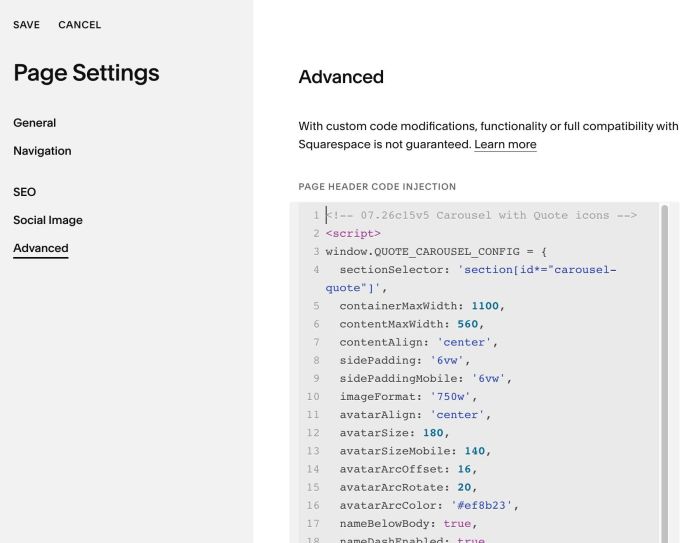
#1.7. Hover on Page where you use Carousel > Click Gear icon
#1.8. Click Advanced > Paste this code
- If you use Personal/Basic Plan and your plan doesn’t support Injection, see #3.1
<!-- 07.26c15v5 Carousel with Quote icons -->
<script>
window.QUOTE_CAROUSEL_CONFIG = {
  sectionSelector: 'section[id*="carousel-quote"]',
  containerMaxWidth: 1100,
  contentMaxWidth: 560,
  contentAlign: 'center',
  sidePadding: '6vw',
  sidePaddingMobile: '6vw',
  imageFormat: '750w',
  avatarAlign: 'center',
  avatarSize: 180,
  avatarSizeMobile: 140,
  avatarArcOffset: 16,
  avatarArcRotate: 20,
  avatarArcColor: '#ef8b23',
  nameBelowBody: true,
  nameDashEnabled: true,
  stripWrappingQuotes: true,
  autoplay: false,
  autoplayDelay: 5000,
  autoplayPauseOnHover: true,
  arrowSize: 44,
  arrowSizeMobile: 38,
  arrowGap: 14,
  arrowColorFallback: '#ef8b23',
  arrowIconHoverColorFallback: '#ffffff',
  arrowBorderWidth: 1.5,
  quoteIconEnabled: true,
  quoteIconColor: '#f8dcc3',
  quoteIconWidth: 190,
  quoteIconWidthMobile: 90,
  quoteIconTopOffset: '0px',
  quoteIconLeftOffset: '1vw',
  quoteIconBottomOffset: '0px',
  quoteIconRightOffset: '1vw',
  speed: 500
};
</script>
<script src="https://code.beaverhero.com/list/0726c15v5carouselquoteicon.js"></script>
#2. Customize
#2.1. To change Quote icons style, change Line 30 to Line 36
quoteIconColor: '#f8dcc3',
  quoteIconWidth: 190,
  quoteIconWidthMobile: 90,
  quoteIconTopOffset: '0px',
  quoteIconLeftOffset: '1vw',
  quoteIconBottomOffset: '0px',
  quoteIconRightOffset: '1vw',
#2.2. To change Image style, change Line 12 to Line 16
avatarSize: 180,
  avatarSizeMobile: 140,
  avatarArcOffset: 16,
  avatarArcRotate: 20,
  avatarArcColor: '#ef8b23',
#2.3. To change title/description width, change Line 06
contentMaxWidth: 560,
#2.4. To change arrow style, change Line 23 to Line 28
arrowSize: 44,
  arrowSizeMobile: 38,
  arrowGap: 14,
  arrowColorFallback: '#ef8b23',
  arrowIconHoverColorFallback: '#ffffff',
  arrowBorderWidth: 1.5,
#2.5. To enable autoscroll, change Line 20, 21
autoplay: false,
  autoplayDelay: 5000,
to something like this
autoplay: true,
  autoplayDelay: 3000,
#3. Other
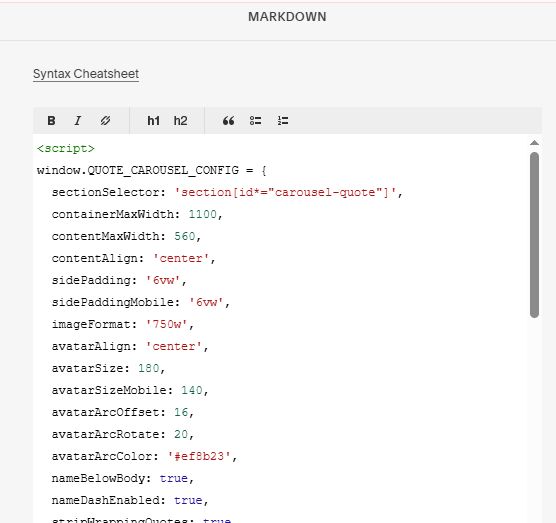
#3.1. If you use Personal/Basic Plan and your plan doesn’t support Injection, you can edit current page (page where you use Carousel) > Add a Block > Choose Markdown

Add this code into Markdown
<script>
window.QUOTE_CAROUSEL_CONFIG = {
  sectionSelector: 'section[id*="carousel-quote"]',
  containerMaxWidth: 1100,
  contentMaxWidth: 560,
  contentAlign: 'center',
  sidePadding: '6vw',
  sidePaddingMobile: '6vw',
  imageFormat: '750w',
  avatarAlign: 'center',
  avatarSize: 180,
  avatarSizeMobile: 140,
  avatarArcOffset: 16,
  avatarArcRotate: 20,
  avatarArcColor: '#ef8b23',
  nameBelowBody: true,
  nameDashEnabled: true,
  stripWrappingQuotes: true,
  autoplay: false,
  autoplayDelay: 5000,
  autoplayPauseOnHover: true,
  arrowSize: 44,
  arrowSizeMobile: 38,
  arrowGap: 14,
  arrowColorFallback: '#ef8b23',
  arrowIconHoverColorFallback: '#ffffff',
  arrowBorderWidth: 1.5,
  quoteIconEnabled: true,
  quoteIconColor: '#f8dcc3',
  quoteIconWidth: 190,
  quoteIconWidthMobile: 90,
  quoteIconTopOffset: '0px',
  quoteIconLeftOffset: '1vw',
  quoteIconBottomOffset: '0px',
  quoteIconRightOffset: '1vw',
  speed: 500
};
</script>
<script src="https://code.beaverhero.com/list/0726c15v5carouselquoteicon.js"></script>