Description
- before after audio player slide, you can toggle between two audios
- view demo – password: abc
- buy me a coffee

#1. Install Code
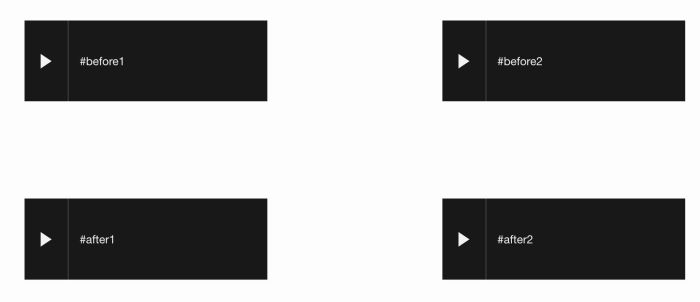
#1.1. Make sure you added 2 audio blocks then add text: #before1, #after1 or #before2, #after 2 to Title field

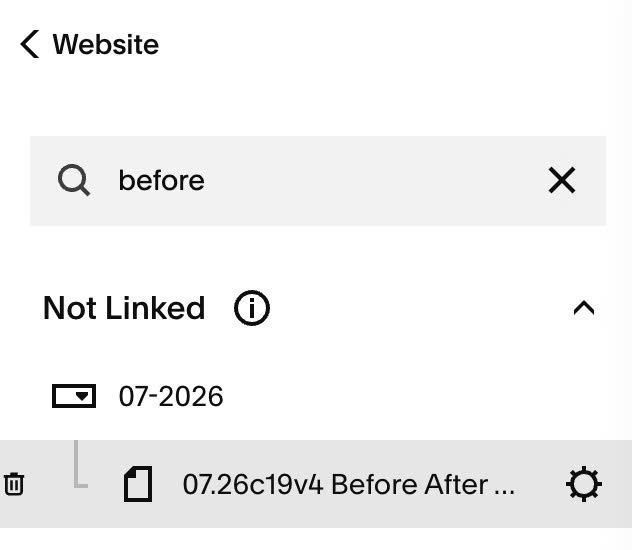
#1.2. Hover on Page where you use Audio Blocks > Click Gear icon
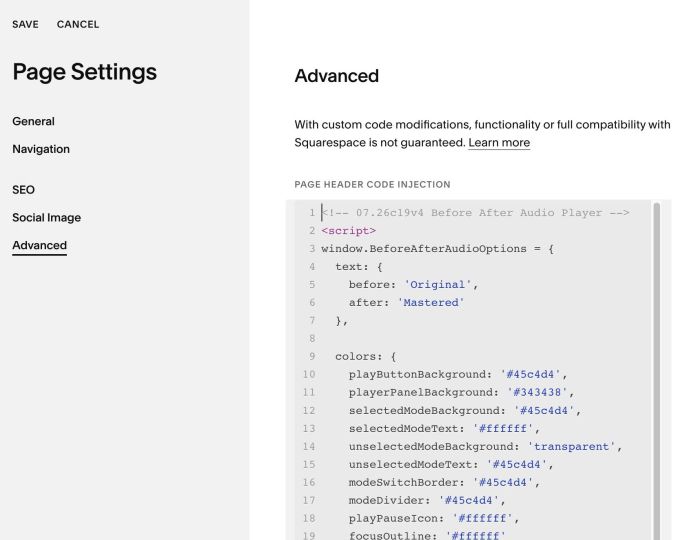
#1.3. Click Advanced > Paste this code
- If you use Personal/Basic Plan and your plan doesn’t support Injection, see #3.1
<!-- 07.26c19v4 Before After Audio Player -->
<script>
window.BeforeAfterAudioOptions = {
  text: {
    before: 'Original',
    after: 'Mastered'
  },

  colors: {
    playButtonBackground: '#45c4d4',
    playerPanelBackground: '#343438',
    selectedModeBackground: '#45c4d4',
    selectedModeText: '#ffffff',
    unselectedModeBackground: 'transparent',
    unselectedModeText: '#45c4d4',
    modeSwitchBorder: '#45c4d4',
    modeDivider: '#45c4d4',
    playPauseIcon: '#ffffff',
    focusOutline: '#ffffff'
  },

  dimensions: {
    playerWidth: '292px',
    playerMaxWidth: '100%',
    playerHeight: '66px',
    playButtonWidth: '52px',
    modeSwitchWidth: '100%',
    modeSwAitchHeight: '38px',
    modeButtonHeight: '34px',
    playIconHalfHeight: '9px',
    playIconWidth: '14px',
    pauseIconWidth: '18px',
    pauseIconHeight: '20px',
    pauseBarWidth: '5px',
    pauseBarHeight: '20px'
  }
};
</script>
<script src="https://code.beaverhero.com/audio/0726c19v4beforeafteraudio.js"></script>
#2. Customize
All stye options in top of code (Line 04 to Line 36)
text: {
    before: 'Original',
    after: 'Mastered'
  },

  colors: {
    playButtonBackground: '#45c4d4',
    playerPanelBackground: '#343438',
    selectedModeBackground: '#45c4d4',
    selectedModeText: '#ffffff',
    unselectedModeBackground: 'transparent',
    unselectedModeText: '#45c4d4',
    modeSwitchBorder: '#45c4d4',
    modeDivider: '#45c4d4',
    playPauseIcon: '#ffffff',
    focusOutline: '#ffffff'
  },

  dimensions: {
    playerWidth: '292px',
    playerMaxWidth: '100%',
    playerHeight: '66px',
    playButtonWidth: '52px',
    modeSwitchWidth: '100%',
    modeSwAitchHeight: '38px',
    modeButtonHeight: '34px',
    playIconHalfHeight: '9px',
    playIconWidth: '14px',
    pauseIconWidth: '18px',
    pauseIconHeight: '20px',
    pauseBarWidth: '5px',
    pauseBarHeight: '20px'
  }
#3. Other
#3.1. If you use Personal/Basic Plan and your plan doesn’t support Injection, you can edit current page (page where you use Audio Blocks) > Add a Block > Choose Markdown

Then add this code into Markdown Block
<script>
window.BeforeAfterAudioOptions = {
  text: {
    before: 'Original',
    after: 'Mastered'
  },

  colors: {
    playButtonBackground: '#45c4d4',
    playerPanelBackground: '#343438',
    selectedModeBackground: '#45c4d4',
    selectedModeText: '#ffffff',
    unselectedModeBackground: 'transparent',
    unselectedModeText: '#45c4d4',
    modeSwitchBorder: '#45c4d4',
    modeDivider: '#45c4d4',
    playPauseIcon: '#ffffff',
    focusOutline: '#ffffff'
  },

  dimensions: {
    playerWidth: '292px',
    playerMaxWidth: '100%',
    playerHeight: '66px',
    playButtonWidth: '52px',
    modeSwitchWidth: '100%',
    modeSwAitchHeight: '38px',
    modeButtonHeight: '34px',
    playIconHalfHeight: '9px',
    playIconWidth: '14px',
    pauseIconWidth: '18px',
    pauseIconHeight: '20px',
    pauseBarWidth: '5px',
    pauseBarHeight: '20px'
  }
};
</script>
<script src="https://code.beaverhero.com/audio/0726c19v4beforeafteraudio.js"></script>
