Description
- floating text in bottom right of site, show after some time then hide after some time
- view demo – password: abc
- buy me a coffee

#1. Install Code
#1.1. Hover on Page where you want to make Float text appears > Click Gear icon
- If you want to make it appears on all pages, find Code Injection > Footer instead
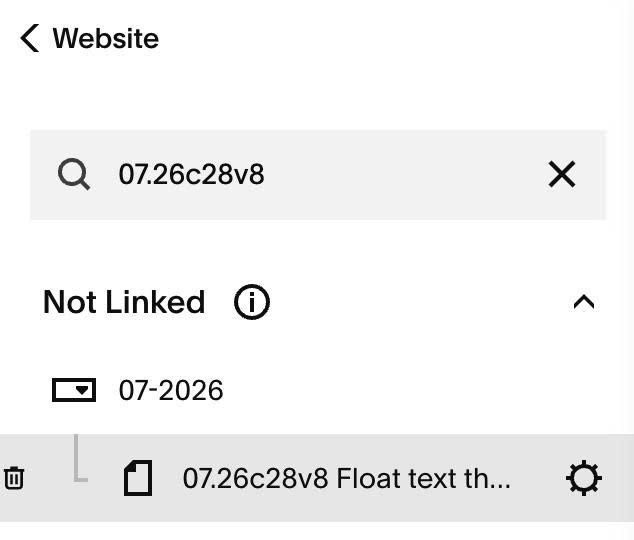
#1.2. Click Advanced > Paste this code
- If you want to make it appears on all pages, add code to Code Injection > Footer
- If you use Personal/Basic Plan and your plan doesn’t support Injection, see #3.1.
<!-- 07.26c28v8 Float text then disappear -->
<script>
window.FloatingTextConfig = {
  text: 'Message me if you need help',
  showAfter: 2000,
  visibleDuration: 5000,
  maxWidth: '300px',
  color: '#ffffff',
  fontSizeDesktop: '14px',
  fontSizeMobile: '13px',
  backgroundColor: '#000000',
  padding: '12px 16px',
  borderRadius: '8px',
  bottom: '40px',
  right: '0px',
  showOnMobile: true,
  hideWhenMobileMenuOpen: true,
  mobileBreakpoint: '767px',
  fadeDuration: '400ms'
};
</script>
<script src="https://code.beaverhero.com/other/0726c28v8floattextdissappear.js"></script>
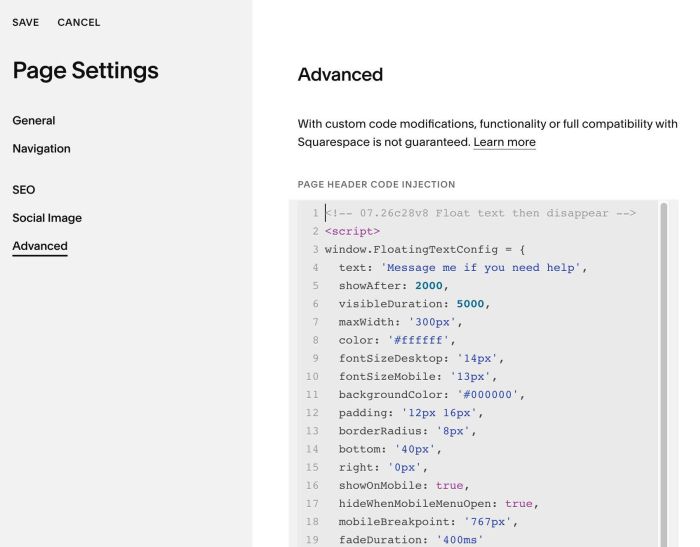
#1.3. You can update text in line 04
text: 'Message me if you need help',
#2. Customize
#2.1. You can change text style in Line 05 to Line 15
showAfter: 2000,
  visibleDuration: 5000,
  maxWidth: '300px',
  color: '#ffffff',
  fontSizeDesktop: '14px',
  fontSizeMobile: '13px',
  backgroundColor: '#000000',
  padding: '12px 16px',
  borderRadius: '8px',
  bottom: '40px',
  right: '0px',
#2.2. To hide text on mobile, change line 16
showOnMobile: true,
to
showOnMobile: false,
#3. Other
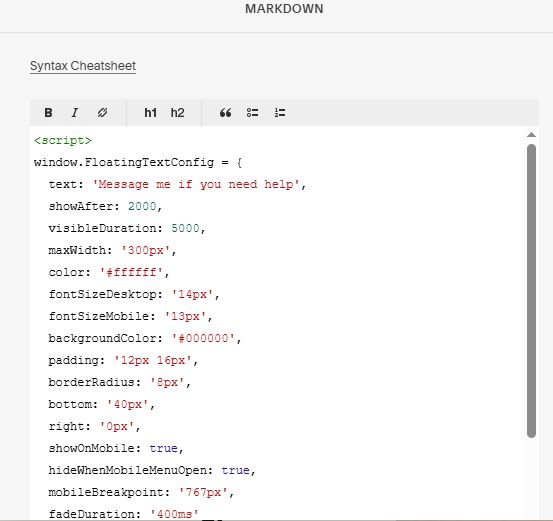
#3.1. If you use Personal/Basic Plan and your plan doesn’t support Injection, you can add a Markdown Block to current page (page where you want to make Float text appears) or add a Markdown Block to Site Footer (if you want to make float text appears on all pages)

Add this code into Markdown
<script>
window.FloatingTextConfig = {
  text: 'Message me if you need help',
  showAfter: 2000,
  visibleDuration: 5000,
  maxWidth: '300px',
  color: '#ffffff',
  fontSizeDesktop: '14px',
  fontSizeMobile: '13px',
  backgroundColor: '#000000',
  padding: '12px 16px',
  borderRadius: '8px',
  bottom: '40px',
  right: '0px',
  showOnMobile: true,
  hideWhenMobileMenuOpen: true,
  mobileBreakpoint: '767px',
  fadeDuration: '400ms'
};
</script>
<script src="https://code.beaverhero.com/other/0726c28v8floattextdissappear.js"></script>