Description
- arrow hover animation
- view demo – password: abc
- buy me a coffee

#1. Install Code
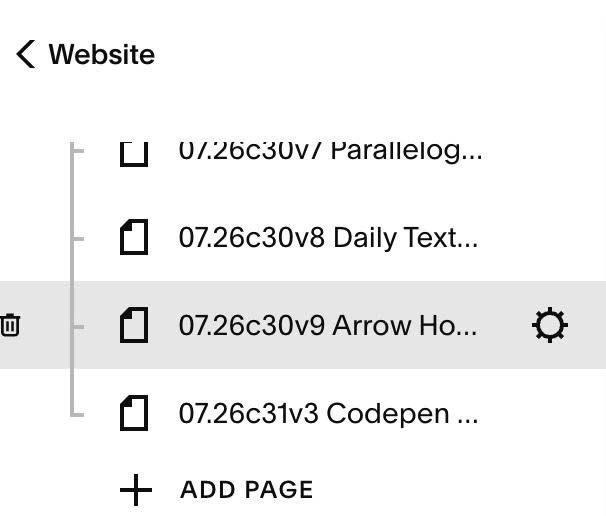
#1.1. Hover on Page where you use Buttons (Button Block, Form Block, Newsletter..) > Click Gear icon
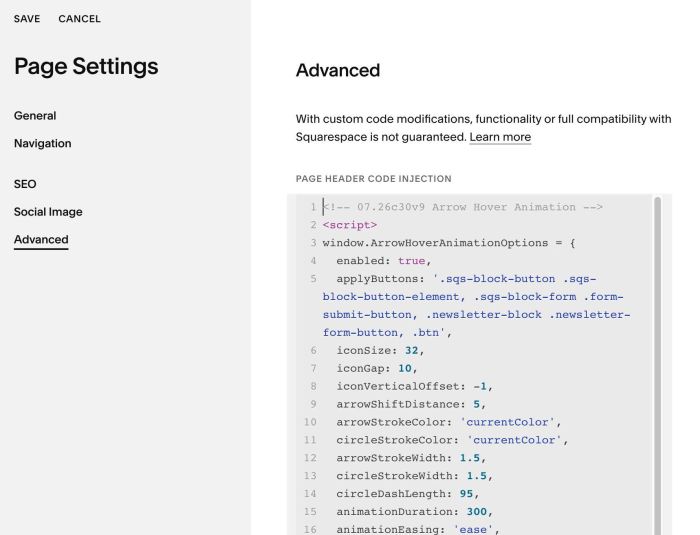
#1.2. Click Advanced > Paste this code
- If you use Personal/Basic Plan and your plan doesn’t support Injection, see #3.1
<!-- 07.26c30v9 Arrow Hover Animation -->
<script>
window.ArrowHoverAnimationOptions = {
  enabled: true,
  applyButtons: '.sqs-block-button .sqs-block-button-element, .sqs-block-form .form-submit-button, .newsletter-block .newsletter-form-button, .btn',
  iconSize: 32,
  iconGap: 10,
  iconVerticalOffset: -1,
  arrowShiftDistance: 5,
  arrowStrokeColor: 'currentColor',
  circleStrokeColor: 'currentColor',
  arrowStrokeWidth: 1.5,
  circleStrokeWidth: 1.5,
  circleDashLength: 95,
  animationDuration: 300,
  animationEasing: 'ease',
  animateOnActive: true,
  respectReducedMotion: true,
  observeDynamicButtons: true
</script>
<script src="https://code.beaverhero.com/buttonblock/0726c30v9arrowhoveranimation.js"></script>
#2. Customize
#2.1. To tweak more, you can use this AI Assistant (designed for Squarespace sites)
#3. Other
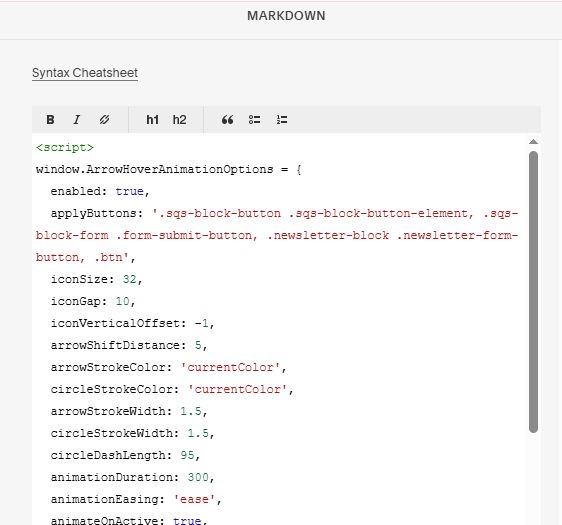
#3.1. If you use Personal/Basic Plan and your plan doesn’t support Injection, you can edit current page (page where you use Buttons) > Add a Block > Choose Markdown

Add this code into Markdown
<script>
window.ArrowHoverAnimationOptions = {
  enabled: true,
  applyButtons: '.sqs-block-button .sqs-block-button-element, .sqs-block-form .form-submit-button, .newsletter-block .newsletter-form-button, .btn',
  iconSize: 32,
  iconGap: 10,
  iconVerticalOffset: -1,
  arrowShiftDistance: 5,
  arrowStrokeColor: 'currentColor',
  circleStrokeColor: 'currentColor',
  arrowStrokeWidth: 1.5,
  circleStrokeWidth: 1.5,
  circleDashLength: 95,
  animationDuration: 300,
  animationEasing: 'ease',
  animateOnActive: true,
  respectReducedMotion: true,
  observeDynamicButtons: true
</script>
<script src="https://code.beaverhero.com/buttonblock/0726c30v9arrowhoveranimation.js"></script>