Description
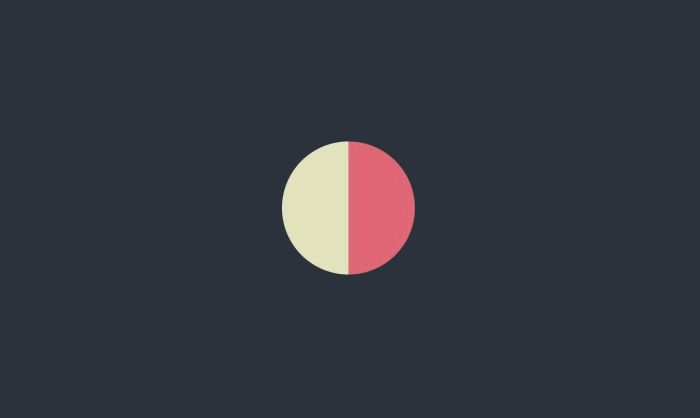
- loading screen/page transition with color overlay, animate ball in middle
- view demo – password: abc
- buy me a coffee
#1. Install Code
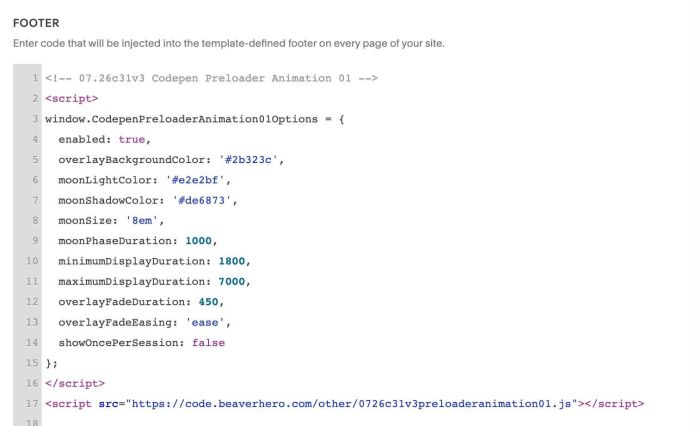
#1.1. You can use this code to Code Injection > Footer
- If you use Personal/Basic Plan and your plan doesn’t support Injection, you can see #3.1
<!-- 07.26c31v3 Codepen Preloader Animation 01 -->
<script>
window.CodepenPreloaderAnimation01Options = {
  enabled: true,
  overlayBackgroundColor: '#2b323c',
  moonLightColor: '#e2e2bf',
  moonShadowColor: '#de6873',
  moonSize: '8em',
  moonPhaseDuration: 1000,
  minimumDisplayDuration: 1800,
  maximumDisplayDuration: 7000,
  overlayFadeDuration: 450,
  overlayFadeEasing: 'ease',
  showOncePerSession: false
};
</script>
<script src="https://code.beaverhero.com/other/0726c31v3preloaderanimation01.js"></script>
#1.2. To change overlay color, ball color, size, you can change these.
overlayBackgroundColor: '#2b323c',
 moonLightColor: '#e2e2bf',
 moonShadowColor: '#de6873',
 moonSize: '8em',
#1.3. To show it once, change line
showOncePerSession: false
to
showOncePerSession: true
#1.4. If you need to tweak more you can use this AI Assistant (designed for Squarespace sites)
#2. Customize
nothing now
#3. Other
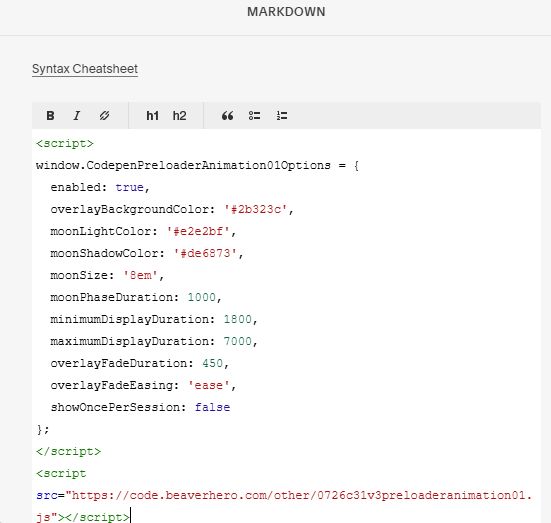
#3.1. If you use Personal/Basic Plan and your plan doesn’t support Injection, you can edit Site Footer > Add a Markdown Block

Add this code into Markdown
<script>
window.CodepenPreloaderAnimation01Options = {
  enabled: true,
  overlayBackgroundColor: '#2b323c',
  moonLightColor: '#e2e2bf',
  moonShadowColor: '#de6873',
  moonSize: '8em',
  moonPhaseDuration: 1000,
  minimumDisplayDuration: 1800,
  maximumDisplayDuration: 7000,
  overlayFadeDuration: 450,
  overlayFadeEasing: 'ease',
  showOncePerSession: false
};
</script>
<script src="https://code.beaverhero.com/other/0726c31v3preloaderanimation01.js"></script>