Description
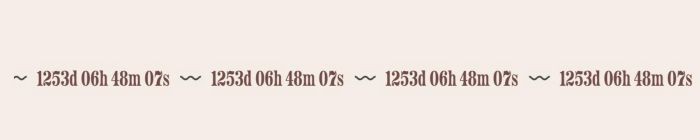
- adding Countdown Timer to Scrolling Block
- view demo – password: abc
- buy me a coffee
#1. Install Code
#1.1. First, adding a Scrolling Block
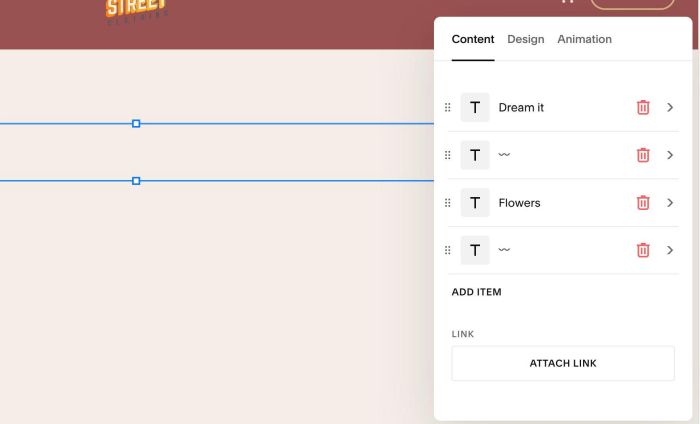
#1.2. Next, hover on top right of section > Click EDIT SECTION > at Design > Anchor Link > enter word: countdown-timer

#1.3. Hover on Page where you use Scrolling Block > Click Gear icon

#1.4. Click Advanced > Paste this code
- If you use Personal/Basic Plan and your plan doesn’t support Injection, see #3.1
<!-- 07.26c31v8 Scrolling Block Countdown Timer -->
<script>
window.ScrollingCountdownConfig = {
  targetSelector: "#countdown-timer",
  targetDate: "2030-01-05T15:37:25+07:00",
  ariaLabel: "Wedding countdown",
  messageTemplate: "{countdown}",
  separator: " 〰️ ",
  expiredMessage: "Today's the day 💐",
  labels: {
    days: "d",
    hours: "h",
    minutes: "m",
    seconds: "s"
  },
  showZeroDays: false,
  padTime: true,
  hideNativeBlock: true,
  matchFont: true,
  speedScale: 40,
  speed: "match",
  direction: "match",
  pauseOnHover: "match",
  gap: "match",
  fadeEdges: "match",
  fontFamily: "",
  fontSize: "",
  fontWeight: "",
  textColor: "",
  respectReducedMotion: true
};
</script>
<script src="https://code.beaverhero.com/scrollblock/0726c31v8scrollingcountdowntimer.js"></script>

#2. Customize
#2.1. You can update date in line 05
targetDate: "2030-01-05T15:37:25+07:00",
#2.2. You can update text in Line 09
expiredMessage: "Today's the day 💐",
#3. Other
#3.1. If you use Personal/Basic Plan and your plan doesn’t support Injection, you can add a Markdown Block under Text Block.

Add this code into Markdown
<script>
window.ScrollingCountdownConfig = {
  targetSelector: "#countdown-timer",
  targetDate: "2030-01-05T15:37:25+07:00",
  ariaLabel: "Wedding countdown",
  messageTemplate: "{countdown}",
  separator: " 〰️ ",
  expiredMessage: "Today's the day 💐",
  labels: {
    days: "d",
    hours: "h",
    minutes: "m",
    seconds: "s"
  },
  showZeroDays: false,
  padTime: true,
  hideNativeBlock: true,
  matchFont: true,
  speedScale: 40,
  speed: "match",
  direction: "match",
  pauseOnHover: "match",
  gap: "match",
  fadeEdges: "match",
  fontFamily: "",
  fontSize: "",
  fontWeight: "",
  textColor: "",
  respectReducedMotion: true
};
</script>
<script src="https://code.beaverhero.com/scrollblock/0726c31v8scrollingcountdowntimer.js"></script>
