Description
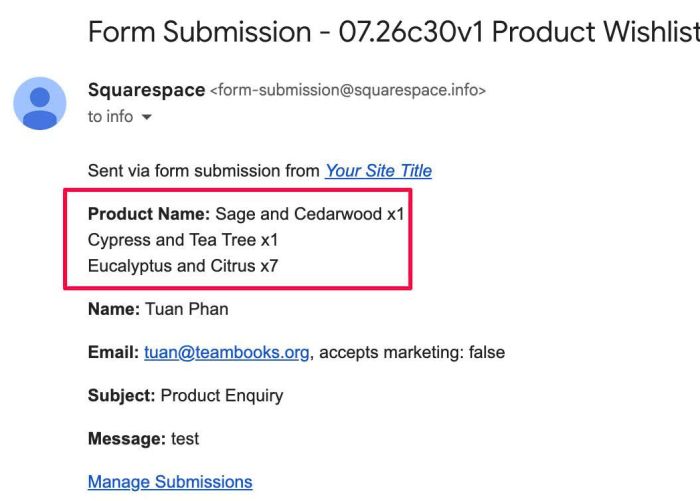
- turn add to cart to “add to wishlist”, when users checkout, it will send product info to site owner email
- view demo – password: abc
- buy me a coffee
(change add to cart to add to wishlist)

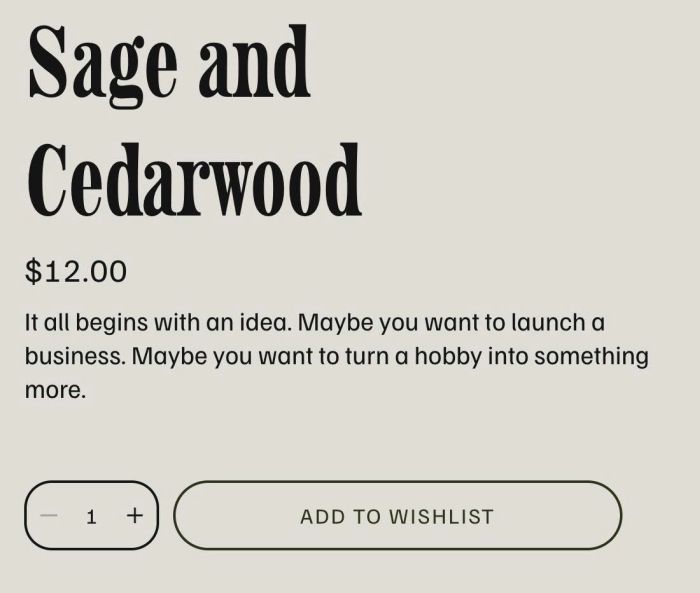
(change checkout to submit wishlist)
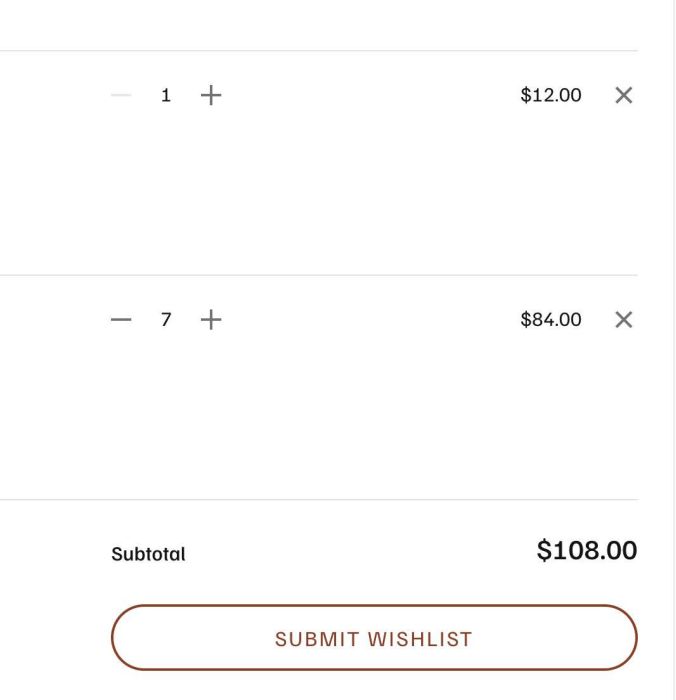
(show form popups when users submit)

(info to your email)
#1. Install Code
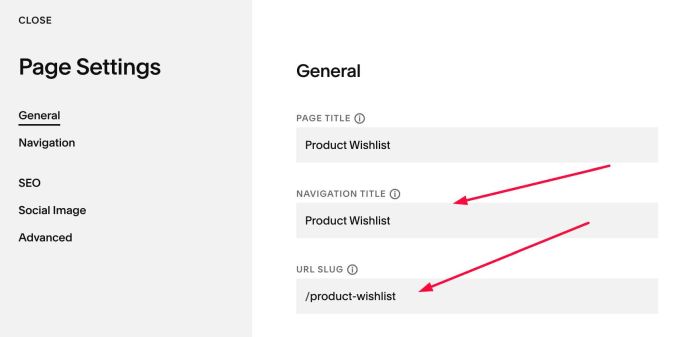
#1.1. First you need to add a Page in Not Linked
- Name: Product Wishlist
- URL: /product-wishlist
#1.2. Add a Form Block to Product Wishlist page
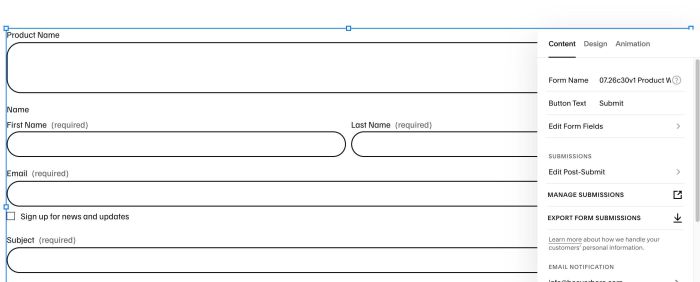
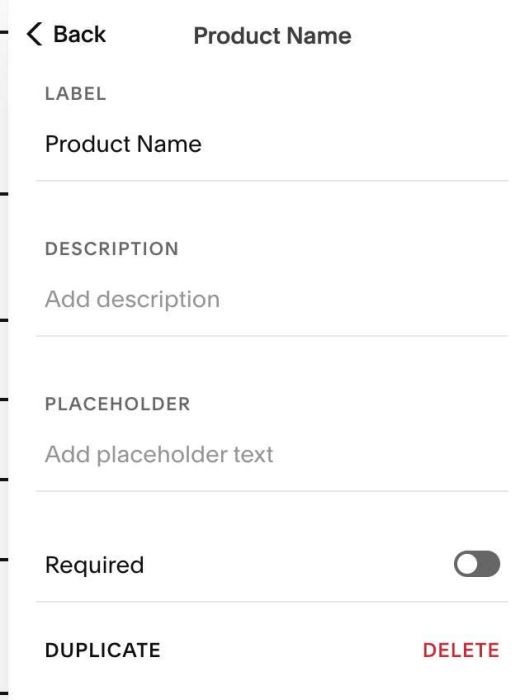
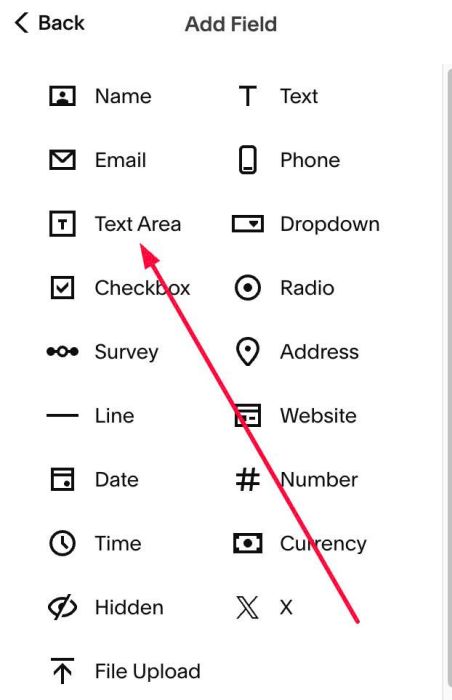
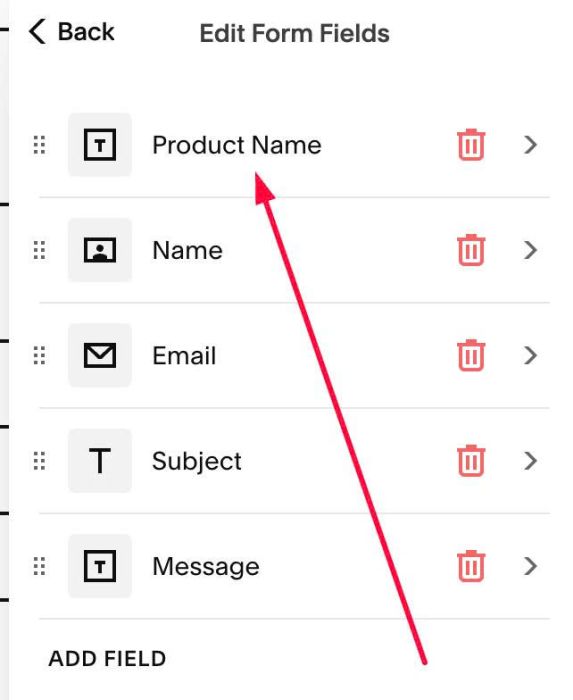
#1.3. Note: Make first field is TEXT AREA with name: Product Name
#1.4. Next, you need to install WM Popup Plugin (we will use it to make Form Wishlist appears as Lightbox Popup on Cart Page)
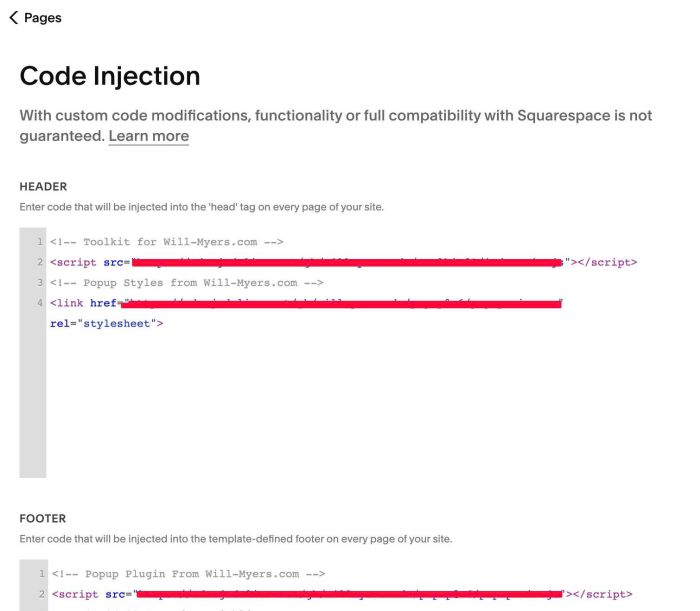
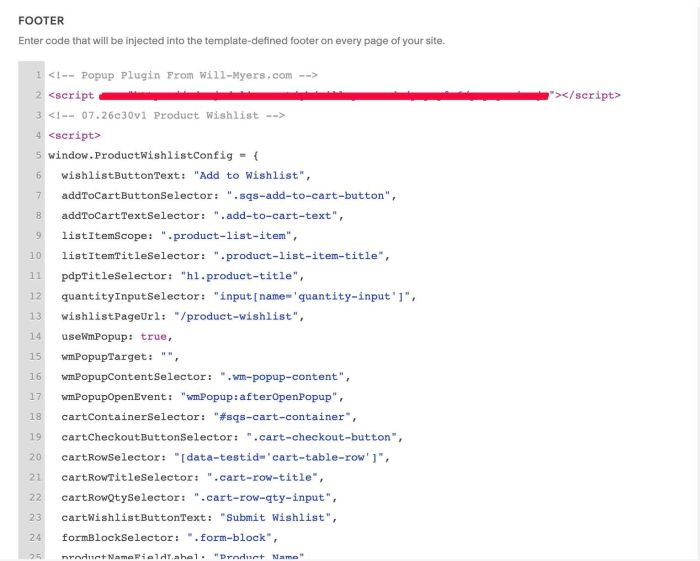
#1.5. Next, use this extra code to Code Injection, under WM Popup Plugin code
<!-- 07.26c30v1 Product Wishlist -->
<script>
window.ProductWishlistConfig = {
  wishlistButtonText: "Add to Wishlist",
  addToCartButtonSelector: ".sqs-add-to-cart-button",
  addToCartTextSelector: ".add-to-cart-text",
  listItemScope: ".product-list-item",
  listItemTitleSelector: ".product-list-item-title",
  pdpTitleSelector: "h1.product-title",
  quantityInputSelector: "input[name='quantity-input']",
  wishlistPageUrl: "/product-wishlist",
  useWmPopup: true,
  wmPopupTarget: "",
  wmPopupContentSelector: ".wm-popup-content",
  wmPopupOpenEvent: "wmPopup:afterOpenPopup",
  cartContainerSelector: "#sqs-cart-container",
  cartCheckoutButtonSelector: ".cart-checkout-button",
  cartRowSelector: "[data-testid='cart-table-row']",
  cartRowTitleSelector: ".cart-row-title",
  cartRowQtySelector: ".cart-row-qty-input",
  cartWishlistButtonText: "Submit Wishlist",
  formBlockSelector: ".form-block",
  productNameFieldLabel: "Product Name",
  lineFormat: "{name} x{qty}",
  mergeDuplicates: true,
  storageKey: "pwl:v1:items",
  storageTtlMinutes: 1440,
  prefillOnPageLoad: true,
  maxWait: 10000,
  pollInterval: 200
};
</script>
<script src="https://code.beaverhero.com/store/0726c30v1productwishlist.js"></script>
#2. Customize
#2.1. To change Add to Cart button text, change Line 06
wishlistButtonText: "Add to Wishlist",
#2.2. To change Checkout button text, change Line 23
cartWishlistButtonText: "Submit Wishlist",
#2.3. To change form of product name x quantity in Form Block, change Line 26
lineFormat: "{name} x{qty}",