Description
- remove add to cart, turn link in product description into button
- buy me a coffee
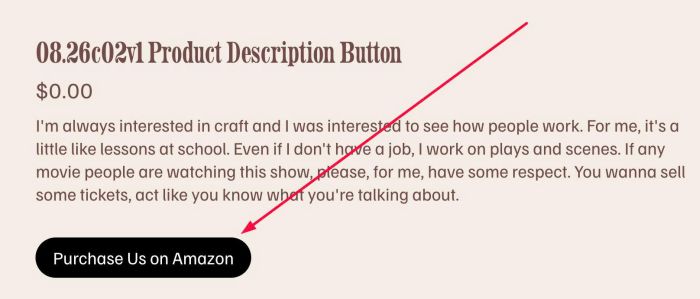
#1. Install Code
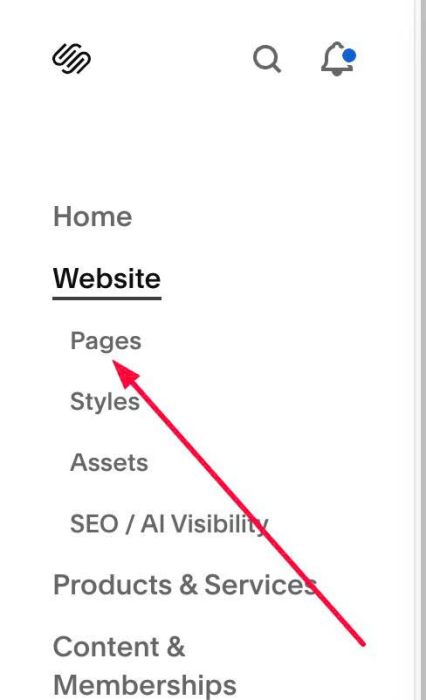
#1.1. First, click on Website > Pages
#1.2. Next, scroll down to bottom > Click Custom Code > Custom CSS

#1.3. Add this code into Custom CSS box
div.product-add-to-cart {
    display: none !important;
}
div.product-description a {
    display: inline-block;
    margin-top: 20px;
    background-color: #000;
    color: #fff;
    padding: 10px 20px;
    border-radius: 50px;
}
div.product-description a:hover {
    opacity: 0.8;
}
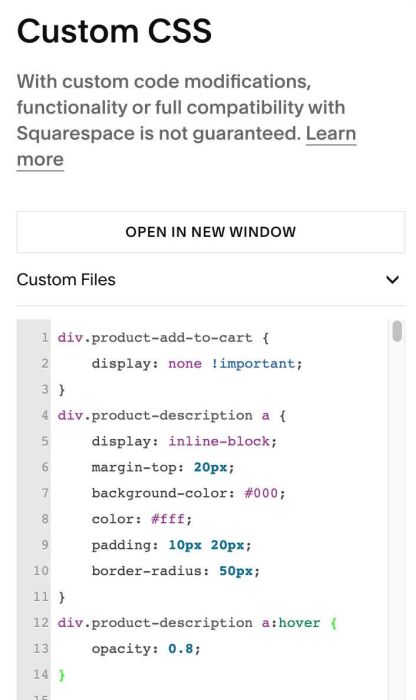
Explain
Line 01 – Line 03: Remove default quantity + add to cart
div.product-add-to-cart {
    display: none !important;
}
Line 04 – Line 11: Turn link in Product Description into Button
div.product-description a {
    display: inline-block;
    margin-top: 20px;
    background-color: #000;
    color: #fff;
    padding: 10px 20px;
    border-radius: 50px;
}
Line 12 – Line 14: Make button opacity change on hover
div.product-description a:hover {
    opacity: 0.8;
}
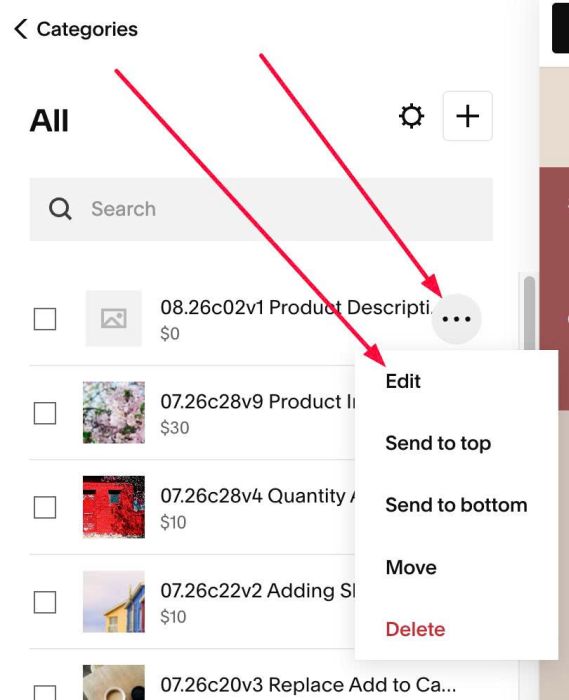
#1.4. Next, edit a Product
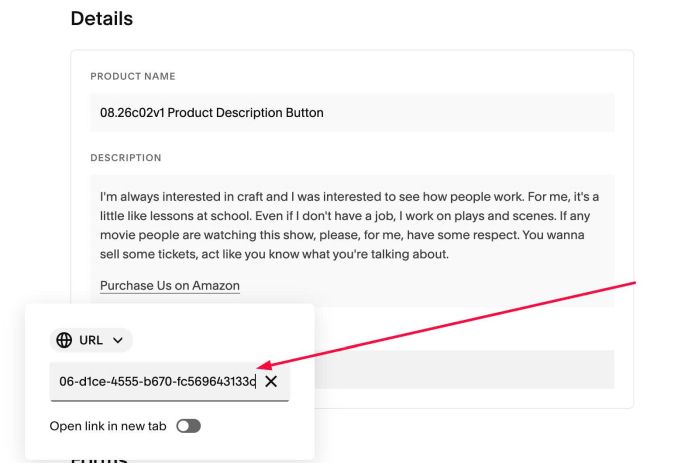
#1.5. Highlight text > Click Link icon

#1.6. Enter your External Product URL. In my example, I will enter a product from Amazon
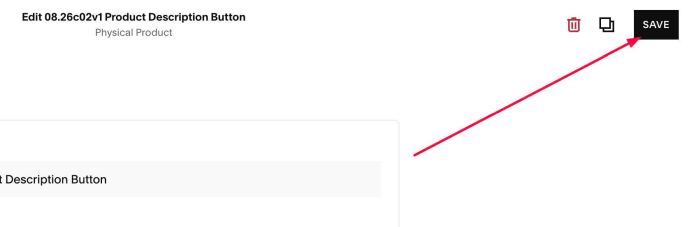
#1.7. Save
#2. Customize
#2.1. To change Button Background Color + Button text, change this line
background-color: #000;
color: #fff;
#2.2. To change space between Button – Description, change this line
margin-top: 20px;
#2.3. To remove rounded corners of button, change 50px to 0px
border-radius: 50px;