Description
- Stacked Gallery Images with 1 Column, slow scroll
- view demo – password: abc
- buy me a coffee
#1. Install Code
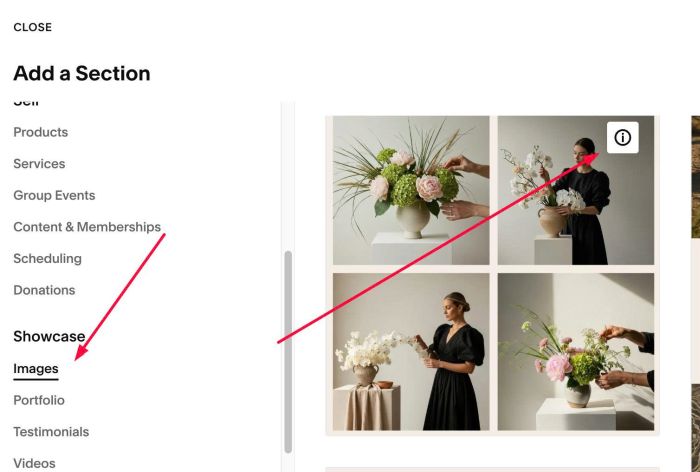
#1.1. Add Section > Choose Images > Choose section with (i) icon
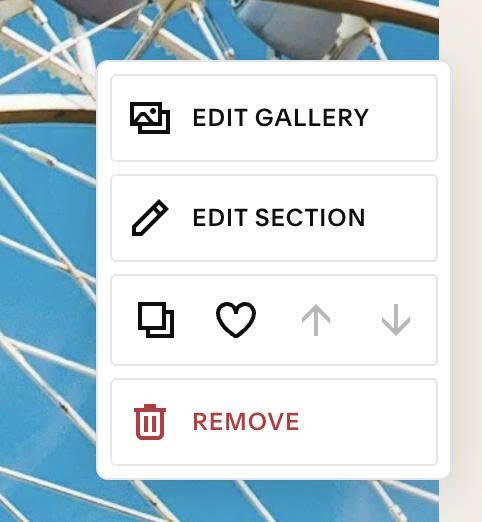
#1.2. Hover on top right of section > Click EDIT SECTION
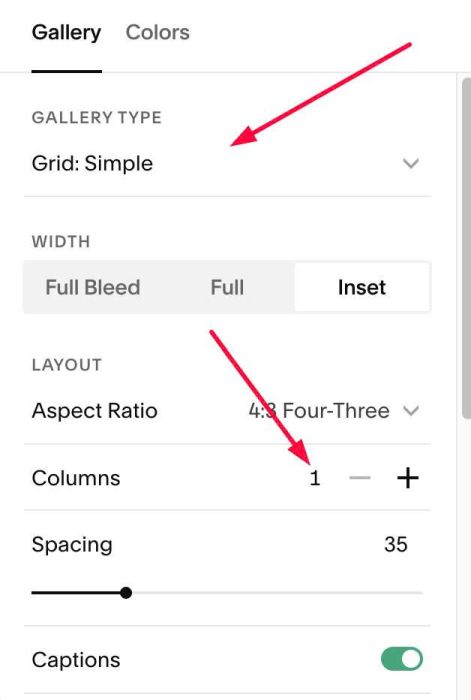
#1.3. Make sure you use Grid:Simple + Columns: 1
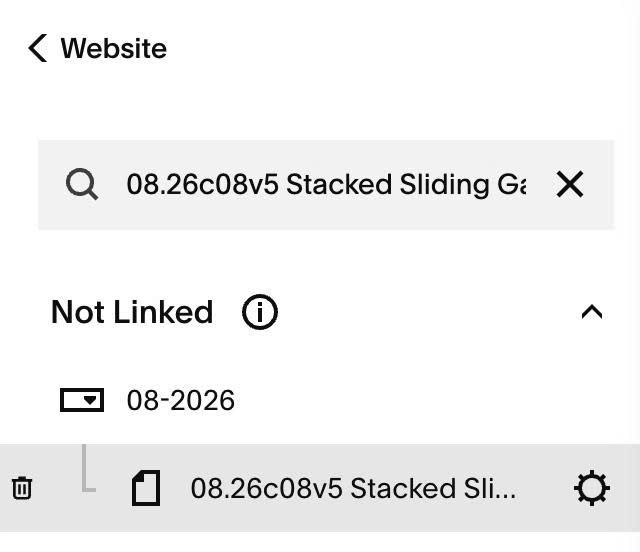
#1.4. Hover on Page where you use Gallery Grid > Click Gear icon
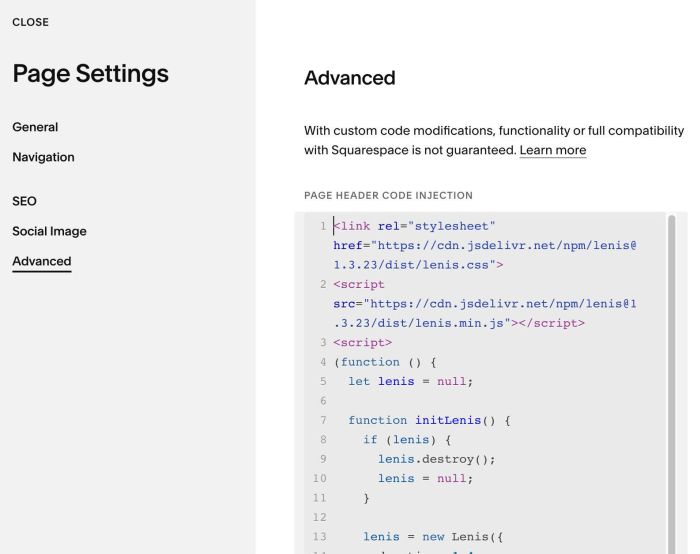
#1.5. Click Advanced > Paste this code to right box
- If you use Personal/Basic Plan and your plan doesn’t support Injection, see #3.1
<link rel="stylesheet" href="https://cdn.jsdelivr.net/npm/[email protected]/dist/lenis.css">
<script src="https://cdn.jsdelivr.net/npm/[email protected]/dist/lenis.min.js"></script>
<script>
(function () {
  let lenis = null;

  function initLenis() {
    if (lenis) {
      lenis.destroy();
      lenis = null;
    }

    lenis = new Lenis({
      duration: 1.4,
      easing: function (t) { return Math.min(1, 1.001 - Math.pow(2, -10 * t)); },
      smoothWheel: true,
      wheelMultiplier: 1,
      lerp: 0.1,
      autoRaf: true,
      anchors: true,
      allowNestedScroll: true
    });
  }

  initLenis();
  window.addEventListener('mercury:load', initLenis);
})();
</script>
#2. Customize
nothing now
#3. Other
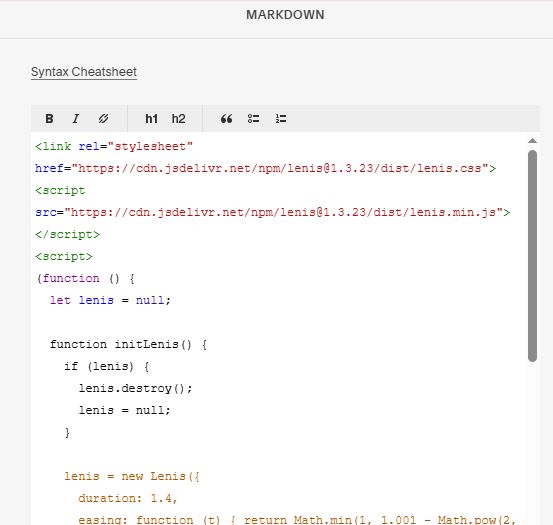
#3.1. If you use Personal/Basic Plan and your plan doesn’t support Injection, you can edit current page (page where you use Gallery Grid) > Add a Markdown Block
Add this code into Markdown
<link rel="stylesheet" href="https://cdn.jsdelivr.net/npm/[email protected]/dist/lenis.css">
<script src="https://cdn.jsdelivr.net/npm/[email protected]/dist/lenis.min.js"></script>
<script>
(function () {
  let lenis = null;

  function initLenis() {
    if (lenis) {
      lenis.destroy();
      lenis = null;
    }

    lenis = new Lenis({
      duration: 1.4,
      easing: function (t) { return Math.min(1, 1.001 - Math.pow(2, -10 * t)); },
      smoothWheel: true,
      wheelMultiplier: 1,
      lerp: 0.1,
      autoRaf: true,
      anchors: true,
      allowNestedScroll: true
    });
  }

  initLenis();
  window.addEventListener('mercury:load', initLenis);
})();
</script>