Description
- adding second button under add to cart or between quantity/add to cart or after add to cart
- view demo – password: abc
- buy me a coffee
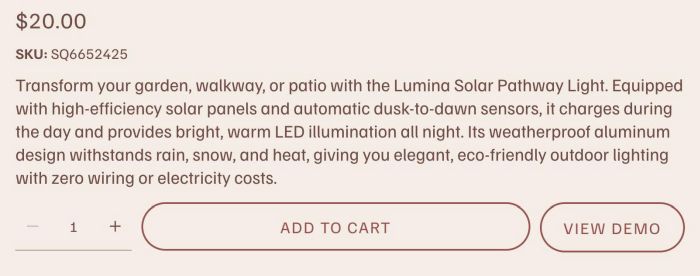
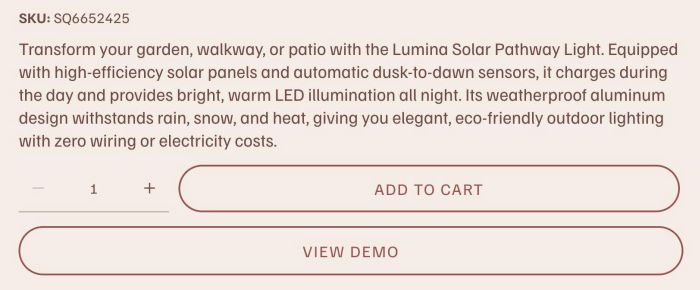
#1. Install Code
#1.1. First, edit a Product
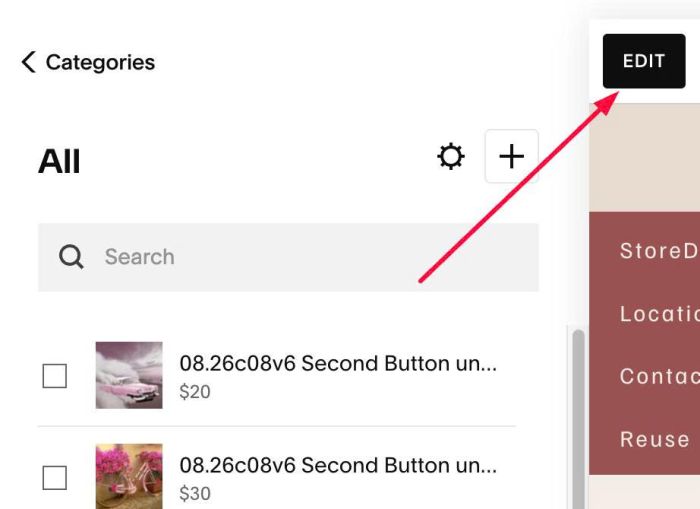
#1.2. Add a Blank Section
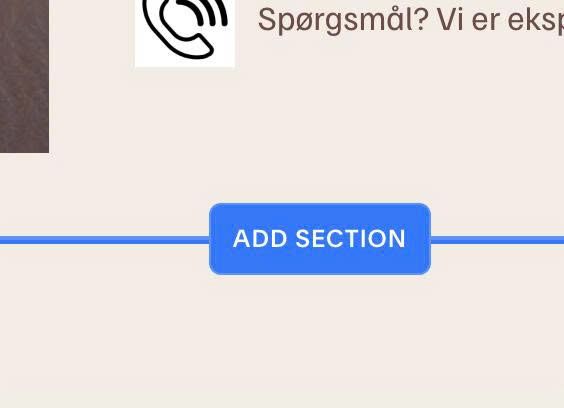
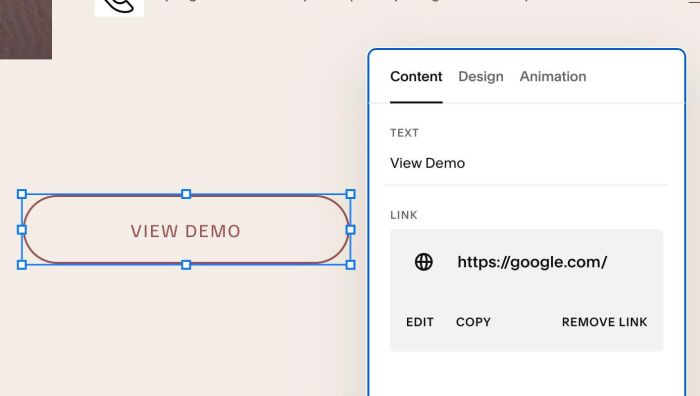
#1.3. Add a Button Block with your desired text/url
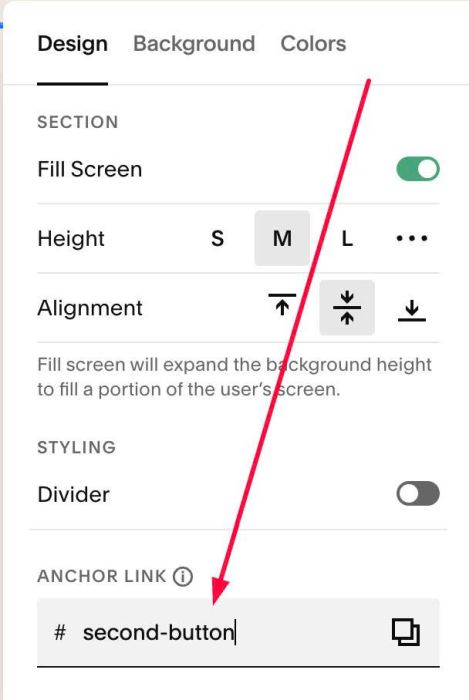
#1.4. Hover on top right of section > Click EDIT SECTION > at Design > Anchor Link > enter word: second-button
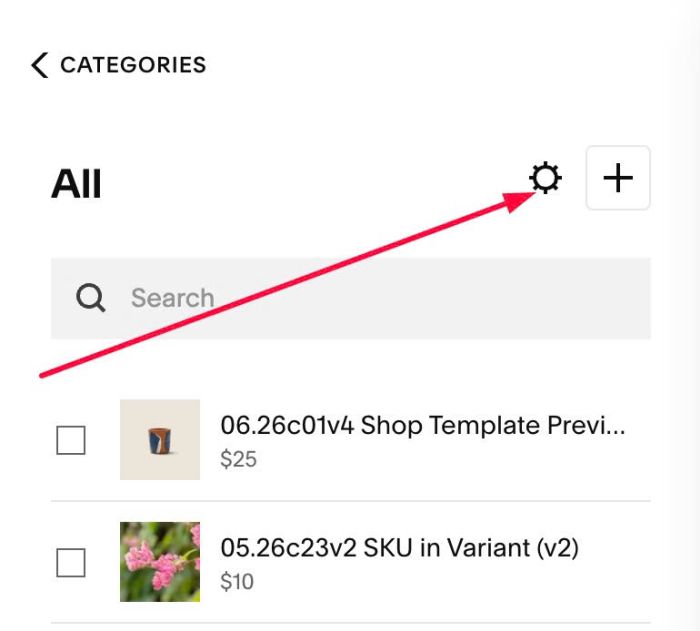
#1.5. Click Gear icon on Store Page
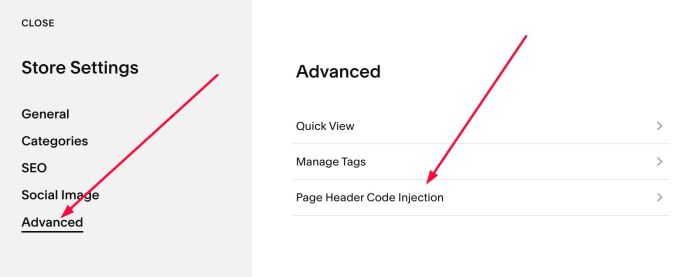
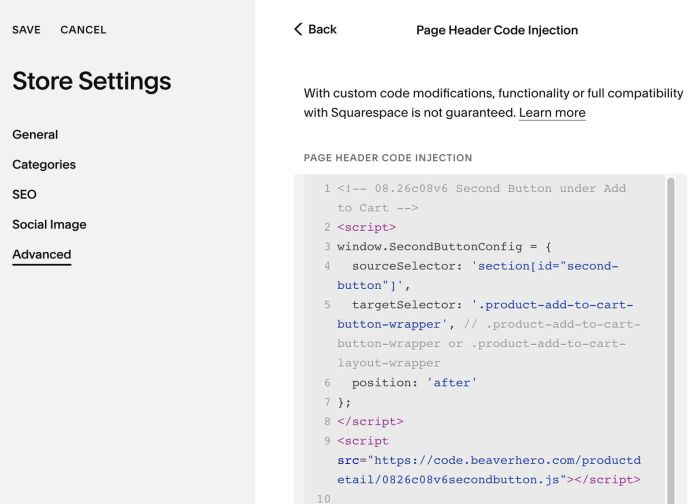
Next, click Advanced > Page Header Code Injection
#1.6. Add this code into Right box
<!-- 08.26c08v6 Second Button under Add to Cart -->
<script>
window.SecondButtonConfig = {
  sourceSelector: 'section[id="second-button"]',
  targetSelector: '.product-add-to-cart-button-wrapper', // .product-add-to-cart-button-wrapper or .product-add-to-cart-layout-wrapper
  position: 'after'
};
</script>
<script src="https://code.beaverhero.com/productdetail/0826c08v6secondbutton.js"></script>
#2. Customize
#2.1. To make Second Button under Add to Cart, change this line
targetSelector: '.product-add-to-cart-button-wrapper', // .product-add-to-cart-button-wrapper or .product-add-to-cart-layout-wrapper
to this line
targetSelector: '.product-add-to-cart-layout-wrapper', // .product-add-to-cart-button-wrapper or .product-add-to-cart-layout-wrapper
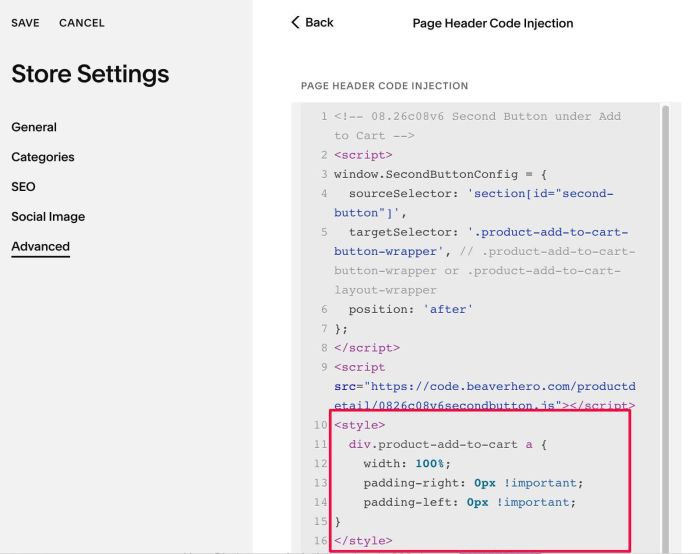
and if you want to make second button fullwidth, use this code under main code
<style>
  div.product-add-to-cart a {
    width: 100%;
    padding-right: 0px !important;
    padding-left: 0px !important;
}
</style>
#2.2. To make Add to Cart same width as Second Button, like this
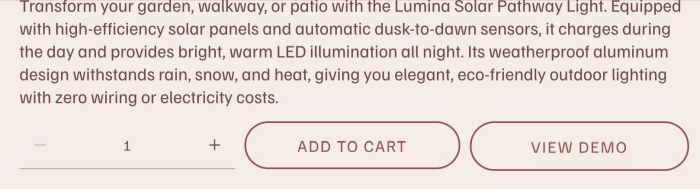
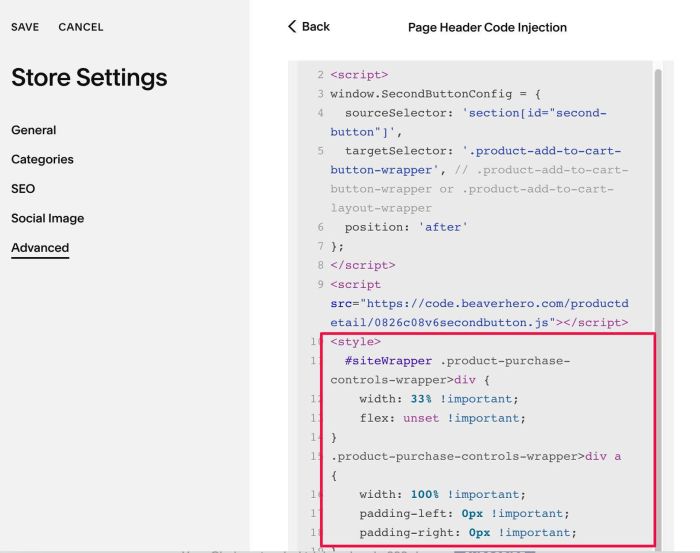
add this code under main code
<style>
  #siteWrapper .product-purchase-controls-wrapper>div {
    width: 33% !important;
    flex: unset !important;
}
.product-purchase-controls-wrapper>div a {
    width: 100% !important;
    padding-left: 0px !important;
    padding-right: 0px !important;
}
@media screen and (max-width:767px) {
    #siteWrapper .product-purchase-controls-wrapper * {
        font-size: 12px !important;
    }
    .product-purchase-controls-wrapper {
        flex-wrap: nowrap !important;
    }
}
</style>
#2.3. If you want to hide Add to Cart, use this code under main code
<style>
div.sqs-add-to-cart-button-wrapper {
    display: none;
}
</style>
If you want to hide add to cart on specific buttons only, you can add a tag with name: hide-atc, then use this new code
<style>
.tag-hide-atc div.sqs-add-to-cart-button-wrapper {
    display: none;
}
</style>
#2.3. If you need to tweak more you can use this AI Assistant (designed for Squarespace sites)