Description
- make gallery block smooth autoscroll
- works with both Squarespace 7.0 & 7.1
- works with Personal/Basic Plan
- view demo – password: abc
- buy me a coffee

#1. Install Code
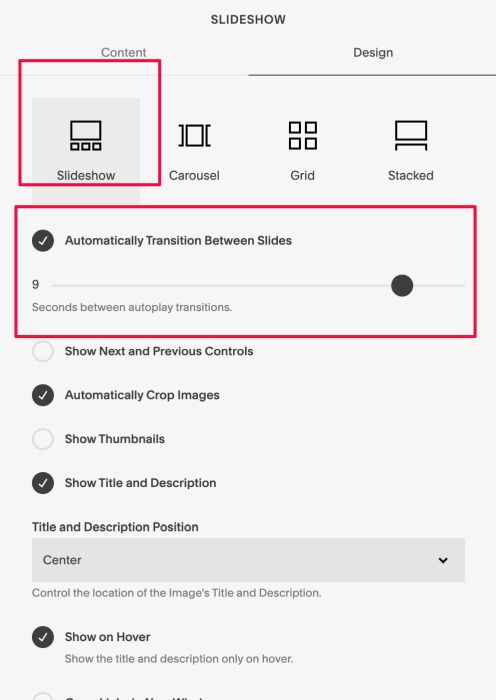
#1.1. Make sure you use Gallery Block Slideshow & Enable this option
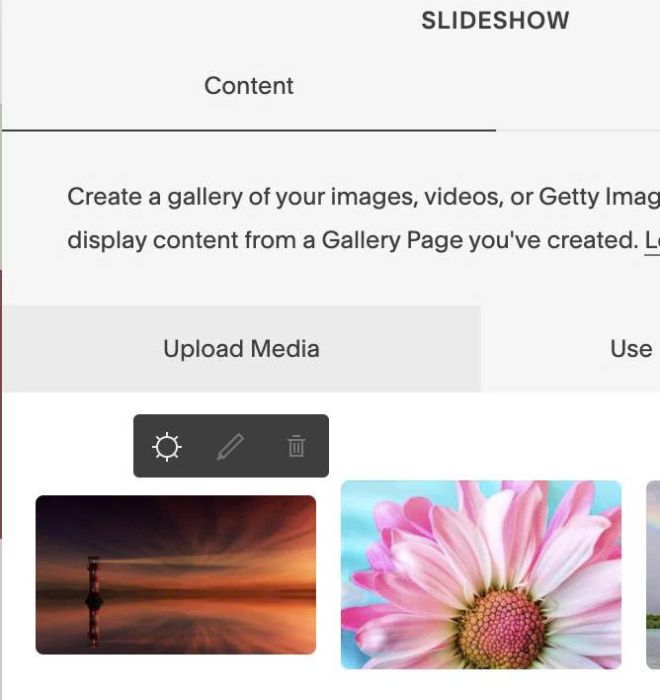
#1.2. Edit FIRST Image > Click Gear icon
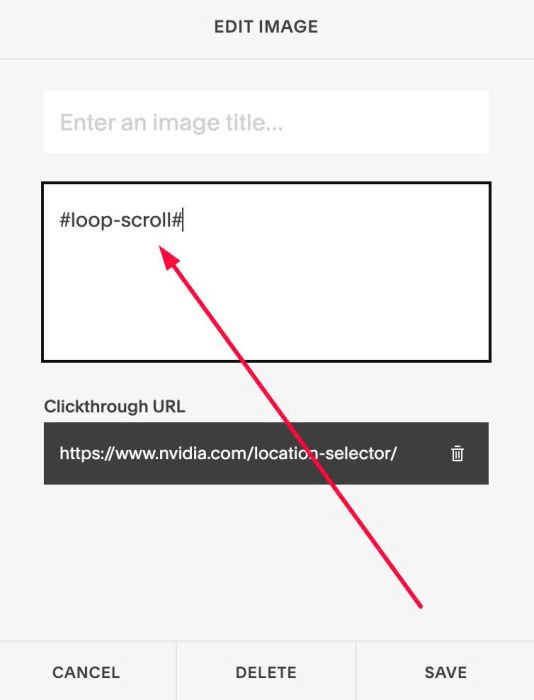
#1.3. In Description, enter text: #loop-scroll#
#loop-scroll#
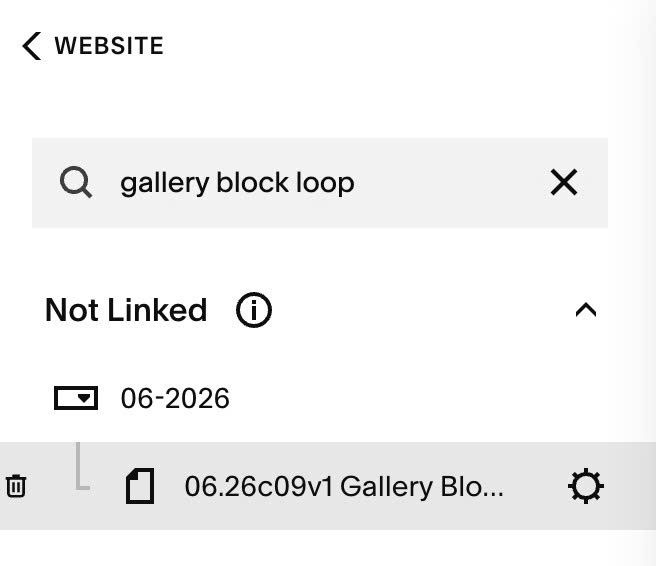
#1.4. Hover on page where you use Gallery Block > Click Gear icon
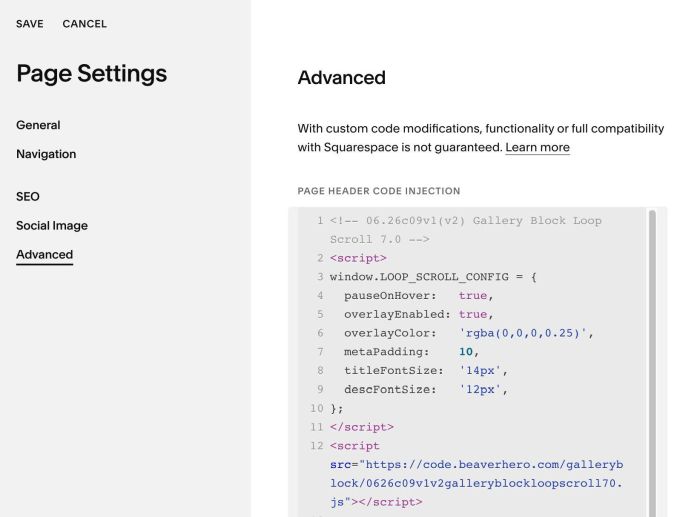
#1.5. Click Advanced > Paste this code
- If you use Personal/Basic Plan and your plan doesn’t support Injection, see #3.1.
<!-- 06.26c09v1(v2) Gallery Block Loop Scroll 7.0 -->
<script>
window.LOOP_SCROLL_CONFIG = {
  pauseOnHover:   true,
  overlayEnabled: true,
  overlayColor:   'rgba(0,0,0,0.25)',
  metaPadding:    10,
  titleFontSize:  '14px',
  descFontSize:   '12px',
};
</script>
<script src="https://code.beaverhero.com/galleryblock/0626c09v1v2galleryblockloopscroll70.js"></script>
#2. Customize
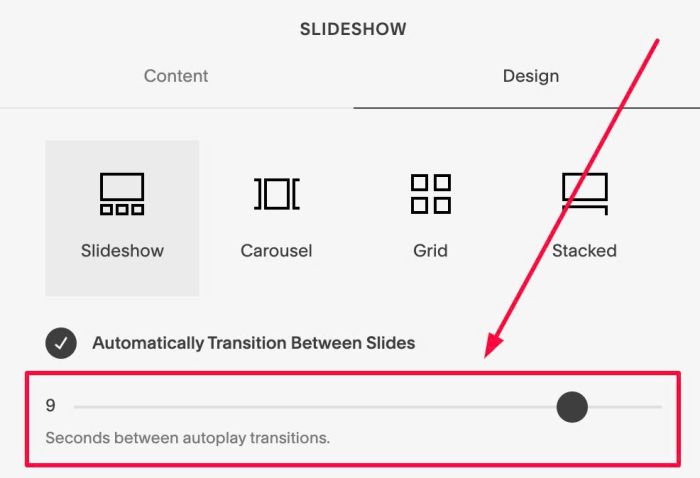
#2.1. To change speed, you can adjust this option
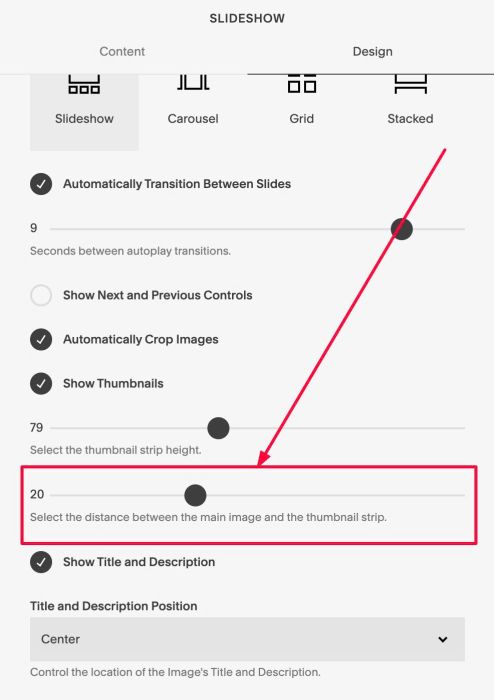
#2.2. To change space between Images, change this option
#2.3. To change image height, you can change this option
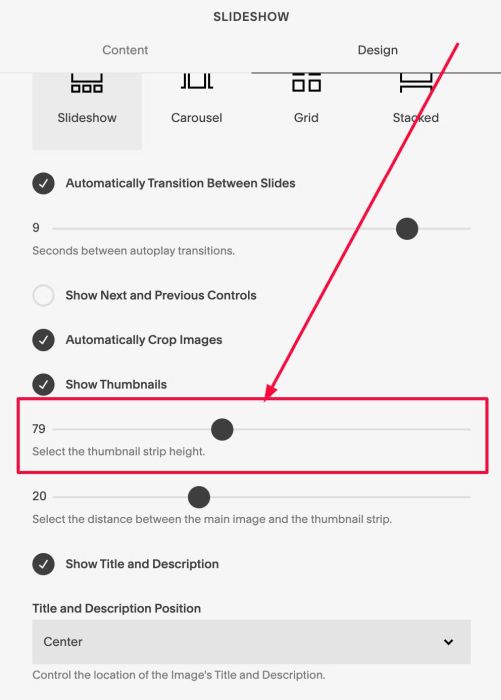
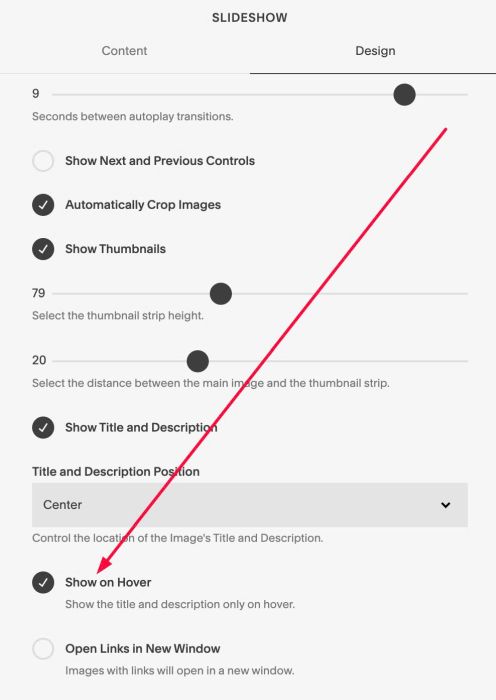
#2.4. To make text always appear over image or appears on hover, enable this option
#2.5. To change Title/Description size, change these lines
titleFontSize:  '14px',
descFontSize:   '12px',
#2.6. To change overlay color over image, change this line
overlayColor: 'rgba(0,0,0,0.25)',
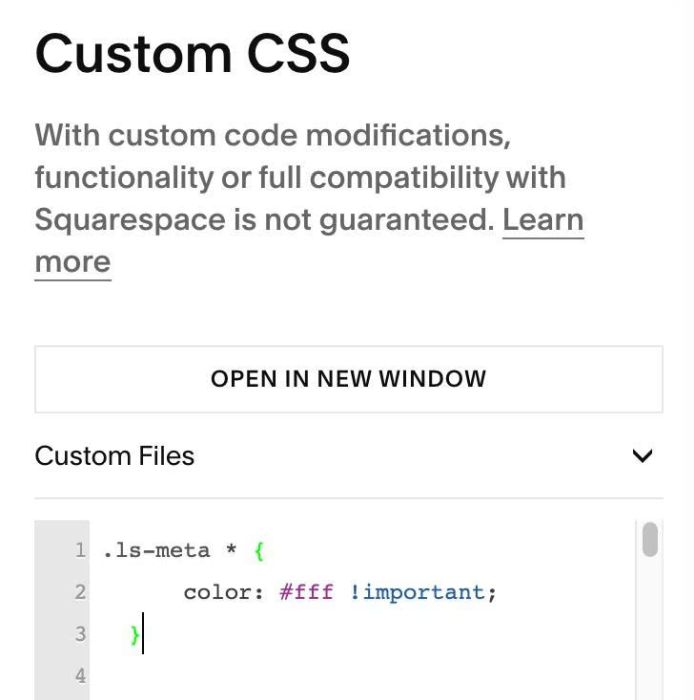
#2.7. To change Color of Text, you can use this to Custom CSS
.ls-meta * {
      color: #fff !important;
  }
#2.8. To align text to center, use this CSS code
.ls-meta * {
      text-align: center;
  }
#2.9. To change space between Title – Description, use this to Custom CSS
.ls-meta * {
      margin: 0px !important;
  }
#2.10. To able to reduce space under Gallery Block, you can add this code under main code
<style>
  body.sqs-edit-mode-active .sqs-block-gallery .sqs-gallery-block-slideshow {
  .sqs-gallery {
  height: 120px !important;
  min-height: 0 !important;
  overflow: hidden !important;
}
.sqs-gallery-thumbnails {
  display: none !important;
  }}
</style>
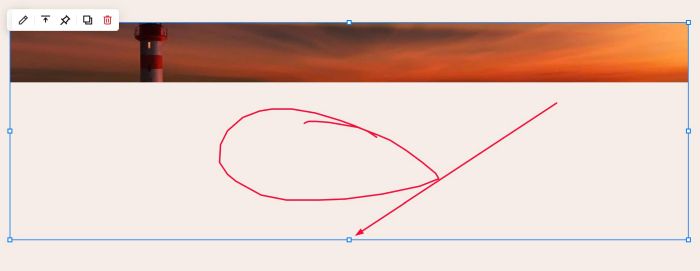
You will see space (red) appears under Gallery Block, you can hover on square icon and drag up to reduce space
#2.11. If you need to tweak more you can use this AI Assistant (designed for Squarespace sites)
#3. Other
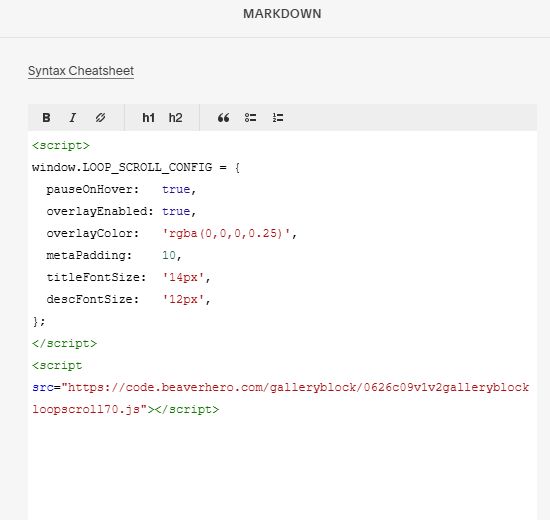
#3.1. If you use Personal/Basic Plan and your plan doesn’t support Injection, you can add a block under (or behind) Gallery Block

Then choose Markdown

Then use this code into Markdown
<script>
window.LOOP_SCROLL_CONFIG = {
  pauseOnHover:   true,
  overlayEnabled: true,
  overlayColor:   'rgba(0,0,0,0.25)',
  metaPadding:    10,
  titleFontSize:  '14px',
  descFontSize:   '12px',
};
</script>
<script src="https://code.beaverhero.com/galleryblock/0626c09v1v2galleryblockloopscroll70.js"></script>