Description
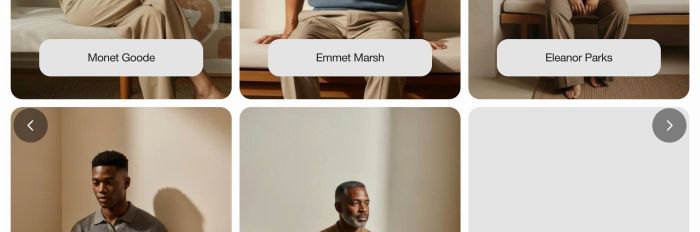
- turn multiple sections into carousel slideshow
- view demo – password: abc
- buy me a coffee
#1. Install Code
#1.1. First, you can add some sections with your desired layout
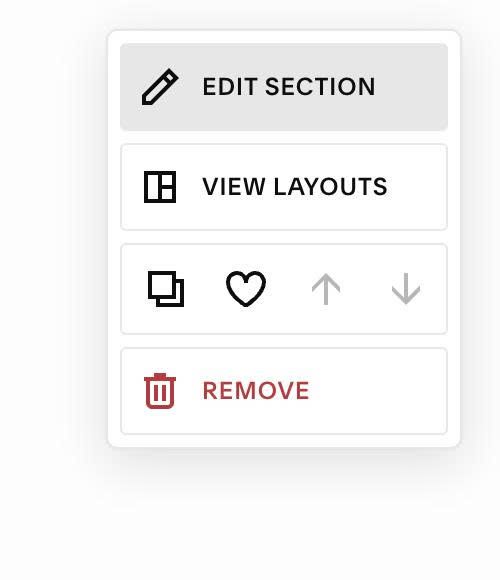
#1.2. Hover on top right of each section > Click EDIT SECTION
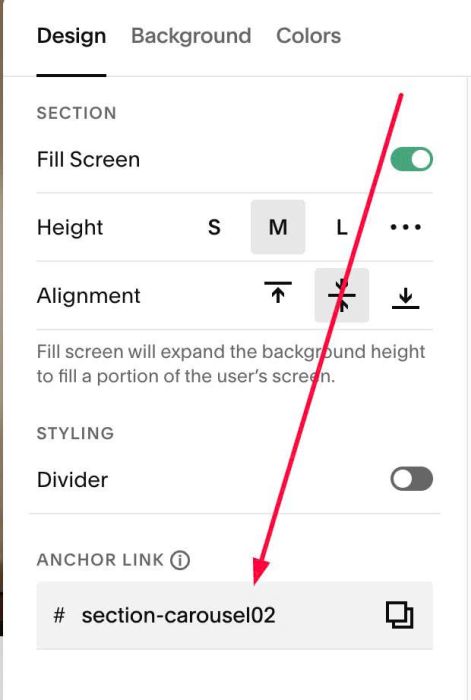
#1.3. at Anchor Link > Enter word: section-carousel01
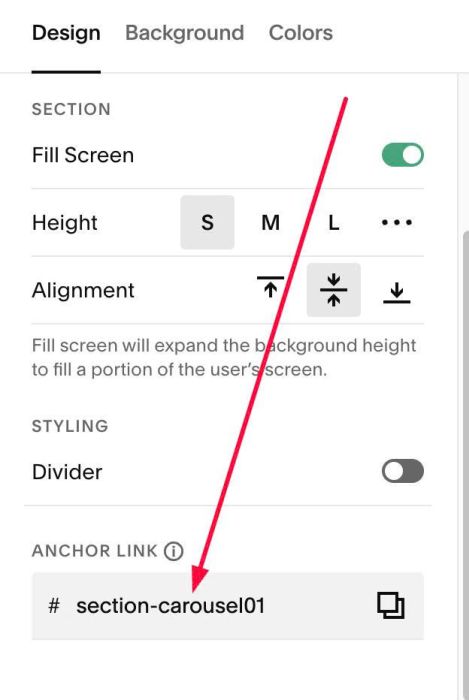
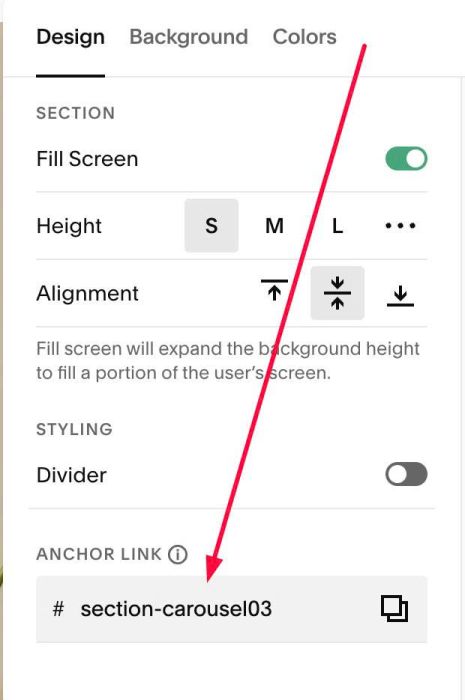
Edit Next section > Enter word: section-carousel02
Edit Next section > enter word: section-carousel03
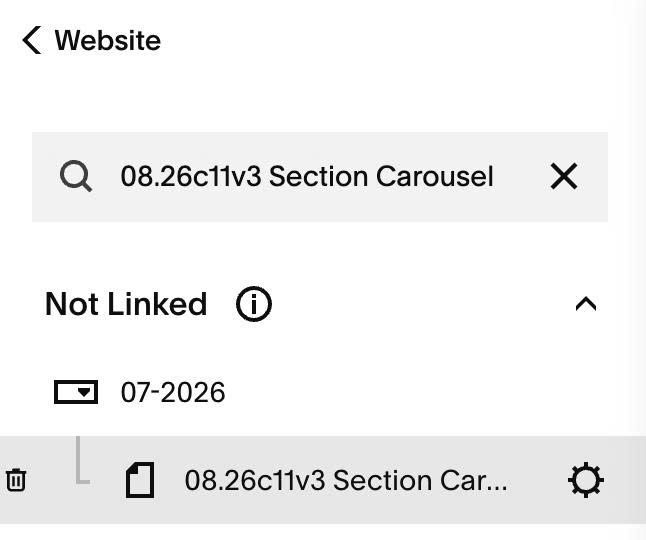
#1.4. Hover on page where you use these sections > Click Gear icon
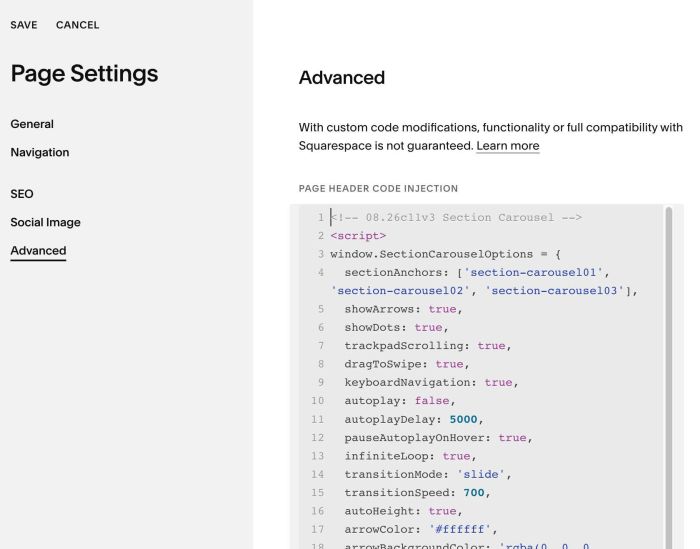
#1.5. Click Advanced > Paste this code
- If you use Personal/Basic Plan and your plan doesn’t support Injection, see #3.1.
- Note: code won’t run in Edit Mode to prevent conflict
<!-- 08.26c11v3 Section Carousel -->
<script>
window.SectionCarouselOptions = {
  sectionAnchors: ['section-carousel01', 'section-carousel02', 'section-carousel03'],
  showArrows: true,
  showDots: true,
  trackpadScrolling: true,
  dragToSwipe: true,
  keyboardNavigation: true,
  autoplay: false,
  autoplayDelay: 5000,
  pauseAutoplayOnHover: true,
  infiniteLoop: true,
  transitionMode: 'slide',
  transitionSpeed: 700,
  autoHeight: true,
  arrowColor: '#ffffff',
  arrowBackgroundColor: 'rgba(0, 0, 0, 0.45)',
  activeDotColor: '#1d1d1d',
  dotColor: 'rgba(29, 29, 29, 0.35)',
  dotsBackgroundColor: 'rgba(255, 255, 255, 0.82)',
  dotsBottomOffset: 20
};
</script>
<script src="https://code.beaverhero.com/other/0826c11v3sectioncarousel.js"></script>
#2. Customize
#2.1. To enable/disable arrows, dots pagination, you can change line 05, 06
- true = enable
- false = disable
showArrows: true,
showDots: true,
#2.2. To make carousel autoscroll, change line 10, 11
- true = enable autoscroll
- false = disable autoscroll
autoplay: false,
 autoplayDelay: 5000,
#2.3. To change arrows, dots pagination style, change line 12 – line 21
arrowColor: '#ffffff',
arrowBackgroundColor: 'rgba(0, 0, 0, 0.45)',
activeDotColor: '#1d1d1d',
dotColor: 'rgba(29, 29, 29, 0.35)',
dotsBackgroundColor: 'rgba(255, 255, 255, 0.82)',
#2.4. If you need to tweak more you can use this AI Assistant (designed for Squarespace sites)
#3. Other
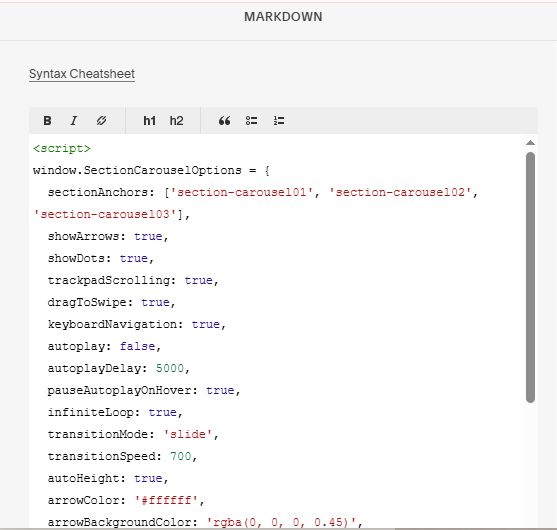
#3.1. If you use Personal/Basic Plan and your plan doesn’t support Injection, you can add a Markdown Block in current page.

Then use this code into Markdown
<script>
window.SectionCarouselOptions = {
  sectionAnchors: ['section-carousel01', 'section-carousel02', 'section-carousel03'],
  showArrows: true,
  showDots: true,
  trackpadScrolling: true,
  dragToSwipe: true,
  keyboardNavigation: true,
  autoplay: false,
  autoplayDelay: 5000,
  pauseAutoplayOnHover: true,
  infiniteLoop: true,
  transitionMode: 'slide',
  transitionSpeed: 700,
  autoHeight: true,
  arrowColor: '#ffffff',
  arrowBackgroundColor: 'rgba(0, 0, 0, 0.45)',
  activeDotColor: '#1d1d1d',
  dotColor: 'rgba(29, 29, 29, 0.35)',
  dotsBackgroundColor: 'rgba(255, 255, 255, 0.82)',
  dotsBottomOffset: 20
};
</script>
<script src="https://code.beaverhero.com/other/0826c11v3sectioncarousel.js"></script>