Description
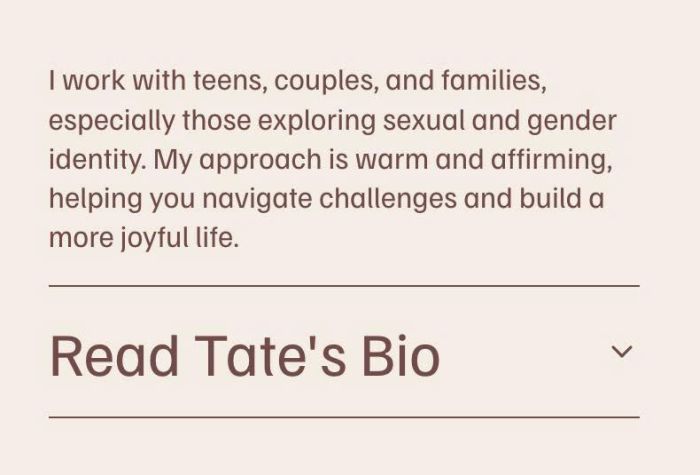
- change a part of Text Block to Accordion Dropdown
- view demo – password: abc
- buy me a coffee
#1. Install Code
#1.1. First, add some Text Blocks with format like this

#1.2. Note
- Text between # and # will become Accordion Title
- Text under it will become Accordion Content

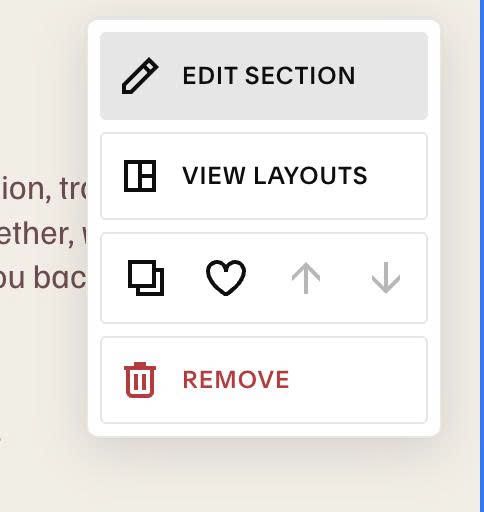
#1.3. Hover on top right of section > Click EDIT SECTION
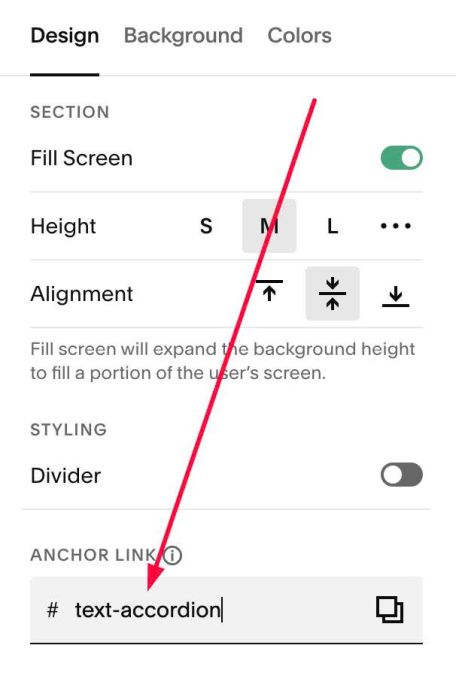
#1.4. at Design > Anchor Link > enter word: text-accordion
#1.5. Hover on Page where you use Text Block > Click Gear icon
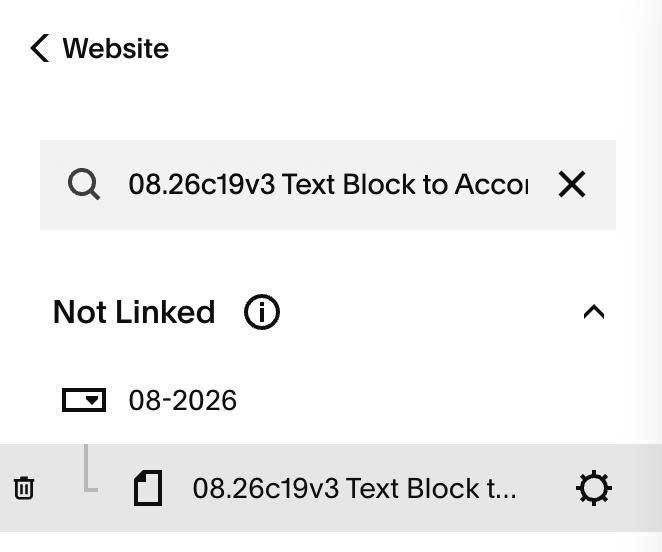
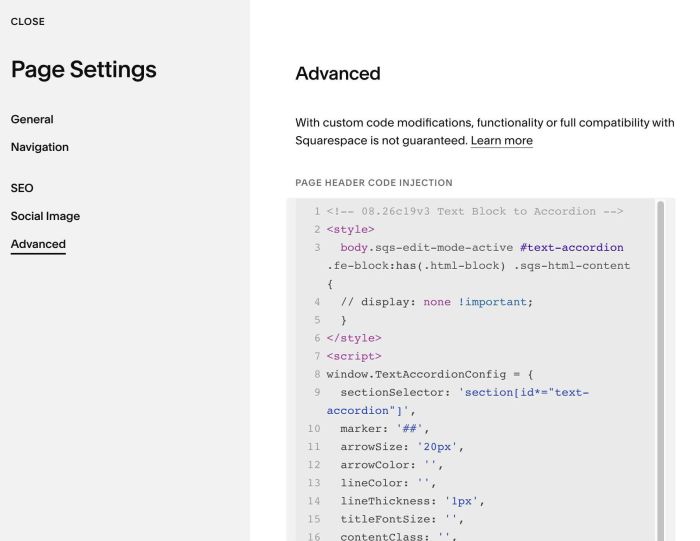
#1.6. Click Advanced > Paste this code
- If you use Personal/Basic Plan and your plan doesn’t support Injection, see #3.1
<!-- 08.26c19v3 Text Block to Accordion -->
<style>
  body.sqs-edit-mode-active #text-accordion .fe-block:has(.html-block) .sqs-html-content {
  // display: none !important;
  }
</style>
<script>
window.TextAccordionConfig = {
  sectionSelector: 'section[id*="text-accordion"]',
  marker: '##',
  arrowSize: '20px',
  arrowColor: '',
  lineColor: '',
  lineThickness: '1px',
  titleFontSize: '',
  contentClass: '',
  animationDuration: '0.35s'
};
</script>
<script src="https://code.beaverhero.com/textblock/0826c19v3texttoaccordion.js"></script>
#2. Customize
#2.1. To change arrow style, you can change line 11, 12
arrowSize: '20px',
arrowColor: '',
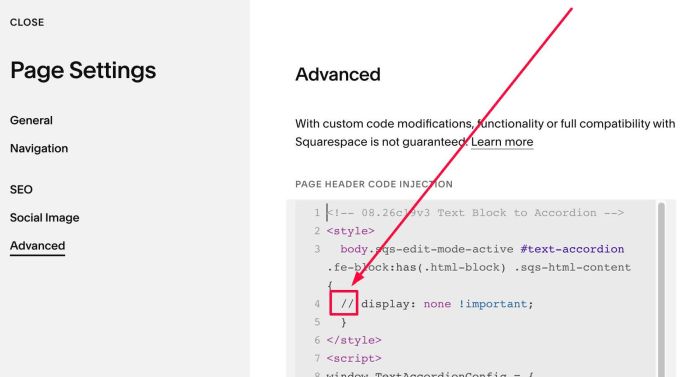
#2.2. If you need to reduce Text Block height in Edit Mode, you can remove these symbols //
Then you can change Text Block height.
#2.3. If you need to tweak more you can use this AI Assistant (designed for Squarespace sites)
#3. Other
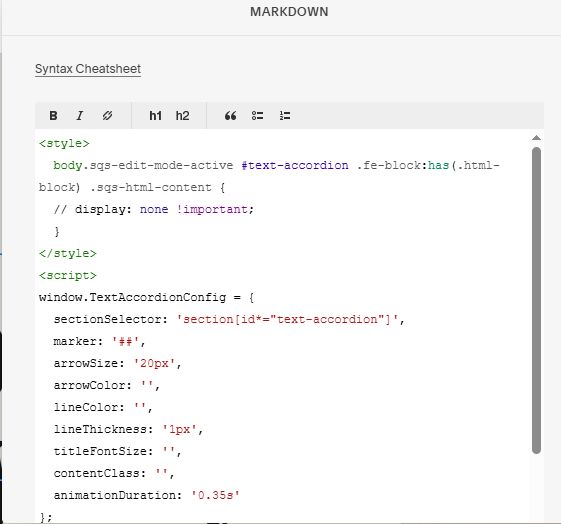
#3.1. If you use Personal/Basic Plan and your plan doesn’t support Injection, you can add a Markdown Block under Text Block

Then add this code into Markdown Block
<style>
  body.sqs-edit-mode-active #text-accordion .fe-block:has(.html-block) .sqs-html-content {
  // display: none !important;
  }
</style>
<script>
window.TextAccordionConfig = {
  sectionSelector: 'section[id*="text-accordion"]',
  marker: '##',
  arrowSize: '20px',
  arrowColor: '',
  lineColor: '',
  lineThickness: '1px',
  titleFontSize: '',
  contentClass: '',
  animationDuration: '0.35s'
};
</script>
<script src="https://code.beaverhero.com/textblock/0826c19v3texttoaccordion.js"></script>