Description
- adding Carousel with Text Block, you can set: columns (desktop, mobile), spacing, size, arrows, dots, autoplay
- view demo – password: abc
- buy me a coffee

#1. Install Code
#1.1. You can add Text Block with Unordered List, then add text: #carousel-block-01
+ image url like this
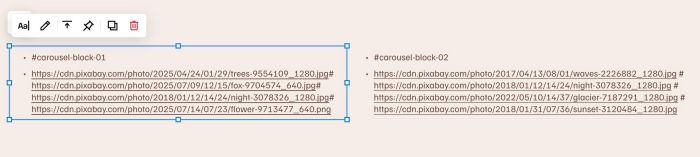
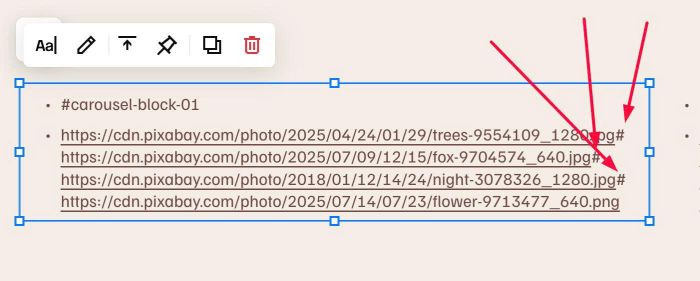
#1.2. Make sure add symbol # between Image URL
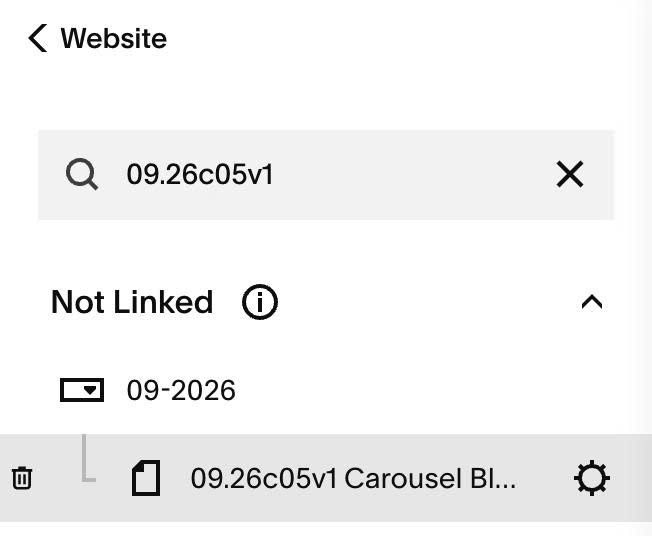
#1.3. Hover on Page where you use Text Block > Click Gear icon
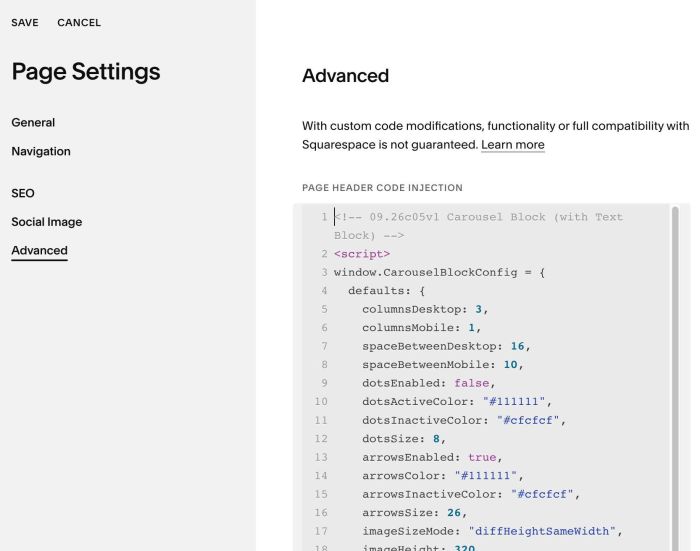
#1.4. Click Advanced > Paste this code
<!-- 09.26c05v1 Carousel Block (with Text Block) -->
<script>
window.CarouselBlockConfig = {
  defaults: {
    columnsDesktop: 3,
    columnsMobile: 1,
    spaceBetweenDesktop: 16,
    spaceBetweenMobile: 10,
    dotsEnabled: false,
    dotsActiveColor: "#111111",
    dotsInactiveColor: "#cfcfcf",
    dotsSize: 8,
    arrowsEnabled: true,
    arrowsColor: "#111111",
    arrowsInactiveColor: "#cfcfcf",
    arrowsSize: 26,
    imageSizeMode: "diffHeightSameWidth",
    imageHeight: 320,
    autoplay: false,
    autoplayDelay: 3500,
    loop: true,
    mousewheel: true,
    keyboard: true,
    drag: true
  },
  carousels: {
    "#carousel-block-01": {
      columnsDesktop: 3,
      columnsMobile: 1,
      spaceBetweenDesktop: 16,
      spaceBetweenMobile: 10,
      imageSizeMode: "diffHeightSameWidth",
      arrowsEnabled: true,
      dotsEnabled: false,
      autoplay: false,
      loop: true
    },
    "#carousel-block-02": {
      columnsDesktop: 4,
      columnsMobile: 1,
      spaceBetweenDesktop: 20,
      spaceBetweenMobile: 12,
      imageSizeMode: "sameHeightDiffWidth",
      imageHeight: 260,
      arrowsEnabled: true,
      dotsEnabled: true,
      dotsActiveColor: "#111111",
      dotsInactiveColor: "#cccccc",
      autoplay: true,
      autoplayDelay: 3000,
      loop: true
    }
  }
};
</script>
<script src="https://code.beaverhero.com/textblock/0926c05v1carouselblock.js"></script>
#2. Customize
#2.1. To change options of each carousel text block, change line 26 to 53
carousels: {
  "#carousel-block-01": {
    columnsDesktop: 3,
    columnsMobile: 1,
    spaceBetweenDesktop: 16,
    spaceBetweenMobile: 10,
    imageSizeMode: "diffHeightSameWidth",
    arrowsEnabled: true,
    dotsEnabled: false,
    autoplay: false,
    loop: true
  },
  "#carousel-block-02": {
    columnsDesktop: 4,
    columnsMobile: 1,
    spaceBetweenDesktop: 20,
    spaceBetweenMobile: 12,
    imageSizeMode: "sameHeightDiffWidth",
    imageHeight: 260,
    arrowsEnabled: true,
    dotsEnabled: true,
    dotsActiveColor: "#111111",
    dotsInactiveColor: "#cccccc",
    autoplay: true,
    autoplayDelay: 3000,
    loop: true
  }
}