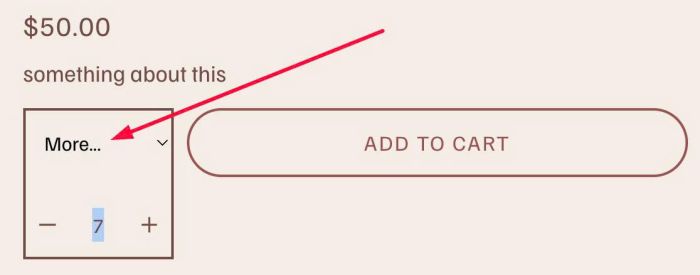
Description
- replace Quantity with Dropdown (has some options + option More), users can choose More option and enter custom value
- view demo – password: abc
- buy me a coffee

#1. Install Code
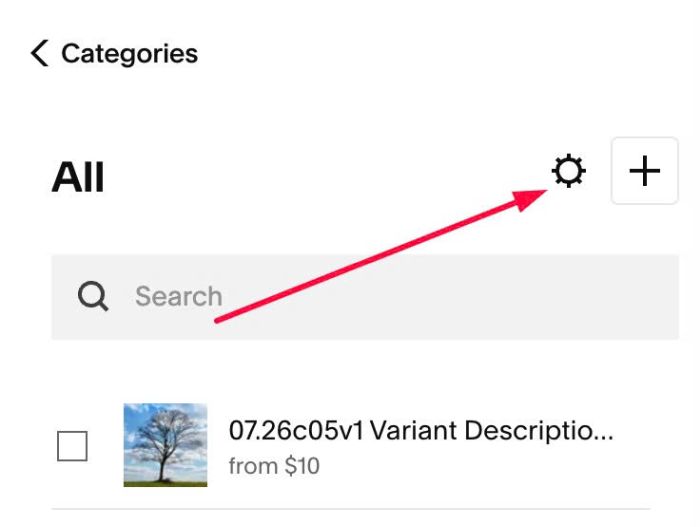
#1.1. Click Gear icon on Store Page
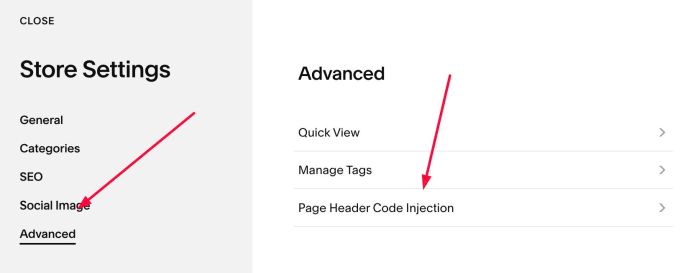
Next, click Advanced > Page Header Code Injection
#1.2. Add this code to right box
<!-- 09.26c07v10 Qty Limit -->
<script>
window.QtyLimitConfig = {
  numbers: [1,2,3,4,5],
  moreText: 'More...',
  padding: '8px 12px',
  margin: '0 0 10px 0',
  matchAddToCartHeight: true,
  height: '55px',
  minWhenMore: 'auto'
};
</script>
<script src="https://code.beaverhero.com/productdetail/0926c07v10qtylimit.js"></script>

#2. Customize
#2.1. By default, dropdown will have 5 quantity options: 1, 2, 3, 4, 5 if you need to add 6, 7, 8… change this line
numbers: [1,2,3,4,5],

#2.2. To change text in option More… you can change line
moreText: 'More...',