Description
- adding vertical accordion style with regular sections
- view demo – password: abc
- buy me a coffee

#1. Install Code
#1.1. First, you can add some sections with desired layout
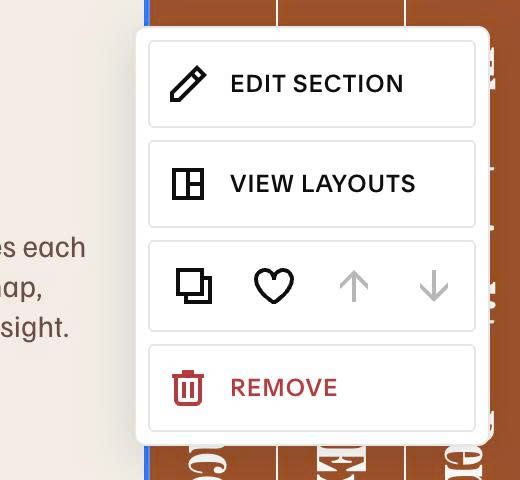
#1.2. Next, hover on top right of each section > Click EDIT SECTION
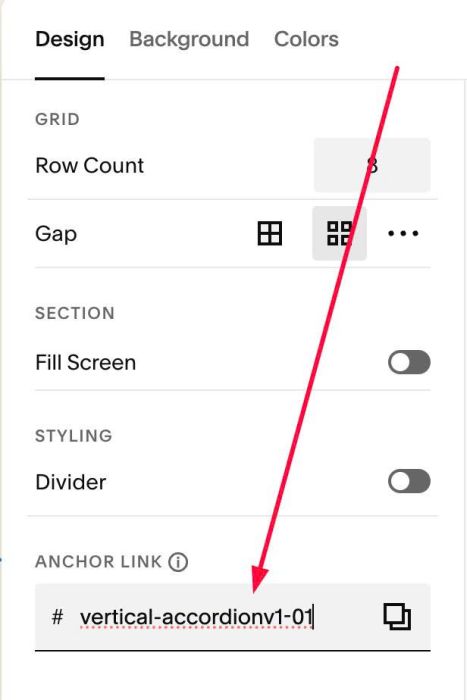
#1.3. With first section: at Design > Anchor Link > Enter word: vertical-accordionv1-01
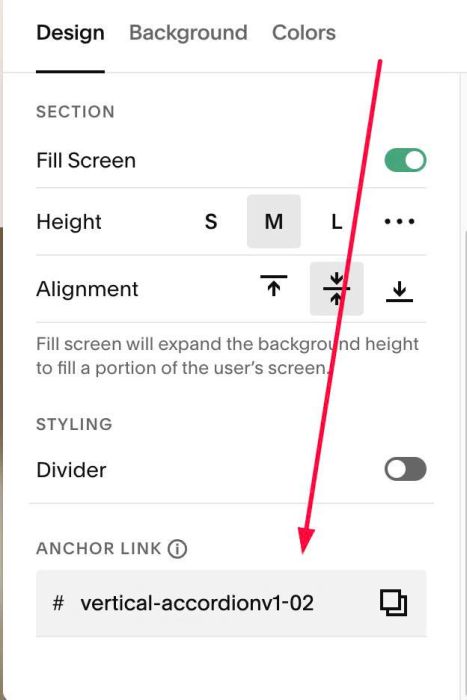
With second section, enter word: vertical-accordionv1-02
Repeat similar. If you want Vertical Accordion with 5 items, we will use: vertical-accordionv1-01, vertical-accordionv1-02, vertical-accordionv1-03, vertical-accordionv1-04, vertical-accordionv1-05
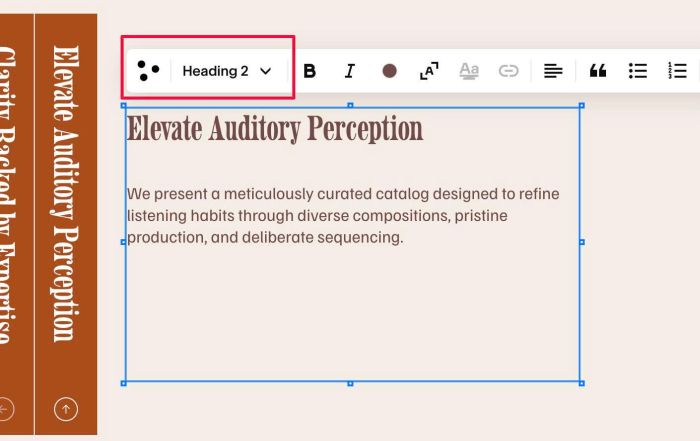
#1.3. Make sure you use Heading 2 on each section (we will get Heading 2 as Vertical Accordion Item Title)
#1.4. Hover on Page where you added these sections > Click Gear icon
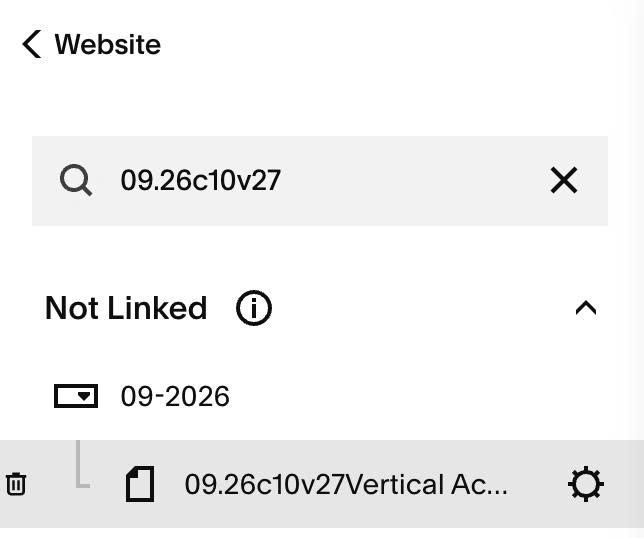
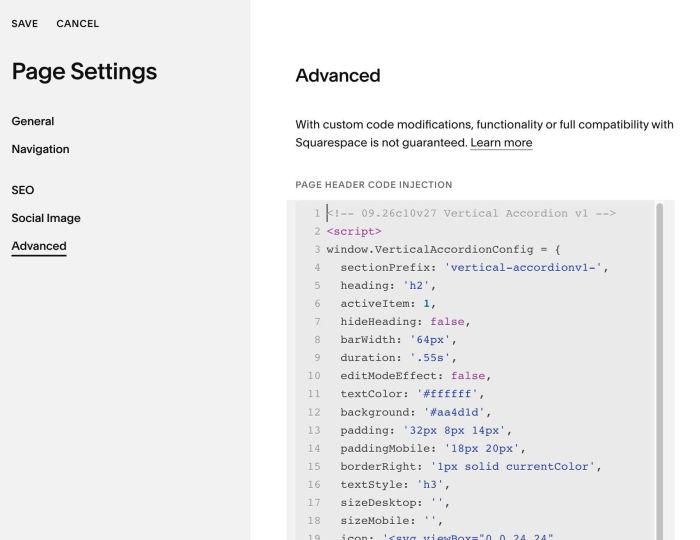
#1.5. Click Advanced > Paste this code
<!-- 09.26c10v27 Vertical Accordion v1 -->
<script>
window.VerticalAccordionConfig = {
  sectionPrefix: 'vertical-accordionv1-',
  heading: 'h2',
  activeItem: 1,
  hideHeading: false,
  barWidth: '64px',
  duration: '.55s',
  editModeEffect: false,
  textColor: '#ffffff',
  background: '#aa4d1d',
  padding: '32px 8px 14px',
  paddingMobile: '18px 20px',
  borderRight: '1px solid currentColor',
  textStyle: 'h3',
  sizeDesktop: '',
  sizeMobile: '',
  icon: '<svg viewBox="0 0 24 24" fill="none" stroke="currentColor" stroke-width="1.5" stroke-linecap="round" stroke-linejoin="round"><path d="M19 12H5M11 18l-6-6 6-6"/></svg>',
  iconSize: '24px',
  iconGlyphSize: '14px',
  iconColor: 'currentColor',
  iconBackground: 'transparent',
  iconBorder: '1px solid currentColor',
  iconRadius: '50%',
  iconOpacity: 0.65,
  iconActiveOpacity: 1,
  iconActiveRotate: '90deg'
};
</script>
<script src="https://code.beaverhero.com/other/0926c10v27verticalaccordionv1.js"></script>
#2. Customize
#2.1. To change accordion item title size, change line 11 – 18
textColor: '#ffffff',
background: '#aa4d1d',
padding: '32px 8px 14px',
paddingMobile: '18px 20px',
borderRight: '1px solid currentColor',
textStyle: 'h3',
sizeDesktop: '',
sizeMobile: '',
#2.2. To set icon size, line 19 – 28
icon: '<svg viewBox="0 0 24 24" fill="none" stroke="currentColor" stroke-width="1.5" stroke-linecap="round" stroke-linejoin="round"><path d="M19 12H5M11 18l-6-6 6-6"/></svg>',
  iconSize: '24px',
  iconGlyphSize: '14px',
  iconColor: 'currentColor',
  iconBackground: 'transparent',
  iconBorder: '1px solid currentColor',
  iconRadius: '50%',
  iconOpacity: 0.65,
  iconActiveOpacity: 1,
  iconActiveRotate: '90deg'
#2.3. If you need to tweak more, email me or ask an AI (ChatGPT, Claude..). I recommend WM AI Assistant (designed for Squarespace site)