Description
- sticky & shrink image size on scroll
- view demo – password: abc
- buy me a coffee
#1. Install Code
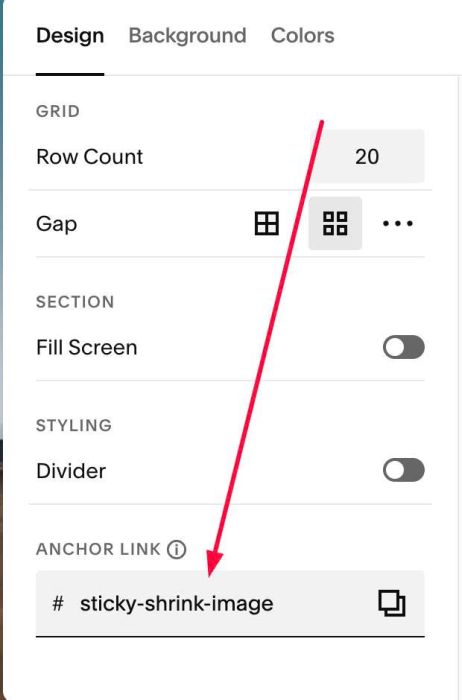
#1.1. First, hover on top right of section where you use Image Block > Click EDIT SECTION > at Design > Anchor Link, enter word: sticky-shrink-image
#1.2. Use this code to Page Header Injection
<!-- 09.26c12v2 Sticky & Shrink Image Block on Scroll -->
<script>
window.StickyShrinkConfig = {
  selector: 'section[id*="sticky-shrink-image"]',
  shrinkWidth: 200,
  topSpace: 20,
  stickyPosition: "middle",
  sidePadding: 20,
  extraScroll: 300,
  transition: "0.35s ease"
};
</script>
<script src="https://code.beaverhero.com/imageblock/0926c12v2stickyshrinkimgscroll.js"></script>
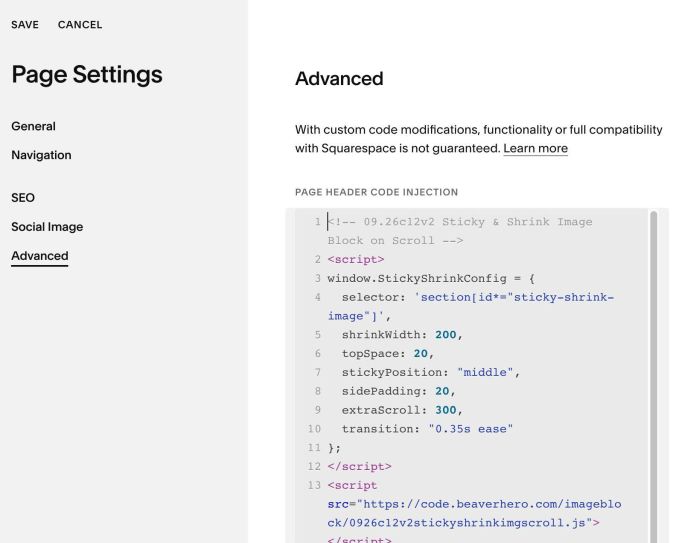
#1.3. To change image size, change line 05
shrinkWidth: 200,
#1.3-2. To change space between image – top of screen on sticky, change line 06
topSpace: 20,