Description
- text block, 3 columns, big number – small text
- view demo – password: abc
- buy me a coffee

#1. Install Code
#1.1. First, add a Text Block with Paragraph 3

#1.2. Highlight number > Make it bold + Click icon color > set white color

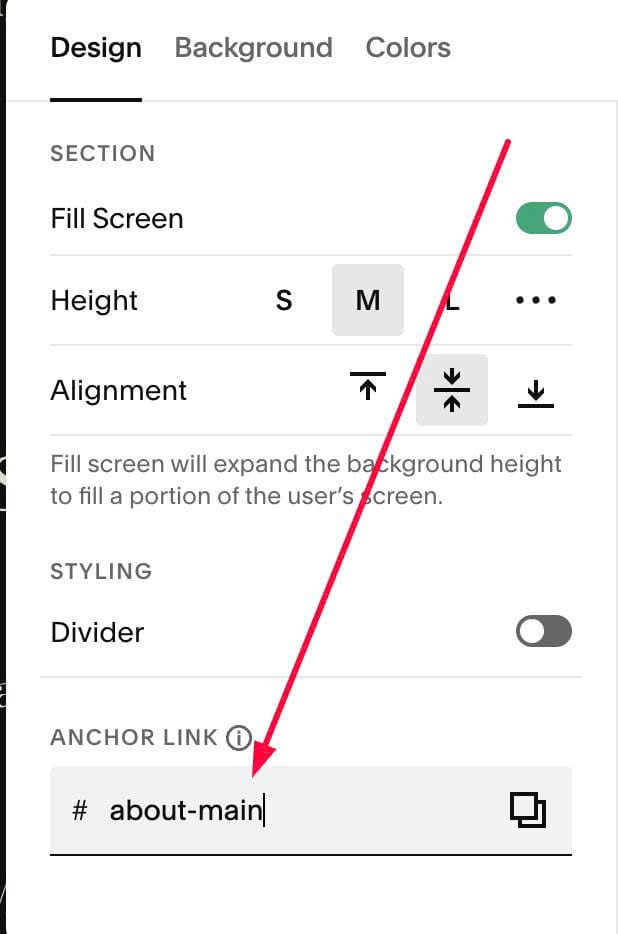
#1.3. Hover on top right of section > Click EDIT SECTION > at Design > Anchor Link > enter word: about-main
#1.4. Use code to Page Header Injection
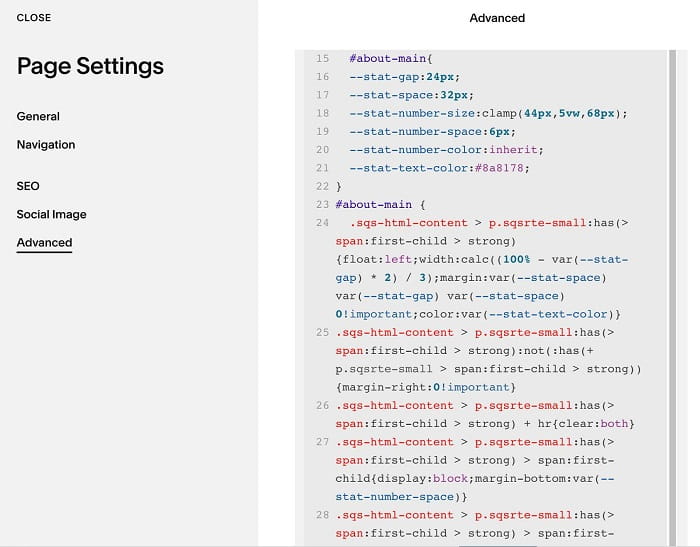
<style>
#about-main{
  --stat-gap:24px;
  --stat-space:32px;
  --stat-number-size:clamp(44px,5vw,68px);
  --stat-number-space:6px;
  --stat-number-color:inherit;
  --stat-text-color:#8a8178;
}
#about-main {
  .sqs-html-content > p.sqsrte-small:has(> span:first-child > strong){float:left;width:calc((100% - var(--stat-gap) * 2) / 3);margin:var(--stat-space) var(--stat-gap) var(--stat-space) 0!important;color:var(--stat-text-color)}
.sqs-html-content > p.sqsrte-small:has(> span:first-child > strong):not(:has(+ p.sqsrte-small > span:first-child > strong)){margin-right:0!important}
.sqs-html-content > p.sqsrte-small:has(> span:first-child > strong) + hr{clear:both}
.sqs-html-content > p.sqsrte-small:has(> span:first-child > strong) > span:first-child{display:block;margin-bottom:var(--stat-number-space)}
.sqs-html-content > p.sqsrte-small:has(> span:first-child > strong) > span:first-child > strong{font-family:var(--heading-font-font-family);font-weight:var(--heading-font-font-weight);letter-spacing:var(--heading-font-letter-spacing);line-height:1;text-transform:none;font-size:var(--stat-number-size);color:var(--stat-number-color)}
  @media (max-width:767px){#about-main{--stat-gap:12px}}}
</style>
#2. Customize
#2.1. To change Number size/color, change lines (you can replace inherit with hex color)
--stat-number-size:clamp(44px,5vw,68px);
  --stat-number-space:6px;
  --stat-number-color:inherit;
#2.2. To change text color (text under Number), change line
--stat-text-color:#8a8178;
#2.3. To change gap between columns, change this line
--stat-gap:24px;