Description
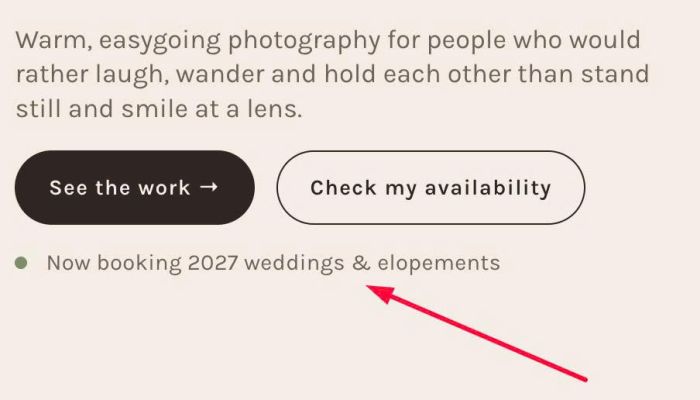
- adding dot before text
- view demo – password: abc
- buy me a coffee
#1. Install Code
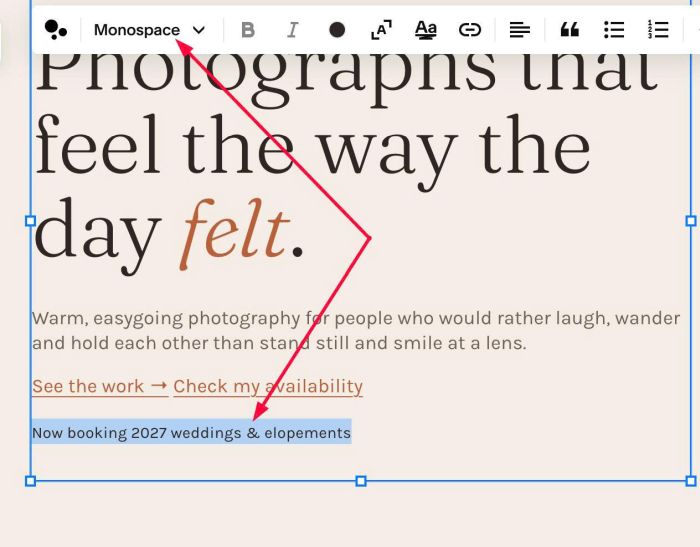
#1.1. First, add a Text Block with Monospace
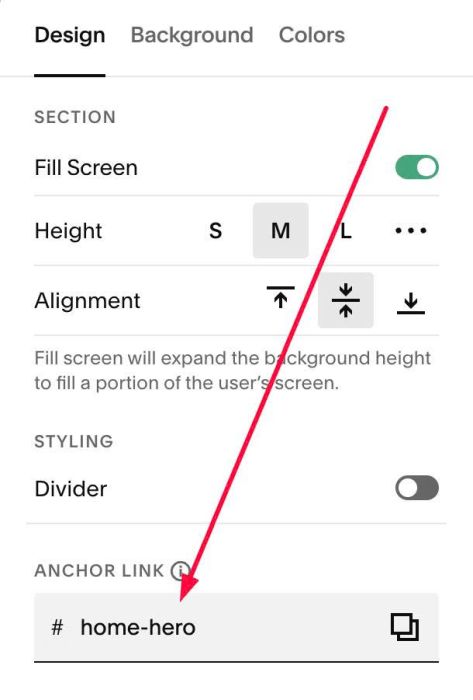
#1.2. Next, hover on top right of section > Click EDIT SECTION > at Design > Anchor Link > enter word: home-hero
#1.3. Next, use this code to Custom CSS
body:not(.sqs-edit-mode-active) #home-hero {
  --note-text-color: #6E625A;
  --note-dot-color: #7F8C6E;
  --note-dot-size: 8px;
  --note-dot-gap: 12px;
  .sqs-html-content pre {
    display: flex;
    align-items: center;
    gap: var(--note-dot-gap);
  }
  .sqs-html-content pre::before {
    content: "";
    flex: none;
    width: var(--note-dot-size);
    height: var(--note-dot-size);
    border-radius: 50%;
    background: var(--note-dot-color);
  }
  .sqs-html-content pre code {
    color: var(--note-text-color);
  }
}
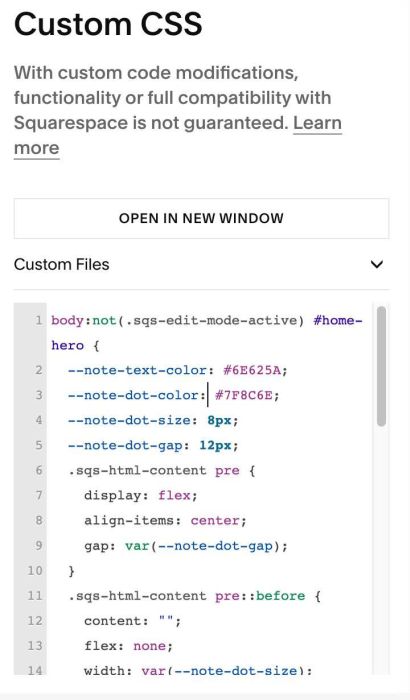
#1.4. Change dot style here
--note-text-color: #6E625A;
--note-dot-color: #7F8C6E;
--note-dot-size: 8px;
--note-dot-gap: 12px;