Description
- Need a simple add-ons list with prices? Strike through the price in the item description and this CSS styles it as a small accent label, with a divider line above each item
- buy me a coffee
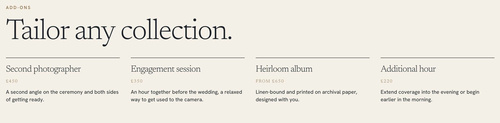
#1. Install Code
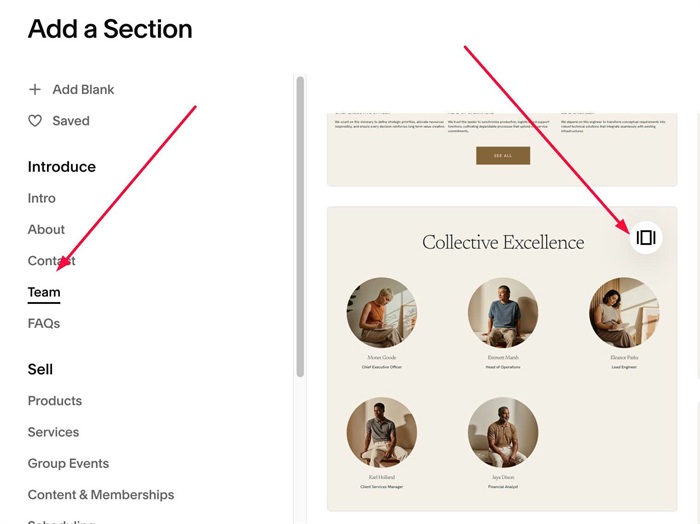
#1.1. First, add a Section > Choose Team > Choose Section with icon in top right
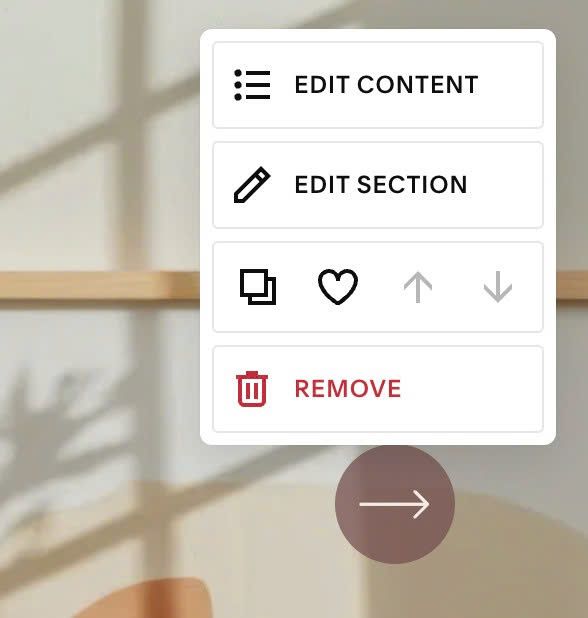
#1.2. Next, hover on top right of section > Click Edit Content
Choose Simple List
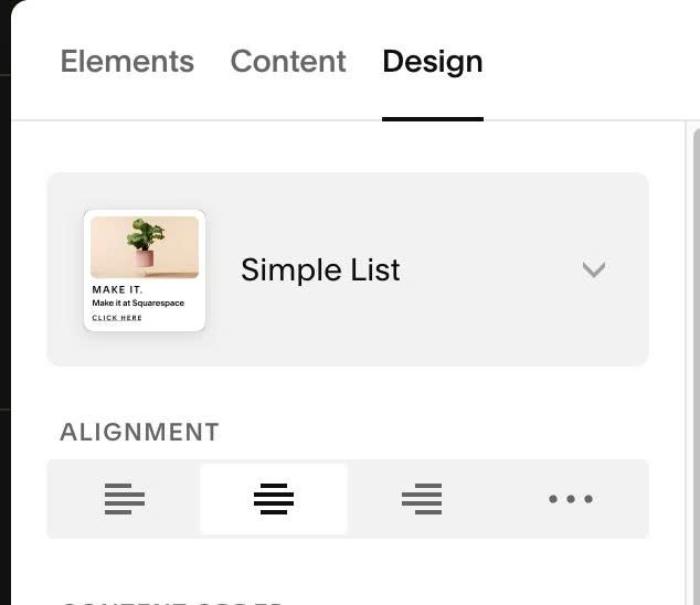
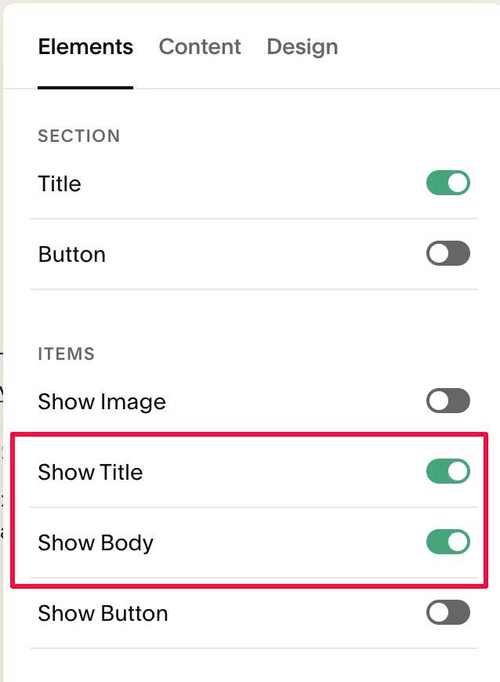
#1.3. Enable these options
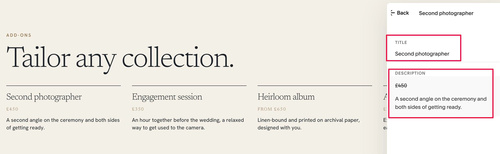
#1.4. Add desired text
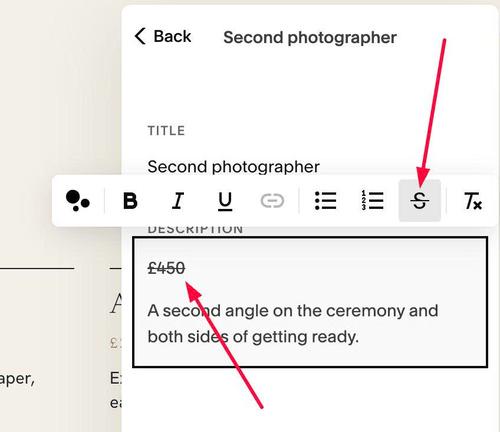
#1.5. With Price text, you can make it strikethrough (so we can target it easier)
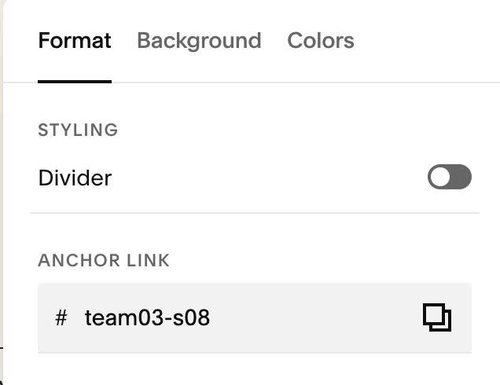
#1.6. Hover on top right of section > Click EDIT SECTION > at Format > Anchor Link > enter word: team03-s08
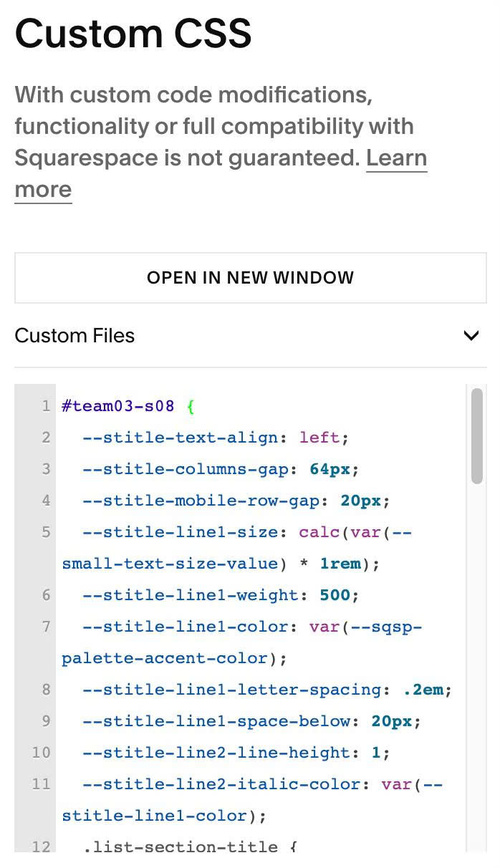
#1.7. Next, use this code to Custom CSS
#team03-s08 {
  --item-line-color: var(--sqsp-palette-darkest-color);
  --item-line-thickness: 1px;
  --item-line-space-above: 0px;
  --item-line-space-below: 20px;
  --price-size: 12px;
  --price-color: var(--sqsp-palette-accent-color);
  --price-font-weight: var(--heading-font-font-weight);
  --price-letter-spacing: .12em;
  --price-uppercase: uppercase;
  --price-space-above: 0px;
  --price-space-below: 10px;

  .list-item::before {
    content: "";
    display: block;
    flex: none;
    align-self: stretch;
    height: var(--item-line-thickness);
    margin-top: var(--item-line-space-above);
    margin-bottom: var(--item-line-space-below);
    background-color: var(--item-line-color);
  }

  .list-item-content__description > p:has(span[style*="line-through"]) {
    margin: var(--price-space-above) 0 var(--price-space-below) !important;
    font-family: var(--heading-font-font-family);
    font-weight: var(--price-font-weight);
    font-size: var(--price-size);
    line-height: 1.4;
    letter-spacing: var(--price-letter-spacing);
    text-transform: var(--price-uppercase);
    color: var(--price-color);
  }
  .list-item-content__description > p:has(span[style*="line-through"]) span {
    text-decoration: none !important;
  }
  .list-item-content__description > p:has(span[style*="line-through"]) + * {
    margin-top: 0 !important;
  }
}
#1.9. Customize
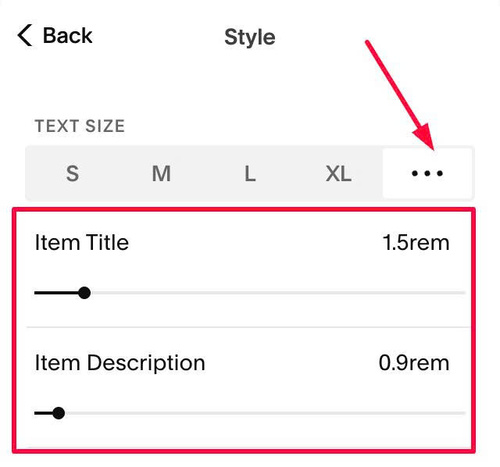
To change item title, item description size, you can change here
All other options here
- –item-line-color: change line color (line on top of each item)
- –item-line-space-above, –item-line-space-below: space above/below each line
- –price-size, –price-color, –price-font-weight….change style of Price text
--item-line-color: var(--sqsp-palette-darkest-color);
 --item-line-thickness: 1px;
 --item-line-space-above: 0px;
 --item-line-space-below: 20px;
 --price-size: 12px;
 --price-color: var(--sqsp-palette-accent-color);
 --price-font-weight: var(--heading-font-font-weight);
 --price-letter-spacing: .12em;
 --price-uppercase: uppercase;
 --price-space-above: 0px;
 --price-space-below: 10px;