Description
- Want that soft editorial “About me” image layout? Add 2 images to a Gallery Block and this code shapes them into an arch and a circle, and adds a tilted note card with a 3-line caption from the ALT text
- buy me a coffee
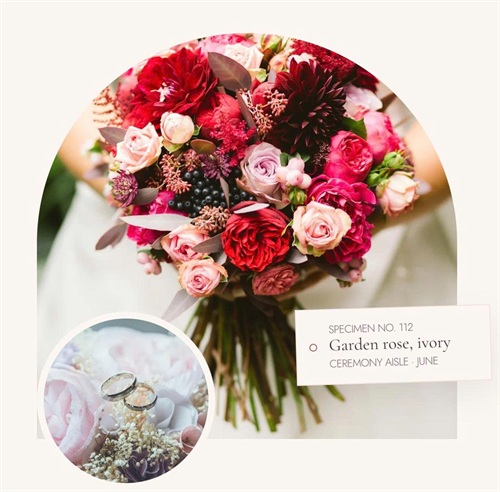
#1. Install Code
#1.1. First, make sure you use Gallery Block – Grid
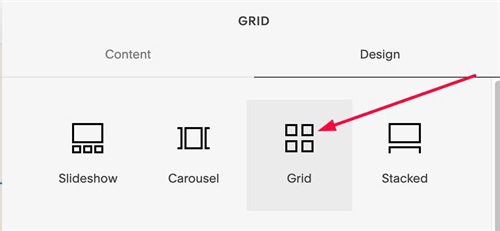
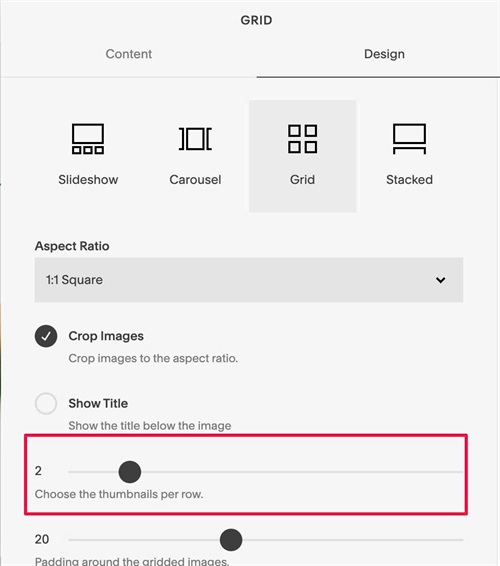
#1.2. Set 2 Columns
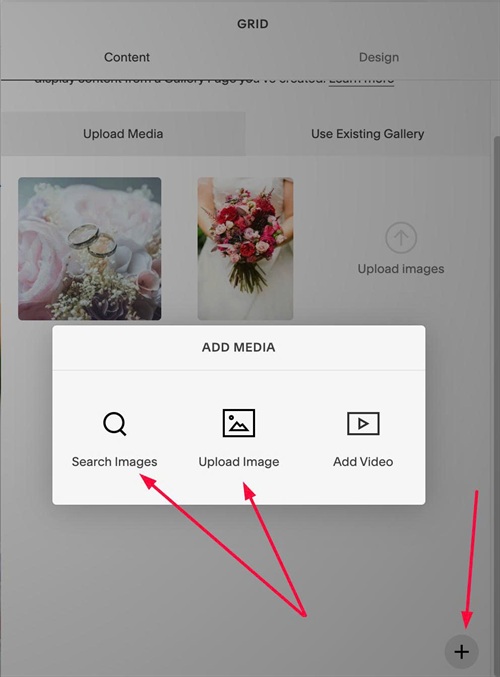
#1.3. Click plus icon to upload your desired images
#1.4. Hover on second image > Click Gear icon
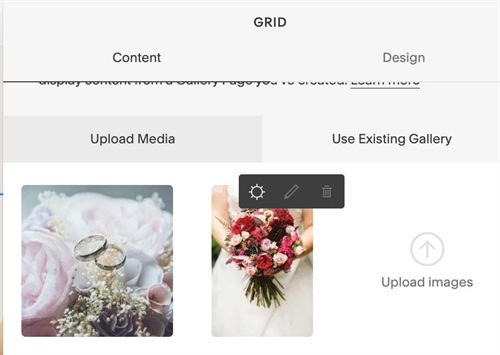
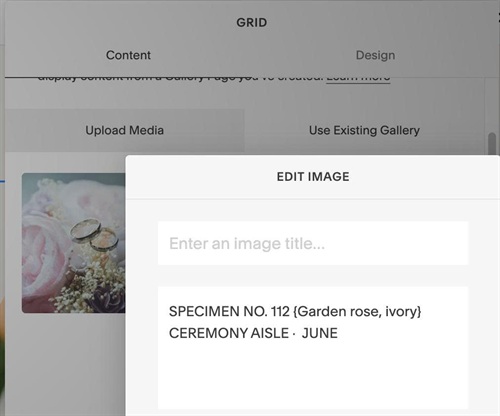
#1.5. Enter your desired text to Description field, use format like this
SPECIMEN NO. 112 {Garden rose, ivory} CEREMONY AISLE · JUNE
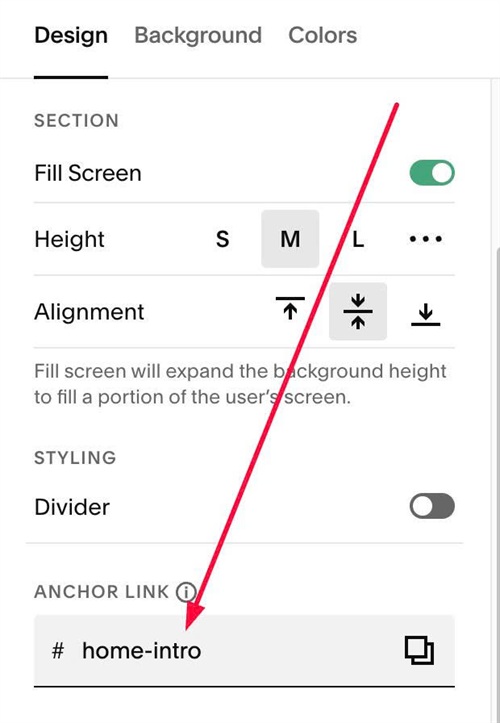
#1.6. Hover on top right of section > Click EDIT SECTION > at Design > Anchor Link > enter word: home-intro
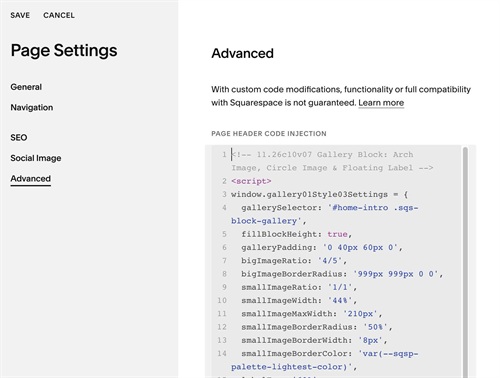
#1.7. Use this code to Page Header Injection
<!-- 11.26c10v07 Gallery Block: Arch Image, Circle Image & Floating Label -->
<script>
window.gallery01Style03Settings = {
  gallerySelector: '#home-intro .sqs-block-gallery',
  fillBlockHeight: true,
  galleryPadding: '0 40px 60px 0',
  bigImageRatio: '4/5',
  bigImageBorderRadius: '999px 999px 0 0',
  smallImageRatio: '1/1',
  smallImageWidth: '44%',
  smallImageMaxWidth: '210px',
  smallImageBorderRadius: '50%',
  smallImageBorderWidth: '8px',
  smallImageBorderColor: 'var(--sqsp-palette-lightest-color)',
  labelTop: '60%',
  labelRight: '0',
  labelMaxWidth: '230px',
  labelPadding: '16px 20px 16px 15px',
  labelBackground: 'var(--sqsp-palette-lightest-color)',
  labelBorderWidth: '1px',
  labelBorderColor: 'var(--sqsp-palette-light-color)',
  labelShadow: '0 14px 34px rgba(71,51,61,.09)',
  labelRotate: '-4deg',
  labelSway: true,
  labelSwayRotate: '-1.5deg',
  labelSwayDuration: '7s',
  labelTextSize: '',
  labelTextColor: '#7a6570',
  labelMiddleTextFontFamily: 'var(--heading-font-font-family)',
  labelMiddleTextSize: '20px',
  labelMiddleTextLineHeight: '1',
  labelMiddleTextColor: 'var(--sqsp-palette-darkest-color)',
  circleSize: '9px',
  circleBackground: 'var(--sqsp-palette-lightest-color)',
  circleBorderWidth: '1px',
  circleBorderColor: 'var(--sqsp-palette-accent-color)',
  circleTextGap: '14px'
};
</script>
<script src="https://code.beaverhero.com/galleryblockgrid/1126c10v07galleryblock04style01.js"></script>
<style>span.g13-label-text {font-weight: 300;}span.g13-label-middle {margin-bottom: 5px;}</style>
#2. Customize
#2.1. To change small image style, edit these
smallImageRatio: '1/1',
  smallImageWidth: '44%',
  smallImageMaxWidth: '210px',
  smallImageBorderRadius: '50%',
  smallImageBorderWidth: '8px',
  smallImageBorderColor: 'var(--sqsp-palette-lightest-color)',
#2.2. To change label text style, change this
labelTop: '60%',
  labelRight: '0',
  labelMaxWidth: '230px',
  labelPadding: '16px 20px 16px 15px',
  labelBackground: 'var(--sqsp-palette-lightest-color)',
  labelBorderWidth: '1px',
  labelBorderColor: 'var(--sqsp-palette-light-color)',
  labelShadow: '0 14px 34px rgba(71,51,61,.09)',
  labelRotate: '-4deg',
  labelSway: true,
  labelSwayRotate: '-1.5deg',
  labelSwayDuration: '7s',
  labelTextSize: '',
  labelTextColor: '#7a6570',
  labelMiddleTextFontFamily: 'var(--heading-font-font-family)',
  labelMiddleTextSize: '20px',
  labelMiddleTextLineHeight: '1',
  labelMiddleTextColor: 'var(--sqsp-palette-darkest-color)',
#2.3. To change circle style (circle next to label text), edit this
circleSize: '9px',
 circleBackground: 'var(--sqsp-palette-lightest-color)',
 circleBorderWidth: '1px',
 circleBorderColor: 'var(--sqsp-palette-accent-color)',
 circleTextGap: '14px'