Description
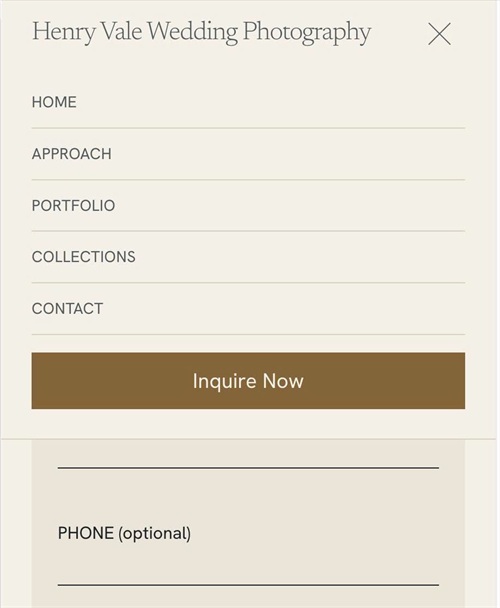
- Squarespace’s mobile menu covers the whole screen. This code turns it into a dropdown that slides down under the header, with divider lines between links, a full-width button, and colors matched to your header automatically
- buy me a coffee
#1. Install Code
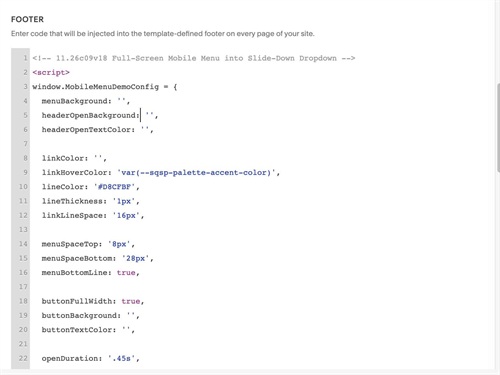
#1.1. You can use this code to Code Injection > Footer
<!-- 11.26c09v18 Full-Screen Mobile Menu into Slide-Down Dropdown -->
<script>
window.MobileMenuDemoConfig = {
  menuBackground: '',
  headerOpenBackground: '',
  headerOpenTextColor: '',

  linkColor: '',
  linkHoverColor: 'var(--sqsp-palette-accent-color)',
  lineColor: '#D8CFBF',
  lineThickness: '1px',
  linkLineSpace: '16px',

  menuSpaceTop: '8px',
  menuSpaceBottom: '28px',
  menuBottomLine: true,

  buttonFullWidth: true,
  buttonBackground: '',
  buttonTextColor: '',

  openDuration: '.45s',
  closeOnOutsideClick: true,
  lockPageScroll: false
};
</script>
<script src="https://code.beaverhero.com/mobilemenu/1126c09v18slidedownmenu.js"></script>
#1.2. Customize
To change line style (line between items), change this
linkColor: '',
linkHoverColor: 'var(--sqsp-palette-accent-color)',
lineColor: '#D8CFBF',
lineThickness: '1px',
linkLineSpace: '16px',
To change space between line – text, change this line
linkLineSpace: '16px',