Description
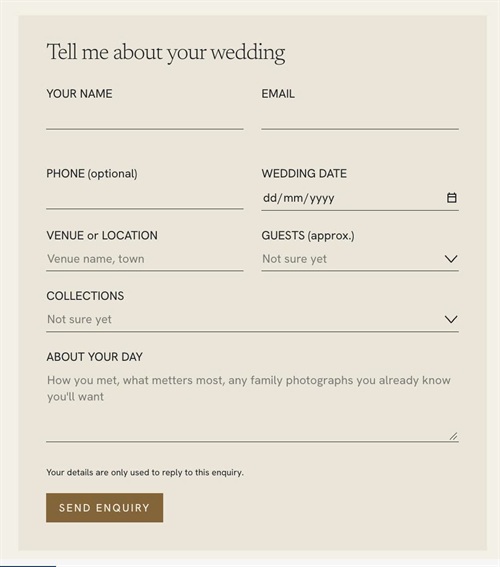
- Squarespace Form Block stacks every field in one column. This code lets you place chosen fields side by side (just list their labels), and adds a heading at the top and a short note above the submit button
- buy me a coffee
#1. Install Code
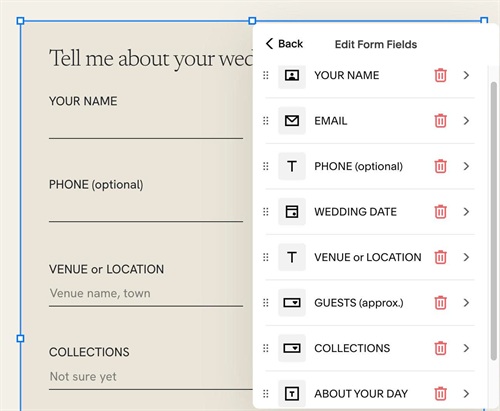
#1.1. First, use Form Block with fields like this
- Your Name – Name field, hide Last Name
- Email – Email field
- Phone – Text field
- Wedding Date – Date field
- Venue or Location – Text field
- Guests – Dropdown
- Collections – Dropdown
- About your day – Text area
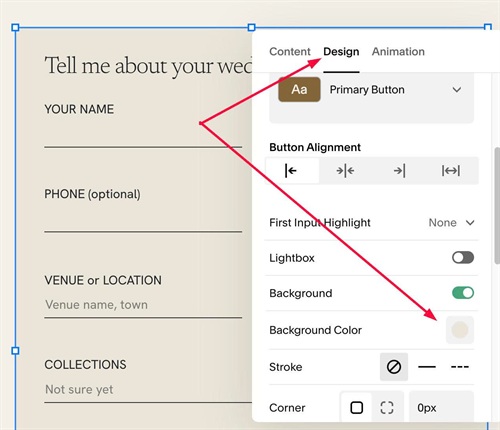
#1.2. You can set Form Background here
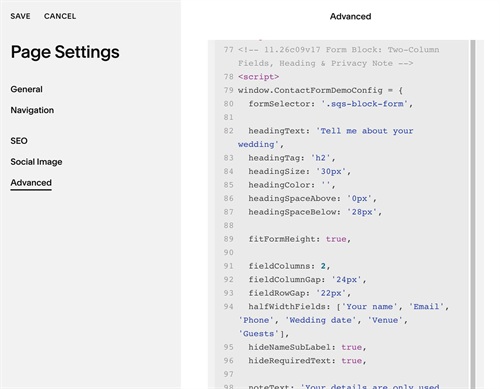
#1.3. Next, use this code to Page Header Injection (Page where you use Form)
<!-- 11.26c09v17 Form Block: Two-Column Fields, Heading & Privacy Note -->
<script>
window.ContactFormDemoConfig = {
  formSelector: '.sqs-block-form',

  headingText: 'Tell me about your wedding',
  headingTag: 'h2',
  headingSize: '30px',
  headingColor: '',
  headingSpaceAbove: '0px',
  headingSpaceBelow: '28px',

  fitFormHeight: true,

  fieldColumns: 2,
  fieldColumnGap: '24px',
  fieldRowGap: '22px',
  halfWidthFields: ['Your name', 'Email', 'Phone', 'Wedding date', 'Venue', 'Guests'],
  hideNameSubLabel: true,
  hideRequiredText: true,

  noteText: 'Your details are only used to reply to this enquiry.',
  noteSize: '',
  noteColor: '',
  noteSpaceAbove: '32px',
  noteSpaceBelow: '20px',

  mobileBreakpoint: 767
};
</script>
<script src="https://code.beaverhero.com/formblock/1126c09v17form2columnscustomtext.js"></script>
#1.4. Customize
You can change heading text/text style here
headingText: 'Tell me about your wedding',
headingTag: 'h2',
headingSize: '30px',
headingColor: '',
headingSpaceAbove: '0px',
headingSpaceBelow: '28px',
You can change gap between columns here
fieldColumns: 2,
  fieldColumnGap: '24px',
  fieldRowGap: '22px',
If you want to set specific field to 2 columns, you can change these
halfWidthFields: ['Your name', 'Email', 'Phone', 'Wedding date', 'Venue', 'Guests'],
hideNameSubLabel: true,
hideRequiredText: true,
If you want to change text above button, change this
noteText: 'Your details are only used to reply to this enquiry.',
  noteSize: '',
  noteColor: '',
  noteSpaceAbove: '32px',
  noteSpaceBelow: '20px',