Description
- Instead of adding a separate Line Block, this CSS lets you place a divider line right inside a Text Block. Just type any character on its own line, then make it bold and strikethrough
- buy me a coffee

#1. Install Code
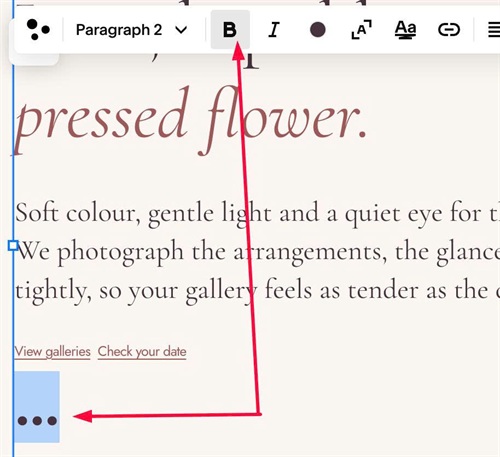
#1.1. First, in Text Block, you can enter 3 dots, like this

#1.2. Next, make it BOLD
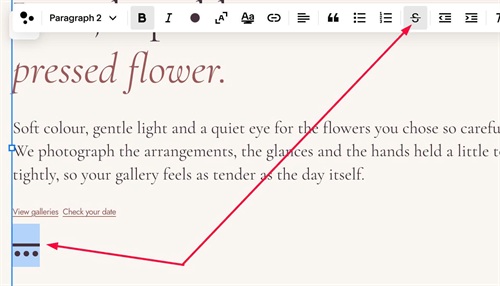
#1.3. Next, make it STRIKETHROUGH
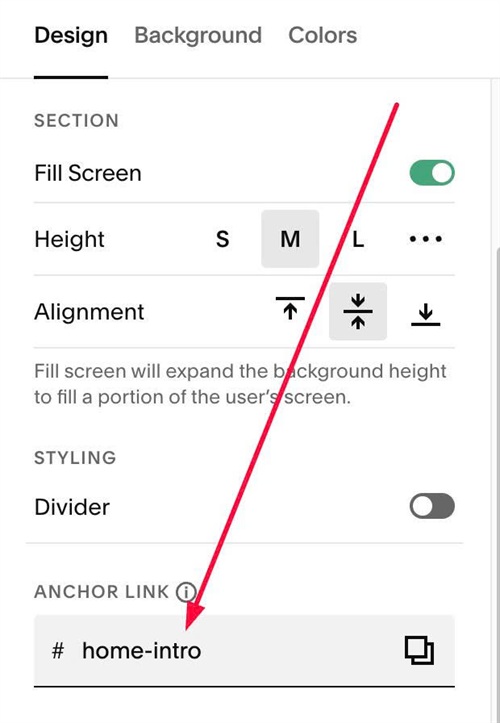
#1.4. Next, hover on top right of section > Click EDIT SECTION > at Design > Anchor Link > enter word: home-intro
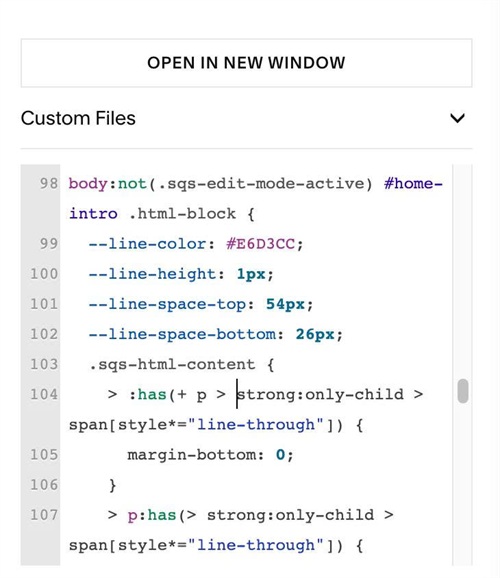
#1.5. Next, use this code to Custom CSS
body:not(.sqs-edit-mode-active) #home-intro .html-block {
  --line-color: #E6D3CC;
  --line-height: 1px;
  --line-space-top: 54px;
  --line-space-bottom: 26px;
  .sqs-html-content {
    > :has(+ p > strong:only-child > span[style*="line-through"]) {
      margin-bottom: 0;
    }
    > p:has(> strong:only-child > span[style*="line-through"]) {
      height: var(--line-height);
      margin: var(--line-space-top) 0 var(--line-space-bottom);
      background-color: var(--line-color);
      font-size: 0;
      line-height: 0;
      overflow: hidden;
      > strong {
        display: none;
      }
      + * {
        margin-top: 0;
      }
    }
  }
}
#1.6. Customize
You can change line style here
--line-color: #E6D3CC;
--line-height: 1px;
--line-space-top: 54px;
--line-space-bottom: 26px;
To adjust line width, use this new code
body:not(.sqs-edit-mode-active) #work-float .html-block {
  --line-color: #E6D3CC;
  --line-height: 1px;
  --line-width: 100%;
  --line-space-top: 54px;
  --line-space-bottom: 26px;
  .sqs-html-content {
    > :has(+ p > strong:only-child > span[style*="line-through"], + p > span:only-child > strong:only-child > span[style*="line-through"]) {
      margin-bottom: 0;
    }
    > p:has(> strong:only-child > span[style*="line-through"]),
    > p:has(> span:only-child > strong:only-child > span[style*="line-through"]) {
      width: var(--line-width);
      height: var(--line-height);
      margin: var(--line-space-top) 0 var(--line-space-bottom);
      background-color: var(--line-color);
      font-size: 0;
      line-height: 0;
      overflow: hidden;
      > :is(strong, span) {
        display: none;
      }
      + * {
        margin-top: 0;
      }
    }
  }
}
and change
--line-width: 100%;