Description
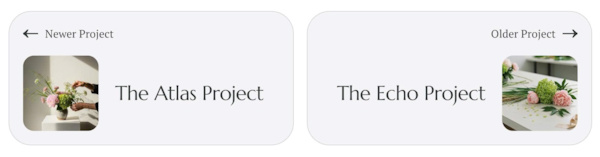
- The default project pagination only shows text links. This code turns them into two rounded cards with a thumbnail of the previous and next project, a long arrow and a subtle hover effect.
- buy me a coffee
#1. Install Code
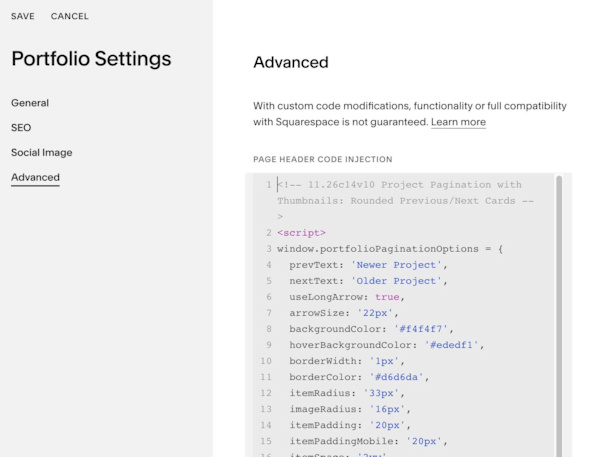
#1.1. You can use code to Portfolio Page Header Injection
<!-- 11.26c14v10 Project Pagination with Thumbnails: Rounded Previous/Next Cards -->
<script>
window.portfolioPaginationOptions = {
  prevText: 'Newer Project',
  nextText: 'Older Project',
  useLongArrow: true,
  arrowSize: '22px',
  backgroundColor: '#f4f4f7',
  hoverBackgroundColor: '#ededf1',
  borderWidth: '1px',
  borderColor: '#d6d6da',
  itemRadius: '33px',
  imageRadius: '16px',
  itemPadding: '20px',
  itemPaddingMobile: '20px',
  itemSpace: '2vw',
  labelImageSpace: '20px',
  imageTitleSpace: '24px',
  imageWidth: '110px',
  imageWidthMobile: '70px',
  imageRatio: '1/1',
  stackOnMobile: true
};
</script>
<script src="https://code.beaverhero.com/portfolio/1126c14v10thumbnailsroundedprevnextcard.js"></script>
#1.2. Customize
To change text Older, Newer Project, change this line
prevText: 'Newer Project',
nextText: 'Older Project',
To change item background, item border style, edit this
backgroundColor: '#f4f4f7',
  hoverBackgroundColor: '#ededf1',
  borderWidth: '1px',
  borderColor: '#d6d6da',
To disable/adjust rounded corners of item/image, edit this
itemRadius: '33px',
imageRadius: '16px',
To change space inside each item, edit this
itemPadding: '20px',
  itemPaddingMobile: '20px',
To change space between Older/Newer items, space between image – text inside each item, edit this
itemSpace: '2vw',
  labelImageSpace: '20px',
  imageTitleSpace: '24px',
To change thumbnails image size, edit this
imageWidth: '110px',
 imageWidthMobile: '70px',
 imageRatio: '1/1',