Description
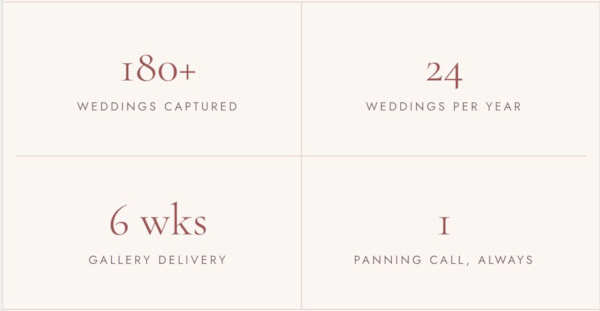
- This CSS turns a List Section into a clean stats grid: the item title becomes a large number, the description a small uppercase label, with thin lines between every cell, in 4 columns on desktop and 2 on mobile.
- buy me a coffee
#1. Install Code
#1.1. First, you can add a List Simple
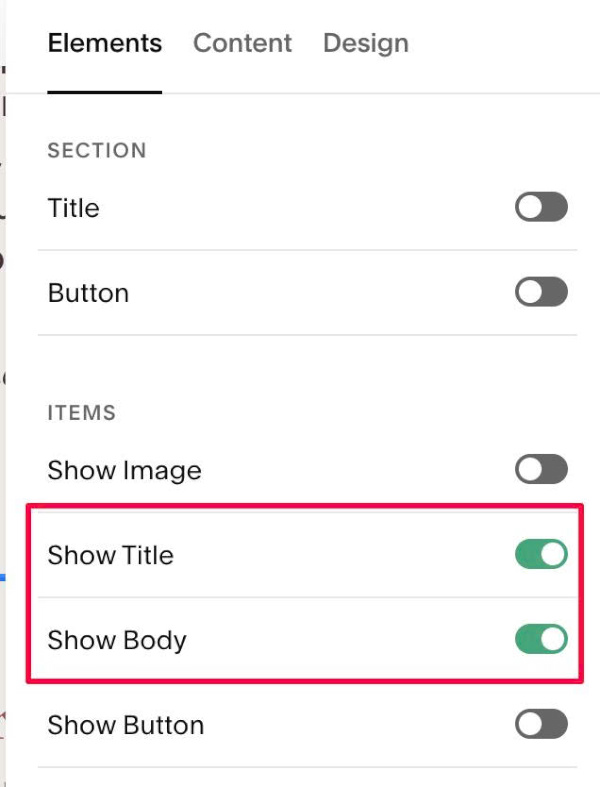
#1.2. Enable these options
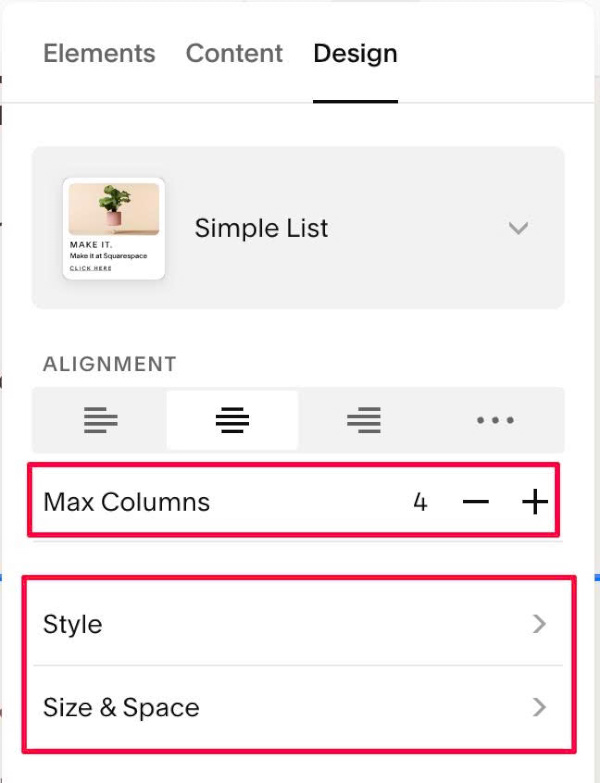
#1.3. Set 4 Columns
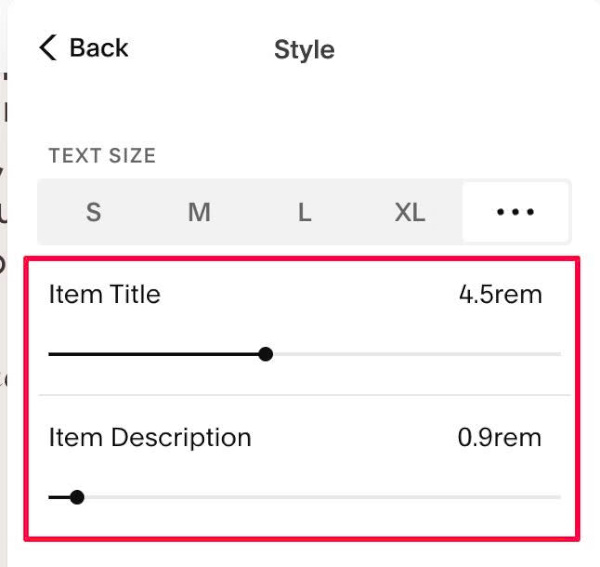
#1.4. Adjust Item Title, Item Description size
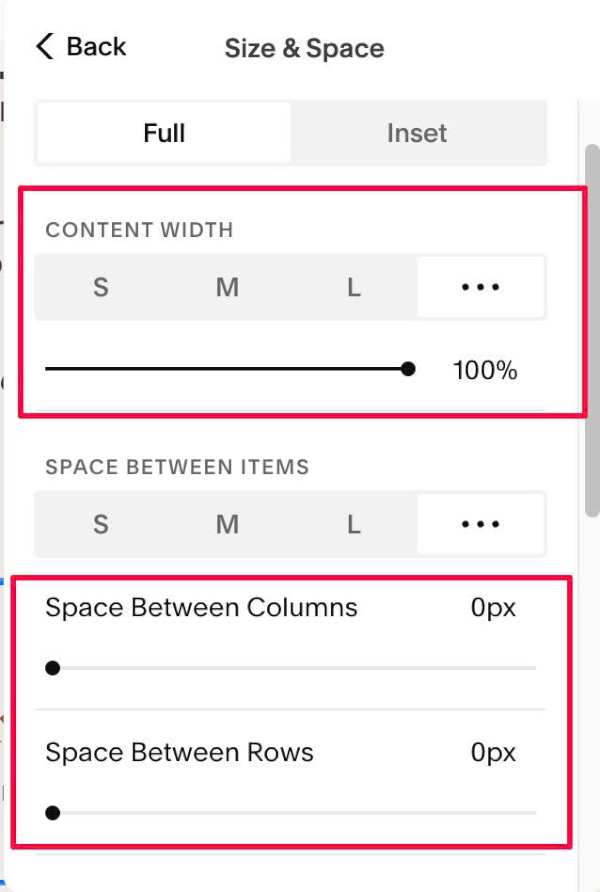
#1.5. Set Content Width = 100%, Space = 0
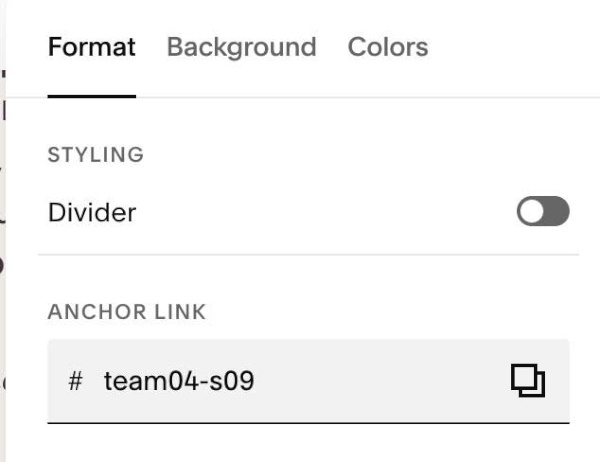
#1.6. Hover on top right of section > Click EDIT SECTION > at Format > Anchor Link > Enter word: team04-s09
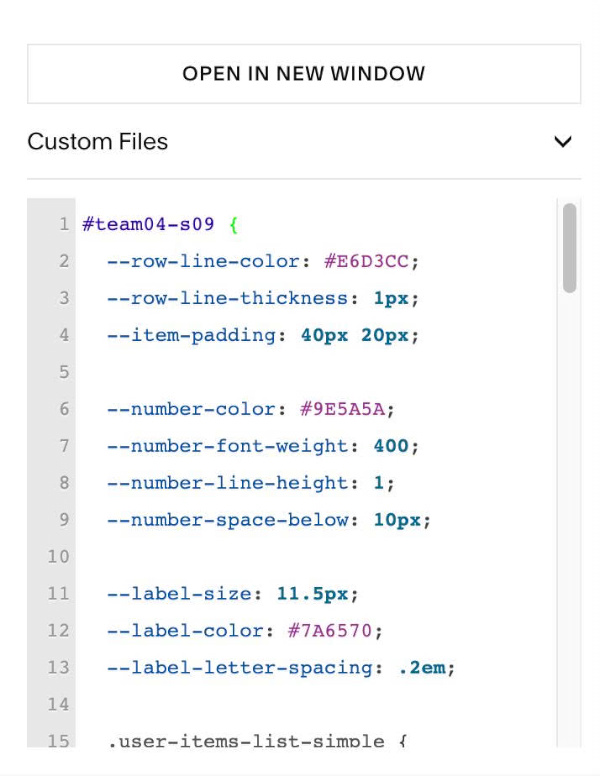
#1.7. Next, use this code to Custom CSS
#team04-s09 {
  --row-line-color: #E6D3CC;
  --row-line-thickness: 1px;
  --item-padding: 40px 20px;

  --number-color: #9E5A5A;
  --number-font-weight: 400;
  --number-line-height: 1;
  --number-space-below: 10px;

  --label-size: 11.5px;
  --label-color: #7A6570;
  --label-letter-spacing: .2em;

  .user-items-list-simple {
    border-top: var(--row-line-thickness) solid var(--row-line-color);
    border-bottom: var(--row-line-thickness) solid var(--row-line-color);
  }
  .list-item {
    padding: var(--item-padding) !important;
  }
  .list-item-content__title {
    margin: 0 0 var(--number-space-below) !important;
    font-weight: var(--number-font-weight);
    line-height: var(--number-line-height);
    color: var(--number-color) !important;
  }
  .list-item-content__description {
    margin: 0 !important;
  }
  .list-item-content__description p {
    margin: 0;
    font-size: var(--label-size);
    letter-spacing: var(--label-letter-spacing);
    text-transform: uppercase;
    color: var(--label-color);
  }

  @media (min-width: 901px) {
    .user-items-list-simple {
      grid-template-columns: repeat(4, minmax(0, 1fr)) !important;
    }
    .list-item:not(:nth-child(4n+1)) {
      border-left: var(--row-line-thickness) solid var(--row-line-color);
    }
    .list-item:nth-child(n+5) {
      border-top: var(--row-line-thickness) solid var(--row-line-color);
    }
  }
  @media (max-width: 900px) {
    .user-items-list-simple {
      grid-template-columns: repeat(2, minmax(0, 1fr)) !important;
    }
    .list-item:nth-child(even) {
      border-left: var(--row-line-thickness) solid var(--row-line-color);
    }
    .list-item:nth-child(n+3) {
      border-top: var(--row-line-thickness) solid var(--row-line-color);
    }
  }
}
#1.8. Customize
To change Line style, edit this
--row-line-color: #E6D3CC;
--row-line-thickness: 1px;
--item-padding: 40px 20px;
To change number style, edit this
--number-color: #9E5A5A;
--number-font-weight: 400;
--number-line-height: 1;
--number-space-below: 10px;
To change label text style, edit this
--label-size: 11.5px;
--label-color: #7A6570;
--label-letter-spacing: .2em;