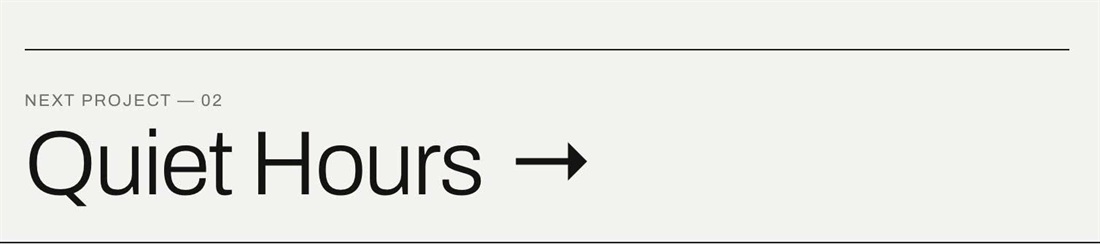
On the last project, Squarespace shows no “Next” link, so visitors hit a dead end. This code turns project pagination into one large “Next project →” link with the project number, and the last project loops back to the first.
#1. Install Code
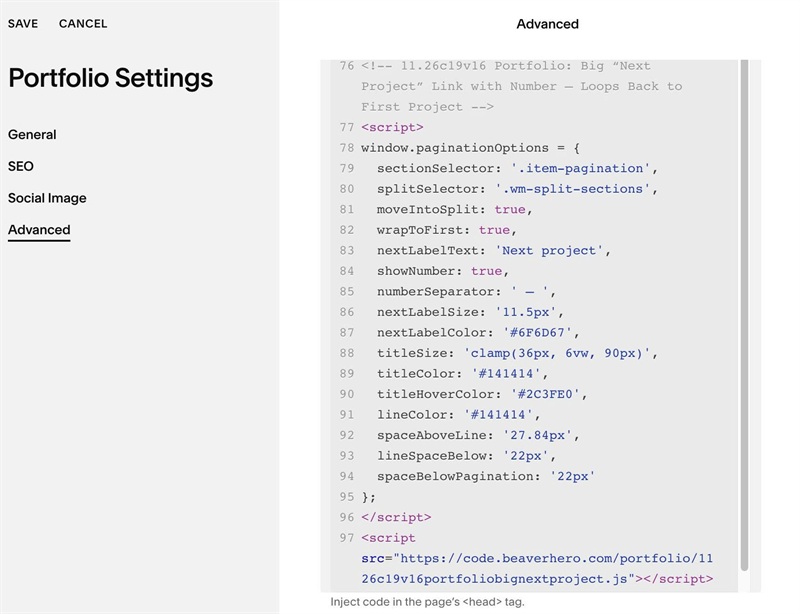
#1.1. First, use this code to Portfolio Page Header Injection
<!-- 11.26c19v16 Portfolio: Big “Next Project” Link with Number – Loops Back to First Project -->
<script>
window.paginationOptions = {
  sectionSelector: '.item-pagination',
  splitSelector: '.wm-split-sections',
  moveIntoSplit: true,
  wrapToFirst: true,
  nextLabelText: 'Next project',
  showNumber: true,
  numberSeparator: ' — ',
  nextLabelSize: '11.5px',
  nextLabelColor: '#6F6D67',
  titleSize: 'clamp(36px, 6vw, 90px)',
  titleColor: '#141414',
  titleHoverColor: '#2C3FE0',
  lineColor: '#141414',
  spaceAboveLine: '27.84px',
  lineSpaceBelow: '22px',
  spaceBelowPagination: '22px'
};
</script>
<script src="https://code.beaverhero.com/portfolio/1126c19v16portfoliobignextproject.js"></script>
#1.2. Customize
To change text “Next Project”, edit this
nextLabelText: 'Next project',
To change style of text Next Project, edit this
nextLabelSize: '11.5px',
  nextLabelColor: '#6F6D67',
To change style of Portfolio item title, edit this
titleSize: 'clamp(36px, 6vw, 90px)',
  titleColor: '#141414',
  titleHoverColor: '#2C3FE0',
To change Line Style (Line above Next Project), edit this
lineColor: '#141414',
spaceAboveLine: '27.84px',
lineSpaceBelow: '22px',
spaceBelowPagination: '22px'