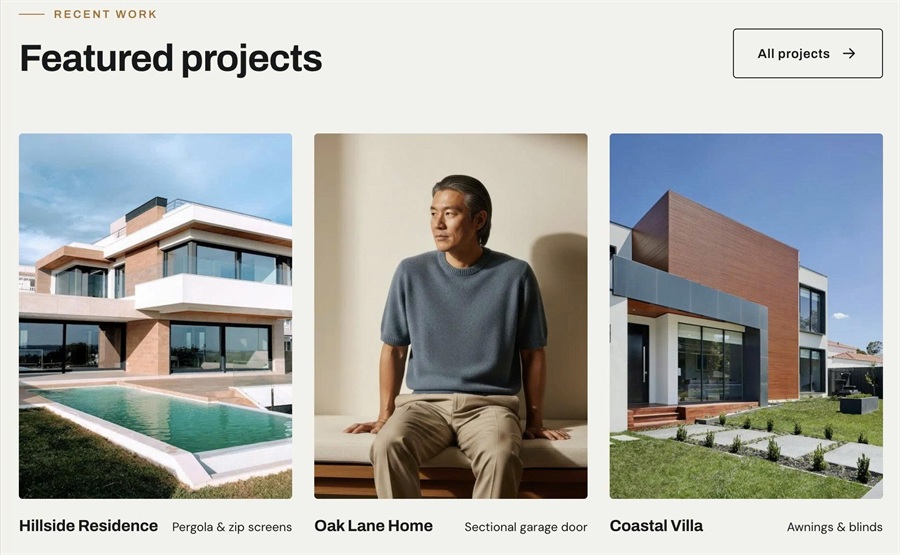
In List Section, the item description always sits below the title. This code puts them on one row, project name on the left and category or year on the right, and adds a hover zoom and a “View all” button beside the section heading.
#1. Install Code
#1.1. First, use List Simple
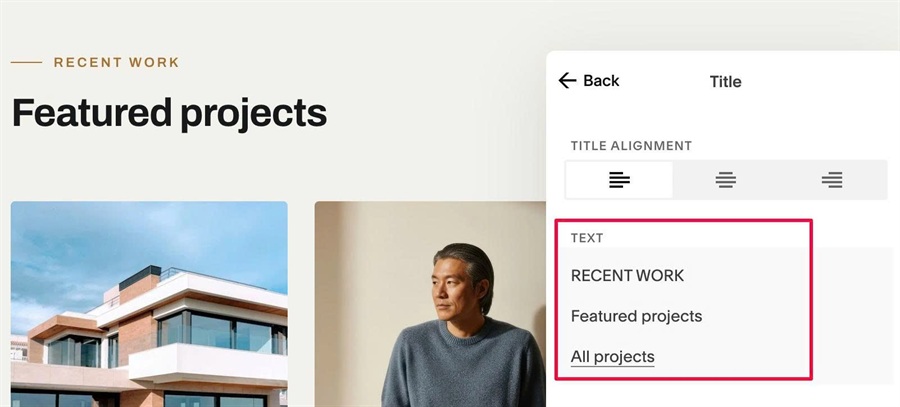
#1.2. Edit Section Title > Enter 3 Paragraphs
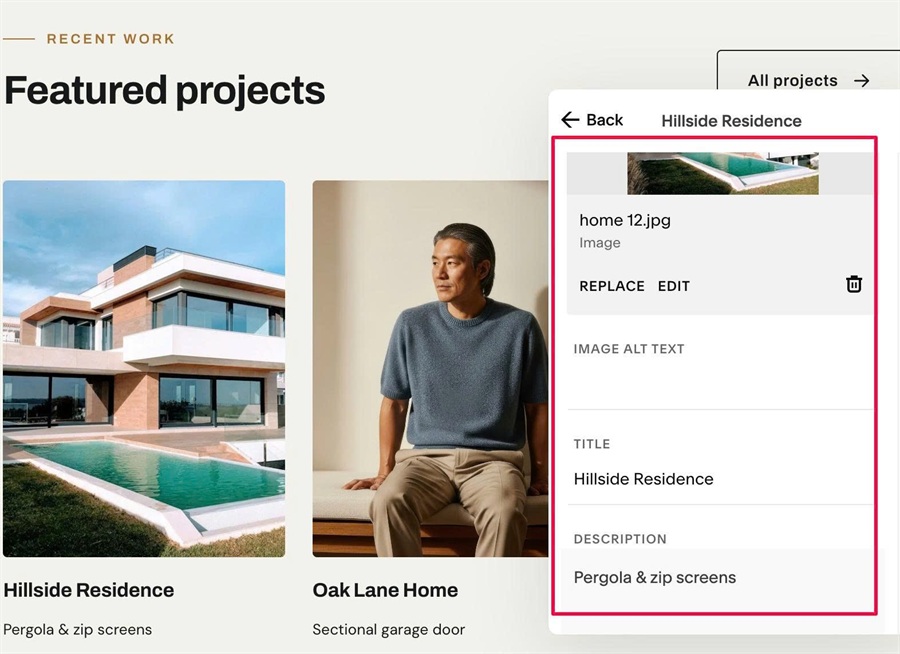
#1.3. Edit each item > Enter image, title, description
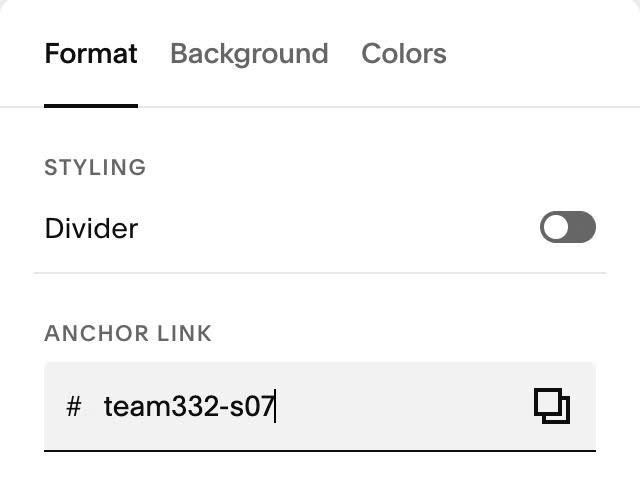
#1.4. Hover on top right of section > Click EDIT SECTION > at Format > Anchor Link > enter word: team332-s07
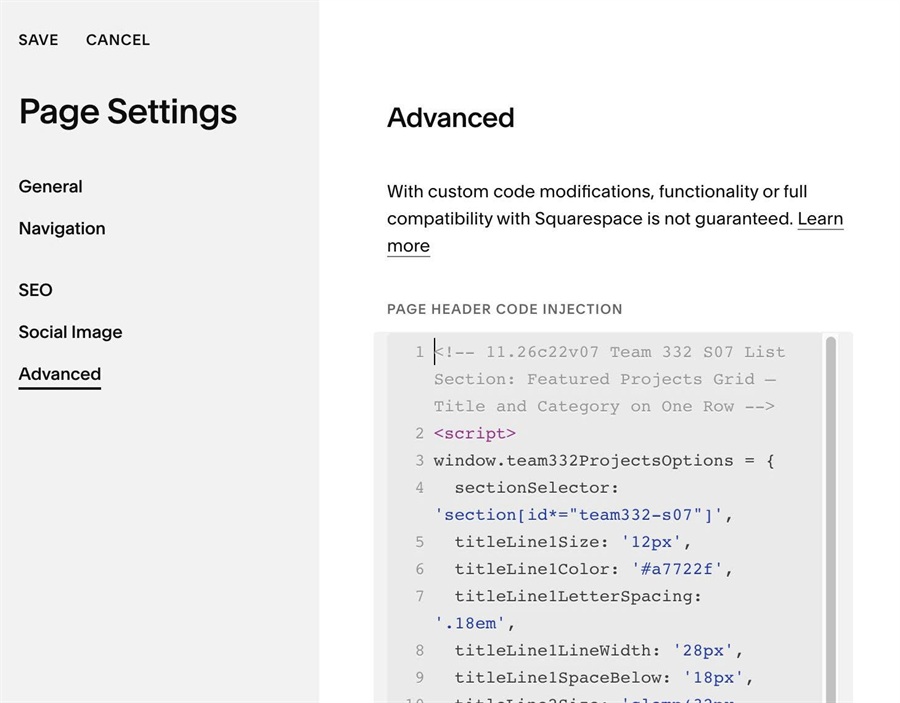
#1.5. Use code to Page Header Injection
<!-- 11.26c22v07 Team 332 S07 List Section: Featured Projects Grid – Title and Category on One Row -->
<script>
window.team332ProjectsOptions = {
  sectionSelector: 'section[id*="team332-s07"]',
  titleLine1Size: '12px',
  titleLine1Color: '#a7722f',
  titleLine1LetterSpacing: '.18em',
  titleLine1LineWidth: '28px',
  titleLine1SpaceBelow: '18px',
  titleLine2Size: 'clamp(32px, 4.2vw, 54px)',
  sectionButtonFontSize: '14px',
  sectionButtonPadding: '16px 26px',
  sectionButtonRadius: '4px',
  sectionButtonColor: '#16191b',
  sectionButtonHoverBackgroundColor: '#16191b',
  sectionButtonHoverTextColor: '#f4f1eb',
  sectionButtonArrow: true,
  imageRadius: '4px',
  imageHoverZoom: '1.06',
  titleDescriptionInOneRow: true,
  titleDescriptionGap: '12px'
};
</script>
<script src="https://code.beaverhero.com/listsimple/1126c22v07team332s07.js"></script>
#1.6. Customize
To change style of 2 Paragraphs in Section Title + Third Paragraph (Button), edit this
titleLine1Size: '12px',
titleLine1Color: '#a7722f',
titleLine1LetterSpacing: '.18em',
titleLine1LineWidth: '28px',
titleLine1SpaceBelow: '18px',
titleLine2Size: 'clamp(32px, 4.2vw, 54px)',
sectionButtonFontSize: '14px',
sectionButtonPadding: '16px 26px',
sectionButtonRadius: '4px',
sectionButtonColor: '#16191b',
sectionButtonHoverBackgroundColor: '#16191b',
sectionButtonHoverTextColor: '#f4f1eb',
sectionButtonArrow: true,