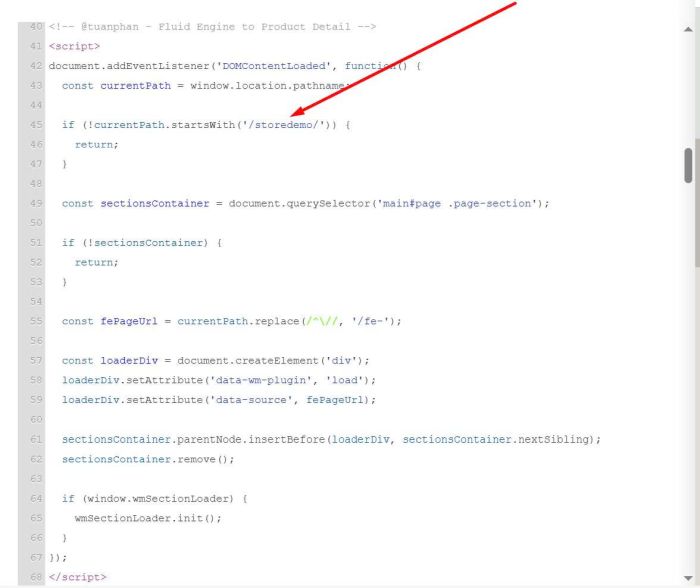
By default you can’t add Fluid Engine section to Product Detail Page. But we can create some pages in Not Linked, design them with Fluid Engine section, then attach them to product detail.
The code will automatically map based on URL rules, so you won’t need to do much editing.
Follow these steps.
#1. First, find Product Item url
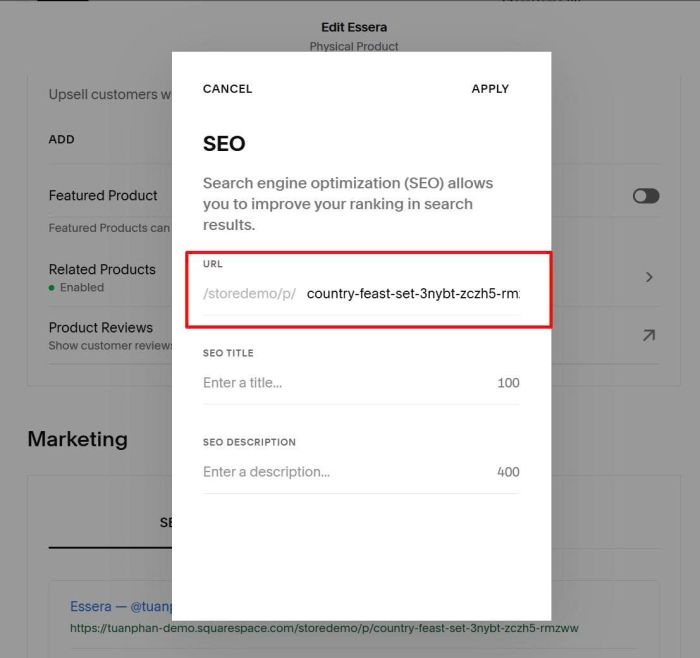
In my example, we will have
- /storedemo/p/country-feast-set-3nybt-zczh5-rmzww
- /storedemo/p/golden-mist-cup-weny8-tys2x-s74lg
- /storedemo/p/spring-bowl-rltkk-4a48k-tddgy
#2. Next, create some pages in Not Linked

with URL like this. fe-storedemo/p/country-feast-set-3nybt-zczh5-rmzww
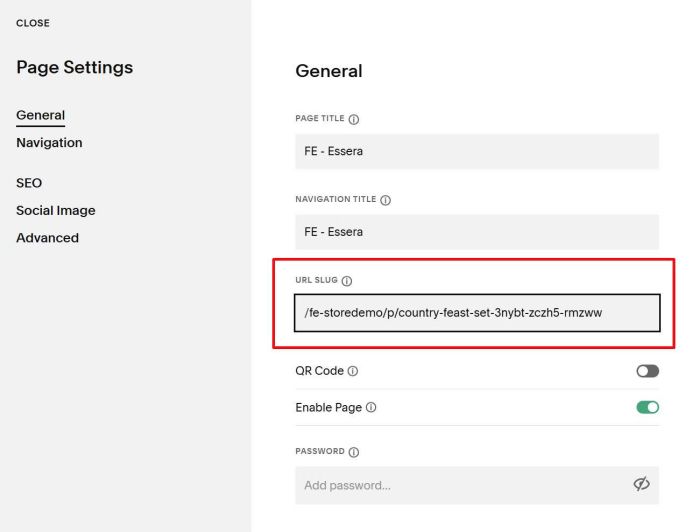
In my example, we will have
- /fe-storedemo/p/country-feast-set-3nybt-zczh5-rmzww
- /fe-storedemo/p/golden-mist-cup-weny8-tys2x-s74lg
- /fe-storedemo/p/spring-bowl-rltkk-4a48k-tddgy
It’s basically the same as a product detail item URL, only we add “fe-” before the URL.
#3. Next, install Section Loader Supreme Plugin
#4. Next, use this extra code under Plugin code. Code will replace Product Additional Info with Fluid Engine Page (in step #2).
<!-- @tuanphan - Fluid Engine to Product Detail -->
<script>
document.addEventListener('DOMContentLoaded', function() {
  const currentPath = window.location.pathname;

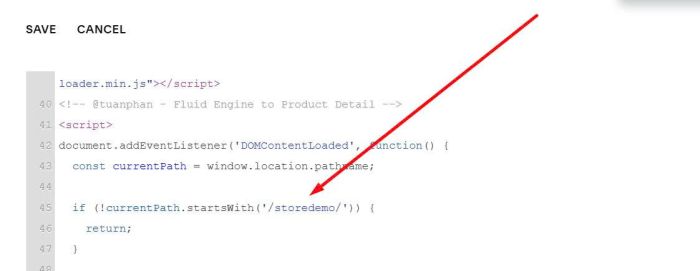
  if (!currentPath.startsWith('/storedemo/')) {
    return;
  }

  const sectionsContainer = document.querySelector('.ProductItem-additional');

  if (!sectionsContainer) {
    return;
  }

  const fePageUrl = currentPath.replace(/^\//, '/fe-');

  const loaderDiv = document.createElement('div');
  loaderDiv.setAttribute('data-wm-plugin', 'load');
  loaderDiv.setAttribute('data-source', fePageUrl);

  sectionsContainer.parentNode.insertBefore(loaderDiv, sectionsContainer.nextSibling);
  sectionsContainer.remove();

  if (window.wmSectionLoader) {
    wmSectionLoader.init();
  }
});
</script>
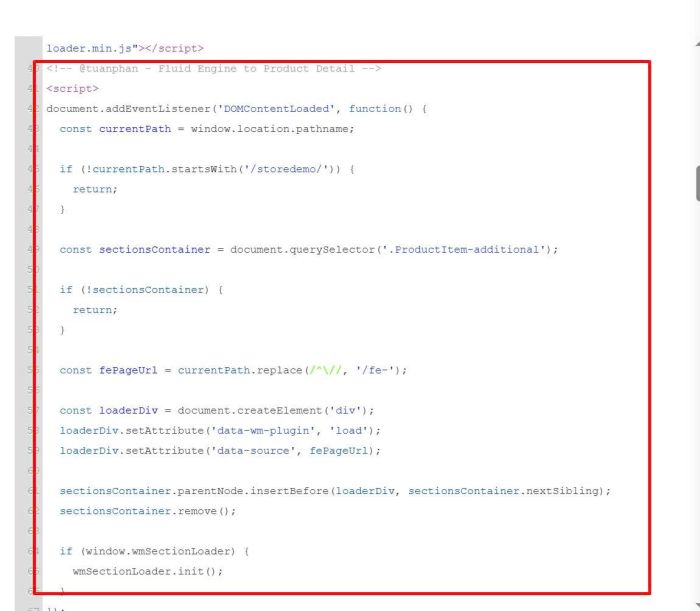
Remember to update Store Page URL.
Result like this
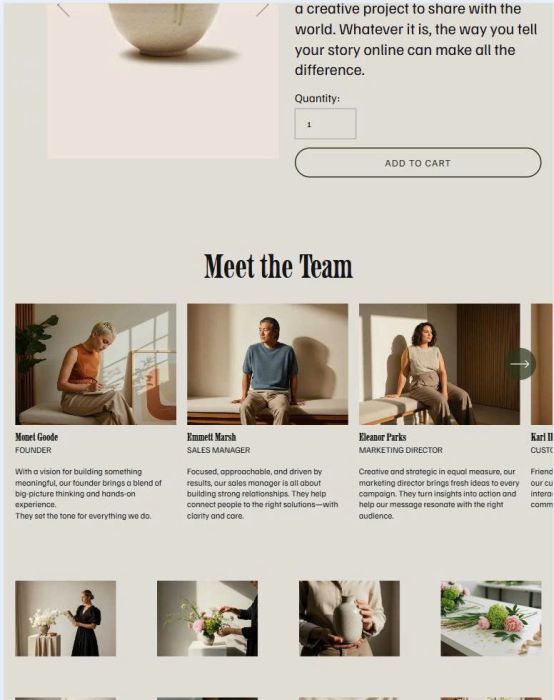
#5. In case you want to replace Product Detail with Fluid Engine Page, you can use this new code. Remember to update Store Page URL
<!-- @tuanphan - Fluid Engine to Product Detail -->
<script>
document.addEventListener('DOMContentLoaded', function() {
  const currentPath = window.location.pathname;

  if (!currentPath.startsWith('/storedemo/')) {
    return;
  }

  const sectionsContainer = document.querySelector('main#page .page-section');

  if (!sectionsContainer) {
    return;
  }

  const fePageUrl = currentPath.replace(/^\//, '/fe-');

  const loaderDiv = document.createElement('div');
  loaderDiv.setAttribute('data-wm-plugin', 'load');
  loaderDiv.setAttribute('data-source', fePageUrl);

  sectionsContainer.parentNode.insertBefore(loaderDiv, sectionsContainer.nextSibling);
  sectionsContainer.remove();

  if (window.wmSectionLoader) {
    wmSectionLoader.init();
  }
});
</script>